 Proton Review (2026)
Storage is the axis, and the jump from Drive Plus to Unlimited is not really about storage at all: you go from 200 GB to 500 GB, but you also start paying for Mail, Calendar, Pass and VPN whether or not you wanted them.
Visit Proton → Affiliate link — the rest of this page is the honest version, including who should skip it.
Pricing (2026)
✓ Pricing re-verified 26 Aug 2026
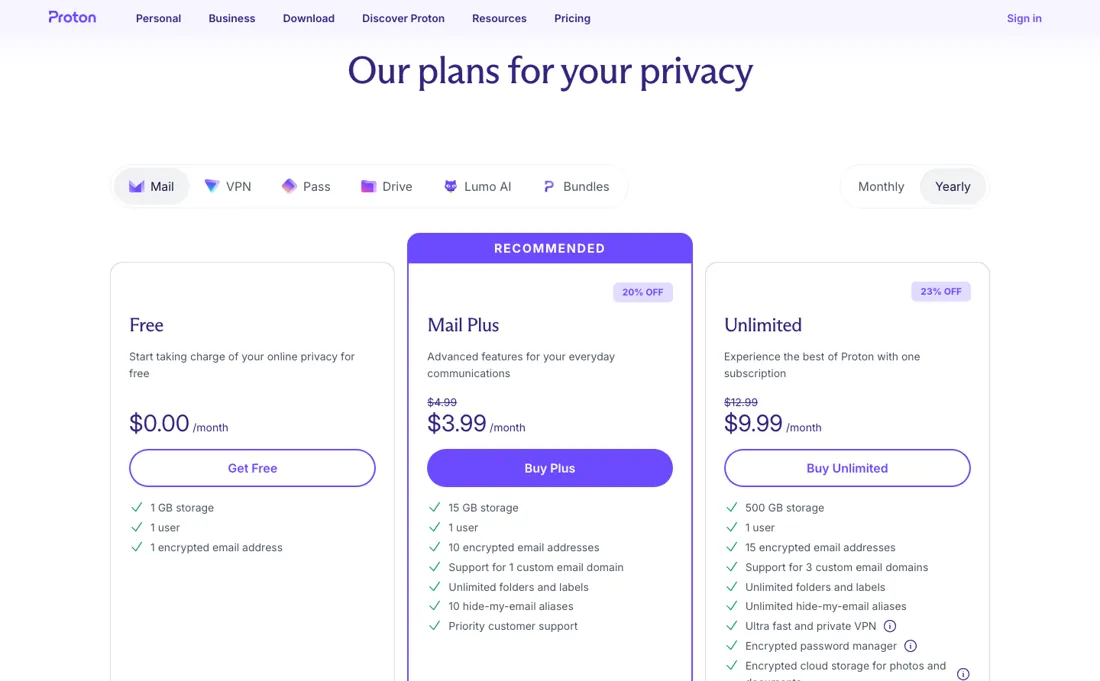
Free is $0.00 a month for 1 GB and one address. Mail Plus is $3.99 a month, marked 20% off $4.99 and billed at $47.88 every twelve months, for 15 GB, ten addresses and one custom domain. Unlimited is $9.99 a month, 23% off $12.99, billed at $119.88 a year, for 500 GB, fifteen addresses, three domains and the VPN, password manager and Drive storage.
Those are the default figures an American is shown; the page also has a currency selector, and picking euros gives euro amounts rather than a conversion of these. Plans change — always verify the live price on their site.
What the pricing page doesn’t say
If all you need is encrypted file storage, the bundle is where the money leaks. The other thing to price honestly is the encryption itself — end-to-end encryption is the reason to be here, and it is also why per-gigabyte this costs more than the mainstream drives. That is a fair trade if privacy is the requirement, and a poor one if you just want cheap space.
What Proton does
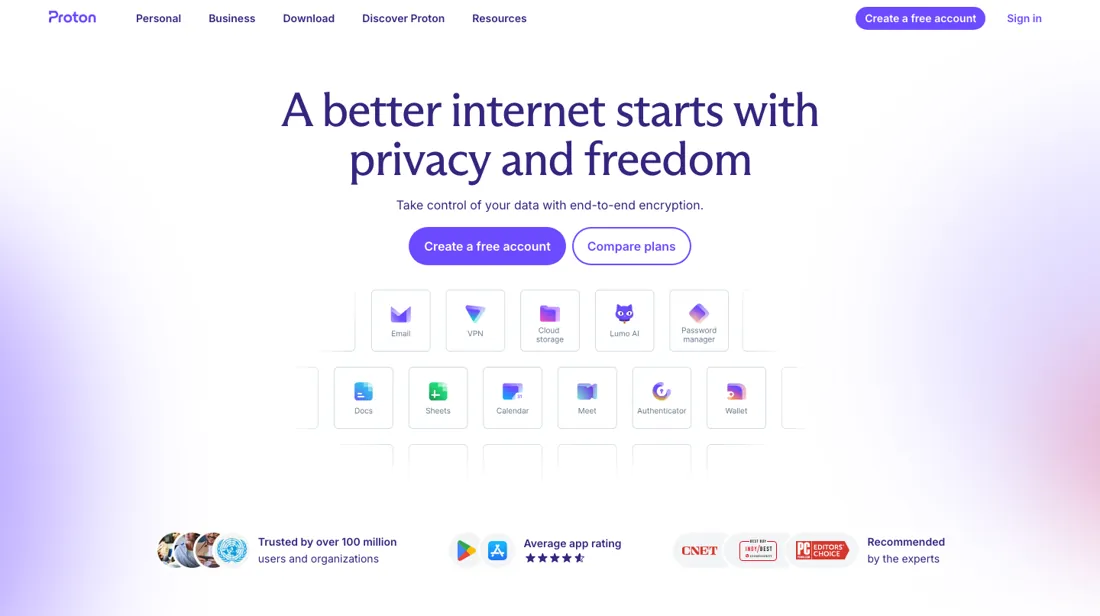
Privacy-first suite from the makers of ProtonMail — encrypted mail, calendar, drive, VPN and password manager under one account, with a free tier and paid bundles.
What buyers report about Proton
Recurring themes from the buyer-review sites listed at the foot of this page, read in August 2026. We have not run Proton ourselves, so this is other buyers' experience rather than ours. We summarise it here because the complaints are usually the part a vendor page leaves out.
- • End-to-end encryption that is actually the default, and Proton Sentinel catching real phishing — one six-month tester reports it flagging a fake Proton renewal email. 93% positive sentiment across 121 reviews.
- • The Unlimited bundle covers Mail, VPN, Drive, Pass and Calendar with 500 GB for $9.99/month on annual, $7.99 on two-year. Prices have come down since earlier years.
- • Still more expensive than mainstream mail, and you are paying for the privacy rather than the features.
- • Attachments do not display inline — you open and download them one at a time, which reviewers find tedious.
- • The cheapest rates need a one- or two-year commitment; monthly costs noticeably more.
When the paid plan is worth it
Proton Free is 1 GB of mail storage, one address and no custom domain — that last part is the whole decision. If you want mail on your own domain, the free plan cannot do it at any volume, so the question is only which paid tier. Read on their own plans page on 2 August 2026, in euros: Mail Plus €4.99 a month or €47.88 a year (€3.99/mo) gives 15 GB, 10 addresses and 1 custom domain.
Proton Unlimited €12.99 or €119.88 a year (€9.99/mo) gives 500 GB, 15 extra addresses, 3 domains, and folds in VPN, Pass and Drive. Duo €19.99 or €14.99/mo annual covers 2 users and 2 TB; Family €29.99 or €23.99/mo covers 6 users and 3 TB; Visionary €39.99 or €29.99/mo raises the domain limit to 10. The upgrade that actually pays is Unlimited rather than Mail Plus, and not for the mailbox: at €9.99 a month annual it replaces a separate VPN and password manager subscription.
If you already pay for either of those, price the bundle against your current stack rather than against Mail Plus. Storage on every tier is shared with Drive, so a photo backup eats your mail allowance. If you are buying this for a company rather than yourself, the consumer ladder above is the wrong one to read. Proton for Business is priced per user, and the entry tier is the answer to the question most people arrive with — mail on your own domain.
Read on their business pricing page on 18 August 2026, in euros: Mail Essentials is €6.99 per user per month on yearly billing, which is €83.88 per user per year, and carries 15 GB per user, 3 custom domains and 10 addresses per user. Workspace Standard is €12.99 per user per month yearly (€155.88 per user per year) and raises that to 1 TB per user and 15 domains, adds VPN with 140 countries instead of 10, team password vaults and meetings up to 100 people.
Workspace Premium is €19.99 per user per month yearly (€239.88 per user per year) for 3 TB per user, 20 domains, 250-participant meetings, data-retention policies and unlimited Lumo AI. Two things worth doing the arithmetic on before you choose. First, the headline is the yearly rate. Monthly billing is €7.99, €14.99 and €24.99 for the same three tiers, so paying month to month costs roughly 14%, 15% and 25% more — the gap widens as you go up, which is the opposite of what most people assume.
Second, the domain limits are the real tier boundary for a small company, not the storage: three custom domains on Mail Essentials is generous for one brand and immediately tight for an agency or a holding structure with several. Count your domains first, then look at the gigabytes.
How to actually use Proton
The order of the setup steps is not cosmetic — get it wrong and you lose mail. Proton documents five: verify the domain with a TXT record (protonmail-verification=…), create the addresses, then change the MX records, then SPF, DKIM and DMARC. Their own warning is the one to read twice: "Please create corresponding email addresses on Proton Mail before changing the MX records." Once the MX records point at Proton, anything sent to an address that does not yet exist there is not delivered — it does not queue at your old host, it fails.
So make every address first, including the aliases nobody uses, and only then touch MX. Three details catch people out. Two MX records are needed, and your old ones must be deleted or given a higher priority number. There must be exactly one SPF record on the domain, so merge rather than add if you already have one. And all three DKIM records are required, not the first one. Proton recommends p=quarantine for DMARC.
Propagation is "a few minutes or a few hours, depending on your previous TTL settings" — lower the TTL a day ahead if you can.
Distilled from Proton's own plans page and their custom-domain support article, read 2 August 2026
The natural comparison is Internxt — the other privacy-first storage we cover — Proton's advantage is the surrounding suite and a long track record; compare on whether you want the bundle or only the drive, because that is what you are really choosing between.
More on Proton
Everything we publish about Proton links back here — the review stays the honest hub:
The ex-banker filter — the same yardstick on every review (how we review): My ex-banker filter is simple: does Proton remove a real cost — time, errors, missed revenue — bigger than what it charges?
Frequently asked questions
What should I weigh before buying IT & Productivity software?
Judge it on evidence rather than adjectives. Look for a published security page, single sign-on and role controls on the plan you would actually buy (they are often gated to higher tiers), a status page with real incident history, and a clear answer on where your data is stored. If the tool will hold anything sensitive, those four answers matter more than any feature comparison.
Is this a hands-on review of Proton?
This is a researched assessment, not a hands-on test — where we've used a tool ourselves, we say so explicitly. We name what each tool is genuinely good and bad at, and we earn a commission only if you sign up, at no cost to you.
- Buyer reviews on Capterra, Cloudwards, CyberInsider and long-term user tests, read August 2026.
- Read 2026-08-26 on proton.me/pricing over a US connection, on the Mail tab with yearly billing.
- A dated screenshot of that pricing page, kept on this site as the receipt.
Others in this category
Reviewed it & productivity tools that share ground with Proton — comparable in what they do, not drop-in swaps:
New dossiers, cost-traps we found, and tools that earned a keep — no hype, no sponsored-disguised-as-advice. Unsubscribe anytime.
This is our researched assessment — not a paid placement. The “Visit” links on this page are affiliate links: we may earn a commission if you sign up, at no extra cost to you, and it never changes our take. How we review →