 BuddyPunch Review (2026)
That flat $19 base fee makes it pricey for very small teams — at three or four users the base fee dominates the bill, so it's better value once you're past a handful of employees.
Visit BuddyPunch → Affiliate link — we may earn a commission if you sign up; it does not change what this page says.
Watch the 2-minute review
The video version of this review, from our YouTube channel.
⚡ Short on time? Watch the 30-second verdict Short.
Pricing (2026)
✓ Pricing re-verified 24 Sep 2026
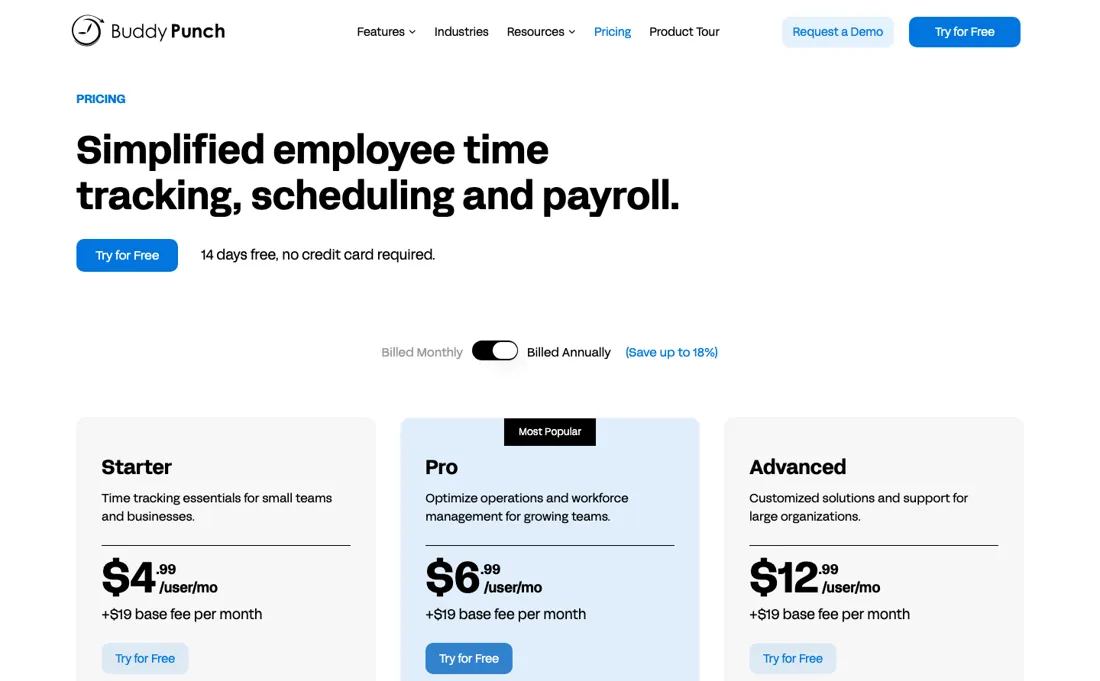
Per user plus a base fee, re-verified on buddypunch.com/pricing on 24 September 2026 (amounts unchanged since 5 September): Starter $5.99 per user a month, Pro $7.99 and Advanced $13.99, each with a $19 base fee a month. Scheduling is $1 per user on Starter (included from Pro), real-time GPS $2 per user, onboarding and task checklists $4 per user, extended data retention $2 per user; the payroll add-on is $8 per user plus a $49 base fee a month. 14-day free trial, no card.
On annual billing the per-user rates are $4.99, $6.99 and $12.99 and the base fee stays $19 a month. Administrators are free users; employees and managers count, and only active employees are billed. Advanced includes real-time GPS, advanced reporting and the onboarding/tasks add-on (listed as coming soon); data retention is $2 per user on every plan. Plans change — always verify the live price on their site.
Correction after re-checking: Buddy Punch's help center now lists Starter at $4.99/user/mo annual ($5.99 monthly), Pro at $6.99 annual ($7.99 monthly) and Advanced/Enterprise at $12.99 annual ($13.99 monthly), all on a $19.00 base fee. So our Starter $5.49 and Enterprise $11.99 figures are out of date, and our Pro figure of $6.99 now applies only to annual billing — monthly Pro is $7.99 (re-verified 2026-07-29).
BuddyPunch’s pricing page, as we read it
What BuddyPunch does
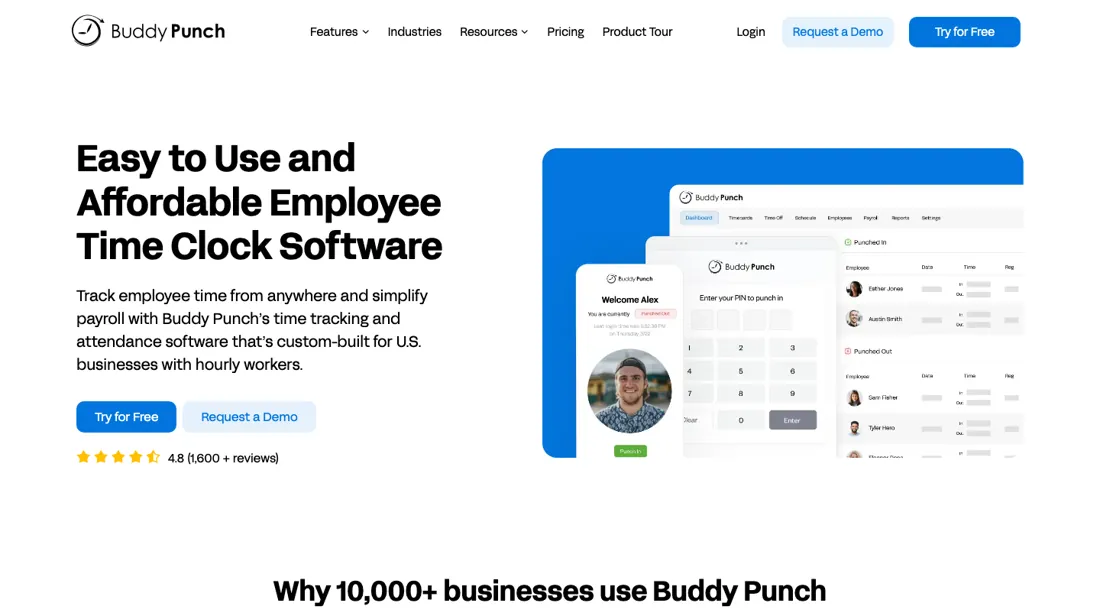
Time clock and employee time tracking for hourly teams. Track hours, breaks, PTO and overtime with GPS and photo punch-in, and export payroll-ready reports.
What buyers report about BuddyPunch
Recurring themes from the buyer-review sites listed at the foot of this page, read in August 2026. We have not run BuddyPunch ourselves, so this is other buyers' experience rather than ours. We summarise it here because the complaints are usually the part a vendor page leaves out.
- • 4.8 out of 5 across 388 G2 reviews (read 25 August 2026) — punching in and out and tracking breaks is the thing it does, and reviewers say it just works.
- • Face ID, QR, PIN and GPS geofencing all in the base product, with payroll-ready reports.
- • There is a $19 monthly base fee on top of the per-user rate. For a small team that base fee is a large share of the bill rather than a rounding error.
- • Small businesses name per-user pricing as the thing that limits them.
- • Reviewers ask for access to previous pay stubs and a better mobile experience.
When the paid plan is worth it
Buddy Punch's help center documents three tiers, all carrying the same $19.00 monthly base fee. Starter is $4.99/user/month on annual billing or $5.99/user/month monthly, Pro $6.99 annual or $7.99 monthly, and the top tier (headed Advanced, priced as Enterprise) $12.99 annual or $13.99 monthly. The biggest jump is Pro to Advanced, where the per-user rate nearly doubles and what it buys is Real-Time GPS at no extra cost, dedicated enterprise support and SSO via Okta, OneLogin and SAML 2.0.
API access is already included in Pro, so that step only pays for itself if you need enterprise SSO or the dedicated support line: Real-Time GPS is a $2 per user/month add-on on Pro. The cheaper Starter-to-Pro step unlocks QR code, PIN and kiosk punching, webcam photos on punches, API access and scheduling at no additional cost; scheduling alone is a $1 per user/month add-on on Starter, so a team that only wants shifts can stay on Starter.
Upgrading does not change billing mechanics: users added beyond your initial count are billed prorated, with no refunds or credits when the count drops. Payroll is a separate add-on at $8 per user/month plus a $49 monthly base.
Our monthly capture read this pricing page in July 2026 and again in August 2026. Every per-user rate went up while the $19 monthly base fee stayed put, so the increase lands hardest on small teams — a five-person crew on the middle tier pays $5 a month more for the same product.
How to actually use BuddyPunch
The vendor's quick start guide reduces first value to three major steps: add employees, start tracking time, then run reports for payroll. Employees are added individually from the Employees section, or in bulk from a CSV template carrying username, first name, last name, email address, password and timezone, with administrators running the bulk upload. Usernames are shared across Buddy Punch, so a name another customer already uses will not import.
The welcome-email checkbox on the bulk import is unchecked by default, so a technically clean import can leave staff never told they have logins. Anything payroll-related is a separate onboarding of five sections: terms of service, organization details, payment setup, tax setup and filing authorizations. Linking the bank through Plaid verifies immediately, but typing account details by hand triggers a $0 prenote test transaction and may bring a request for documents proving account ownership.
The docs tie completing it to getting approved for 2-day or 3-day payroll more quickly. Shared-device punching by QR code or PIN/kiosk is not in Starter, so a breakroom-tablet setup needs Pro from the start.
Distilled from Everything above comes from Buddy Punch's own help center, with every cited page opened and read directly - the quick start guide, the add-employees article, the three plan articles, the payroll plan article, the new-user billing article, the payroll company-onboarding article, the plan-choosing article and the plan-information collection index. The pricing page at https://buddypunch.com/pricing/ was read 24 September 2026 (plan cards on both billing toggles, the add-on table and the FAQ); it served normally that day after returning HTTP 403 to automated requests earlier. The FAQ is the source for who counts as a paid user, the fixed purchased seat count and prorated additions, the annual-to-monthly lock, the 72-hour and 30-day refund windows and data deletion on cancellation. We found no independent walkthrough worth citing.
The natural comparison is Clockify or When I Work — cheaper or free time-tracking tools.
Frequently asked questions
What does Buddy Punch actually cost a team of three or five?
More per head than the sticker suggests, because of the base fee. Read 24 September 2026 on buddypunch.com/pricing, every plan adds a $19 monthly base fee to the per-user rate, on monthly and annual billing alike. On Starter paid monthly ($5.99 a user) three people come to $36.97 a month, about $12.32 each; five people come to $48.95, about $9.79 each. On annual Starter ($4.99) five people are $43.95 a month. Pro at $7.99 monthly puts five people at $58.95. The base fee is the same on every tier, so it weighs heaviest on the smallest teams and fades as headcount grows.
Do managers, admins and seasonal staff each need a paid seat?
Managers do, administrators and inactive staff do not. The FAQ, read 24 September 2026, names three user types: employees and managers are paid and count towards your total, administrators are free and unlimited. Only active employees count; terminated or seasonal staff can stay in the system as inactive. The catch is the seat count itself: a plan is bought for a set number of employees, you can swap people in and out within that number, and going above it is charged pro rata for the rest of the billing cycle. So a summer peak costs extra seats for the remainder of the month or year, not just for the weeks you used them.
What if Buddy Punch does not work out after we pay?
The window is short on monthly and longer on annual. Per the refund FAQ, read 24 September 2026, a full, non-prorated refund is available if you cancel within 72 hours of signing up for monthly billing or within 30 days for annual billing. Subscriptions renew automatically until an administrator cancels under Settings, Billing, Cancel my Account. Once you are on annual you cannot move to monthly until the term ends, while monthly to annual is allowed any time. Cancelling also deletes your data and access to prior records, so export time reports first. The 14-day trial needs no card, so test during the trial rather than relying on the refund.
What should I weigh before buying Operations & Workflow software?
Usually it sits on top rather than replacing everything. Tools in this class tend to become the layer where work is tracked and handed off, while your existing systems stay the source of truth for their own data. Before you buy, map which tools it would replace outright and which it would merely sync with. If the answer is that it syncs with all of them, you are adding a layer rather than removing one.
Is this a hands-on review of BuddyPunch?
This is a researched assessment, not a hands-on test — where we've used a tool ourselves, we say so explicitly. We name what each tool is good and bad at, and we earn a commission only if you sign up, at no cost to you.
- Buyer reviews on G2 and Capterra, read August 2026.
- BuddyPunch’s own published pricing page.
- A dated screenshot of that pricing page, kept on this site as the receipt.
Others in this category
Reviewed operations & workflow tools that share ground with BuddyPunch — comparable in what they do, not drop-in swaps:
New reviews, price changes we recorded, and the cost conditions we found. No sponsored placements. Unsubscribe anytime.
This is our researched assessment — not a paid placement. The “Visit” links on this page are affiliate links: we may earn a commission if you sign up, at no extra cost to you, and it never changes our take. How we review →