 Leadpages Review (2026)
Leadpages is the value pick, not the optimisation pick — if you're spending big on ads, Unbounce's Smart Traffic and Instapage's 1:1 personalisation go deeper. Throughout this review we weigh it against ClickFunnels.
Visit Leadpages → Affiliate link — we may earn a commission if you sign up; it does not change what this page says.
Watch the 2-minute review
The video version of this review, from our YouTube channel.
⚡ Short on time? Watch the 30-second verdict Short.
Pricing (2026)
✓ Pricing re-verified 14 Sep 2026
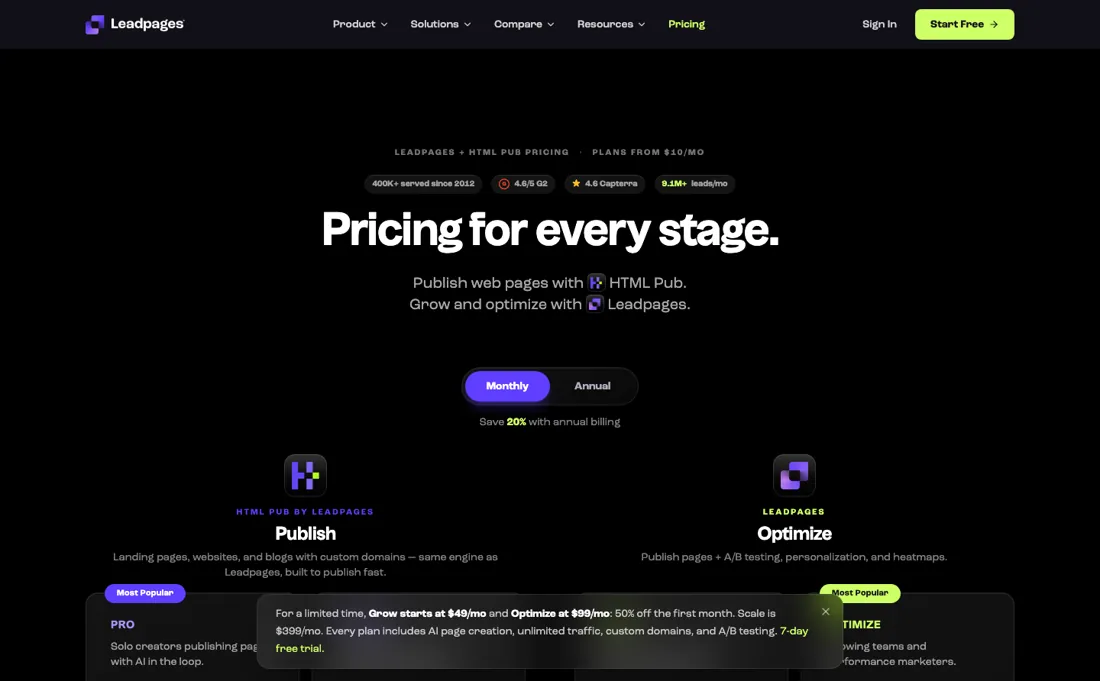
Two lines, six paid plans, no free plan, and a 7-day free trial that requires a credit card and converts unless you cancel. Publishing plans: Starter $10/mo or $8 billed annually ($96 a year), 5 pages, 1 site, no third-party integrations; Pro $29/mo or $23 annually ($276), 25 pages, 1 blog, API access; Business $49/mo or $39 annually ($468), 50 pages, 2 sites.
None of those three include A/B testing. Optimization plans add testing and personalisation: Grow $99/mo or $79 annually ($948), unlimited pages, 4 sites, manual two-way A/B testing, dynamic text replacement and lead enrichment; Optimize $199/mo or $159 annually ($1,908), 6 sites, up to four variants, Smart Traffic, heatmaps and auto-personalisation; Scale $399/mo or $319 annually ($3,828), 10 sites, auto-optimisation, cross-page learning, role-based access and 10 seats.
Annual billing is 20% off across the board. No plan has a traffic cap. Add-ons: $20 a month per extra seat or extra custom domain, $40 per extra client workspace on Scale, and AI credit top-ups from $2.50 for 2,000 credits down to $0.60 per thousand at the largest pack. Plans change — always verify the live price on their site.
Correction after re-checking: Two product lines. HTML Pub publishing plans run $10/mo (Starter), $29/mo (Pro) and $49/mo (Business), below a $0/forever free plan that allows building and previewing 5 pages but not publishing. The Leadpages conversion plans run $99/mo (Grow), $199/mo (Optimize) and $399/mo (Scale), with Grow and Optimize discounted 50% for the first month. Annual billing saves 20%, every plan carries a 7-day free trial, and Leadpages states there are no traffic caps on any plan. The older Standard/Pro/Conversion tier names no longer appear on the vendor pricing page. (re-verified 2026-08-04)
What the price did
We capture Leadpages’s own pricing page every month and keep the figures, so this is our record of the page — not a forecast, and not someone else’s summary.
The prices held all summer; the offer around them did not. Our July and August 2026 captures carry the same ladder ($10, $49, $99, $199, $399) and the same $2.50 entry point for AI credit top-ups. What changed between the two captures is a single promotional line: in July the page advertised a feature as 'starts at $49 for the first month' where the August capture says it is 'included from Grow up'. Re-reading the machine-readable pricing file on 17 August 2026 confirmed the same six plans and added the annual rates. A third reading on 14 September 2026 found that file unchanged — still dated 2026-07-10, still the same six plans and the same annual rates — so nothing has moved in over two months.
Leadpages’s pricing page, as we read it
What Leadpages does
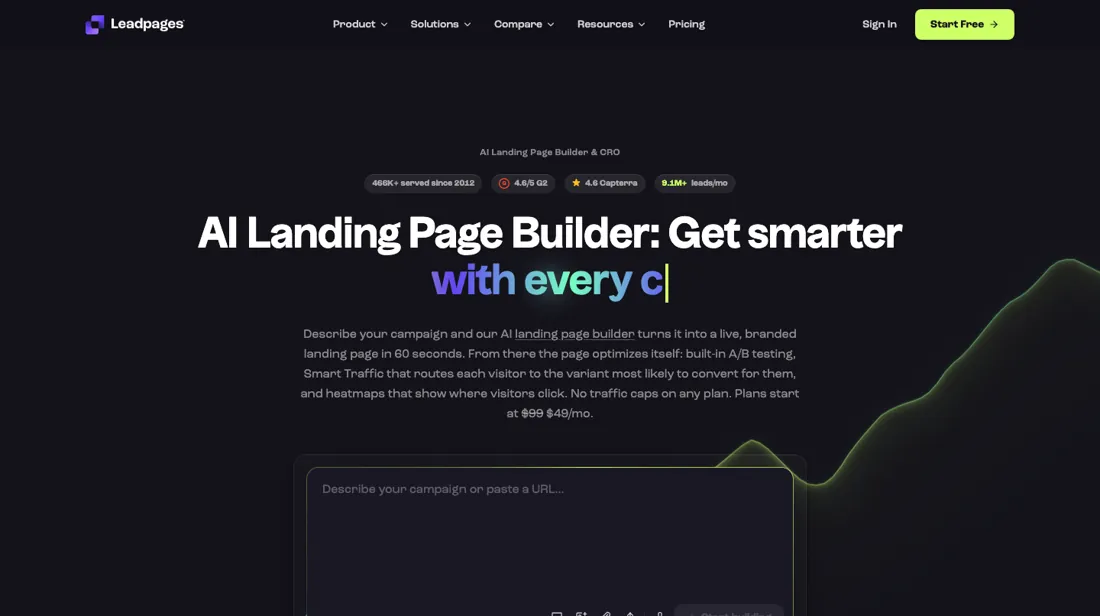
Landing pages, pop-ups and alert bars, with unlimited traffic on every Leadpages plan where metered rivals count visitors. The value pick rather than the optimisation pick.
What buyers report about Leadpages
Recurring themes from the buyer-review sites listed at the foot of this page, read in August 2026. We have not run Leadpages ourselves, so this is other buyers' experience rather than ours. We summarise it here because the complaints are usually the part a vendor page leaves out.
- • Simple, intuitive and fast to a live mobile-ready page — 4.3 on G2 across 230 reviews, 4.4 across 523 on G2 and Capterra combined.
- • Long-time users report strong value and pages that genuinely look professional, and several credit support for knowing the product.
- • TrustRadius reviewers who ran paid traffic name two things the marketing pages undersell: per-page performance tracking that makes it obvious which opt-in wins, and taking payments directly on the page so lead capture and sale sit in one tool.
- • The one-star reviews describe surprise charges, subscriptions that were hard to cancel, and support going quiet after a payment problem.
- • The page cap is what pushes people up: Starter allows 5 landing pages and one custom domain, Pro 25 pages, and unlimited pages only start on Grow. (Prices re-read 17 Aug 2026; earlier reviews quote an older Standard/Pro ladder.)
- • Some templates feel dated and design freedom is limited relative to a general page builder.
- • The mechanism behind the billing complaints is spelled out on TrustRadius by a reviewer whose entire one-star review is about it: subscriptions are non-refundable and there is no prorated refund if you cancel early, and support declined to make an exception. Since the 7-day trial requires a card and converts automatically, that is a decision to make before day seven.
- • Smaller asks from the same platform: no way to archive old pages to declutter the dashboard, and the built-in payments lack options such as split payments.
When the paid plan is worth it
There is no free plan. Every paid plan opens with a 7-day trial that requires a credit card and converts to a paid subscription unless you cancel, so anyone who needs a page a real visitor can reach is paying from the start. An earlier $0/forever tier on the HTML Pub side let you build and preview five pages but never publish them; it no longer appears in the plan line-up.
The $10/mo Starter tier is the cheapest way to publish at all, and for a solo operator running a single offer on a single domain it is usually enough — as long as nothing needs to be measured. Testing is the real paywall here, and it sits higher than most people expect: A/B testing is absent from Starter, Pro and Business entirely, and begins at Grow ($99/mo) as a manual two-way split.
Three or more variants, Smart Traffic routing and heatmaps all start at Optimize ($199/mo). Stepping up only pays back when that layer is actually used. Upgrading does not fix a weak offer, does not generate traffic, and does not shorten the DNS wait. It buys measurement, not demand.
How to actually use Leadpages
The shortest route to real value runs through the AI builder rather than a blank template: describe the campaign in plain language, let it generate a branded page, then adjust it in the drag-and-drop editor. Leadpages advertises a live page in 60 seconds, and the HTML Pub side quotes a 10s average publish time, so building is rarely where the hours go. Connecting a domain is. Publishing to an owned address means adding the domain in the custom domains area and stepping through the Entri pop-up, which the vendor documents as automated DNS setup for 30+ popular registrars and connection in under two minutes.
Registrars outside that network fall back to manual DNS records, which the vendor puts at 5-10 minutes plus propagation. That is where people stall: the page reads as finished while the domain still shows as pending until DNS resolves. Check the domain allowance before committing, since Starter and Pro include 1 custom domain, Business 2 and Grow 4.
Distilled from Leadpages and HTML Pub vendor pages — pricing, homepage and the custom-domains product page — read 4 August 2026. The Leadpages support knowledge base returned HTTP 403 and could not be read directly.
Leadpages vs Unbounce, side by side
Both columns come from the same place: each vendor’s own published pricing, read on the date shown in the sources at the foot of this page. We do not average them into a score.
Both names above are affiliate links: we may earn a commission if you sign up, at no extra cost to you. Neither changes what this table says: both columns come straight from the vendors’ own pricing pages.
The natural comparison is Unbounce or Instapage — premium, optimisation-heavy builders. Weigh it against ClickFunnels on the job you actually need done.
Frequently asked questions
What does Leadpages cost, and is there a free plan?
There is no free plan — only a 7-day trial that asks for a card and starts billing when it ends. Billed annually the six plans are $8, $23, $39, $79, $159 and $319 a month for Starter, Pro, Business, Grow, Optimize and Scale; billed monthly they are $10, $29, $49, $99, $199 and $399. Annual is a flat 20% off. Read on 17 August 2026.
Which plan do I need for more than a few pages?
Page count is the wall low down: Starter allows 5 pages and one site, Pro 25 pages, Business 50 pages and two sites. Unlimited pages start at Grow ($79 a month annually), which is also where A/B testing begins — though only as a manual two-way split; three or more variants and Smart Traffic require Optimize. Another one to check early: Starter includes no third-party integrations at all, so connecting your CRM means Pro.
What do people complain about after buying?
Billing rather than the builder. Reviewers describe subscriptions being non-refundable with no proration if you cancel early, and support declining to make exceptions — one TrustRadius reviewer's whole complaint is that this was not clear enough before committing. Since the trial requires a card and converts automatically, decide before day seven rather than after.
What should I weigh before buying Growth & Revenue software?
It depends on whether you have the bottleneck it solves. Small teams get the most out of this category when one clear problem is already costing real hours or revenue; buying ahead of that just adds cost and another login. Price it against the hours or lost deals it removes, not against its feature list, and start on the smallest plan that covers the job.
Is this a hands-on review of Leadpages?
This is a researched assessment, not a hands-on test — where we've used a tool ourselves, we say so explicitly. We name what each tool is good and bad at, and we earn a commission only if you sign up, at no cost to you.
- Buyer reviews on G2, Capterra and TrustRadius, read August 2026.
- Re-verified 2026-09-14 against Leadpages' own machine-readable pricing file, which still carries the same 2026-07-10 update date it had in August; USD.
- A dated screenshot of that pricing page, kept on this site as the receipt.
Others in this category
Reviewed growth & revenue tools that share ground with Leadpages — comparable in what they do, not drop-in swaps:
New reviews, price changes we recorded, and the cost conditions we found. No sponsored placements. Unsubscribe anytime.
This is our researched assessment — not a paid placement. The “Visit” links on this page are affiliate links: we may earn a commission if you sign up, at no extra cost to you, and it never changes our take. How we review →