 Unbounce Review (2026)From $22/mo, Visitor Caps Bite
The entry price is high for a landing-page tool, and the visitor caps bite if a campaign takes off. Throughout this review we weigh it against Instapage.
Visit Unbounce → Affiliate link — we may earn a commission if you sign up; it does not change what this page says.
Watch the 2-minute review
The video version of this review, from our YouTube channel.
⚡ Short on time? Watch the 30-second verdict Short.
Pricing (2026)
✓ Pricing re-verified 14 Sep 2026
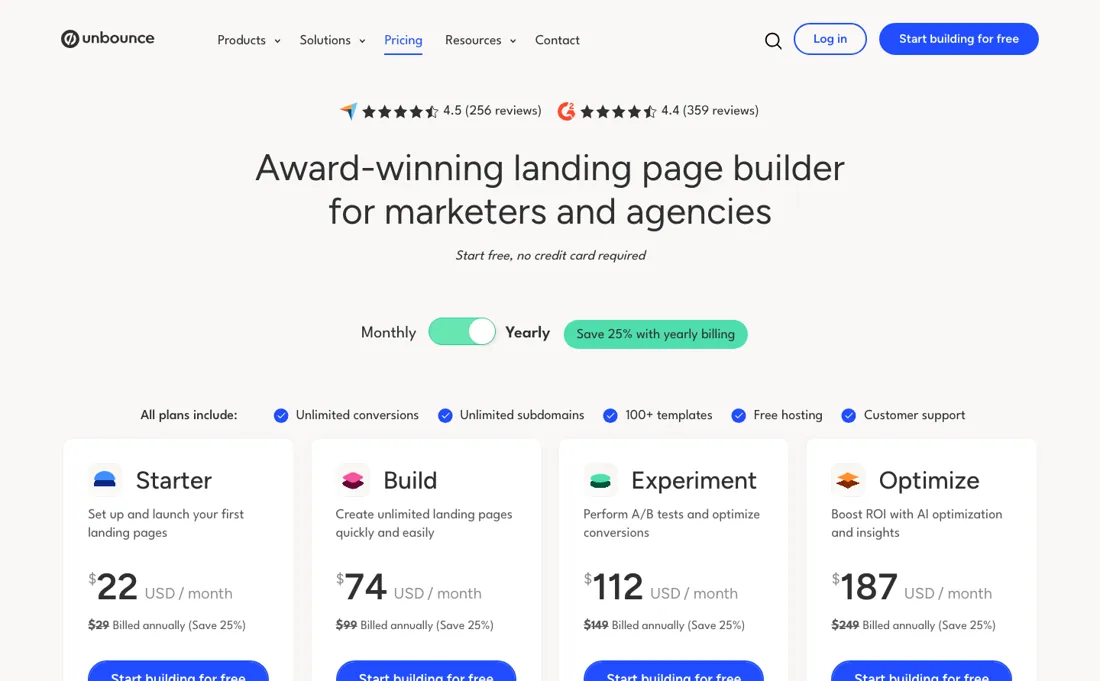
Five published levels, monthly against yearly at 25% off: Starter $29 / $22, Build $99 / $74, Experiment $149 / $112, Optimize $249 / $187, plus Concierge custom pricing above that. The Starter tier is missing from most summaries, ours included until the August 2026 update, which described the range as beginning at $74. Pages are unlimited on every plan; what pushes you up a tier is the visitor cap, so a traffic spike rather than a page count is what changes your bill.
Unlimited A/B testing starts at Experiment, and AI traffic optimization at Optimize. Plans change — always verify the live price on their site.
Correction after re-checking: Billed monthly: Starter $29/mo, Build $99/mo, Experiment $149/mo, Optimize $249/mo. With yearly billing (Save 25% with yearly billing) those drop to $22, $74, $112 and $187 per month — so the $74–$187 range is the annual-commitment rate, not the month-to-month price. Unlimited pages start at Build, but traffic caps decide the tier: up to 500 (Starter, 5 pages, 1 user), up to 20k (Build, 1 user), up to 30k (Experiment, 3 users, 2 root domains), up to 50k (Optimize, 5 users). Concierge and Agency are quote-only ("Let's talk!"), with Concierge listed at traffic volume starting at 100,000 and 15 users; no public $649 figure appears on the pricing page. Exceeding a cap does not stop pages — Unbounce states overage fees are charged as a one-time amount based on extra usage, which is why a single traffic spike pushes you toward the next tier. A 14-day trial, no credit card required, replaces any free plan. (re-verified 2026-08-04)
What the pricing page doesn’t say
It's also oddly behind on basics — no URL import, limited file/code management, and still no true AI page generation in 2026.
What Unbounce does
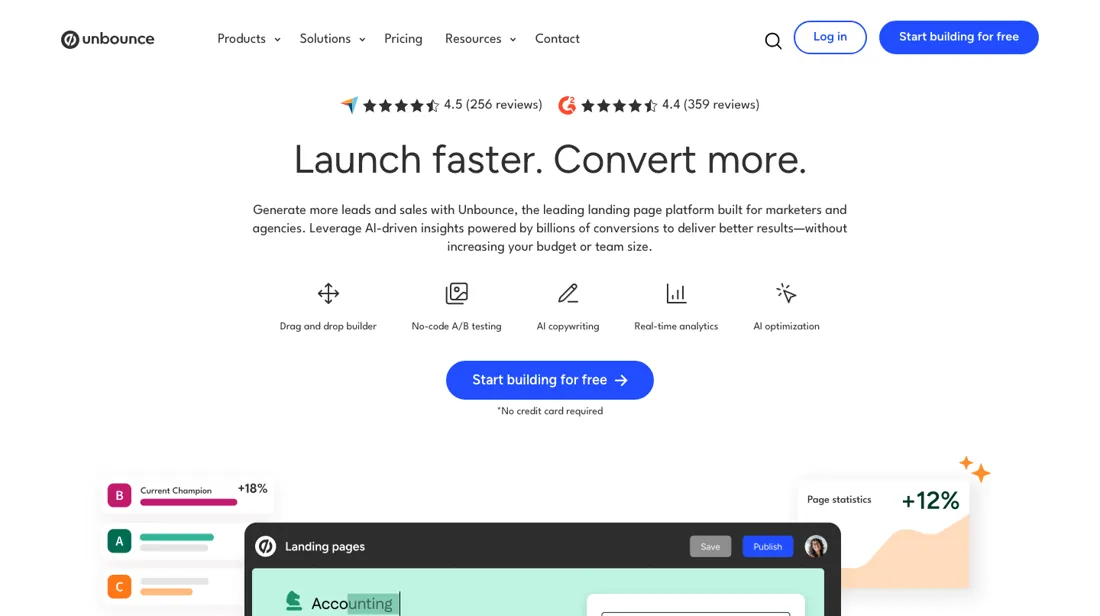
Landing page builder for paid campaigns, with A/B testing and Smart Traffic routing each visitor to the best-converting variant.
What buyers report about Unbounce
Recurring themes from the buyer-review sites listed at the foot of this page, read in August 2026. We have not run Unbounce ourselves, so this is other buyers' experience rather than ours. We summarise it here because the complaints are usually the part a vendor page leaves out.
- • Ease of use is mentioned by 385 G2 reviewers, integrations by 127, A/B testing by 98 — and A/B testing scores 8.9/10 specifically. 4.3 on G2.
- • Non-technical marketers get a professional page live without help.
- • Agencies on TrustRadius describe running paid campaigns on Unbounce for six to eight years without a web developer — drag-and-drop pages, easy A/B tests, fast domain linking and multi-user access are what they name.
- • Pricing and cancellation frustration is the top complaint at 156 mentions, followed by poor support at 89. Reviewers report price increases of 120-415% across 2024-2025 and features removed mid-contract.
- • Support response times run 3-7 business days.
- • Mobile layouts do not generate automatically — about 30% of reviewers flag having to optimise every page by hand.
- • Cost climbs quickly with extra domains or traffic, and reviewers from small businesses and freelancers call it prohibitive.
- • It is a campaign tool, not a website builder: reviewers say plainly that long-form pages are the wrong job for it.
- • The two builders are not equivalent — features present in Smart Builder are missing from the classic editor, which catches people out mid-build.
- • Price appears as a con even in ten-out-of-ten reviews, alongside requests for more templates.
When the paid plan is worth it
Unbounce has no free plan, only a 14-day trial, so the question is not free versus paid but which paid tier earns back its cost. It pays for itself when paid traffic is already flowing and a page has a measurable per-lead value. At $99 a month, or $74 with yearly billing at 25% off, Build gives unlimited pages against traffic volume of up to 20k — cheap next to a media budget.
It does not pay for itself at the bottom, where Starter is $29 a month for 5 pages and traffic volume up to 500, closer to a demo than a working plan. Teams hit a different wall, since Build allows only 1 user while Experiment at $149 ($112 yearly) allows 3 alongside unlimited A/B testing. What upgrading does not fix is demand. Optimize at $249 ($187 yearly) raises the cap to 50k visitors and 5 users, but no tier sends traffic, and Smart Traffic needs volume before it can route anything, so a quiet page stays quiet on every plan.
How to actually use Unbounce
The shortest route to value is to start the 14-day trial, which Unbounce describes as full access to the plan of your choice, and to pick the tier you would actually buy, because the trial mirrors that plan's limits. From the dashboard the fastest first page is a template plus the drag-and-drop builder rather than a blank canvas, and Smart Copy can rewrite, expand or summarize the copy in place.
Distilled from Vendor's own pricing and product pages on unbounce.com, read 4 August 2026.
Common Unbounce setup mistakes
Where Unbounce setups actually go wrong, and what it costs you when they do. Same sources as the setup notes above — not from a walkthrough we ran ourselves.
Where people stall is not design, it is publishing.
- A page only runs on a business domain after a CNAME record is added at the DNS host and SSL is enabled inside Unbounce, and DNS changes are not instant, so schedule the domain step ahead of the campaign, not on the morning it launches.
- The second stall is optimization: Smart Traffic only starts routing after as few as 50 visits, so an account sending a trickle of traffic will watch it sit idle through most of the trial.
- Connecting the CRM or email integration belongs before the first ad spend, not after.
Unbounce vs Instapage, side by side
Both columns come from the same place: each vendor’s own published pricing, read on the date shown in the sources at the foot of this page. We do not average them into a score.
Both names above are affiliate links: we may earn a commission if you sign up, at no extra cost to you. Neither changes what this table says: both columns come straight from the vendors’ own pricing pages.
The natural comparison is Instapage or Landingi — the other premium and the budget landing-page builders. Weigh it against Instapage on the job you actually need done.
Frequently asked questions
What is the cheapest way into Unbounce?
Starter at $22 a month billed yearly, or $29 monthly — a tier that most comparisons omit, including our own earlier write-up, which started the range at $74. Build is $74 yearly ($99 monthly), Experiment $112 ($149) and Optimize $187 ($249). Read on 17 August 2026.
What actually forces an upgrade?
Traffic, not pages. Every plan includes unlimited landing pages; the limit that binds is the monthly visitor cap, which means a campaign that works is what moves you up a tier. Size the plan on your expected visitors and treat the page count as free.
Unbounce or Landingi?
At the entry level Landingi's Build is $24 a month billed annually against Unbounce's Starter at $22, so they are within pennies; the divergence is higher up, where Unbounce charges $187 for Optimize against Landingi's $119. What you are buying at Unbounce's upper tiers is the testing and conversion tooling, so the question is whether you will run the experiments that justify it.
What should I weigh before buying Growth & Revenue software?
It depends on whether you have the bottleneck it solves. Small teams get the most out of this category when one clear problem is already costing real hours or revenue; buying ahead of that just adds cost and another login. Price it against the hours or lost deals it removes, not against its feature list, and start on the smallest plan that covers the job.
Is this a hands-on review of Unbounce?
This is a researched assessment, not a hands-on test — where we've used a tool ourselves, we say so explicitly. We name what each tool is good and bad at, and we earn a commission only if you sign up, at no cost to you.
- Buyer reviews on G2, Capterra, GetApp and TrustRadius, read August 2026.
- Re-verified 2026-09-14 on their own pricing page, USD.
- A dated screenshot of that pricing page, kept on this site as the receipt.
Others in this category
Reviewed growth & revenue tools that share ground with Unbounce — comparable in what they do, not drop-in swaps:
New reviews, price changes we recorded, and the cost conditions we found. No sponsored placements. Unsubscribe anytime.
This is our researched assessment — not a paid placement. The “Visit” links on this page are affiliate links: we may earn a commission if you sign up, at no extra cost to you, and it never changes our take. How we review →