 Landingi Review (2026)
You trade away the high-end optimisation: no AI traffic routing like Unbounce's Smart Traffic, no real-time collaboration, and thinner technical control (script containers). Excellent value, but not the conversion-optimisation powerhouse. Throughout this review we weigh it against Unbounce.
Watch the 2-minute review
The video version of this review, from our YouTube channel.
⚡ Short on time? Watch the 30-second verdict Short.
Pricing (2026)
✓ Pricing re-verified 28 Sep 2026
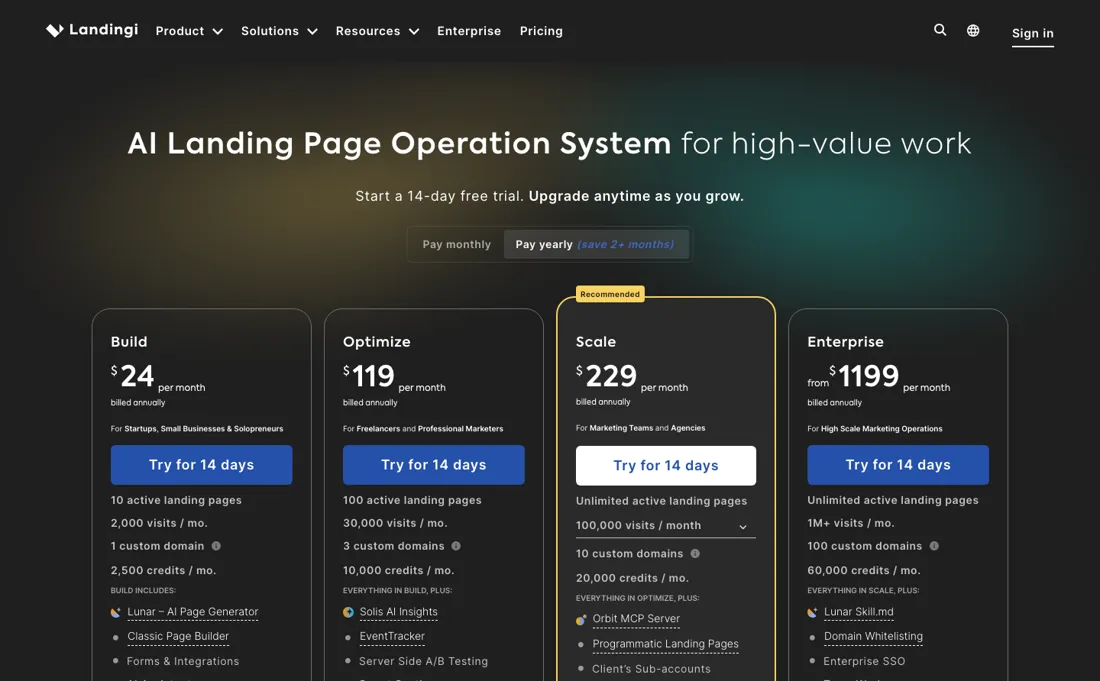
Four plans, billed annually: Build $24/month, Optimize $119/month, Scale from $229/month and Enterprise from $1,199/month. Annual billing includes two months free against monthly. Custom domains are metered: 1 on Build, 3 on Optimize, 10 on Scale and 100 on Enterprise, with extras at $5 a month each. AI credits come with the plan (2,500, 10,000, 20,000 and 60,000 a month) and top-ups are pay-as-you-go at $15 for 5,000, $25 for 10,000 and $40 for 20,000.
A promotional rate roughly half the Build price appears periodically — it is a limited-time offer rather than the standard rate. Plans change — always verify the live price on their site.
Correction after re-checking: It starts at $24/mo (Build — 10 active pages, 2,000 monthly visits, 1 custom domain) and $119/mo (Optimize — 100 pages, 30,000 visits, adds A/B testing and EventTracker). Above that come Scale from $229/mo and Enterprise from $1,199/mo. These are annual-billing rates, there is no free plan, and the trial is 14 days capped at 200 visits. (re-verified 5 August 2026)
What the price did
We capture Landingi’s own pricing page every month and keep the figures, so this is our record of the page — not a forecast, and not someone else’s summary.
Landingi's published ladder held steady over the summer. Our July and August 2026 captures carry the same four plan prices ($24, $119, from $229, from $1,199), the same $5 extra domain and the same $15, $25 and $40 credit top-ups. The page returned those figures again on 17 August 2026. What varies is the promotional price on the entry plan and the currency you are shown, not the ladder underneath. A third reading on 28 September 2026 found the same ladder: Build $24, Optimize $119, Scale from $229 and Enterprise from $1,199 a month billed annually, the $5 extra domain, credit allowances of 2,500, 10,000, 20,000 and 60,000 a month, and top-ups at $15, $25 and $40.
Landingi’s pricing page, as we read it
What Landingi does
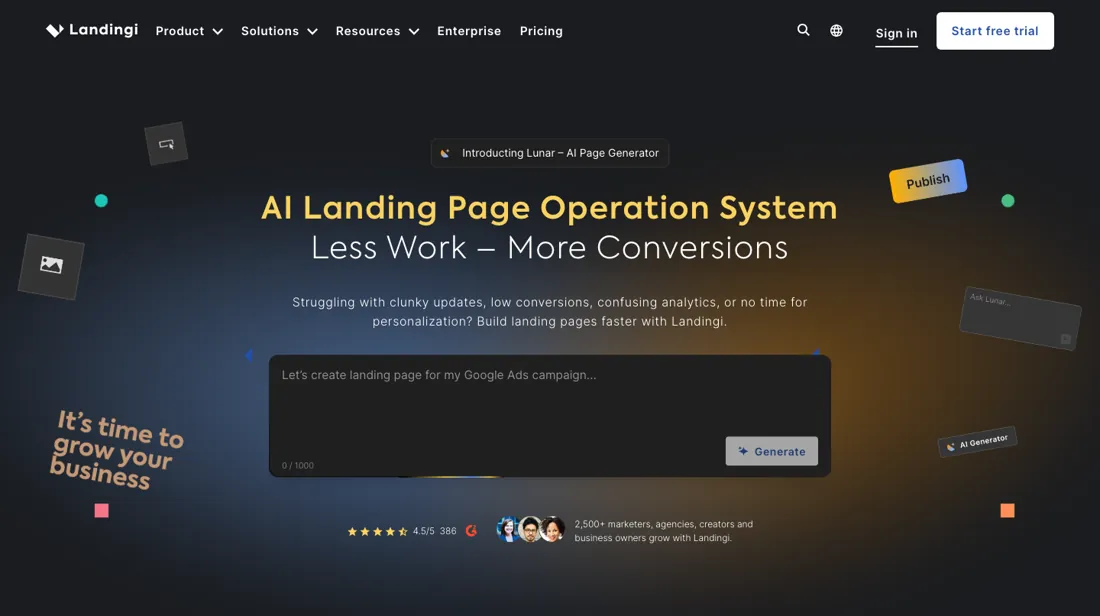
Landing page builder with 400+ templates and unlimited pages, capped by monthly visitors; A/B testing and pop-ups sit on a higher tier.
What buyers report about Landingi
Recurring themes from the buyer-review sites listed at the foot of this page, read in August 2026. We have not run Landingi ourselves, so this is other buyers' experience rather than ours. We summarise it here because the complaints are usually the part a vendor page leaves out.
- • $29/month against Unbounce at $99 and Instapage at $79+, for the same core job — 4.5 to 4.8 across the platforms with 97% positive sentiment.
- • Non-technical people get a professional page live quickly, and the template library is deep.
- • The mobile editor needs extensive manual tweaking. It is pixel-perfect rather than grid-based, so nothing adapts on its own.
- • Features and integrations concentrate on the higher tiers, and automation costs more. Plans run to $1,399/month.
- • Customisation runs out on anything advanced.
- • Reviewers outside strong-currency countries name the price as the barrier.
When the paid plan is worth it
There is no free plan. Landingi publishes a 14-day trial capped at 200 unique visits, and its help centre warns the trial account "may be blocked" once you reach that, so a live campaign forces you onto a paid tier straight away. Build, at $24 per month on annual billing, covers 10 active pages, 2,000 monthly visits and 1 custom domain. That pays for itself if you run a small number of offers with modest traffic and only need to publish, not test.
It stops being enough the moment you want optimisation: A/B testing, EventTracker and Smart Sections sit on Optimize at $119 per month, a large step up for features many buyers assume are the point of a landing page tool. Optimize also lifts you to 100 pages, 30,000 visits and 3 domains. Upgrading does not change how traffic is counted. Landingi counts a visit using a cookie valid for 30 minutes, so the same person returning after that window counts as a new visit against your allowance.
Nor does it make anything portable: the vendor states pages stay live only while your subscription is active.
Our monthly capture read this vendor's pricing page in July 2026 and again in August 2026, and the amounts were the same both times. We keep watching — the registry records what moves.
How to actually use Landingi
The fastest honest route is to start the 14-day trial, pick a template from the 400+ library rather than building from a blank canvas, edit it in the visual builder, and publish. Landingi's walkthrough says tooltips lead you through the tabs and features when you log in. The real friction is the domain. Publishing to your own subdomain means adding an A record pointing to 157.53.227.1 at your registrar, then waiting for Landingi to verify it.
The help centre says a domain is usually active a few hours after adding, and that the wait depends on how many domains are queued for certificate installation. An hourglass icon means it is still verifying; a green globe means it is live. Landingi's docs also warn against pointing www at Landingi when you already have a website on that root domain, because it replaces the existing content. The other trap is the trial's 200-visit cap: hit it and the account may be blocked and the page stops displaying, so do not point a real campaign at a trial page.
Distilled from Vendor pricing page, llms.txt and help-centre articles: trial-in-landingi, landing-page-visits-pageviews-sessions, domain-adding-and-configuration, root-domain-redirection, publishing-options-in-landingi, landingi-platform-overview, read 5 August 2026; pricing page re-read 28 September 2026 (curl of landingi.com/pricing/, plans, add-ons and FAQ)
Landingi vs Unbounce, side by side
Both columns come from the same place: each vendor’s own published pricing, read on the date shown in the sources at the foot of this page. We do not average them into a score.
The Unbounce link above is an affiliate link — we may earn a commission if you sign up, at no extra cost to you — and the other column is a plain link. Neither changes what this table says: both columns come straight from the vendors’ own pricing pages.
The natural comparison is Unbounce — the pricier conversion-optimisation powerhouse. Weigh it against Unbounce on the job you actually need done.
Frequently asked questions
What does Landingi cost?
Billed annually: Build $24 a month, Optimize $119, Scale from $229 and Enterprise from $1,199, with annual billing including two months free. Read on 17 August 2026 and unchanged on 28 September 2026. The same page served from an EU address shows the same numerals in euros, so confirm the currency at checkout rather than converting.
How does Landingi compare with Unbounce on price?
That is the comparison people search for, and at the entry level it is not close: Landingi's Build is $24 a month billed annually against Unbounce's Starter at $22 and Build at $74. Where it tightens is higher up, since Landingi's Optimize at $119 sits between Unbounce's Experiment ($112) and Optimize ($187). Compare on the limits that bind you — domains and AI credits at Landingi, visitor caps at Unbounce.
What runs out first on the cheap plan?
Custom domains and AI credits. Build allows one custom domain and 2,500 AI credits a month; a second domain is $5 a month and a third means upgrading to Optimize. Credit top-ups are pay-as-you-go at $15 for 5,000, $25 for 10,000 and $40 for 20,000, so heavy AI use is affordable to patch but adds up against the $24 base.
What should I weigh before buying Growth & Revenue software?
It depends on whether you have the bottleneck it solves. Small teams get the most out of this category when one clear problem is already costing real hours or revenue; buying ahead of that just adds cost and another login. Price it against the hours or lost deals it removes, not against its feature list, and start on the smallest plan that covers the job.
Is this a hands-on review of Landingi?
This is a researched assessment, not a hands-on test — where we've used a tool ourselves, we say so explicitly. We name what each tool is good and bad at, and we have no affiliate relationship with Landingi — we earn nothing whether you sign up or not.
- Buyer reviews on G2, Capterra and GetApp, read August 2026.
- Re-verified 2026-08-17 and again on 2026-09-28; the English page quotes USD while the same page served from a Dutch address quotes euros at the same numerals, so check your own currency.
- A dated screenshot of that pricing page, kept on this site as the receipt.
Others in this category
Reviewed growth & revenue tools that share ground with Landingi — comparable in what they do, not drop-in swaps:
New reviews, price changes we recorded, and the cost conditions we found. No sponsored placements. Unsubscribe anytime.
This is our researched assessment — not a paid placement. How we review →