 Brevo Review (2026)
Charging by sends looks cheaper for a big list you email rarely, but the send tiers cap stored contacts too: 5,000 sends a month stores only 500 contacts, and a 20,000-contact list needs the 20,000-send tier whatever you send. Model both numbers first — and the free daily cap and add-on fees on top. Throughout this review we weigh it against Mailchimp.
Visit Brevo → Affiliate link — we may earn a commission if you sign up; it does not change what this page says.
Watch the 2-minute review
The video version of this review, from our YouTube channel.
Pricing (2026)
✓ Pricing re-verified 19 Sep 2026
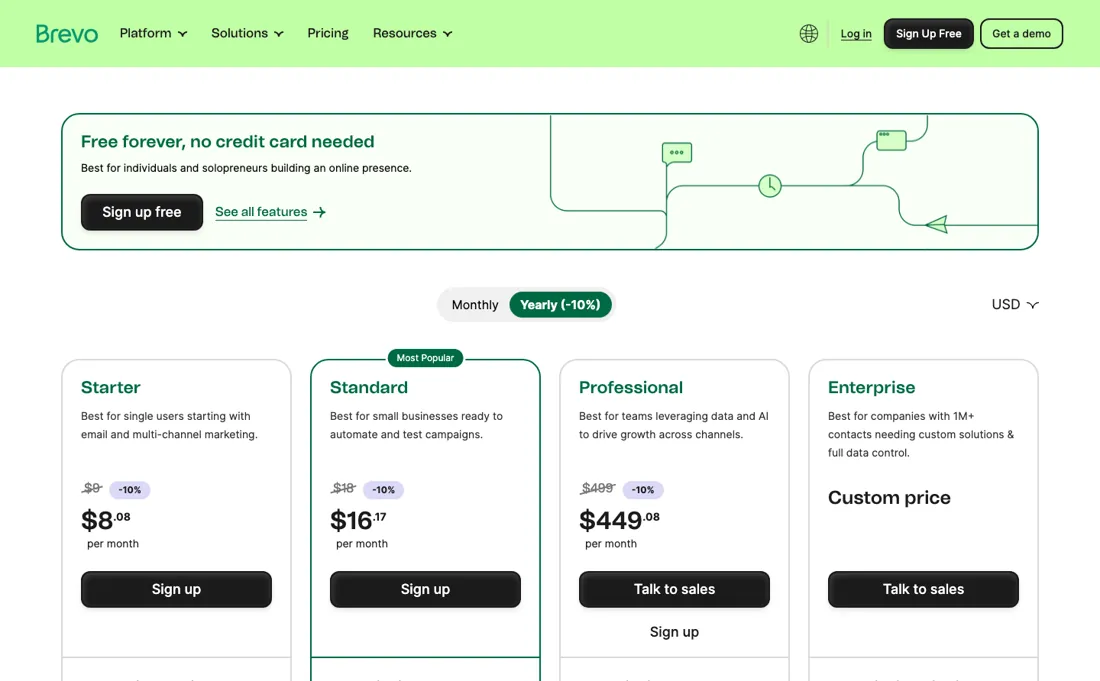
Brevo serves a different price list depending on where you open the page, and the two are not each other's conversion: Starter and Standard differ by more than the exchange rate ($9 and $18 against €7 and €15), while Professional lands on the same 499 in both. Both ladders are below, each with the date it was read. Read on brevo.com/pricing on 6 September 2026 with the currency switched to US dollars and the yearly tab open: Free at $0 with 300 emails a day; Starter from $9 a month for 5,000 emails, or $8.08 on yearly billing; Standard from $18 ($16.17 yearly) adding marketing automation and A/B testing; Professional from $499 ($449 yearly, from 150,000 emails) with multi-user access and contact scoring; Enterprise on quote.
Email volume is the headline meter, but every send tier also caps stored contacts: Free stores up to 100,000 contacts (automation on 2,000 of them); on Starter and Standard, 5,000 monthly sends store up to 500 contacts, 10,000 sends up to 1,500, 15,000 up to 2,500 and 20,000 sends or more up to 500,000; Professional stores up to 2 million and only Enterprise is unlimited (help.brevo.com, About Brevo's pricing plans, read 15 September 2026).
So a big list you rarely mail still needs the send tier that stores it. Re-verified 19 September 2026 in a browser, this time in the euro view the page serves from the Netherlands and with the plan builder open: Starter €7 a month or €6.33 on yearly billing (the toggle is labelled -10%), Standard €15 or €13.50, Professional €499 or €449.08 with 10 seats included, and Free unchanged at 300 emails a day once Brevo has approved the account for sending.
Two things the builder now puts on the public page that we previously had to cite the help centre for: the 5,000-email step lists 500 contacts and 1,000 web-push subscribers as included, and removing the “Sent with Brevo” footer is an €8.10-a-month add-on on Starter while Standard includes it. The Sales Essentials CRM is billed separately at €26.08 a month per seat, Sales Advanced at €53.08. Plans change — always verify the live price on their site.
Brevo’s pricing page, as we read it
What Brevo does
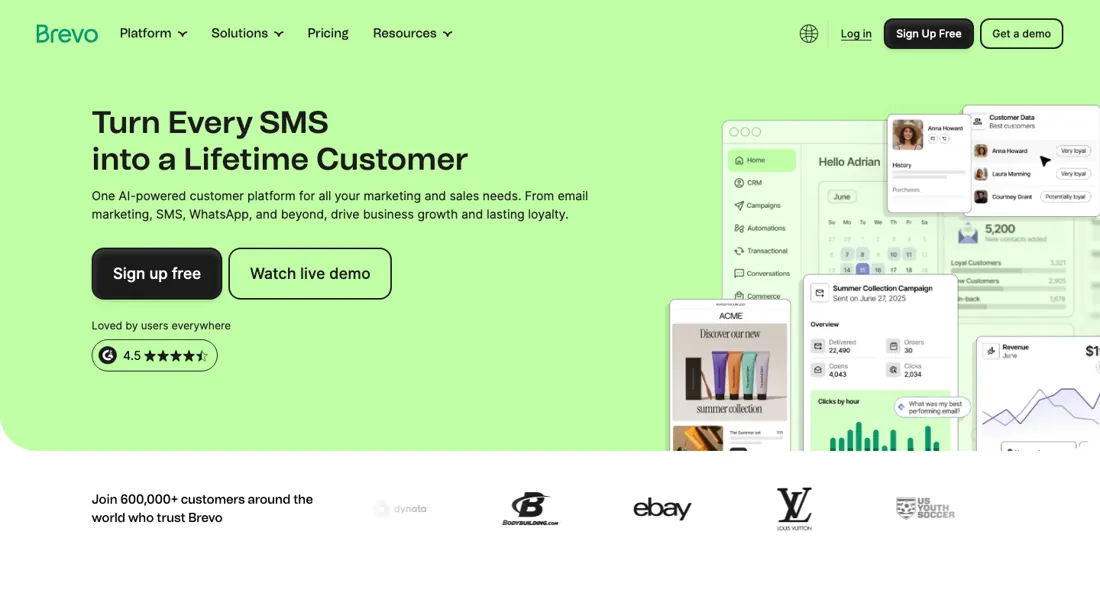
Email, SMS and a light CRM, priced by monthly send volume rather than contact count — cheaper for a large list you email selectively. Model your real send volume if you mail frequently.
What buyers report about Brevo
Recurring themes from the buyer-review sites listed at the foot of this page, read in August 2026. We have not run Brevo ourselves, so this is other buyers' experience rather than ours. We summarise it here because the complaints are usually the part a vendor page leaves out.
- • It prices on email volume rather than contact count, so a large but rarely-mailed list costs dramatically less than on Mailchimp. That is the reason to look. Around 4.5 on G2, 4.6 on Capterra.
- • A genuine free tier at 300 emails a day, and email, SMS and automation in one place.
- • That same volume pricing makes it expensive if you send often to a small list. Which side you land on depends entirely on frequency — do the arithmetic both ways.
- • Account suspension is a real risk: strict engagement monitoring can flag low open rates and restrict the account. Clean your list before you migrate.
- • Support latency on free and lower tiers; priority support is gated.
- • Automation limits and a dated landing page builder are the recurring feature complaints. SMS, WhatsApp and CRM all bill separately.
When the paid plan is worth it
Brevo's own API documentation names five account types, Free, Starter, Standard, Professional and Enterprise, and the rate-limit table shows exactly where those tiers separate. The general rate limits, including 1,000 requests per second on the transactional email endpoint, are listed as available to all five, so a free account is not throttled below a paid one on raw sending throughput. The first real gate is Professional: the advanced rate limits, 2,000 requests per second on email and 600 requests per hour on the SMTP endpoints instead of 300, are available only to Professional and Enterprise accounts.
The widest jump in the tables is Enterprise, where extended limits reach 6,000 requests per second and the quota table moves active automation workflows from a general 50 to 500 and stored contacts from 5M to 900M. Upgrading does not solve deliverability, domain authentication or list hygiene, since the DNS and sender setup is identical on every tier. If your constraint is monthly send volume rather than throughput, campaign count or workflow count, the documented tier differences buy you nothing you would notice.
How to actually use Brevo
Brevo's quickstart is short. You generate an API key from the Brevo account, optionally whitelist your IP address, then send a first request to the v3 API with the api-key header. That is 3 steps, and a 200 response carrying your account details means you are through.
Distilled from This is built entirely from Brevo's own developer documentation (quickstart, rate limits, platform quotas, SMTP integration and domain authentication), because the public pricing page returned no readable content and the Zendesk help centre refused every non-browser request; we found no independent walkthrough worth citing.
Common Brevo setup mistakes
Where Brevo setups actually go wrong, and what it costs you when they do. Same sources as the setup notes above — not from a walkthrough we ran ourselves.
The friction sits elsewhere.
- Domain authentication is a separate flow with 3 options: DNS records, hosting a file, or sending an email.
- The DNS route needs 2 TXT records, a DKIM record and a Brevo code, and a value mismatch between them returns HTTP 400.
- The docs state no propagation or waiting time, so budget for whatever your DNS host takes.
- SMTP senders configure port 587 or 2525 unencrypted, or 465 with SSL or TLS, and should note that the relay does not support batch sending and that scheduled delivery is in public beta with a delay of up to 5 minutes.
- The API key screen itself sits behind a customer login.
The natural comparison is Mailchimp or MailerLite — contact-count-priced email tools. Weigh it against Mailchimp on the job you actually need done.
Frequently asked questions
Can I start sending on the free plan straight away?
Not quite — there is an approval step between signing up and sending. Brevo's own pricing FAQ, read 19 September 2026, says that when you create an account you automatically have a Free plan to upload your contacts, and that once we approve your account for sending you can start sending up to 300 emails per day. So the free tier is genuinely free, and it holds a large list — up to 100,000 contacts, per Brevo's help centre — but the first thing you can do with it is import, not broadcast, and the timing of that review is not published anywhere on the page. Plan a day of slack rather than scheduling your first campaign for the afternoon you sign up. Note too that the 300 is a daily ceiling and not a monthly one, so a free account cannot make a single large send at all.
I have a big list but email it rarely. Does the cheapest send tier still fit?
Check the contact number before the email number, because the send tier caps both. In the plan builder on brevo.com/pricing, read 19 September 2026, the 5,000-emails-a-month step lists 500 contacts and 1,000 web-push subscribers as what is included. A 20,000-name list therefore does not fit on the cheapest rung however seldom you write to it; Brevo's help centre puts 20,000 sends a month as the step that stores up to 500,000 contacts. That is the opposite of the intuition the pricing sells: paying by sends looks like the model for a big quiet list, but the storage that list needs drags you up the same ladder anyway. Model both numbers — list size and monthly sends — and buy whichever tier is higher.
Is Brevo's branding on my emails, and what does removing it cost?
On Starter it is, and the price of removing it is what makes the tier above worth reading twice. On the pricing page, read 19 September 2026, Starter lists No Brevo logo with €8.10 per month printed next to it, while the same line sits in Standard's included features as removing the “Sent with Brevo” footer. So Starter at €7 a month plus €8.10 for unbranded email comes to €15.10 — against €15 for Standard, which also brings marketing automation, A/B testing, send-time optimisation, web and event tracking and one landing page. On yearly billing it is €6.33 plus €8.10 against €13.50. If unbranded email is a requirement rather than a nicety, Starter is the wrong rung: you would pay more for less.
What should I weigh before buying Growth & Revenue software?
It depends on whether you have the bottleneck it solves. Small teams get the most out of this category when one clear problem is already costing real hours or revenue; buying ahead of that just adds cost and another login. Price it against the hours or lost deals it removes, not against its feature list, and start on the smallest plan that covers the job.
Is this a hands-on review of Brevo?
This is a researched assessment, not a hands-on test — where we've used a tool ourselves, we say so explicitly. We name what each tool is good and bad at, and we earn a commission only if you sign up, at no cost to you.
- Buyer reviews on G2, Capterra, Trustpilot and OMR Reviews, read August 2026.
- Brevo’s own published pricing page.
- A dated screenshot of that pricing page, kept on this site as the receipt.
Others in this category
Reviewed growth & revenue tools that share ground with Brevo — comparable in what they do, not drop-in swaps:
New reviews, price changes we recorded, and the cost conditions we found. No sponsored placements. Unsubscribe anytime.
This is our researched assessment — not a paid placement. The “Visit” links on this page are affiliate links: we may earn a commission if you sign up, at no extra cost to you, and it never changes our take. How we review →