 iContact Review (2026)
Pricing feels a touch high for what you get, and the Standard plan's hard caps on automations and landing pages push growing teams to upgrade sooner than expected. Throughout this review we weigh it against Mailchimp.
Visit iContact → Affiliate link — we may earn a commission if you sign up; it does not change what this page says.
Watch the 2-minute review
The video version of this review, from our YouTube channel.
⚡ Short on time? Watch the 30-second verdict Short.
Pricing (2026)
✓ Pricing re-verified 17 Aug 2026
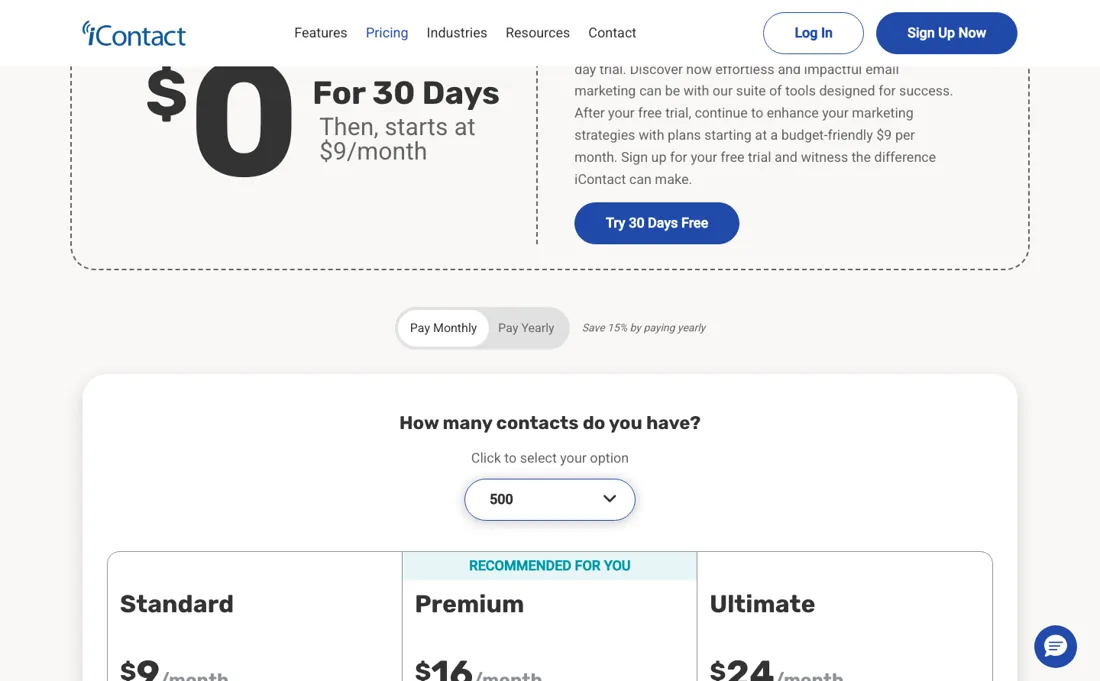
No permanent free plan — a 30-day free trial, then paid tiers by contact count, with 15% off for paying yearly. At 500 contacts Standard is $9/mo and Premium $16/mo; the ladder then climbs with list size, with Standard running $14, $28, $45, $73, $110, $180, $250 and $350 a month at successive contact bands and Premium starting from $16 and $27 at the equivalent steps.
Standard covers templates, landing pages and automations; Premium adds unlimited users, social posting and the AI content assistant. Larger lists are quoted. Plans change — always verify the live price on their site.
What the price did
We capture iContact’s own pricing page every month and keep the figures, so this is our record of the page — not a forecast, and not someone else’s summary.
The entry point has been steady. Our July and August 2026 captures both carry the same two lines: 'starts at $9/month' and an introductory rate 'as low as $1 a month to start'. The $9 entry at 500 contacts was still there when we re-read the page on 17 August 2026. What the captures never show is the rest of the ladder, which only renders once you pick a contact count.
What the pricing page doesn’t say
Set against ActiveCampaign the automation builder is the thinner half of the deal; what iContact sells instead is a product you can hold in your head, deliverability that holds up, and a human on support included rather than sold as a tier.
What iContact does
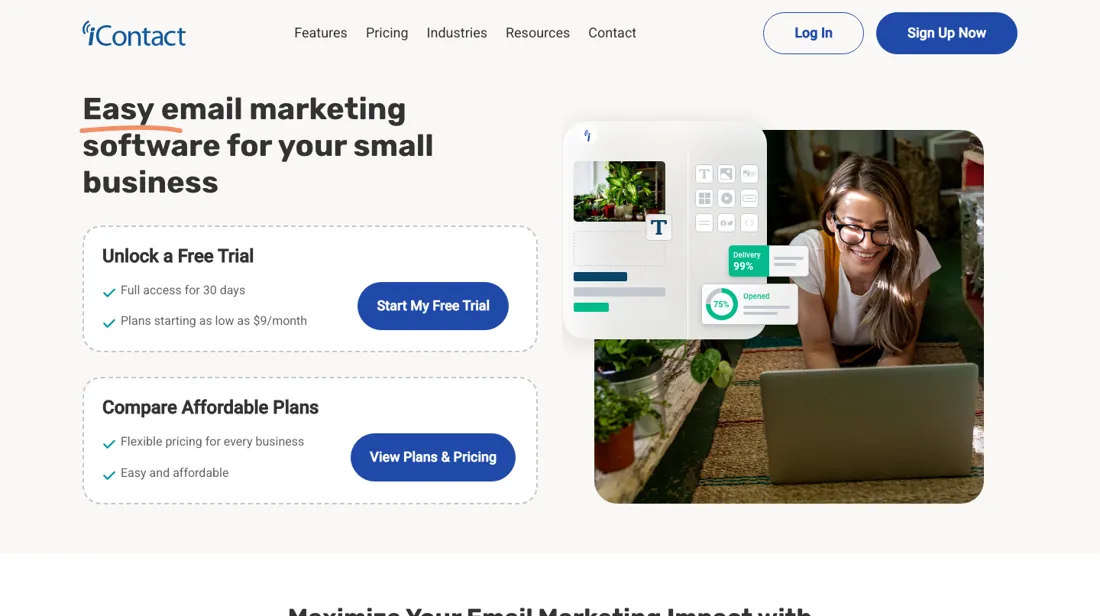
Straightforward email marketing for growing businesses. Build campaigns and automations with drag-and-drop design and deliverability support.
What buyers report about iContact
Recurring themes from the buyer-review sites listed at the foot of this page, read in August 2026. We have not run iContact ourselves, so this is other buyers' experience rather than ours. We summarise it here because the complaints are usually the part a vendor page leaves out.
- • Straightforward to use with customisable templates — reviewers who wanted email without a marketing degree name that.
- • Support gets consistently good marks.
- • The clearest outcome we have seen reported for it comes from TrustRadius: a small nonprofit describes email campaigns doubling website traffic, with donations up 12% in three months and 20% by month six after moving to iContact.
- • Price rises are the recurring complaint. One reviewer went from $45 a month in early 2022 to $73 in early 2024 — $336 more a year for the same product.
- • Pricing is subscriber-based, so cost climbs as the list grows whether or not you send more.
- • Reporting and automation are both behind the newer platforms.
- • The interface has gone years without meaningful updates and reviewers say it looks it. Storage, editing and basic tasks like fixing a mistake or deleting a file are called awkward.
- • The friction reviewers name is all in the handling rather than the sending: uploading a list is slow, deleting contacts is awkward and mistakes are hard to undo, finding and reusing an earlier message is fiddly, and the block editor fights you on layout.
- • Customisation and storage are both described as limited, and scheduling is the feature most often asked to improve. Note the TrustRadius sample here is dated — the reviews cluster in 2020 to 2022.
When the paid plan is worth it
iContact's Standard tier ($9/month for 500 contacts, per its published pricing table) suits a single marketer running basic campaigns: it includes only 1 user login, 2 contact lists, 1 segment, and 1 automation workflow. Anyone needing more than one automated sequence, more than two lists, or a second team member hits that ceiling right away and has to move to Premium, from $16/month for 500 contacts. That removes those caps and adds unlimited automations, lists, segments and users, plus social posting and an AI content assistant.
What upgrading does not fix: user-reported editor limitations (positioning graphics, wrapping text around an image) and deliverability concerns are not tier-gated features — Premium and Ultimate add capacity and AI extras, not a different sending infrastructure or a redesigned drag-and-drop builder. Dedicated IP addresses and email verification remain separate paid add-ons even at the top tier, so list-quality and inbox-placement problems can persist regardless of plan.
Our monthly capture read this vendor's pricing page in July 2026 and again in August 2026, and the amounts were the same both times. We keep watching — the registry records what moves.
How to actually use iContact
Getting first value out of iContact starts with importing an existing contact list, since the platform is built around list management rather than website or product tracking. iContact checks email syntax and domain validity during import, and a List Cleanup feature keeps flagging problematic addresses afterward. New list uploads have also been reported to trigger a validation hold before a campaign is allowed to send, so a freshly imported list is not always immediately usable.
Before sending, a custom sending domain needs an SPF record added, and DKIM signing is not self-serve — it requires contacting iContact's deliverability team directly, which can stretch out full authentication. Once authenticated, the drag-and-drop builder is the fastest route to a first campaign, though users describe it as limited for finer layout work, so expect to keep early designs simple rather than pixel-precise.
Distilled from icontact.com itself was unreachable via WebFetch this session (www.icontact.com and icontact.com both refused, help.icontact.com timed out); figures and setup details instead come from getpulsesignal.com's iContact pricing page and mailcon.com's iContact review, both read via WebFetch on 6 Aug 2026
The natural comparison is Mailchimp or Constant Contact — the better-known entry-level email tools. Weigh it against Mailchimp on the job you actually need done.
Frequently asked questions
What does iContact cost?
At 500 contacts, $9 a month on Standard and $16 on Premium, with 15% off for paying yearly. The price then steps with list size — Standard runs $14, $28, $45, $73, $110, $180, $250 and $350 at successive bands. Read on 17 August 2026.
What separates Standard from Premium?
Standard covers the essentials: templates, landing pages and automations. Premium adds unlimited users, social posting and the AI content assistant. At 500 contacts that is $9 against $16, so the decision is about team access and channels rather than about sending volume.
Is there a free plan?
Not any more — a 30-day free trial, and then a paid tier. Introductory offers advertising a first month for around a dollar appear on the page periodically, so check what the second month costs before treating that as the price.
What should I weigh before buying Growth & Revenue software?
It depends on whether you have the bottleneck it solves. Small teams get the most out of this category when one clear problem is already costing real hours or revenue; buying ahead of that just adds cost and another login. Price it against the hours or lost deals it removes, not against its feature list, and start on the smallest plan that covers the job.
Is this a hands-on review of iContact?
This is a researched assessment, not a hands-on test — where we've used a tool ourselves, we say so explicitly. We name what each tool is good and bad at, and we earn a commission only if you sign up, at no cost to you.
- Buyer reviews on GetApp, Capterra, Software Advice, TrustRadius and Gartner Peer Insights, read August 2026.
- Re-verified 2026-08-17.
- A dated screenshot of that pricing page, kept on this site as the receipt.
Others in this category
Reviewed growth & revenue tools that share ground with iContact — comparable in what they do, not drop-in swaps:
New reviews, price changes we recorded, and the cost conditions we found. No sponsored placements. Unsubscribe anytime.
This is our researched assessment — not a paid placement. The “Visit” links on this page are affiliate links: we may earn a commission if you sign up, at no extra cost to you, and it never changes our take. How we review →