 GetResponse Review (2026)Free Perks Stop After 14 Days
Priced by contact count, so the entry number climbs as your list grows, and the best value only shows on long (annual/24-month) commitments. A solid all-rounder, but you lock in to get the good rate. Throughout this review we weigh it against Mailchimp.
Visit GetResponse → Affiliate link — the rest of this page is the honest version, including who should skip it.
Watch the 2-minute review
Same honest take, in video form — from our YouTube channel.
Pricing (2026)
✓ Pricing re-verified 14 Sep 2026
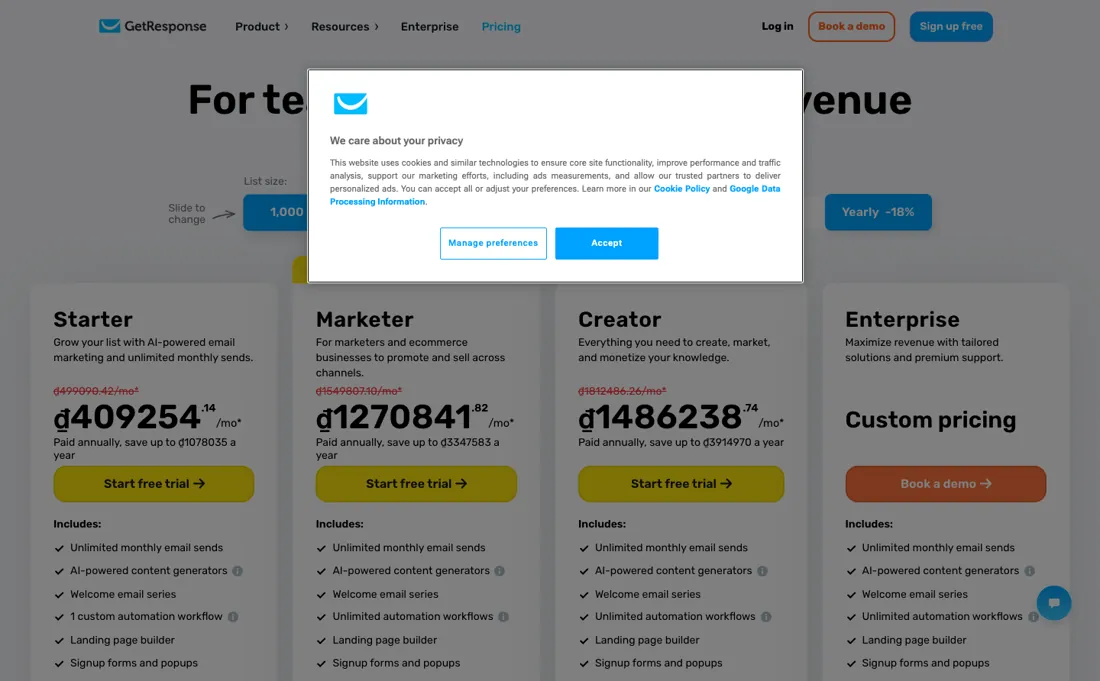
Starter €16/mo or €13.12/mo billed annually: 1 automation workflow, up to 3 users. Marketer €54/mo or €44.28 annual: unlimited workflows, ecommerce tools, advanced segmentation, abandoned-cart recovery. Creator €62/mo or €50.84 annual: website builder, course creator up to 500 students, webinars. Enterprise is quote-only and adds SMS, a dedicated IP and sending domain, SSO and unlimited users. Annual billing saves a stated 18%, and prices step up at 1k, 2.5k, 5k, 10k, 25k, 50k and 100k contacts.
What changed since our August 2026 reading is the free tier: the pricing page no longer sells one. It opens with a 14-day trial that needs no card, and nine fresh loads on 14 September 2026 each showed the same four plan cards with no free option among them. Free accounts have not been withdrawn altogether — the FAQ on that same page still describes a Free account that keeps working once the trial lapses, with limits on webinars, messages, landing pages, marketing automation and chats — but it is no longer a tier you can pick from the grid, so treat it as what the trial decays into rather than as a plan.
One currency warning survives unchanged: that same FAQ quotes the entry plan at $19 a month for 1,000 subscribers while the plan grid served us euros, so check which currency your own checkout uses before you budget. Charities and NGOs are offered 50% off every monthly plan. Plans change — always verify the live price on their site.
GetResponse’s pricing page, as we read it
What GetResponse does
Email marketing with landing pages, automation and webinars in one suite, priced by contact count. Starter is €16/month (€13.12 billed annually) and allows a single automation workflow; unlimited workflows start on Marketer at €54. The better rates need long commitments.
What buyers report about GetResponse
Recurring themes from the buyer-review sites listed at the foot of this page, read in August 2026. We have not run GetResponse ourselves, so this is other buyers' experience rather than ours. We summarise it here because the complaints are usually the part a vendor page leaves out.
- • It replaces several tools with one bill — email, automation, webinars and landing pages together — which is why owners of small businesses stay. 4.3 on G2 across 1,127 reviews.
- • Easy to learn, and cheaper than the venture-backed competitors at comparable features.
- • On TrustRadius the visual campaign builder and the funnel builder get named repeatedly as best-in-class for the money, with 24/7 chat support treated as a genuine differentiator by small teams.
- • Price escalation by contact count is the most common complaint on every platform. The $19 Starter figure is at 1,000 contacts; check the price at the list size you expect in a year.
- • One automation workflow on Starter — if automation is why you are buying, that tier is not the product.
- • A strict no-refund policy that reviewers say applies even when the fault is GetResponse's.
- • Difficulty cancelling, and charges continuing after a cancellation request.
- • The technical limits TrustRadius reviewers name are ones the marketing pages do not: the API was described as needing hacking around during a migration from another platform, and integration coverage is still thinner than reviewers want.
Where the ratings disagree. 4.2 on Trustpilot across 955 reviews, but the shape tells you more than the average: 63% five-star and 27% one-star, with almost nothing between. The one-star cluster is entirely billing and cancellation — not the product. The two platforms disagree because they were written at different times. TrustRadius's newest written GetResponse review dates from January 2024 and reads as a product conversation — builders, templates, API. Trustpilot's is current and splits 63% five-star against 27% one-star, with the one-star cluster almost entirely about billing and cancellation. Neither is wrong; the older platform simply predates the complaint.
When the paid plan is worth it
The free plan is a 14-day full-feature trial wearing a free-plan badge. After those 14 days the premium features stop, and you are left with a genuinely thin tier. It gives you 1,000 landing-page visitors a month, AI tools capped at 3 uses, no dynamic segmentation, and restricted contact tagging and scoring. Webinars cap at 10 attendees, and GetResponse branding goes on everything you send. Read on their own pricing page on 2 August 2026, at 1,000 contacts: Starter €16 a month or €13.12 billed annually; Marketer €54 or €44.28; Creator €62 or €50.84; Enterprise quote-only.
Annual saves 18%. Prices step up at 1k, 2.5k, 5k, 10k, 25k, 50k and 100k contacts, so your bill moves with list growth rather than with headcount. The limit that bites is automation. Starter gives one workflow and three users. That is enough for a newsletter and nothing else — the moment you want a welcome series and an abandoned-cart flow at the same time you are on Marketer, which is 3.4× the price.
Decide whether you are buying a newsletter tool or a marketing automation platform, because the pricing treats those as different products.
Our monthly capture read this vendor's pricing page in July 2026 and again in August 2026, and the amounts were the same both times. We keep watching — the registry records what moves.
How to actually use GetResponse
Use the 14 days on the automation, not on the email design. The templates will look fine on every plan; what you cannot judge later is whether one workflow is enough for you, and that is the €16-versus-€54 decision. Import your list before you build anything, because the price is set by contact count and the tier boundaries are at 1k, 2.5k, 5k and 10k. A list of 1,050 costs the same as one of 2,500 — clean out the dead addresses first and you may land a tier lower for a year.
If webinars are why you are here, check the attendee caps before the tier price. Free allows 10, Creator 100, Enterprise 1,000. That ceiling, not the monthly fee, is what usually forces the upgrade.
Distilled from GetResponse's own pricing page including the free-plan limits and per-tier feature table, read 2 August 2026
GetResponse vs ActiveCampaign, side by side
Both columns come from the same place: each vendor’s own published pricing, read on the date shown in the sources at the foot of this page. We do not average them into a score.
Both names above are affiliate links: we may earn a commission if you sign up, at no extra cost to you. Neither changes what this table says: both columns come straight from the vendors’ own pricing pages.
The natural comparison is Mailchimp or ActiveCampaign — other all-in-one email platforms. Weigh it against Mailchimp on the job you actually need done.
More on GetResponse
Everything we publish about GetResponse links back here — the review stays the honest hub:
The ex-banker filter — the same yardstick on every review (how we review): My ex-banker filter is simple: does GetResponse remove a real cost — time, errors, missed revenue — bigger than what it charges?
Frequently asked questions
What does GetResponse cost, and in which currency?
Read on 17 August 2026 at 1,000 contacts, from an EU address: Starter €16 a month or €13.12 billed annually, Marketer €54 or €44.28, Creator €62 or €50.84, Enterprise on quote. The currency is not cosmetic here: the FAQ block on the same page quotes $19 for the same entry tier, so confirm yours at checkout rather than converting ours.
Why do people go looking for GetResponse alternatives?
Our measured search data says that is the question actually being asked — 'getresponse alternatives' outweighs every pricing query on this tool. Across review platforms the two reasons that recur are the price stepping up with list size (the tiers move at 1k, 2.5k, 5k, 10k, 25k, 50k and 100k contacts) and billing disputes over cancellation. The product itself is rarely the complaint.
Is the free plan a real free plan?
Only for 14 days. After that the premium features switch off and what remains is thin: 1,000 landing-page visitors a month, AI tools capped at three uses, webinars capped at ten attendees, and GetResponse branding on what you send. Treat it as a trial with a free tier attached, not as a tier you can run on.
What should I weigh before buying Growth & Revenue software?
It depends on whether you have the bottleneck it solves. Small teams get the most out of this category when one clear problem is already costing real hours or revenue; buying ahead of that just adds cost and another login. Price it against the hours or lost deals it removes, not against its feature list, and start on the smallest plan that covers the job.
Is this a hands-on review of GetResponse?
This is a researched assessment, not a hands-on test — where we've used a tool ourselves, we say so explicitly. We name what each tool is genuinely good and bad at, and we earn a commission only if you sign up, at no cost to you.
- Buyer reviews on G2, Capterra, Trustpilot and TrustRadius, read August 2026.
- Re-verified 2026-09-14 on their own pricing page, in euros, quoted at 1,000 contacts.
- A dated screenshot of that pricing page, kept on this site as the receipt.
Others in this category
Reviewed growth & revenue tools that share ground with GetResponse — comparable in what they do, not drop-in swaps:
New dossiers, cost-traps we found, and tools that earned a keep — no hype, no sponsored-disguised-as-advice. Unsubscribe anytime.
This is our researched assessment — not a paid placement. The “Visit” links on this page are affiliate links: we may earn a commission if you sign up, at no extra cost to you, and it never changes our take. How we review →