 VWO Review (2026)VWO Renders Your Winning Variants
The jump from Growth to Pro is steep — small businesses get priced out of MVT and complex targeting — and the UI is dense with options. Throughout this review we weigh it against Optimizely.
Visit VWO → Affiliate link — we may earn a commission if you sign up; it does not change what this page says.
Watch the 2-minute review
The video version of this review, from our YouTube channel.
⚡ Short on time? Watch the 30-second verdict Short.
Pricing (2026)
✓ Pricing re-verified 20 Sep 2026
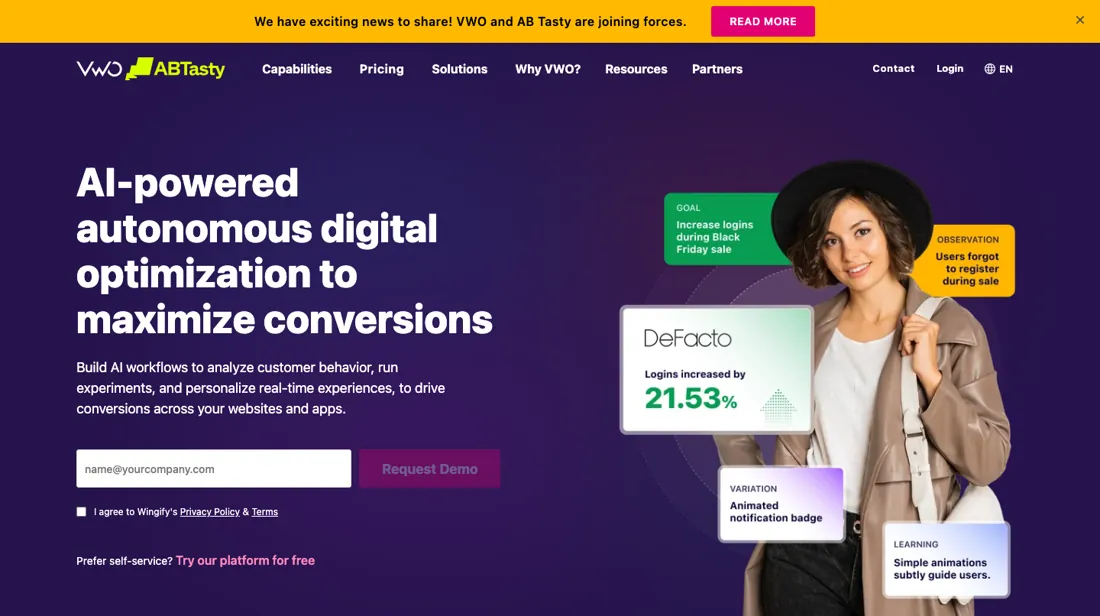
No price is published any more, and the site has moved. Re-read on 20 September 2026: vwo.com now answers HTTP 301 and redirects to wingify.com — vwo.com/pricing/ to wingify.com/pricing/, vwo.com/free-trial/ to wingify.com/free-trial/ — and the pricing page is titled "Pricing & Plans | Wingify Platform", with the products named Wingify Testing, Wingify Personalization and Wingify Insights and a site-wide banner announcing that AB Tasty and VWO have united.
The tier structure is unchanged: Growth, Pro and Enterprise as feature tables only, every button a Schedule a Demo, no currency amount anywhere in the rendered page and none in wingify.com/llms.txt either — the same picture as the 4 and 10 September 2026 readings. The ~$314/mo for 10k MTUs this dossier carried until 4 September 2026 was a published figure the vendor has since withdrawn.
Two things are new on the page. A per-MAU meter is now visible in the comparison table — 50, 100 and 200 events stored per MAU across the tiers — under the vendor's own footnote that the limit is not implemented in the app, is representational, does not affect current pricing and will apply in future to all customers on their respective plans.
And API access at Enterprise is now listed with a rate limit of 60K a month. Wandz, the AI layer the 10 September reading found sold in Core and Advanced tiers, is no longer named on the pricing page. The tier lines are unchanged: multivariate testing, guardrail metrics, advanced targeting and downloadable reports start at Pro; API access, SSO, mutually exclusive groups and a dedicated CSM only at Enterprise. Plans change — always verify the live price on their site.
The honest knock
Some users note the reporting breaks more often than pricier tools (though it doesn't affect the tests themselves). The part that costs people money later is what happens to a winner. VWO applies page changes through its SmartCode — their own page says the asynchronous SmartCode “loads page changes asynchronously when the web page loads” — so a variant left running in the editor is rendered by VWO rather than built into your site.
Fine while you pay, gone when you stop. Their server-side testing changes the arithmetic here, because those changes live in your own stack; the client-side ones do not.
What VWO does
A/B testing and conversion optimization platform. Run experiments, heatmaps and personalization to lift conversions without developers.
What buyers report about VWO
Recurring themes from the buyer-review sites listed at the foot of this page, read in August 2026; prijsregel herzien 4 September 2026 tegen de vendorpagina. We have not run VWO ourselves, so this is other buyers' experience rather than ours. We summarise it here because the complaints are usually the part a vendor page leaves out.
- • Ease of use, setup speed and support are the most-mentioned themes, alongside 24/7 support and GDPR compliance plus ISO certification.
- • Testing, insights and personalisation in one platform rather than three tools.
- • Pricing transparency is the single most common complaint. You see numbers only after creating an account or talking to sales.
- • Those numbers have since gone entirely: on 4 September 2026 VWO's own pricing page showed no amount at all, only 'Schedule a Demo' on Growth, Pro and Enterprise. Reviewers writing earlier reported roughly $314 a month for 10,000 tracked users on annual Growth billing; treat that as a historical reference point rather than a rate you can hold them to.
- • There is no longer a permanent free option.
- • Missing features and limitations appear in the review tags alongside the praise — check your specific test type is supported before committing.
Your winning variants are rendered by VWO, not by you
VWO no longer publishes a price. Read on 4 September 2026, the pricing page lists Growth, Pro and Enterprise as feature tables with a 'Schedule a Demo' button on all three — no amount, no monthly-tracked-user tier, no traffic slider, and nothing in their llms.txt either. This review carried about $314 a month for 10,000 tracked users until that date; treat it as withdrawn rather than current. What the page still tells you is where the tier lines fall: multivariate testing, guardrail metrics, targeting beyond five conditions and downloadable reports all start at Pro, and API access only at Enterprise.
So you can work out which tier you need, and then you have to ask what it costs. The thing that costs people money here is not on the price list at all, and it is the most important paragraph on this page. VWO applies page changes through its SmartCode, and their own documentation for the asynchronous version describes a script that waits first for the page settings and then for the library to load, on two timeouts named settings_tolerance and library_tolerance; miss the second and 'the page falls back to displaying the original (control) version of the content'.
In other words, a variant you left running in the editor is being rendered by VWO on every page load — it was never built into your site. That is fine while you are paying and gone the moment you stop. Follow that through a few years of testing and the consequence is uncomfortable. Every winning test you never handed to your developers becomes a permanent subscription dependency, and a testing tool quietly becomes the renderer of parts of your actual website.
The discipline that avoids it is simple and worth writing into your process: when a test wins, implement the change in your own codebase and switch the VWO variant off. Treat the visual editor as a laboratory, not a deployment system. Their server-side testing does not have this problem, because those changes live in your own stack — if that is an option for you, it changes the arithmetic considerably.
Asynchronous application has a second, smaller cost worth checking during a trial rather than after launch: because the original renders before the change is applied, visitors can see the unmodified page flash first. Load a page with a live variant on a slow connection and watch for it — it is a real conversion cost on the exact pages you are trying to optimise. On the tiers themselves, multivariate testing and the wider targeting rules sit at Pro rather than Growth, and with no published rate you cannot size that step before you speak to sales.
The interface is dense with options. Some users report the reporting layer breaking more often than in pricier tools — worth knowing that this is a dashboard complaint rather than a data one; it does not affect the tests themselves. Ask for the rate against your own monthly tracked users, budget the developer time to bake in your winners, and the tool earns its keep.
How to actually use VWO
Write the hand-off rule before you run your first test: when a variant wins, implement it in your own codebase and turn the VWO version off. VWO's SmartCode renders page changes on load rather than building them into your site, so a winner left running in the editor is a permanent subscription dependency — fine while you pay, gone when you stop. If server-side testing is an option for you, it avoids this entirely because those changes live in your stack.
Check for flicker during the trial, not after. Because changes are applied asynchronously, the original page can render before the variant replaces it. Load a live variant on a throttled connection and watch — a visible flash costs conversions on precisely the pages you are trying to improve. Ask what it costs before you invest the setup time, because VWO no longer publishes a price. As of 4 September 2026 every tier on the pricing page ends in a demo booking, so use the 30-day trial — no card required — to settle what you actually need first: multivariate testing, guardrail metrics and targeting beyond five conditions all sit at Pro rather than Growth, and API access only at Enterprise.
Walk into that call knowing your tier and your monthly tracked users, or you will be quoted against a number you did not choose.
Distilled from VWO's own pricing page (vwo.com/pricing/), read in a browser on 4 September 2026 — the Growth, Pro and Enterprise feature tables, the 'Schedule a Demo' button on every tier and the confirmed absence of any amount, MTU tier or traffic slider; vwo.com/llms.txt, which carries no amount either; and vwo.com/free-trial for the 30-day trial with no credit card required. The SmartCode behaviour comes from VWO's own asynchronous-SmartCode documentation, which now redirects from help.vwo.com to help.wingify.com and states that when the library misses its library_tolerance window 'the page falls back to displaying the original (control) version of the content'.
The natural comparison is Optimizely — the enterprise experimentation heavyweight. Weigh it against Optimizely on the job you actually need done.
Frequently asked questions
Is VWO still VWO?
Not under that name. Read on 20 September 2026, vwo.com no longer serves its own pages: the domain answers HTTP 301 and redirects to wingify.com, including vwo.com/pricing/ to wingify.com/pricing/ and vwo.com/free-trial/ to wingify.com/free-trial/. The pricing page is titled "Pricing & Plans | Wingify Platform", the products are named Wingify Testing, Wingify Personalization and Wingify Insights, and a banner across the site announces that AB Tasty and VWO have united, with a link to the merger announcement. The tier structure survived the move unchanged — Growth, Pro and Enterprise — so this review still describes the right product. But every VWO link you have bookmarked and every support article you saved now lands on a Wingify URL, and the name on the contract is not the one your team has been using.
What is it going to cost?
Nothing is published, and that has now survived three readings — 4 September, 10 September and 20 September 2026. On the current page at wingify.com/pricing/, Growth, Pro and Enterprise are feature tables whose every button is Schedule a Demo; the rendered page contains no currency amount anywhere, no monthly-tracked-user tier and no traffic slider, and wingify.com/llms.txt carries no amount either. The roughly $314 a month for 10,000 tracked users this review carried until 4 September 2026 was a published figure the vendor has withdrawn — do not budget from it. What the page does still tell you is which tier you need, and that is the only leverage you have going into the call: multivariate testing, guardrail metrics, targeting beyond five conditions and downloadable reports start at Pro, and API access, SSO, mutually exclusive groups and a dedicated success manager only at Enterprise. Walk in with your tier and your monthly tracked-user count already decided.
Will I be billed on monthly tracked users, or on something else?
There is now a second meter visible on the page, and it is worth a question before you sign. Read 20 September 2026, the comparison table carries an events-per-MAU ladder — 50 events stored per MAU on the lowest tier, 100 in the middle and 200 at the top — under a footnote of the vendor's own saying the limit is not implemented in the app, is representational, does not affect current pricing, and will apply in future to all customers on their respective plans. So it is a dimension to ask about rather than one to budget for: if your implementation fires many events per visitor, ask whether your quote is written against monthly tracked users alone or against events as well, and what happens at renewal when that cap goes live. One related number did become concrete in the same reading — API access at Enterprise is listed with a rate limit of 60K a month.
What should I weigh before buying Growth & Revenue software?
It depends on whether you have the bottleneck it solves. Small teams get the most out of this category when one clear problem is already costing real hours or revenue; buying ahead of that just adds cost and another login. Price it against the hours or lost deals it removes, not against its feature list, and start on the smallest plan that covers the job.
Is this a hands-on review of VWO?
This is a researched assessment, not a hands-on test — where we've used a tool ourselves, we say so explicitly. We name what each tool is good and bad at, and we earn a commission only if you sign up, at no cost to you.
- Buyer reviews on G2, read August 2026; prijsregel herzien 4 September 2026 tegen de vendorpagina.
- VWO’s own published pricing page.
Others in this category
Reviewed growth & revenue tools that share ground with VWO — comparable in what they do, not drop-in swaps:
New reviews, price changes we recorded, and the cost conditions we found. No sponsored placements. Unsubscribe anytime.
This is our researched assessment — not a paid placement. The “Visit” links on this page are affiliate links: we may earn a commission if you sign up, at no extra cost to you, and it never changes our take. How we review →