 Bookyourdata Review (2026)$0.40 a Contact, No Subscription
The model is honest — no subscription, credits keep, bad data refunded — so the real scrutiny belongs on usage. Throughout this review we weigh it against ZoomInfo.
Visit Bookyourdata → Affiliate link — we may earn a commission if you sign up; it does not change what this page says.
Watch the 2-minute review
The video version of this review, from our YouTube channel.
⚡ Short on time? Watch the 30-second verdict Short.
Pricing (2026)
✓ Pricing re-verified 28 Sep 2026
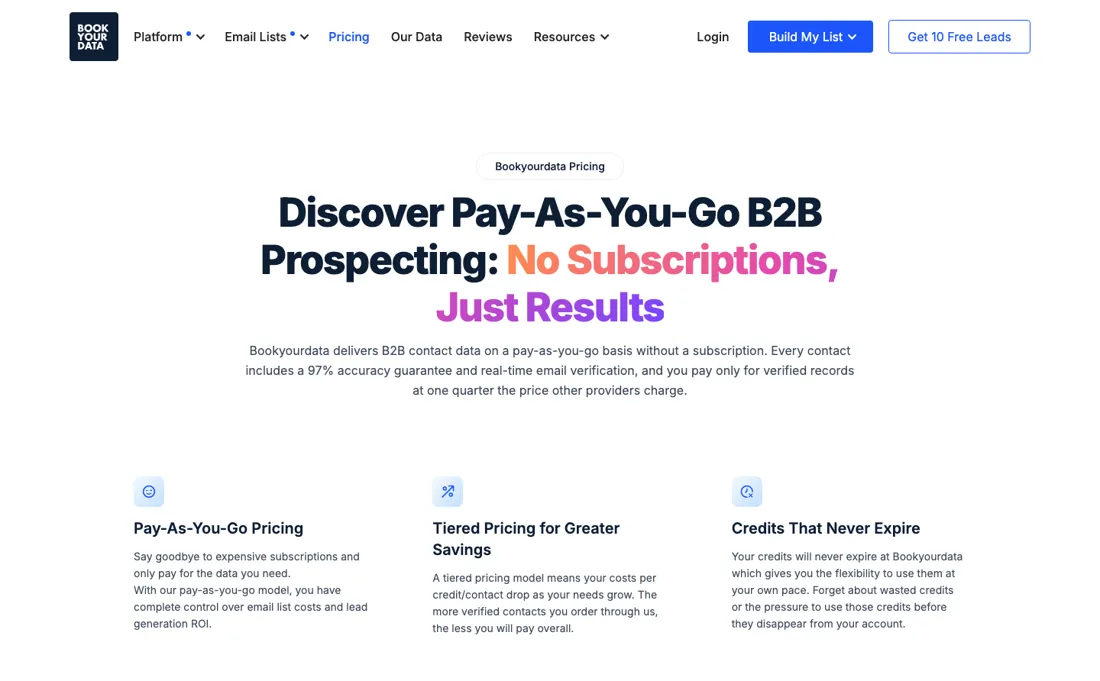
Pay-as-you-go, no subscription: one credit is one full contact. The published pack table runs 250 credits for $99 ($0.40 each), 500 for $159, 1,000 for $299 ($0.30), 2,500 for $599 and 5,000 for $799 ($0.16). From there it goes 10,000 for $999 ($0.10), 25,000 for $2,099 ($0.08), 50,000 for $3,699 ($0.07), 100,000 for $5,499 ($0.05) and on up to 2,500,000 for $24,999 ($0.010), with anything larger quoted.
New accounts get a Free Pack of 10 credits once, with no card. Credits never expire and the 97% deliverability guarantee refunds credits, not money. BeSpoke, the hand-built private list service, is priced separately from $499 for 1,000 records. Plans change — always verify the live price on their site.
What the price did
We capture Bookyourdata’s own pricing page every month and keep the figures, so this is our record of the page — not a forecast, and not someone else’s summary.
Every pack amount we recorded on 13 August 2026 was the same on 28 September 2026, from 250 credits for $99 to 2,500,000 for $24,999. The table now lists 24 paid packs, with anything above 2,500,000 credits quoted, and the Free Pack of 10 credits and the 97% deliverability guarantee (refunded in credits) are unchanged.
What the pricing page doesn’t say
Bought lists are only as good as your targeting and your sending infrastructure, and cold-emailing purchased contacts has legal boundaries that vary by country, GDPR territory especially. The data being accurate doesn't make the campaign compliant; that part is yours.
What Bookyourdata does
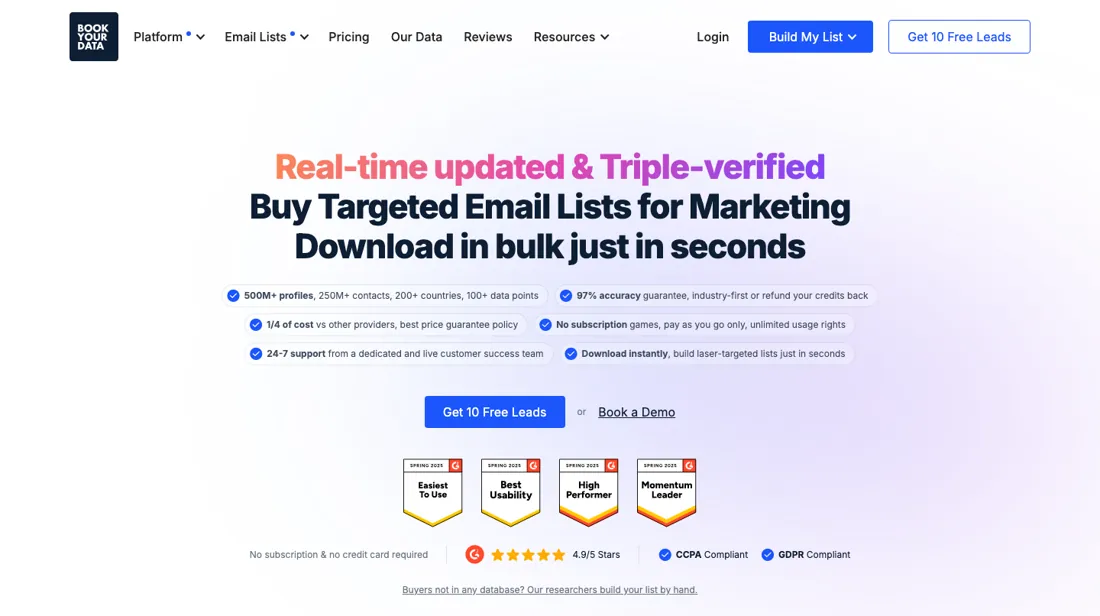
B2B email lists and verified contact data on demand. Build targeted prospect lists with verified business emails and pay only for the contacts you need.
What buyers report about Bookyourdata
Recurring themes from the buyer-review sites listed at the foot of this page, read in August 2026 (Capterra read 13 August 2026). We have not run Bookyourdata ourselves, so this is other buyers' experience rather than ours. We summarise it here because the complaints are usually the part a vendor page leaves out.
- • Data accuracy is the single most-mentioned positive on G2 (55 mentions). Trustpilot carries only 11 reviews at 3.6 out of 5 (read 24 August 2026) — too small a sample to draw much from.
- • Pay-as-you-go with credits that do not expire — unusual in this category, and reviewers name it directly.
- • On Capterra (4.9 across 97 reviews, ease of use 5.0) the reason people switch is budget shape rather than data: reviewers arriving from ZoomInfo, Lusha and Klaviyo describe replacing an annual contract they could not justify with per-use credits and instant list downloads.
- • Accuracy depends heavily on batch size. Independent users report 2–3% bounce on pulls of 250–500 contacts, but 25–40% on batches over 10,000 — well outside the advertised 97% guarantee. Test at the volume you actually intend to buy.
- • Company-level data is weaker than contact-level data; "inaccurate company information" recurs.
- • Filtering is fiddly — 16 combined mentions of filtering difficulty point at a UI problem rather than a data one.
- • Nine separate G2 reviewers call the pricing expensive.
- • Capterra reviewers hit coverage limits in narrow markets — cannabis, specialised industries and niche verticals recur — and describe loosening filters to get a usable count.
- • One Capterra reviewer reports direct-dial numbers landing at a company's reception desk rather than the person, which is precisely what paying for a direct dial is meant to avoid.
- • Several note there is no performance tracking inside the platform, so measuring what a purchased list actually did has to happen somewhere else.
Where the ratings disagree. 4.9 on G2 and 4.9 on Capterra against 3.8 on Trustpilot. The Trustpilot complaints are specifically about data going stale at volume, which matches the batch-size pattern above rather than contradicting it. Capterra, read on 13 August 2026, does not open a new gap: its complaints are about thin coverage in narrow verticals and about what the platform does not do after the export, not about the accuracy of what it returns.
Pages read (August 2026 (Capterra read 13 August 2026)): Trustpilot
When the paid plan is worth it
Bookyourdata has no paid tiers in the usual sense: the help centre states it is not a subscription-based service and runs a pay-as-you-go credit model, with no contract and no costs beyond the credit price. The split that matters is free versus paid, and small versus large purchase. A new account gets 10 free credits at registration with no credit card, but they apply only to self-service Prospector search; the BeSpoke built-to-spec list service is excluded, so they tell you nothing about custom sourcing.
One credit unlocks one contact's complete profile, verified email and direct phone included, across 100+ fields, so buying more credits buys more rows rather than more features. Volume is the only lever: the vendor states the per-contact rate drops as the credit volume bought in one transaction rises, so splitting a budget across several small purchases costs more than one larger one. Upgrading does not buy better data. The 97% deliverability guarantee (their claim, not our measurement) covers every credit, and the remedy is credits returned to the balance, not money back.
Credits do not expire. The pricing page, which blocked us in earlier sessions and which we read on 13 August 2026, does publish the ladder. 250 credits for $99 works out at $0.40 a contact, 1,000 for $299 at $0.30, 10,000 for $999 at $0.10 and 100,000 for $5,499 at $0.05, running on to $0.010 at 2,500,000. The gap between the top and bottom of that table is a factor of forty, which is why the size of a single purchase matters more here than any feature decision.
Our monthly capture read this vendor's pricing page in July 2026 and again in August 2026, and the amounts were the same both times. We keep watching — the registry records what moves.
How to actually use Bookyourdata
The vendor's Getting Started collection runs to six articles. You register, which credits the account with 10 free credits, then open Prospector and build a search from the filter menu on the left, which Bookyourdata says supports 100+ firmographic and contact-level filters. Saving and loading filters, and bulk including or excluding companies by pasting names or domains one per line, are separate documented steps. Downloading is six steps: log in, filter, click Download, enter the number of leads, choose an Email Verification Preference, and export a .csv.
Distilled from All of this comes from Bookyourdata's own Intercom help centre — the Getting Started collection plus the credit, pricing, download, verification and guarantee articles, each opened and read in this session — because the vendor's pricing and blog pages returned a Cloudflare block, and we found no independent walkthrough worth citing. The pricing page itself was rendered in a headless browser on 28 September 2026 (full pack table, credit definition, guarantee); a plain fetch still gets a 403.
Common Bookyourdata setup mistakes
Where Bookyourdata setups actually go wrong, and what it costs you when they do. Same sources as the setup notes above — not from a walkthrough we ran ourselves.
The friction sits at that last choice.
- Verification runs at the moment of download, and the two export filters are Deliverable Only and Deliverable & Risky.
- On risky addresses the docs say do not mail where your provider enforces a bounce threshold of 5% or less, and mail slowly on a dedicated IP.
- Suppression is manual: exclusions are pasted line by line, with no documented file upload.
- And although the docs describe credits being returned for inaccurate records, they never say how you file that claim or by when.
Bookyourdata vs Apollo, side by side
Both columns come from the same place: each vendor’s own published pricing, read on the date shown in the sources at the foot of this page. We do not average them into a score.
Both names above are affiliate links: we may earn a commission if you sign up, at no extra cost to you. Neither changes what this table says: both columns come straight from the vendors’ own pricing pages.
The natural comparison is Apollo or UpLead — subscription databases vs pay-per-contact — the crossover is usage frequency; occasional buyers win with BookYourData, daily prospectors with Apollo. Weigh it against ZoomInfo on the job you actually need done.
Frequently asked questions
What does a contact actually cost?
The pack table, read on 13 August 2026 and unchanged on 28 September 2026: 250 credits for $99 ($0.40 a contact), 1,000 for $299 ($0.30), 5,000 for $799 ($0.16), 10,000 for $999 ($0.10), 25,000 for $2,099 ($0.08), 100,000 for $5,499 ($0.05) and up to 2,500,000 for $24,999 ($0.010). One credit is one full contact, and revealing both the email and the mobile direct dial for the same person still costs one credit. The rate is set by the size of a single transaction, so splitting the same budget across small packs costs materially more than one larger buy.
Are the 10 free credits a monthly allowance?
No — they are a one-off. The pricing page offers a Free Pack of 10 credits at registration with no card and no subscription, and nothing on it renews them monthly. They also only apply to self-service Prospector search, not to BeSpoke, the hand-built list service, which starts at $499 for 1,000 records and comes with its own free 10-row sample.
What does the 97% guarantee actually pay back?
Credits, not money. Bookyourdata's own FAQ says that when a record turns out to be wrong or outdated it refunds the credits spent on that contact. Because credits never expire that is a real remedy — but it keeps your money on the platform, and the page still does not say how you file the claim or by when.
What should I weigh before buying Growth & Revenue software?
It depends on whether you have the bottleneck it solves. Small teams get the most out of this category when one clear problem is already costing real hours or revenue; buying ahead of that just adds cost and another login. Price it against the hours or lost deals it removes, not against its feature list, and start on the smallest plan that covers the job.
Is this a hands-on review of Bookyourdata?
This is a researched assessment, not a hands-on test — where we've used a tool ourselves, we say so explicitly. We name what each tool is good and bad at, and we earn a commission only if you sign up, at no cost to you.
- Buyer reviews on G2, Trustpilot, Gartner Peer Insights and Capterra, read August 2026 (Capterra read 13 August 2026).
- Re-verified 2026-08-13 and again unchanged on 2026-09-28, read on their own pricing page.
- A dated screenshot of that pricing page, kept on this site as the receipt.
Others in this category
Reviewed growth & revenue tools that share ground with Bookyourdata — comparable in what they do, not drop-in swaps:
New reviews, price changes we recorded, and the cost conditions we found. No sponsored placements. Unsubscribe anytime.
This is our researched assessment — not a paid placement. The “Visit” links on this page are affiliate links: we may earn a commission if you sign up, at no extra cost to you, and it never changes our take. How we review →