 Plesk Review (2026)
Transparency: the “Visit” links on this page are affiliate links — we may earn a commission if you sign up, at no extra cost to you. No vendor can pay for a better review or verdict. How we make money →
Plesk has been raising prices steadily (the 2026 round averaged ~26%), so budget for the renewal trajectory, not today's invoice — it's a recurring theme in the ecosystem since the acquisition era. Throughout this review we weigh it against cPanel.
Visit Plesk → Affiliate link — we may earn a commission if you sign up; it does not change what this page says.
Watch the 2-minute review
The video version of this review, from our YouTube channel.
⚡ Short on time? Watch the 30-second verdict Short.
Pricing (2026)
✓ Pricing re-verified 20 Sep 2026
Per-server licences, priced per edition by domain count. On a VPS: Web Admin $16.99/month (10 domains), Web Pro $29.99 (30 domains), Web Host $62.99 (unlimited domains). A 12-month term takes 8% off, to $15.57, $27.49 and $57.74. Only Web Host costs more on dedicated hardware — $69.99/month, or $64.16 on the yearly term; Web Admin and Web Pro carry no separate dedicated rate at all, so they cost the same on either.
Sitejet Builder is included on every edition. Two weeks free trial, no card. Refunds run 14 days and only on purchases made direct through the Plesk Online Store; resellers, cloud marketplaces and hosting providers apply their own policy. The partner programme discounts 15-45%, but the page states its minimum twice and differently: the Partners card reads "Monthly Minimum of only €250 / $250" while the FAQ lower down says the minimum commitment starts at $500/month.
The page bills in local currency by region: read from the Netherlands the same table shows EUR 14.29, 25.49 and 52.99 monthly, EUR 13.10, 23.37 and 48.57 on the yearly term, and EUR 59.99 (54.99 yearly) for Web Host on dedicated hardware. VAT may apply depending on your country. The ~26% average increase that took effect January 2026 is visible in the page's own data: it still carries the pre-increase set — Web Admin $15.49, Web Pro $26.99, Web Host $49.99 on a VPS and $66.99 dedicated — behind a baseIncreased flag that is set, and a notice on the page says renewals after 1 January 2026 move to the revised structure. Plans change — always verify the live price on their site.
Category context: IT & Productivity. Across the 35 tools in this category that we researched with a public US-dollar price, the median entry price is $15 a month (lowest paid plan as listed, per seat where the vendor prices per seat). Plesk’s entry price of $16.99 a month sits above that median. Compare pricing conditions in the Software Cost Atlas →
Correction after re-checking: Re-checked 30 August 2026 against plesk.com/pricing, read from a US exit. Every dollar figure we published held to the cent: Web Admin $16.99 monthly and $15.57 on the yearly term, Web Pro $29.99 and $27.49, Web Host $62.99 and $57.74 on a VPS, $69.99 and $64.16 on dedicated hardware. So did every claim about what each edition contains: Web Admin caps at 10 domains with WP Toolkit SE and carries no subscription, account, reseller or PostgreSQL/MSSQL modules; Web Pro raises the cap to 30 and switches on all of those except reseller; Web Host is the only one with reseller management and unlimited domains. Two corrections. We wrote that VPS licences run cheaper than dedicated ones, which is true only of Web Host; Web Admin and Web Pro cost the same on either. And Web Admin's feature list does not stop where we said: Sitejet Builder is on all three editions. Plesk does price by region — the same table read from the Netherlands gives EUR 14.29, 25.49 and 52.99, a real discount on the dollar rate rather than a currency relabel.
The honest knock
Two honest notes. And the domain caps are the real tier-driver: growing past 10 or 30 domains bumps you up a license, so count your domains including the parked ones before choosing.
What Plesk does
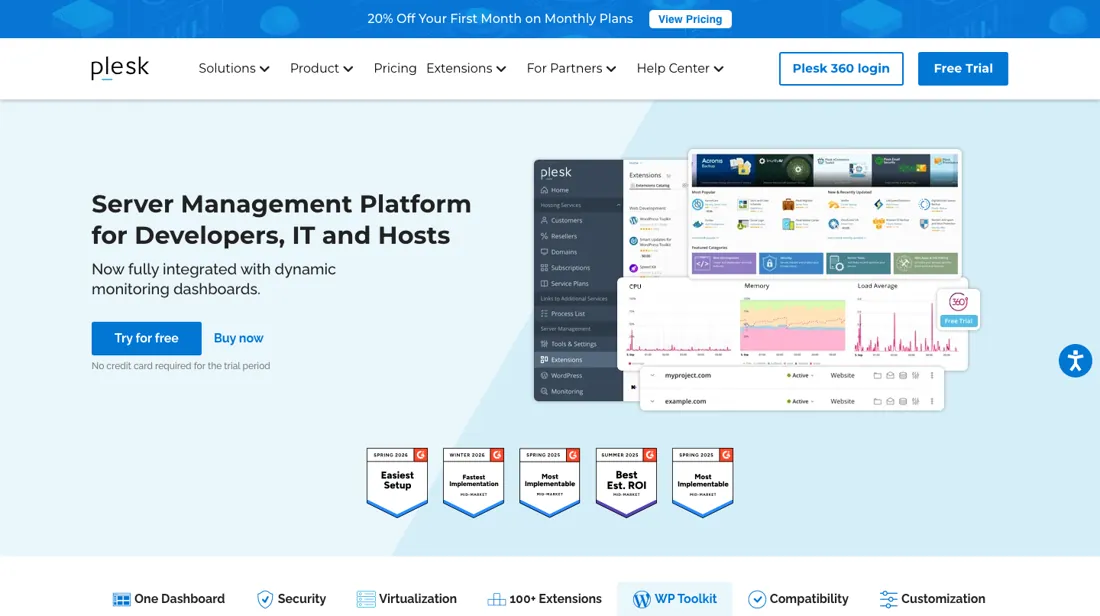
Server control panel for agencies and hosters running many sites — per-domain management, security and one-click stacks. Domain caps drive the tier, and a roughly 26% average price rise took effect in January 2026.
What buyers report about Plesk
Recurring themes from the buyer-review sites listed at the foot of this page, read in August 2026. We have not run Plesk ourselves, so this is other buyers' experience rather than ours. We summarise it here because the complaints are usually the part a vendor page leaves out.
- • Managing multiple sites, domains and databases from one interface without touching the command line — 4.3 on G2 across 600+ reviews, 4.5 on Capterra across 430+.
- • Extensions and integrations cover most of what a small host needs.
- • A 26% average price rise landed across most tiers in 2026, following increases of roughly 45% on Web Pro and over 50% on Web Host in January 2025. Budget for it continuing.
- • The tier boundaries are hard: Web Admin covers 10 domains, and an eleventh domain means paying for Web Pro.
- • Imunify360 antivirus, some backup rotation options and the SEO tools are separate paid licences on top.
- • Reviewers report the AI support bot giving better answers than human agents, and official support directing complex issues to external experts.
- • Performance is reported as slower than cPanel.
When the paid plan is worth it
Plesk has no free tier — just a fully functional two-week trial with no credit card — so the real decision is which edition to buy. Web Admin ($16.99/month, US pricing) covers 10 domains with WP Toolkit SE, but the list stops there: subscription management, account management, reseller management and the PostgreSQL/MSSQL modules are all absent. Sitejet Builder is the one thing that is not rationed — it ships on all three editions.
That is fine while every site on the server is yours. Web Pro ($29.99/month) raises the cap to 30 domains and switches on all of those except reseller management, adding the full WP Toolkit — this is the tier where clients get their own logins. Reseller management and unlimited domains arrive only with Web Host ($62.99/month on a VPS, $69.99 on dedicated hardware). Paying yearly takes about 8% off each: $15.57, $27.49 and $57.74.
Two things upgrading never fixes: the licence is per server, so a second VPS means a second licence, and Plesk sells no hosting, so the server is always a separate bill. You can move up or down between editions at any time.
Our monthly capture read this vendor's pricing page in July 2026 and again in August 2026, and the amounts were the same both times. We keep watching — the registry records what moves.
How to actually use Plesk
Plesk is software you install on your own VPS or dedicated server — Plesk sells no hosting, so line up the server first. On Linux the install is one command: sh <(curl https://autoinstall.plesk.com/one-click-installer || wget -O - https://autoinstall.plesk.com/one-click-installer). But a hosting provider's installation guide puts the run time at 15 to 60 minutes, on a floor of 1 GB RAM plus 1 GB swap and 20 GB of disk on Linux, or 2 GB RAM and 32 GB of disk on Windows.
You then open https://your-server:8443 and work through the wizard. Accept the licence agreement, set the full hostname, split the server's IPs into shared and dedicated, and set the admin password. Then fill in a personal-information form, pick Power User or Service Provider view, upload a licence key or enter an activation code, and configure your first subscription. 8443 is the panel's HTTPS interface and 8880 its HTTP one. One July 2024 forum thread on Plesk 18.0.62 reports the panel unreachable from mobile and international networks; the causes named there were a fail2ban IP ban and suspected ISP-level filtering of port 8443, not Plesk itself.
Distilled from Plesk's own Obsidian quick-start guide and ports reference, a hosting provider's installation guide, and one dated Plesk community forum thread
The natural comparison is cPanel or free panels like CloudPanel — cPanel shares the same pricing-pressure story; free alternatives trade polish and ecosystem for zero license fees. Weigh it against cPanel on the job you actually need done.
Frequently asked questions
The price list says one thing and the renewal notice says another — what will I actually pay?
The page ships both numbers, and the one you pay is the higher set. Read on 20 September 2026, plesk.com/pricing carries its whole rate card in a single PleskPricing object with a baseIncreased flag that is set, and that flag is what switches the displayed table to the post-increase prices: Web Admin $16.99 a month or $15.57 on a 12-month term, Web Pro $29.99 or $27.49, Web Host $62.99 or $57.74 on a VPS and $69.99 or $64.16 on dedicated hardware. Every one of those held to the cent against our 30 August reading. The same object still carries the pre-increase set — Web Admin $15.49, Web Pro $26.99, Web Host $49.99 on a VPS and $66.99 dedicated — and the gap between the two is the clearest measure of the January 2026 round: Web Host on a VPS went from $49.99 to $62.99, a 26% rise. A notice on the same page says subscriptions carry a revised pricing structure affecting all renewals after 1 January 2026, so price the renewal, not the first invoice.
What does it actually take to get into the partner programme?
The page answers that twice and the two answers differ by half. The Partners card on the pricing table reads "Monthly Minimum of only €250 / $250"; the FAQ further down the same page, read the same day, says the minimum commitment starts at $500 a month. Everything else about the offer matches across both: discounts between 15 and 45% on retail licences, priority 24/7 support, a dedicated account manager and partner-only resources. So the discount range is safe to plan on and the entry point is not — get the minimum in writing before you build a margin on it. For scale, $250 a month is about fifteen Web Admin licences at $16.99 and $500 is about thirty, which is roughly the difference between a small agency qualifying and not.
Do I need a dedicated licence or a VPS one?
Buy the one that matches the machine, not the one that sounds bigger. Plesk's own FAQ, read 20 September 2026, states there is no feature difference between the two: a VPS licence can only be installed on a virtual server, while a dedicated licence installs on either. So the only reason to pay for dedicated is that you are running on bare metal. On price it matters for exactly one edition. The rate card carries no separate dedicated figures for Web Admin or Web Pro at all — those entries hold only store links — so both cost the same whichever you buy. Web Host is the exception: $62.99 a month on a VPS against $69.99 dedicated, or $57.74 against $64.16 on the yearly term, and read from the Netherlands EUR 52.99 against EUR 59.99. Whichever you pick, the licence is per server, so a second machine is a second licence.
What should I weigh before buying IT & Productivity software?
Judge it on evidence rather than adjectives. Look for a published security page, single sign-on and role controls on the plan you would actually buy (they are often gated to higher tiers), a status page with real incident history, and a clear answer on where your data is stored. If the tool will hold anything sensitive, those four answers matter more than any feature comparison.
Is this a hands-on review of Plesk?
This is a researched assessment, not a hands-on test — where we've used a tool ourselves, we say so explicitly. We name what each tool is good and bad at, and we earn a commission only if you sign up, at no cost to you.
- Buyer reviews on G2, Capterra, PeerSpot and hosting-industry press, read August 2026.
- Read 2026-08-30 on plesk.com/pricing from a US exit; re-verified 2026-09-20 from the Netherlands against the page's own PleskPricing rate card, which carries every currency.
Others in this category
Reviewed it & productivity tools that share ground with Plesk — comparable in what they do, not drop-in swaps:
New reviews, price changes we recorded, and the cost conditions we found. No sponsored placements. Unsubscribe anytime.
This is our researched assessment — not a paid placement. The “Visit” links on this page are affiliate links: we may earn a commission if you sign up, at no extra cost to you, and it never changes our take. How we review →