 1Password Review (2026)No Free Tier, From $3.99/mo Yearly
1Password is the polished, category-leading pick, and it's priced like it — free and cheaper managers exist, so you're paying for the UX, ecosystem and business controls, not raw functionality. For a business, that's usually worth it.
Visit 1Password → Affiliate link — the rest of this page is the honest version, including who should skip it.
Watch the 2-minute review
Same honest take, in video form — from our YouTube channel.
⚡ Short on time? Watch the 30-second verdict Short.
Pricing (2026)
✓ Pricing re-verified 11 Sep 2026
- Teams Starter Pack — $24.95/mo flat, billed annuallycovers 10 members - a flat fee, not per seat; up to 10 further seats at per-member pricing, so 20 users is the ceiling. $29.95 month-to-month
- Business — $8.99 per user/mo, billed annually$10.99 month-to-month; no free tier anywhere in the range; 14-day trial; every user also gets a free Families plan
- Enterprise — quotedcustom terms
- Individual — $3.99/mo billed annually$4.99 month-to-month; the $2.99 on the card is a 25% discount for the first 12 months, new customers only
- Families — $5.99/mo billed annually$7.99 month-to-month; covers 5 members; $4.49 is the same first-year promotion
Teams Starter Pack about $24.95/mo flat for 10 members (billed annually, $29.95 month-to-month), with up to 10 further seats at per-member pricing; Business about $8.99/user/mo (billed annually, $10.99 month-to-month), plus custom Enterprise. Personal plans Individual $3.99/mo and Families $5.99/mo on annual billing, or $4.99 and $7.99 month-to-month; the $2.99 and $4.49 shown on the cards are a 25% discount for the first 12 months, new customers only. No free tier; 14-day free trial. Plans change — always verify the live price on their site.
Correction after re-checking: (re-verified 2026-09-11) The vendor's own plan data lists Individual at $3.99 USD/month and Families at $5.99 USD/month on annual billing, with $4.99 and $7.99 month to month; the $2.99 and $4.49 on the cards are footnoted as a 25% discount for the first 12 months, available to new customers on annual billing only. Business is $8.99 USD per user, per month billed annually ($10.99 monthly) and Teams Starter Pack $24.95 flat for 10 members ($29.95 monthly). Use these vendor figures rather than third-party "post-March-2026 hike" numbers.
What the price did
We capture 1Password’s own pricing page every month and keep the figures, so this is our record of the page — not a forecast, and not someone else’s summary.
On 7 July 2026 our capture of 1password.com/pricing/password-manager held $2.99, $3.99, $4.49, $5.99, $24.95 and $8.99. The 2 August capture followed 1password.com/pricing and came back with no figures at all: the plan tables had moved to /pricing/password-manager and /business-pricing. Reading both of those on 11 August 2026 returned the same six amounts as July. The prices did not move; the page did, and it left a hole in our own series. On 11 September 2026 the six were unchanged again, and /pricing/password-manager now redirects to /pricing/personal. What the series had never recorded is the second axis: the embedded plan data carries a month-to-month rate beside every annual one - Individual $4.99, Families $7.99, Teams Starter Pack $29.95, Business $10.99 - and the $3.99 and $5.99 we had been logging as month-to-month are the regular annual rates, set against promotional first-year rates of $2.99 and $4.49.
What 1Password does
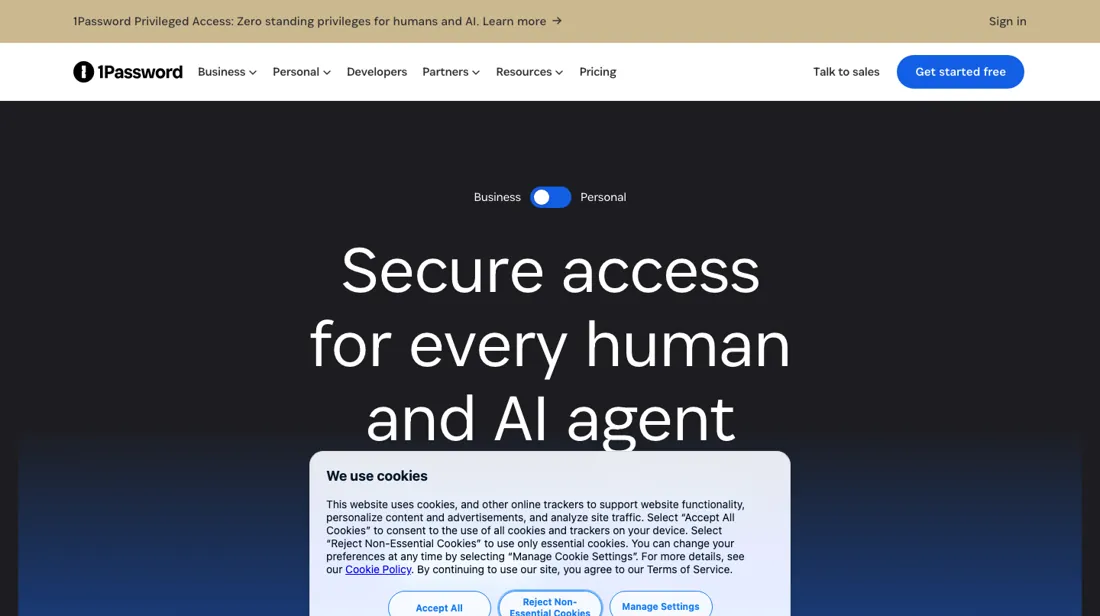
Password manager and security platform for teams: store and share passwords, passkeys and secrets with autofill, breach monitoring and developer secrets management — enterprise-grade vaults with simple admin controls.
What buyers report about 1Password
Recurring themes from the buyer-review sites listed at the foot of this page, read in August 2026. We have not run 1Password ourselves, so this is other buyers' experience rather than ours. We summarise it here because the complaints are usually the part a vendor page leaves out.
- • Ease of use and autofill reliability across devices are what reviewers mention first.
- • Support responsiveness is repeatedly singled out on Trustpilot, which is unusual for a consumer subscription.
- • No permanent free tier, and reviewers who only want basic password storage say the subscription is hard to justify against free alternatives.
- • The master password plus Secret Key model confuses new users, and losing either makes recovery genuinely hard. That is a security design choice, not a bug — but know it before you commit.
- • Apple autofill conflicts and occasional fill errors.
- • A bug that stops you clearing a date of birth in identity items has been reported since 2022 and is still open.
Where the ratings disagree. 4.6 on G2 against 4.2 on Trustpilot — a narrow gap, which is itself a signal. Tools with billing problems show a much wider one.
When the paid plan is worth it
1Password has no free tier: after the 14-day trial every plan is paid, so the question is which paid tier. Check the axis first. Individual is $3.99 USD/month billed annually or $4.99 month to month; the $2.99 on the card is a 25% discount for the first 12 months, new customers only. Families at $5.99/month annually ($7.99 monthly) pays for itself the moment a second person needs a vault: two Individual seats cost $7.98 against one Families plan covering 5 members.
Business at $8.99 per user on annual billing ($10.99 monthly) earns its premium only when you need admin controls, provisioning and shared team vaults, and it gives every user a free Families plan. Teams Starter Pack is $24.95/month flat for 10 members and takes up to 10 more seats at a per-member rate the pricing page does not print (read 15 September 2026), so whether a team of twelve beats twelve Business seats at $8.99 depends on that rate — ask for it before assuming.
What no upgrade fixes: account recovery. Lose your account password and Secret Key and no tier lets 1Password restore your data.
How to actually use 1Password
First real value comes from installing the browser extension, not just the desktop app, and this is the step new users most often skip. Your account password alone does not fill logins: the extension captures newly created logins into a vault and fills them back on the sites you visit, so install it first and then let it capture and fill credentials. Two more snags recur. Importing from another manager has three routes rather than one, and reaching for the wrong one is where people stall: a CSV export from your old tool is imported on 1Password.com in the browser, the mobile apps can pull straight from another app on iOS 26 or later and Android 14 or later when that app supports the Credential Exchange standard, and the desktop apps take 1Password's own .1pux export from the File menu.
And the Secret Key — 34 letters and numbers separated by dashes, stored in your Emergency Kit and on devices you have already signed in on — is something 1Password keeps no record of and cannot recover, so anyone who breezes past saving the Emergency Kit can get permanently locked out. Save it before you store anything you cannot afford to lose.
Distilled from 1Password's own support site, read 12 September 2026: "About your Secret Key" at support.1password.com/secret-key-security/ for the 34-character key and their statement that they keep no record of it and cannot recover it; "Get to know your Emergency Kit" at support.1password.com/emergency-kit/ for what the kit holds and how to save a fresh copy; "Move your data from other applications to 1Password" at support.1password.com/import/ for the CSV, Credential Exchange and .1pux import routes; and "Saving, filling, and changing your passwords in your browser" at support.1password.com/explore/browser/ for saving and filling in the browser.
The natural comparison is Bitwarden or Dashlane — cheaper or free password managers.
More on 1Password
Everything we publish about 1Password links back here — the review stays the honest hub:
The ex-banker filter — the same yardstick on every review (how we review): My ex-banker filter is simple: does 1Password remove a real cost — time, errors, missed revenue — bigger than what it charges?
Frequently asked questions
Is 1Password $2.99 a month or $3.99?
Both are on the page, and the difference is who you are. $3.99 USD a month, billed annually, is the list price for Individual; $2.99 is footnoted as a 25% discount for the first 12 months, limited to new customers on annual billing, so it lapses at renewal. Month to month is a third number again: $4.99. Families runs the same way - $5.99 list, $4.49 promotional, $7.99 month to month. Whatever you sign up at, budget the list price from year two. All rates read 11 September 2026 in USD; the same page also serves CAD and EUR, and the euro rates are separate prices rather than conversions (Individual EUR 3.65 list, EUR 2.74 promotional).
Is there a free version?
No. After the 14-day trial every plan is paid - the plan tables list no free tier (checked 11 September 2026). That makes the real question which paid tier, not free versus paid. For one person, Individual at $3.99 a month on annual billing already covers unlimited items across every platform, and moving up buys nothing you would use alone.
What is the cheapest way to cover more than one person?
Families, from the second person on. Two Individual seats cost $7.98 a month on annual billing; Families is $5.99 and covers 5 members. For a business the line sits elsewhere: Teams Starter Pack is $24.95 a month flat, billed annually, and includes 10 members, with up to 10 further seats at per-member pricing, so 20 users is the ceiling. Business is $8.99 per user per month on annual billing, which passes the Starter Pack's flat fee once you are past three users - what you buy there is admin control, provisioning and 20 guest accounts instead of 5, not more storage. All figures read 11 September 2026.
What should I weigh before buying IT & Productivity software?
Judge it on evidence rather than adjectives. Look for a published security page, single sign-on and role controls on the plan you would actually buy (they are often gated to higher tiers), a status page with real incident history, and a clear answer on where your data is stored. If the tool will hold anything sensitive, those four answers matter more than any feature comparison.
Is this a hands-on review of 1Password?
This is a researched assessment, not a hands-on test — where we've used a tool ourselves, we say so explicitly. We name what each tool is genuinely good and bad at, and we earn a commission only if you sign up, at no cost to you.
- Buyer reviews on G2 and Trustpilot, read August 2026.
- 1Password’s own published pricing page.
Others in this category
Reviewed it & productivity tools that share ground with 1Password — comparable in what they do, not drop-in swaps:
New dossiers, cost-traps we found, and tools that earned a keep — no hype, no sponsored-disguised-as-advice. Unsubscribe anytime.
This is our researched assessment — not a paid placement. The “Visit” links on this page are affiliate links: we may earn a commission if you sign up, at no extra cost to you, and it never changes our take. How we review →