SocialBee Review (2026)Add-Ons Beat Almost Every Plan
 By Daan Haket · Researched and written with an AI assistant · who does what
You are billed per social profile, not per person, and a profile is one brand account on one network. Throughout this review we weigh it against Hootsuite.
solo marketers and small agencies who post to several networks on a schedule and want evergreen recycling rather than a queue that empties.
you post to one or two networks by hand and are happy doing it, because the value here is category-based recycling across many profiles and that only pays back at volume.
Transparency: the “Visit” links on this page are affiliate links — we may earn a commission if you sign up, at no extra cost to you. No vendor can pay for a better review or verdict. How we make money →
Pricing (2026)
✓ Pricing re-verified 22 Sep 2026
| Plan | Price | What you get |
|---|---|---|
| Bootstrap | $29/month ($290 a year, 16% off) | 5 profiles, 1 workspace, 1 user |
| Accelerate | $49/month ($490 a year) | 10 profiles, 1 workspace, 1 user |
| Pro | $99/month ($990 a year) | 25 profiles, 5 workspaces, 3 users per workspace |
| Pro50 | $179/month monthly; $149.20/month billed yearly | 50 profiles, 10 workspaces, 5 users per workspace |
| Pro100 | $329/month monthly; $274.20/month billed yearly | 100 profiles, 20 workspaces, 5 users per workspace |
| Pro150 | $449/month monthly; $374.20/month billed yearly | 150 profiles, 30 workspaces, 5 users per workspace |
Summarised from the pricing notes below; the notes carry the conditions.
Bootstrap $29/month ($290 a year, 16% off): 5 profiles, 1 workspace, 1 user. Accelerate $49/month ($490 a year): 10 profiles, 1 workspace, 1 user. Pro $99/month ($990 a year): 25 profiles, 5 workspaces, 3 users per workspace. Agency tiers billed monthly: Pro50 $179, Pro100 $329, Pro150 $449 for 50, 100 and 150 profiles, with 10, 20 and 30 workspaces and 5 users per workspace; billed yearly they are $149.20, $274.20 and $374.20 a month.
Add-ons: 5 extra profiles $15/month or $150/year, an extra user $10/month or $100/year, an extra workspace $10/month or $100/year. AI generation is unlimited on every tier. Plans change — always verify the live price on their site.
Category context: Growth & Revenue. Across the 84 tools in this category that we researched with a public US-dollar price, the median entry price is about $30 a month (lowest paid plan as listed, per seat where the vendor prices per seat). SocialBee’s entry price of $29 a month sits roughly at that median. Compare pricing conditions in the Software Cost Atlas →
What the pricing page doesn’t say

A single business posting to Facebook, Instagram, LinkedIn, X and TikTok has used the whole Bootstrap allowance before a second brand or a client exists. The second thing is that people cost extra on top: Bootstrap and Accelerate are single-user plans, so a two-person team on eight profiles is $49 plus $10, not $29. Count your profiles across every network first — that number, not your team size, decides the tier.
Watch the video review
The video version of this review, from our YouTube channel.
⚡ Short on time? Watch the 30-second verdict Short.
What SocialBee does
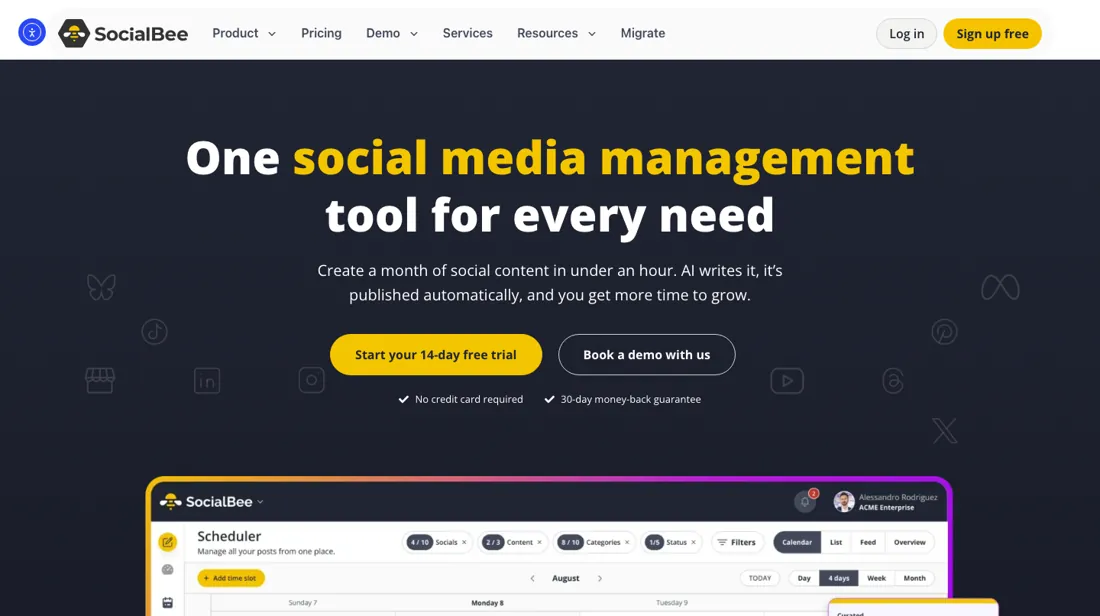
Social media management and scheduling with content categories. Plan, recycle and publish posts across all your channels from one calendar.
What buyers report about SocialBee
Hands-on: not tested by usReported by buyers: G2, Capterra and Trustpilot, read August 2026
Themes from the buyer-review sites listed at the foot of this page, read in August 2026. We have not run SocialBee ourselves, so this is other buyers' experience rather than ours. We summarise it here because the complaints are usually the part a vendor page leaves out.
- • Content categories are the idea that makes it work — you fill buckets and it schedules the mix. 4.7 to 4.8 on G2 across 476 reviews.
- • Ease of use, support and posting automation are the named strengths.
- • It asks you to design a content strategy before you can use it properly. That is a feature if you have one and a wall if you do not.
- • $29/month buys 5 accounts and 1 user; extra profiles are $15 per 5 and extra users $10 each. Price it at your real account count.
- • There is no EUR billing, so European buyers pay exchange spreads and card conversion on every invoice.
- • Trustpilot carries recurring complaints about billing, slow or absent support replies, difficulty cancelling the trial, and advertised discounts being refused.
Pages read (August 2026): Trustpilot
Add-on profiles undercut almost every plan
SocialBee bills per social profile — one brand account on one network — and that is the number that decides your tier, not your headcount. Bootstrap is $29 a month ($290 a year) for 5 profiles, 1 workspace and 1 user. Accelerate is $49 ($490) for 10 profiles. Pro is $99 ($990) for 25 profiles, 5 workspaces and 3 users per workspace. The agency tiers run $179, $329 and $449 for 50, 100 and 150 profiles.
AI generation is unlimited on every tier (2026-08-01, read on their own pricing page). First the trap the vendor names honestly: one business posting to Facebook, Instagram, LinkedIn, X and TikTok has used the entire Bootstrap allowance before a second brand exists. Five networks is five profiles. Then the arbitrage, which the page does not point out. Extra profiles are sold in packs of five for $15 a month — $3.00 a profile — and that is cheaper than the per-profile rate of every named plan except the largest.
Bootstrap is $5.80 a profile, Accelerate $4.90, Pro $3.96, Pro50 $3.58, Pro100 $3.29, and only Pro150 at $2.99 beats the add-on. Work the consequences through: Bootstrap plus one pack is $44 for 10 profiles against Accelerate's $49. Bootstrap plus four packs is $89 for 25 against Pro's $99. Bootstrap plus nine packs is $164 for 50 against Pro50's $179. The cheap plan with add-ons undercuts the named plan at every rung until 150 profiles.
The catch is structural rather than financial, and it is worth being precise about. Add-on packs buy profiles and nothing else. Bootstrap stays one workspace and one user, so this route works for a single operator running many accounts and breaks the moment you need colleagues in separate workspaces — which is exactly what an agency needs and exactly what the agency tiers are for. Extra users are $10 a month and extra workspaces $10, so you can bolt some of it back on: a two-person team on 8 profiles is $54 built from Bootstrap plus a pack plus a user, against $59 on Accelerate plus a user.
Annual billing is printed as 16% off: Bootstrap is $290 a year against $348 paid monthly, so roughly two months free. The add-ons have annual prices too — $150 a year for five profiles, $100 for an extra user, $100 for an extra workspace — and that is the one place the arbitrage finally runs out. On annual billing a pack works out at $2.50 a profile a month against Pro150's $2.49, so the largest named plan wins by a single cent, and every rung below it still does not.
Count your profiles across every network first, then check whether the plan or the packs get you there for less — on current prices, it is usually the packs. One caveat on the arbitrage above, added 22 September 2026. Every named-plan price still holds to the cent, but the add-on rates the argument rests on -- $15 a month for five profiles, $10 for a user, $10 for a workspace -- are no longer printed on the pricing page.
It now says only that to add extra users, workspaces and profiles you go into the SocialBee app and buy the add-ons there. Nothing here is known to be wrong, and the plan prices around it are unchanged, but the packs can no longer be priced from outside an account. Confirm the in-app rate before you commit to a route built on it.
Our monthly capture read this vendor's pricing page every month from July 2026 to October 2026, and the amounts were the same all 4 times, including $99, $179, $329 and $449 from the pricing above. We keep watching — the registry records what moves.
How to actually use SocialBee
Count profiles before anything else, across every network and every brand. A profile is one account on one network, so a single business on Facebook, Instagram, LinkedIn, X and TikTok is five — the whole Bootstrap allowance. That number decides your plan; your team size does not. Then check the add-on route before you buy the plan the profile count points to. Extra profiles come in packs of five for $15 a month, which is $3.00 each — cheaper than the per-profile rate of every plan except the biggest.
Bootstrap plus one pack is $44 for 10 profiles where Accelerate is $49; Bootstrap plus four packs is $89 for 25 where Pro is $99. The exception is structure. Bootstrap is one workspace and one user however many profiles you bolt on, so if you need colleagues working in separate client workspaces, buy the tier rather than the packs — that separation is what the agency plans are actually selling.
Extra users and workspaces are $10 a month each if you only need one or two.
Where this section comes from: our research notes (112 words)
SocialBee pricing, plan comparison and add-on table, https://socialbee.com/pricing/ (read 2026-08-30); SocialBee product and feature overview, https://socialbee.com/features/ (read 2026-08-30). Re-read 22 September 2026 on https://socialbee.com/pricing/: all six named-plan prices unchanged monthly and yearly, the free 14-day full-Pro trial, the no-contracts and 30-day money-back lines, the 3-month versus 2-year analytics split, the content category and source counts, the account-counting example (2 Instagram + 1 Facebook page + 2 X = 5 accounts) and the still-displayed SBDAY2026 banner with its 'before June 10' deadline.
The add-on prices are NOT on this page any more -- it refers you to the app -- so the $15/$10/$10 figures remain sourced to the 30 Aug 2026 reading only.
The natural comparison is Buffer or Hootsuite — the standing comparison — count your profiles across every network and price all three on that number. Weigh it against Hootsuite on the job you actually need done.
Frequently asked questions
There is a discount code on the pricing page. Can I still use it?
Probably not, and the page will not tell you. Read 22 September 2026, the agency section carries a banner offering 50% off monthly agency plans for three months -- 'prices start at just $89.50/month instead of $179' -- plus 50% off yearly plans and 'save up to $2694 per year', with the code SBDAY2026 to be used 'before June 10'. The comparison table carries the same offer for the standard plans: $14.50, $24.50 and $49.50 a month for three months on Bootstrap, Accelerate and Pro, and $174, $294 and $594 billed annually against the normal $290, $490 and $990. The banner names no year and the code names 2026, so if June 10 means 10 June 2026 the offer lapsed more than three months before this reading and is still on the page. Try it at checkout by all means, but budget the undiscounted rate: a birthday sale still advertised in September is decoration until the checkout says otherwise.
What does the 14-day trial actually let me test?
Pro, whichever plan you are considering, and that is the catch. Read 22 September 2026: the page header promises a free 14-day trial, no contracts and a 30-day money-back guarantee, and a separate block -- 'Try It Risk-Free: Full Pro Access for 14 Days' -- states you get complete unrestricted access to every Pro feature for two weeks with no credit card. Pro is 25 profiles across 5 workspaces at 3 users per workspace, with unlimited content categories and sources. So if you are evaluating Bootstrap at $29, the fortnight hands you five times the profiles, five times the workspaces and unlimited categories where Bootstrap gives ten -- and the things you will come to lean on, advanced analytics, exportable reports, internal notes and the post approval system, are precisely what Bootstrap does not include. Test the workflow you will actually own, and treat the 30-day money-back guarantee, not the trial, as the safety net on the plan you buy.
How far back does the analytics go, and what else is rationed on the entry plan?
Three months on Bootstrap against two years on everything above it, which is the limit most likely to catch you out. Read 22 September 2026, the plan cards state 'Analytics up to 3 months of data' on Bootstrap and 'Analytics up to 2 years of data' on Accelerate, Pro and all three agency tiers; advanced analytics starts at Accelerate and exportable reports at Pro. On a plan aimed at freelancers that cuts in a specific way -- you cannot compare this quarter with the same quarter last year, so any seasonal case you want to make to a client needs a record kept outside SocialBee from the start. Two more counters move with the tier: content categories run 10, 50 then unlimited, and content sources 10, 30 then unlimited. Categories matter more than the number suggests, because category-based recycling is the mechanism the whole product is built on, so hold ten against your posting plan before you count profiles.
Is this a hands-on review of SocialBee?
This is a researched assessment, not a hands-on test — where we've used a tool ourselves, we say so explicitly. We name what each tool is good and bad at, and we earn a commission only if you sign up, at no cost to you.
- Buyer reviews on G2, Capterra and Trustpilot, read August 2026.
- Re-verified 2026-09-22 on socialbee.com/pricing/; every named-plan amount unchanged to the cent. The yearly figures render as a monthly equivalent -- $24.20, $40.80 and $82.50 for Bootstrap, Accelerate and Pro. Header terms: free 14-day trial, no contracts, 30-day money-back guarantee, and the trial gives full Pro access without a card. Analytics history is capped at 3 months on Bootstrap against 2 years on every tier above it; content categories run 10 / 50 / unlimited and content sources 10 / 30 / unlimited. The add-on prices below were read on 30 Aug and are no longer on the pricing page, which now routes you into the app to buy them.
- A dated screenshot of that pricing page, kept on this site as the receipt.
Others in this category
Reviewed growth & revenue tools that share ground with SocialBee — comparable in what they do, not drop-in swaps:
New reviews, price changes we recorded, and the cost conditions we found. No sponsored placements. Unsubscribe anytime.
This is our researched assessment — not a paid placement. The “Visit” links on this page are affiliate links: we may earn a commission if you sign up, at no extra cost to you, and it never changes our take. How we review →