 Housecall Pro Review (2026)$59 Plan, 2.59% Card Fee
The Basic tier is a trap for real field teams — it omits GPS tracking and QuickBooks sync, so most businesses need Essentials or up.
Visit Housecall Pro → Affiliate link — we may earn a commission if you sign up; it does not change what this page says.
Watch the 2-minute review
The video version of this review, from our YouTube channel.
⚡ Short on time? Watch the 30-second verdict Short.
Pricing (2026)
✓ Pricing re-verified 4 Sep 2026
Basic $59/month billed annually ($79 month-to-month, advertised as 'save $20/mo') for ONE user, with no GPS tracking and no QuickBooks Online sync; Essentials $149/month ($189) for five users; MAX $299/month ($329) for eight users, sold through a demo booking. Extra users beyond those counts are $100/month each on Essentials and $75/month each on MAX — a seat, not a small add-on. There is a 14-day free trial and no credit card is required.
Card processing is quoted as 'as low as' 2.59% and bank payments carry a separate 1% fee, so the sticker is the smaller half of the bill: on $40,000 a month of card revenue the processing alone is at least $1,036. Plans change — always verify the live price on their site.
What the price did
We capture Housecall Pro’s own pricing page every month and keep the figures, so this is our record of the page — not a forecast, and not someone else’s summary.
The plan prices held across three readings. July and August 2026 both returned $59 and $149 with the same 'save $20/mo' and 'save $40/mo' framing, and on 4 September 2026 the three tiers still read $59, $149 and $299 against monthly rates of $79, $189 and $329. What changed is what the page shows, not what it charges: the September capture states the included user counts (1, 5 and 8) and the price of extra seats ($100 a month on Essentials, $75 on MAX), which the earlier captures did not surface.
The honest knock
And the seats are the expensive part: users beyond the five on Essentials cost $100 a month each ($75 on MAX), on top of card processing quoted as 'as low as' 2.59% and a 1% fee on bank payments. Price the tier and the headcount you'll actually need.
What Housecall Pro does
Field service management for home-service businesses. Schedule jobs, dispatch techs, send quotes and invoices, and take payments from one app.
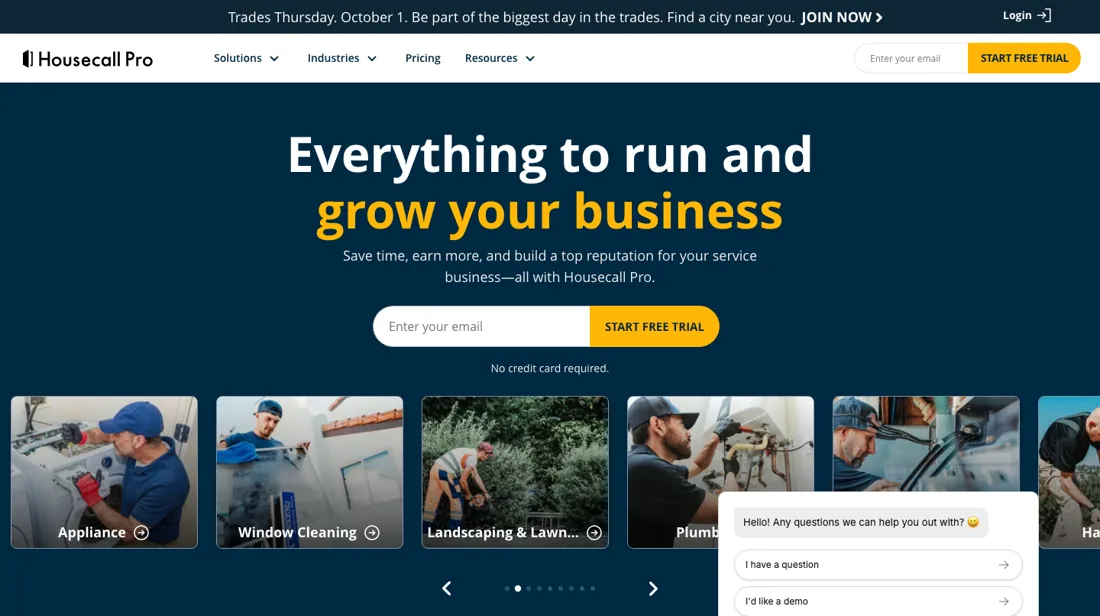
What buyers report about Housecall Pro
Recurring themes from the buyer-review sites listed at the foot of this page, read in August 2026. We have not run Housecall Pro ourselves, so this is other buyers' experience rather than ours. We summarise it here because the complaints are usually the part a vendor page leaves out.
- • No long-term contract, and a 14-day trial of the top plan with no card required — you can evaluate the whole thing before paying.
- • For a small field-service business it covers scheduling, dispatch, invoicing and payments in one place.
- • The base price is low because the features come as paid add-ons. Basic is $59/month annually but Essentials is $149 and MAX $299, with extra MAX users at $35 each.
- • No custom fields, and reporting is basic.
- • Cancellation is reported as difficult despite the absence of a contract.
- • Recent adopters describe the last year or two skewing negative: payment processing failures, unauthorised recurring charges, disruptive updates and limited support access. Support is the most polarising part — excellent for some, unresolved escalations for others.
When the paid plan is worth it
The subscription is not the biggest line on this bill. Card processing is quoted as 'as low as' 2.59% — Housecall Pro's own words, so treat it as a floor rather than your rate — and on $40,000 of monthly card revenue that is at least $1,036, more than three times the $299 MAX plan. Bank payments carry a separate 1% fee. Within the subscription the trap is seats, not tiers.
Basic is $59 a month billed annually ($79 monthly) and covers one user, with no GPS tracking and no QuickBooks sync — two of the things a field business buys this for. Essentials is $149 ($189) for five users and MAX $299 ($329) for eight. The seats beyond those counts are where it bites: $100 a month each on Essentials, $75 each on MAX. A seven-person crew on Essentials is $149 plus two seats at $100, so $349 a month before a single card is swiped.
What moving up a tier does not fix is the processing rate. It is the same percentage on Basic as on MAX, so the tier you choose changes the smaller number on your bill and leaves the larger one exactly where it was.
Our monthly capture read this vendor's pricing page in July 2026 and again in August 2026, and the amounts were the same both times. We keep watching — the registry records what moves.
How to actually use Housecall Pro
Price the card processing before the subscription, because it is the larger number. Housecall Pro says rates are 'as low as' 2.59% and that they 'start at' 2.59%, so that is a floor and not a quote — ask what you would actually get against your own monthly card volume and average ticket, and get it in writing. Bank payments are charged 1% separately. Then count seats before you compare tiers.
Basic covers one user and omits GPS tracking and QuickBooks sync; Essentials covers five at $149 and MAX eight at $299, and every user beyond those counts costs $100 a month on Essentials or $75 on MAX. For most crews that arithmetic moves the decision further than the feature list does. Use the 14-day trial on a live job rather than a demo one. Book it, dispatch it, take the payment and send the invoice — the whole loop, on a phone, from a van if that is where your team works.
Distilled from Housecall Pro's own pricing page (www.housecallpro.com/pricing/) — the three plan cards on the annual toggle, the full feature comparison beneath them and the pricing FAQ — plus its machine-readable llms.txt, which points at that page and carries no amounts of its own; read 4 September 2026 from a Netherlands exit, where the page states that all prices are in USD and exclusive of sales tax. That page is where the included user counts (1, 5 and 8) and the extra-seat rates ($100 a month on Essentials, $75 on MAX) are stated, and where card processing is quoted as 'as low as' 2.59% with a separate 1% fee on bank payments.
The natural comparison is Jobber or ServiceTitan — other field-service platforms.
Frequently asked questions
What does Housecall Pro cost?
$59 a month for Basic (one user), $149 for Essentials (five users) and $299 for MAX (eight users), all billed annually; month-to-month those are $79, $189 and $329. The trial runs 14 days and asks for no card. Read on 4 September 2026.
What does it really cost for a crew of seven?
$349 a month before payments. Essentials is $149 and includes five users; the sixth and seventh cost $100 a month each. On top of that, card processing is quoted as 'as low as' 2.59%, so a business taking $40,000 a month on cards pays at least $1,000 in processing — an order of magnitude more than the subscription, and the number that should drive the comparison.
What is missing from the cheapest plan?
GPS tracking and the QuickBooks Online sync, both of which arrive on Essentials. For a solo operator that may not matter; for anyone dispatching vehicles or doing their own books, Basic is not the plan even though it looks like the entry point.
What should I weigh before buying Operations & Workflow software?
Usually it sits on top rather than replacing everything. Tools in this class tend to become the layer where work is tracked and handed off, while your existing systems stay the source of truth for their own data. Before you buy, map which tools it would replace outright and which it would merely sync with. If the answer is that it syncs with all of them, you are adding a layer rather than removing one.
Is this a hands-on review of Housecall Pro?
This is a researched assessment, not a hands-on test — where we've used a tool ourselves, we say so explicitly. We name what each tool is good and bad at, and we earn a commission only if you sign up, at no cost to you.
- Buyer reviews on Capterra, GetApp and field-service reviews, read August 2026.
- Re-verified 2026-09-04.
Others in this category
Reviewed operations & workflow tools that share ground with Housecall Pro — comparable in what they do, not drop-in swaps:
New reviews, price changes we recorded, and the cost conditions we found. No sponsored placements. Unsubscribe anytime.
This is our researched assessment — not a paid placement. The “Visit” links on this page are affiliate links: we may earn a commission if you sign up, at no extra cost to you, and it never changes our take. How we review →