Momence Review (2026)Pricing Went Quote-Only in September
Momence stopped publishing prices in September 2026: on the 25th its pricing page was a 'Let's talk pricing' form with no figure on it.
class-based businesses — studios, gyms, salons, schools — that want scheduling, memberships, payments and marketing in one system with a member app.
you only need a simple calendar-booking link (a lightweight scheduler is cheaper) or you won't accept platform fees on top of card processing.
Transparency: the “Visit” links on this page are affiliate links — we may earn a commission if you sign up, at no extra cost to you. No vendor can pay for a better review or verdict. How we make money →
Pricing (2026)
✓ Pricing re-verified 25 Sep 2026
Quote-only since September 2026. Re-read 25 September 2026, momence.com/pricing (now www.momence.com/pricing/, with the footer reading 'Xplor Momence') no longer shows plan cards: it carries three customer quotes and a 'Let's talk pricing' form asking first and last name, business name, business website and email, with no amount, commission rate or processing fee anywhere on the page. The last ladder Momence published itself, read 6 September 2026: Basic $0/mo with a 5% Momence fee on every transaction plus 4% passed to the client; Pro $60/mo with the fee halved to 2.5%; Custom $199/mo with no Momence fee, unlimited add-ons and dedicated support.
Basic and Pro then carried an identical exclusion list — no add-ons, no phone number, no inbox, no retail products, no reporting or insights, no staff members, no locations. Card processing was published separately per country: US 3.9% + $0.30 online, 3.7% + $0.05 in person, 1.8% ACH; UK 2.5% + 20p, 2.4% + 10p, 2% + 20p BACS; Australia 2.75% + A$0.30, 2.75% + A$0.10, 2% + A$0.30 BECS; Canada 3.9% + C$0.30, 3.7% + C$0.05, 2% + C$0.40.
Treat those figures as the yardstick to hold a quote against, not as a current offer. Plans change — always verify the live price on their site.
Category context: Operations & Workflow. Across the 51 tools in this category that we researched with a public US-dollar price, the median entry price is $25 a month (lowest paid plan as listed, per seat where the vendor prices per seat). Momence’s entry price of $60 a month sits above that median. Compare pricing conditions in the Software Cost Atlas →
The honest knock
The last public ladder (6 September) made the 'free' plan the most expensive one at real volume — 5% of every sale overtook Pro's $60 flat fee around $29k a year, and Pro lost to the $199 Custom plan above about $67k — while Pro added no features over Basic. Ask whether your quote is a flat fee or a percentage before you ask anything else.
Watch the 2-minute review
The video version of this review, from our YouTube channel.
What Momence does
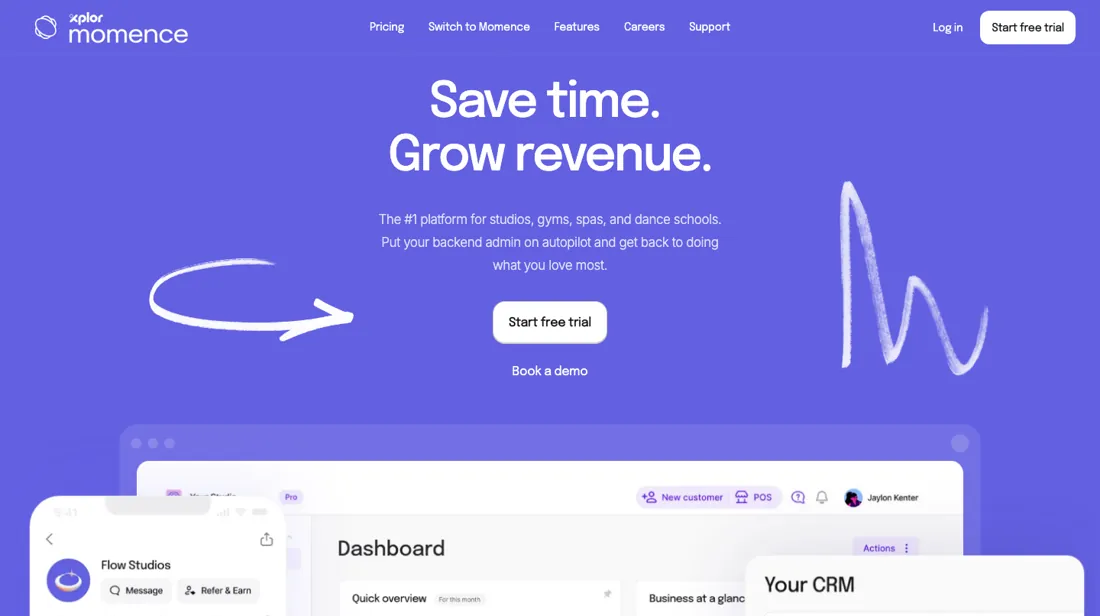
Booking and business management for class-based businesses — yoga and fitness studios, gyms, salons and schools: scheduling, memberships, payments, marketing automations and a member app in one place.
What buyers report about Momence
Recurring themes from the buyer-review sites listed at the foot of this page, read in August 2026. We have not run Momence ourselves, so this is other buyers' experience rather than ours. We summarise it here because the complaints are usually the part a vendor page leaves out.
- • Native on-demand video and LMS, ClassPass and Gympass integrations, and a consumer app rated 4.9 on iOS — the member-facing side is genuinely good.
- • The free Basic tier (with a 5% transaction fee) lets a small studio start without a subscription.
- • Published pricing is $0, $60 and $199 a month. Real reported spend on Capterra and Reddit is $250 to $2,000+ once add-ons, locations, staff seats and the $399/month AI Agent are layered on.
- • There are per-transaction surcharges on top of Stripe, and reviewers say the real cost is only discoverable through a sales call.
- • Cancellation friction with multi-month continued-billing loops is reported, alongside payment-capture bugs.
- • There is a mandated momence.com backlink on your site. Know that before you agree to it.
- • Support scores 3.7 on Capterra, and reviewers describe post-signature support disappearing plus operational decline after the Xplor acquisition in March 2026.
When the paid plan is worth it
On 25 September 2026 Momence's pricing page stopped publishing a price. Where three plan cards stood on 6 September, it now carries customer quotes and a 'Let's talk pricing' form asking your name, business, website and email; there is no amount, commission rate or processing fee on it, and the footer now reads Xplor Momence. Every tier is a quote. The last public ladder is still the best yardstick for that quote.
On 6 September Basic was $0 a month with a 5% Momence fee on every transaction plus 4% passed to your client, Pro $60 with the fee halved to 2.5%, and Custom $199 with no Momence fee. On that ladder Basic and Pro cost the same at $2,400 of monthly processed revenue and Pro and Custom at $5,560, and Pro carried the same exclusion list as Basic: no add-ons, phone number, inbox, retail, reporting, staff or locations.
What a higher tier did not solve then, and a quote will not solve now, is the percentage. Ask whether you are offered a flat fee or a commission, because at real volume that decides the bill more than any feature on the list.
How to actually use Momence
Get the fee structure in writing before you move a single class. Since September 2026 Momence prices every business by quote: the pricing page is a form (name, business, website, email) with no amounts on it, and 'Start free trial' is the other way in. Bring your processed volume to that conversation, because the last published ladder (6 September 2026) charged by it: 5% of every transaction on the free Basic plan, 2.5% on Pro at $60 a month, none on Custom at $199.
Basic overtook Pro at about $2,400 a month and Pro overtook Custom at about $5,560 — use those crossovers to test whatever flat fee or percentage you are quoted. Then ask which features the quote includes. On the old ladder add-ons, a phone number, an inbox, retail, reporting, staff members and multiple locations arrived only at Custom. Ask for your country's card-processing rates last; on 6 September online cards cost 3.9% plus $0.30 in the US and 2.5% plus 20p in the UK.
Where this section comes from: our research notes (168 words)
Momence's own pricing page (momence.com/pricing), read 6 September 2026 from a Netherlands exit — the three plan cards with their commission rates, the per-card tooltips carrying the feature exclusions for Basic and for Pro, and the Payment Processing Fees by Country table for the United States, United Kingdom, Australia and Canada. Read as plain text: unlike our 15 and 19 August 2026 readings, the cards are no longer covered by a lead form and a blur filter.
momence.com/llms.txt returns 404. Re-read 25 September 2026 (curl and the browser pane; momence.com/pricing now redirects to www.momence.com/pricing/): the plan cards, tooltips and the per-country processing table are gone, replaced by three customer quotes and a 'Let's talk pricing' form (first and last name, business name, business website, email) with no figure of any kind; the footer reads '© 2026 Xplor Momence', and the navigation keeps 'Start free trial' and 'Book a demo'.
www.momence.com/llms.txt returns 404. Every amount above is therefore dated 6 September 2026 and labelled as the last published ladder.
The natural comparison is Mindbody or Acuity Scheduling — Mindbody wins on marketplace reach for fitness, Acuity on cheap simple scheduling; Momence wins on modern all-in-one value for class businesses.
Frequently asked questions
Is there still a free Momence plan?
Not one you can see. On 6 September 2026 the pricing page listed Basic at $0 a month, paid for by a 5% fee on every transaction plus 4% passed to the client. Re-read on 25 September 2026, the page shows no plans at all, only a 'Let's talk pricing' form, and 'Start free trial' is the only no-cost entry the site names. Ask in the call whether a commission-only plan still exists and at what rate; do not assume the old 5% still applies, in either direction.
How do I know whether a Momence quote is fair?
Hold it against the last ladder Momence published itself, on 6 September 2026: Basic $0 plus 5% of every transaction, Pro $60 a month plus 2.5%, Custom $199 with no Momence fee. At $10,000 a month of processed revenue that ladder cost $500 on Basic, $310 on Pro and $199 on Custom, before card processing. A quote above those figures for your volume is more than Momence used to charge in public, and worth asking about.
Are card processing fees included in the price?
They were not on the last published ladder, and the current page says nothing either way. On 6 September 2026 Momence listed processing separately per country: in the US 3.9% + $0.30 online, 3.7% + $0.05 in person and 1.8% for ACH; in the UK 2.5% + 20p online; in Australia 2.75% + A$0.30; in Canada 3.9% + C$0.30. On 25 September 2026 no fee table is on the pricing page, so ask for your own country's rates as part of the quote.
What should I weigh before buying Operations & Workflow software?
Usually it sits on top rather than replacing everything. Tools in this class tend to become the layer where work is tracked and handed off, while your existing systems stay the source of truth for their own data. Before you buy, map which tools it would replace outright and which it would merely sync with. If the answer is that it syncs with all of them, you are adding a layer rather than removing one.
Is this a hands-on review of Momence?
This is a researched assessment, not a hands-on test — where we've used a tool ourselves, we say so explicitly. We name what each tool is good and bad at, and we earn a commission only if you sign up, at no cost to you.
- Buyer reviews on Capterra, GetApp, SourceForge and Reddit, read August 2026.
- Momence’s own published pricing page.
Others in this category
Reviewed operations & workflow tools that share ground with Momence — comparable in what they do, not drop-in swaps:
New reviews, price changes we recorded, and the cost conditions we found. No sponsored placements. Unsubscribe anytime.
This is our researched assessment — not a paid placement. The “Visit” links on this page are affiliate links: we may earn a commission if you sign up, at no extra cost to you, and it never changes our take. How we review →