 Salesflare Review (2026)From $29 a User, No Contact Caps
Salesflare is deliberately lean: no built-in dialer, no quoting or invoicing, and reporting feels basic unless you export. Throughout this review we weigh it against HubSpot.
Visit Salesflare → Affiliate link — we may earn a commission if you sign up; it does not change what this page says.
Watch the 2-minute review
The video version of this review, from our YouTube channel.
⚡ Short on time? Watch the 30-second verdict Short.
Pricing (2026)
✓ Pricing re-verified 27 Sep 2026
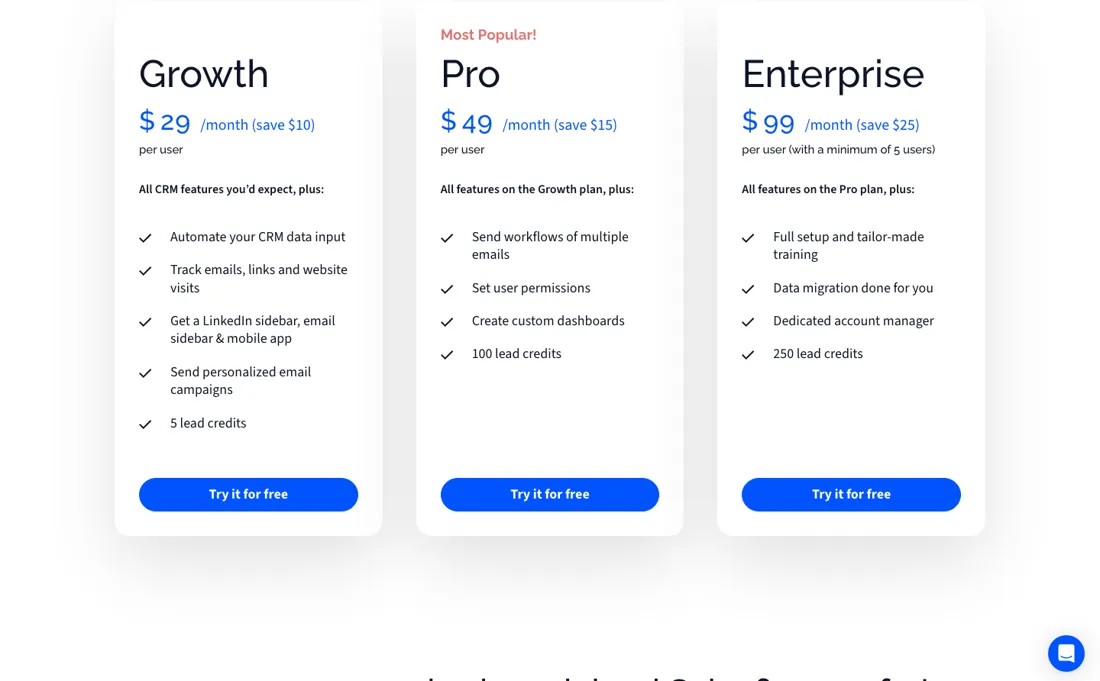
Three plans, and the page carries both billing terms plus a $/€ switch: Growth $39 a month or $29 billed annually, Pro $64 or $49, and Enterprise $124 or $99 with a minimum of five users. The euro column prints the same numerals — €39/€29, €64/€49, €124/€99 — so a European buyer pays the same figure in a different currency rather than a converted one.
Our earlier reading called this “$29–99 per user” with Growth at about $29–39 and Pro at about $49. The range was right and the label was not: the low number in each pair is the annual rate and the high one is what month-to-month costs, and the five-seat floor on Enterprise never appeared. Lead credits are part of the ladder rather than an add-on — 5 on Growth, 100 on Pro, 250 on Enterprise.
There is a 30-day free trial with no card. On that same page the vendor commits to no onboarding fees and to no caps on contacts, users, email templates, tracked emails, custom fields, workflows, dashboards or pipelines. Plans change — always verify the live price on their site.
What the pricing page doesn’t say
Integrations cover the essentials (Gmail, Outlook, Zapier) but niche tools lean on Zapier — and at higher seat counts the price overlaps fuller CRMs.
What Salesflare does
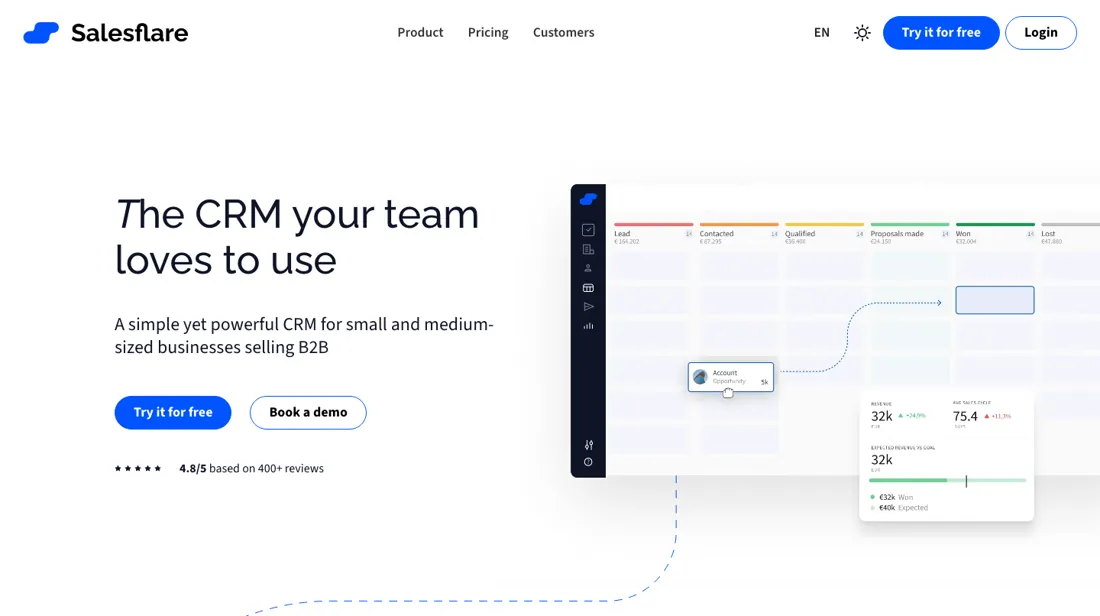
CRM for small B2B teams that auto-logs emails, meetings and contact details from your inbox and calendar.
What buyers report about Salesflare
Recurring themes from the buyer-review sites listed at the foot of this page, read in August 2026. We have not run Salesflare ourselves, so this is other buyers' experience rather than ours. We summarise it here because the complaints are usually the part a vendor page leaves out.
- • 4.8 on G2 across 304 reviews with 85% five-star, 4.7 on Capterra, 10/10 on TrustRadius — among the highest-rated CRMs anywhere.
- • It fills itself in from your email and calendar, which is the reason reviewers say their team actually keeps it up to date.
- • Missing features tops the complaint list: no native dialer, no advanced multichannel sequences, no deep ABM.
- • Reporting is limited. Custom dashboards unlock on Pro and even then it is not analytics-grade.
- • Data import and large migrations are described as frustrating — plan that work if you are moving from another CRM.
- • Growth rose 34% from $29 to $39.
When the paid plan is worth it
Salesflare's plans start after a 30-day trial that requires no credit card; there is no permanently free tier. Solo users or small teams evaluating basic contact and email tracking can run the entire trial on any plan since core CRM functions (automated data capture, email tracking, mobile and LinkedIn access) are already present in the entry-level Growth plan ($39/month, or $29/month billed annually). The concrete push toward Pro ($64/month, $49 annual) is the lead credit allotment: Growth includes 5 lead credits per month, versus 100 on Pro and 250 on Enterprise, and multi-step email sequences and user permission controls are Pro-only.
What upgrading does not solve is capacity: Salesflare states there are no hidden limits on contacts, users, templates, or pipelines on any paid plan, so moving to a higher tier does not buy more storage or seats. Running out of lead credits is addressed by purchasing separate credit packs (from $39 for 250), not by the plan tier itself beyond the monthly allotment.
Our monthly capture read this vendor's pricing page in July 2026 and again in August 2026, and the amounts were the same both times. We keep watching — the registry records what moves.
How to actually use Salesflare
Initial setup means installing the Salesflare sidebar in your email inbox and, optionally, the Chrome extension for LinkedIn. Then connect your email account under Settings > Email Settings so contact capture, email tracking and signature sync start working automatically; the mobile app is a separate install. Existing contacts come in through Settings > Import Data as a CSV or from another database. Because Salesflare merges any re-imported contact with a matching email address into the existing record instead of creating a duplicate, messy or duplicate-heavy source files need cleaning before import or contacts silently merge into the wrong record.
A common stall point is expecting full functionality from the trial. Multi-step email sequences and user permission controls are gated to the Pro plan. So a team trialling or buying the entry-level Growth plan will not see those features, even though the rest of the CRM is fully automated from day one.
Distilled from salesflare.com/pricing (WebFetch, read directly, 2 passes); WebSearch snippets citing howto.salesflare.com "11 steps to get set up" and "how do I import my data" articles and salesflare.com/sales-crm/email-integration; read 6 Aug 2026. Re-read 27 September 2026 by plain fetch of salesflare.com/pricing: Growth $39/$29, Pro $64/$49 and Enterprise $124/$99 per user (monthly/annual, Enterprise with a minimum of 5 users), the same numerals in euros, 5/100/250 lead credits with extra monthly packs of 250 for $39, 500 for $69 and 1,000 for $129, and the 30-day trial without a card - all unchanged. The pricing FAQ on the same page: no onboarding fee (one-on-one team training on request), no features charged beyond the listed plans, no hidden limits on contacts, users or pipelines, the trial account and its data carry over to a paid plan, and a plan can be cancelled whenever you want, with charging stopping immediately and no multi-year contract.
Salesflare vs Pipedrive, side by side
Both columns come from the same place: each vendor’s own published pricing, read on the date shown in the sources at the foot of this page. We do not average them into a score.
Both names above are affiliate links: we may earn a commission if you sign up, at no extra cost to you. Neither changes what this table says: both columns come straight from the vendors’ own pricing pages.
The natural comparison is Pipedrive — the more customisable, bigger-integration pipeline CRM. Weigh it against HubSpot on the job you actually need done.
Frequently asked questions
Can I cancel Salesflare at any time?
Yes. The pricing FAQ (read 27 September 2026) says you can cancel whenever you want and stop being charged immediately, with no multi-year contract and no notice period before renewal. It does not say whether unused months on an annual plan are refunded, so if that matters, ask before choosing the annual rate, which is $10 to $25 per user a month cheaper.
What happens to my data when the Salesflare trial ends?
It stays. The trial runs 30 days with no credit card, and the FAQ (read 27 September 2026) says Salesflare emails you before it ends; if you then pay, you keep the same account and everything you added during the trial rather than starting a new one. Pick the plan with care: sequences and user permissions are Pro-only, at $49 per user a month billed annually.
Does Salesflare charge for onboarding or extra lead credits?
Onboarding is free; extra lead credits are not. The FAQ (read 27 September 2026) promises no onboarding fee and offers a one-on-one training session for the team on request. Lead credits come with the plan, 5 a month on Growth, 100 on Pro and 250 on Enterprise, and more are sold as monthly packs: 250 for $39, 500 for $69 or 1,000 for $129. Enterprise also needs at least five users, so it starts at $495 a month billed annually.
What should I weigh before buying Growth & Revenue software?
It depends on whether you have the bottleneck it solves. Small teams get the most out of this category when one clear problem is already costing real hours or revenue; buying ahead of that just adds cost and another login. Price it against the hours or lost deals it removes, not against its feature list, and start on the smallest plan that covers the job.
Is this a hands-on review of Salesflare?
This is a researched assessment, not a hands-on test — where we've used a tool ourselves, we say so explicitly. We name what each tool is good and bad at, and we earn a commission only if you sign up, at no cost to you.
- Buyer reviews on G2, Capterra and TrustRadius, read August 2026.
- Re-verified 2026-09-14 and re-read unchanged 2026-09-27 on salesflare.com/pricing, per user a month.
- A dated screenshot of that pricing page, kept on this site as the receipt.
Others in this category
Reviewed growth & revenue tools that share ground with Salesflare — comparable in what they do, not drop-in swaps:
New reviews, price changes we recorded, and the cost conditions we found. No sponsored placements. Unsubscribe anytime.
This is our researched assessment — not a paid placement. The “Visit” links on this page are affiliate links: we may earn a commission if you sign up, at no extra cost to you, and it never changes our take. How we review →