 Keap Review (2026)$299/mo Plus Paid Implementation
Cost is the big one (56% of reviewers flag it), the interface feels dated, and there's a real 2–4 week learning curve on the automation builder. Throughout this review we weigh it against HubSpot.
Visit Keap → Affiliate link — we may earn a commission if you sign up; it does not change what this page says.
Watch the 2-minute review
The video version of this review, from our YouTube channel.
⚡ Short on time? Watch the 30-second verdict Short.
Pricing (2026)
✓ Pricing re-verified 24 Sep 2026
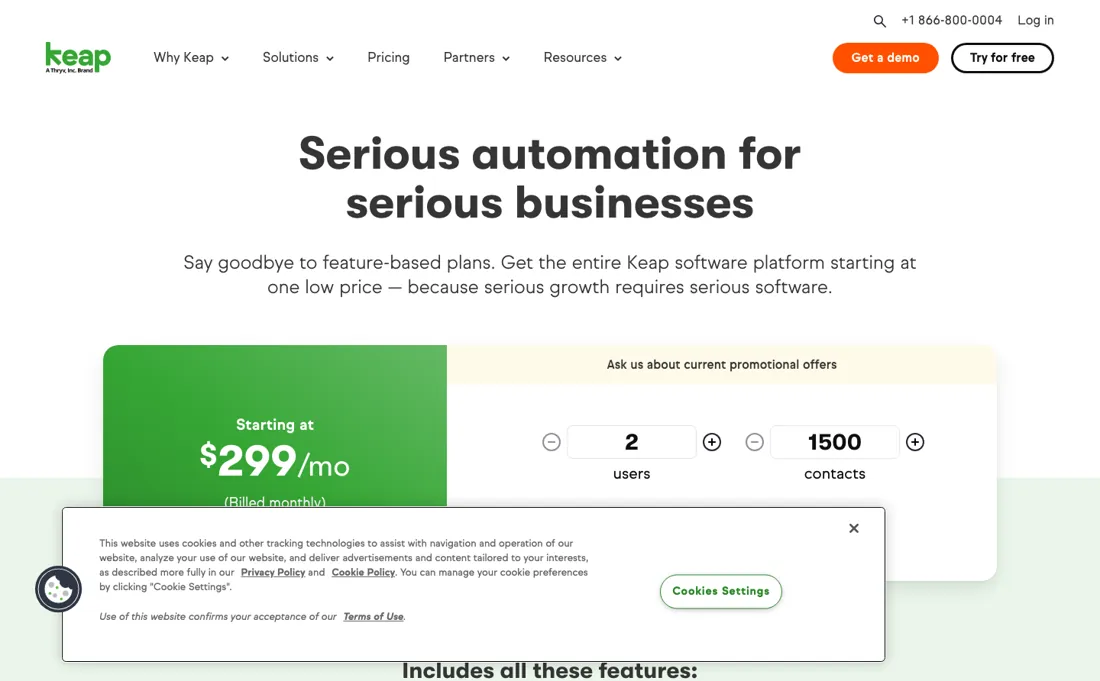
Starting at $299/mo billed monthly for the whole platform, with no feature-based tiers and no free plan (re-verified 2026-09-24 on their own pricing page; amounts unchanged since 5 September). That $299 is what the calculator quotes for its own minimum: 2 users and 1,500 contacts. Raising only the contact count on the same calculator gives $335 at 2,500, $449 at 5,000, $539 at 10,000 and $719 at 25,000, and users beyond the first two are $39 a month each.
Keap also requires paid implementation services — strategy consulting, data import and migration — quoted separately before you go live. Text marketing is bundled at Tier 1 (500 messages and 100 voice minutes) and steps to $24, $39, $79, $139 and $279 a month above that, with overages at $0.015 a message and $0.01 a voice minute; it is US-only. Cancelling an annual contract before its term ends carries a $299 early termination fee, and cancellation must be started by phone at least ten days before the next invoice date.
Keap has been acquired by Thryv; its own pages now route training to Thryv Academy. Plans change — always verify the live price on their site.
What the pricing page doesn’t say
Billing and cancellation complaints are common — their own terms carry a $299 early termination fee on an annual contract and require ten days' phone notice — and email design is thinner than dedicated email tools.
What Keap does
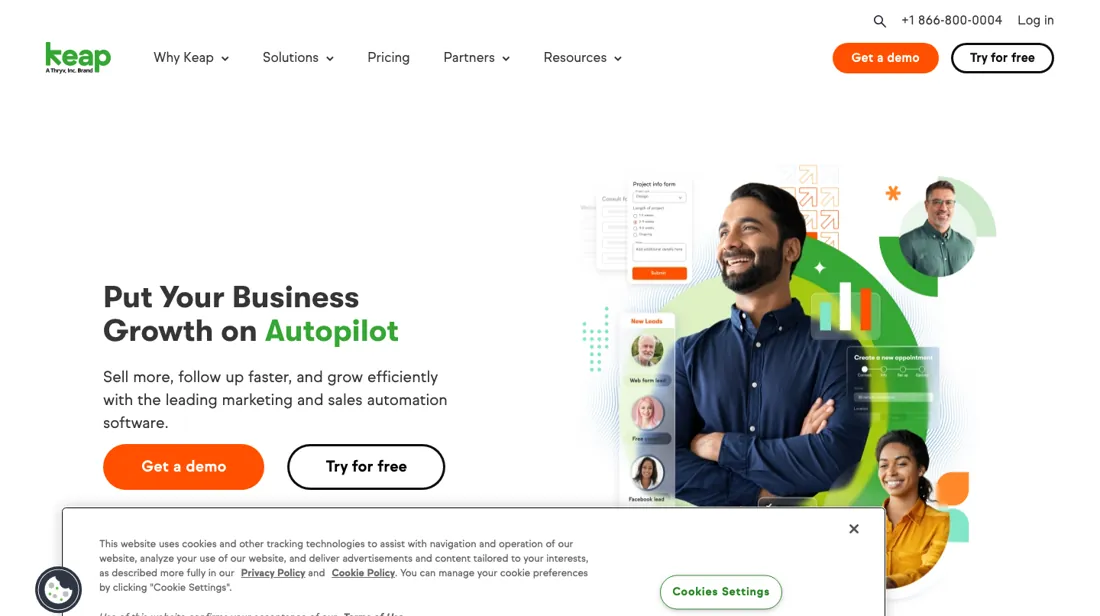
CRM, sales and marketing automation built for small businesses. Capture leads, automate follow-up and manage your pipeline in one place.
What buyers report about Keap
Recurring themes from the buyer-review sites listed at the foot of this page, read in August 2026. We have not run Keap ourselves, so this is other buyers' experience rather than ours. We summarise it here because the complaints are usually the part a vendor page leaves out.
- • Every feature is included at every tier — you pay for usage limits, not for unlocking things. Reviewers evaluating the automation are genuinely impressed by what it does.
- • For a service business that wants CRM, email and payments in one system, it is a real all-in-one.
- • Cancelling an annual contract early costs $299, and you must telephone support at least 10 days before your next billing date to start the process. Put that date in your calendar the day you sign.
- • No free plan, and paid implementation services are quoted separately before you go live. 56% of Capterra reviewers call it too expensive.
- • In-app chat waits exceed 30 minutes — on a platform costing $300+ a month.
- • Recurring billing errors and double charges are reported.
Where the ratings disagree. 1.2 out of 5 on Trustpilot — the lowest we have found. The split is stark: people evaluating the automation are impressed, people trying to cancel or dispute a charge are not. Both groups are describing the same company.
Pages read (August 2026): Trustpilot
What the $299 does not include
Keap starts at $299 a month for the whole platform. The page sells one platform rather than a ladder of feature tiers, so the usual question — which plan — does not apply. The question that does is what sits outside that number, and their own calculator answers it. That $299 is the smallest configuration it will quote: 2 users and 1,500 contacts. Move the contact figure and the price moves with it — $335 at 2,500, $449 at 5,000, $539 at 10,000, $719 at 25,000 — and each user beyond the first two is $39 a month.
A mid-sized list roughly doubles the headline before anything else is added. Two costs sit outside even that, and no tier removes them because there are no tiers. Implementation is required rather than optional, and the page prints no amount for it. And leaving early costs money: an annual contract carries a $299 early termination fee, the same figure as a month of software.
Our monthly capture read this vendor's pricing page in July 2026 and again in August 2026, and the amounts were the same both times. We keep watching — the registry records what moves.
How to actually use Keap
Put your real contact count into the calculator on their pricing page before anything else, because $299 is what it quotes for its own minimum — 2 users and 1,500 contacts. At 10,000 contacts the same calculator says $539 and at 25,000 it says $719, and every user past the first two is $39 a month. Ask for the implementation quote in the same conversation. The pricing page says implementation services — strategy consulting, data import, migration — are required and quoted separately, but it prints no amount for them anywhere, so the only way to know your first-year cost is to ask.
Get the cancellation terms in writing on the day you sign. An annual contract carries a $299 early termination fee, and you have to start the cancellation by phone at least ten days before the next invoice date. Try it on the free trial first. It needs no card, but it caps you at 25 emails and blocks payments and text messages, so it shows you the interface rather than the workflow.
Distilled from Keap's own pricing page (keap.com/pricing), read 5 September 2026 in a browser because the amount renders client-side, and re-read 24 September 2026 from the plan data behind the same calculator (base price, per-user price and the contact tiers, which reproduce the $335, $449, $539 and $719 figures) — the users-and-contacts calculator, read at 1,500, 2,500, 5,000, 10,000 and 25,000 contacts on two separate loads, the required-implementation panel, the text-marketing tier table, and the pricing FAQ, where the per-user price, the free-trial limits and the early termination fee are set out.
Keap vs HubSpot, side by side
Both columns come from the same place: each vendor’s own published pricing, read on the date shown in the sources at the foot of this page. We do not average them into a score.
The Keap link above is an affiliate link — we may earn a commission if you sign up, at no extra cost to you — and the other column is a plain link. Neither changes what this table says: both columns come straight from the vendors’ own pricing pages.
The natural comparison is HubSpot or ActiveCampaign — the more modern all-in-one and the automation specialist. Weigh it against HubSpot on the job you actually need done.
Frequently asked questions
What will Keap cost us with 5,000 contacts and three users?
$488 a month before implementation. Read 24 September 2026, the calculator on keap.com/pricing starts at $299 a month for 2 users and 1,500 contacts; at 5,000 contacts it quotes $449, and the FAQ prices each user beyond the first two at $39 a month, so a third user brings it to $488. At 10,000 contacts the same setup is $578 and at 25,000 it is $758. Text marketing Tier 1 (500 messages, 100 voice minutes, US only) is included; higher text tiers add $24 to $279 a month. On top sits the required implementation package, which the page does not price, so ask for that quote before comparing Keap with other CRMs.
Can we leave Keap if it does not work out?
Yes, but read the contract terms first. The pricing FAQ, read 24 September 2026, says an annual contract carries a $299 early termination fee if you cancel before the end of the one-year term. Cancelling also has a procedure: you start the request at least 10 days before the next invoice date by calling Customer Support and talking to a Keap representative, so a cancellation left to the last week rolls into another billing period. The implementation package is required up front, so leaving early can cost the fee plus whatever you paid for setup. Before you sign, ask whether you are on an annual contract or monthly billing.
Is the Keap free trial enough to judge it?
For the interface, not for real use. Read 24 September 2026, the FAQ says the free trial needs no credit card and has most but not all features of the paid edition. It can send no more than 25 emails, cannot process payments and cannot send or receive texts. Keap says the cap is there to stop spammers abusing trial accounts. That means you can build a pipeline, contact records and an automation, but you cannot see a real campaign, payment flow or text sequence working. The migration and implementation work, where Keap does most of the setup for you, only starts after you buy.
What should I weigh before buying Growth & Revenue software?
It depends on whether you have the bottleneck it solves. Small teams get the most out of this category when one clear problem is already costing real hours or revenue; buying ahead of that just adds cost and another login. Price it against the hours or lost deals it removes, not against its feature list, and start on the smallest plan that covers the job.
Is this a hands-on review of Keap?
This is a researched assessment, not a hands-on test — where we've used a tool ourselves, we say so explicitly. We name what each tool is good and bad at, and we earn a commission only if you sign up, at no cost to you.
- Buyer reviews on Capterra, G2 and Trustpilot, read August 2026.
- Keap’s own published pricing page.
- A dated screenshot of that pricing page, kept on this site as the receipt.
Others in this category
Reviewed growth & revenue tools that share ground with Keap — comparable in what they do, not drop-in swaps:
New reviews, price changes we recorded, and the cost conditions we found. No sponsored placements. Unsubscribe anytime.
This is our researched assessment — not a paid placement. The “Visit” links on this page are affiliate links: we may earn a commission if you sign up, at no extra cost to you, and it never changes our take. How we review →