 Todoist Review (2026)Free Reminds You at Due Time, Not Before
The free plan's 5-project cap, and reminders that fire only at the moment a task comes due, push most serious users to Pro quickly — but Pro is genuinely cheap. It's a personal/team task manager, not a full project platform, so don't expect Gantt-level PM. Throughout this review we weigh it against Asana.
Visit Todoist → Affiliate link — the rest of this page is the honest version, including who should skip it.
Watch the 2-minute review
Same honest take, in video form — from our YouTube channel.
⚡ Short on time? Watch the 30-second verdict Short.
Pricing (2026)
✓ Pricing re-verified 5 Sep 2026
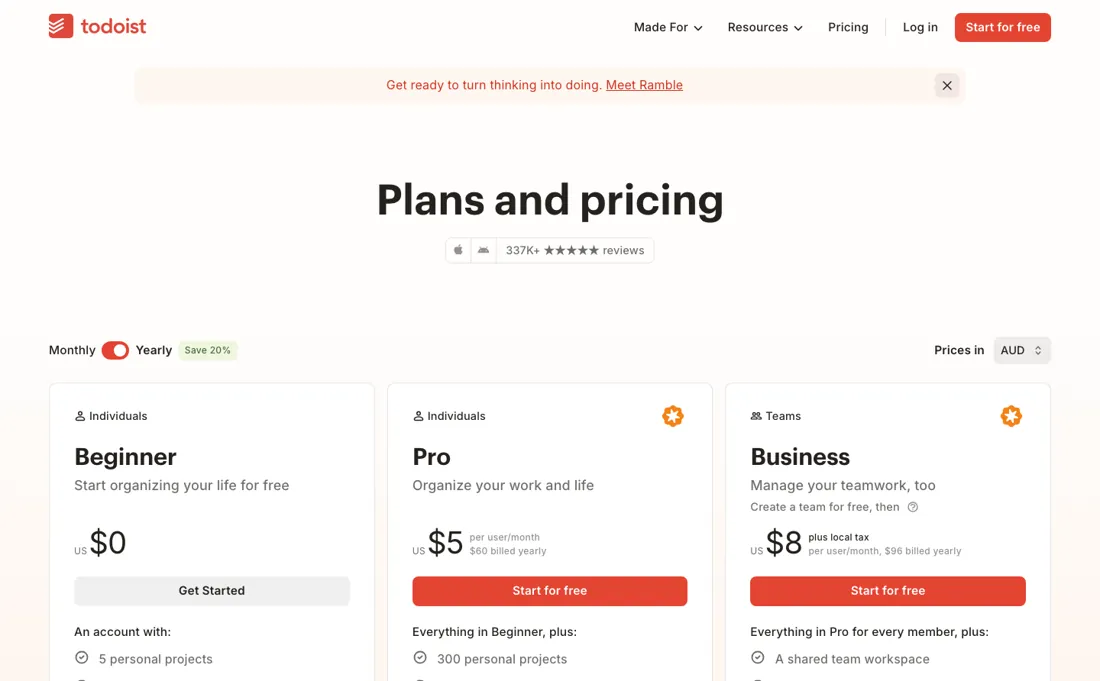
Free (up to 5 projects, one automatic reminder per task); Pro about $5/mo (annual, ~$7 monthly), Business about $8/user/mo (annual, ~$10 monthly) (2026). Plans change — always verify the live price on their site.
Todoist’s pricing page, as we read it
What Todoist does
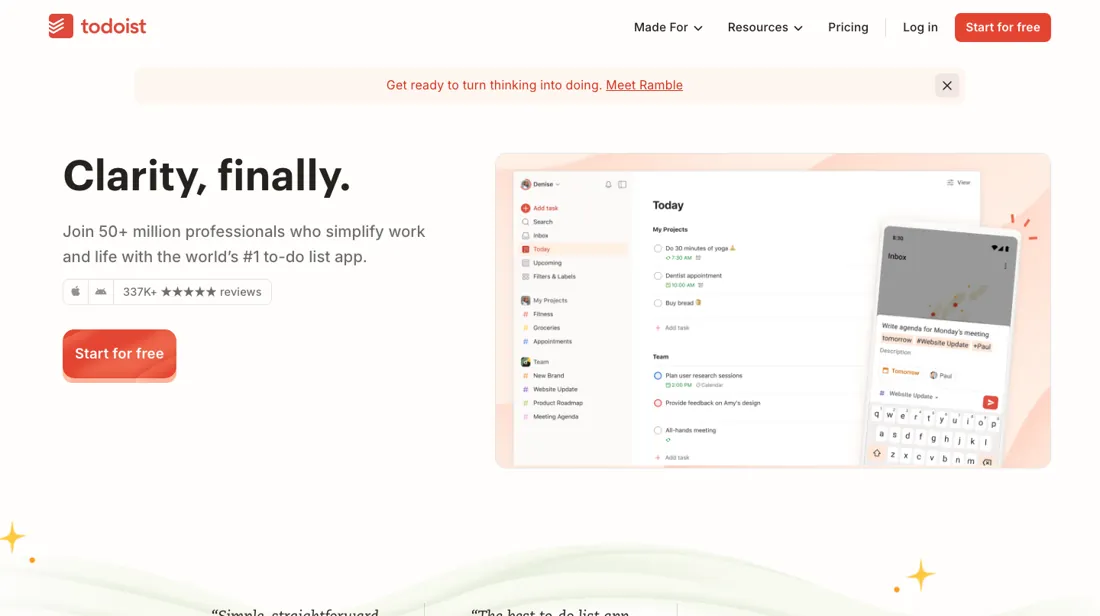
Task manager for individuals and small teams: quick capture, due dates and projects across devices. A to-do app, not a project suite with timelines or dependencies.
What buyers report about Todoist
Recurring themes from the buyer-review sites listed at the foot of this page, read in August 2026. We have not run Todoist ourselves, so this is other buyers' experience rather than ours. We summarise it here because the complaints are usually the part a vendor page leaves out.
- • Fast capture, natural-language scheduling and recurring tasks that just work, consistently across every device — 4.5 on G2 across 816 reviews.
- • Pro on annual billing is reasonable for what it does.
- • The December 2025 price rise damaged trust with long-time users, and reviewers say so directly.
- • The free tier is now 5 active projects, 5 MB uploads and 3 filters — reviewers call it a demo, and compare it unfavourably with Microsoft To Do, which is free with no project cap.
- • It is behind on AI and automation relative to newer tools.
- • Basic planning features like start dates are still missing, and some useful ones sit behind paid tiers.
The free plan reminds you when a task is due, never before
Free covers up to 5 projects and gives every scheduled task one automatic reminder, which fires at the moment the task comes due. Pro is about $5 a month on annual billing (around $7 monthly) and Business about $8 per user a month annually (around $10 monthly). That is $60 and $96 a year respectively, with a 40% surcharge for paying monthly on Pro and 25% on Business (2026). The reminder limit is about timing rather than absence, and that distinction is the whole upgrade case.
Todoist's own documentation splits reminders into four kinds — automatic, custom, recurring and location. Free gets the automatic one: schedule a task for four o'clock and it tells you at four o'clock. What Pro buys is the interval before, a custom reminder set thirty minutes ahead of the call or the morning before the renewal, and more than one of them on the same task. If you act on things at the moment they surface, the free tier genuinely does the job.
If you need warning — prep time, a document to read first, a decision to make before the deadline rather than at it — that is the feature you are paying for, and no amount of discipline substitutes for it. The five-project cap does the rest. Most people organise by area of life rather than by project — work, home, a side venture, errands, somebody else's admin — and five goes quickly.
Between the cap and the reminder timing, the free plan is best understood as a generous trial rather than a permanent home. Which is fine, because Pro is genuinely cheap. Sixty dollars a year for something you open several times a day is not a decision that needs a spreadsheet. The honest question is not whether it is worth the money, but whether you will still be using it in six months.
That is a question about habits, not about software. Take the monthly rate for the first quarter if you are unsure; $2 a month is a cheap way to find out. Business at $8 a user adds the team layer. The step from $5 to $8 is 60% per person, and it is worth it only if you actually assign work to other people rather than merely wanting them to see your list.
Know the boundary in both directions. This is a personal and small-team task manager, and it is very good at that. It is not a project platform: no dependencies, no critical path, nothing Gantt-shaped. If you need to know that slipping task B moves the launch date, you need a different category of tool, and no Todoist tier becomes one.
How to actually use Todoist
Decide first whether you need warning or only notice, because that is the line the free plan draws. Schedule a task with a time and free reminds you when it comes due; a reminder set for some interval before — thirty minutes ahead of a call, the morning before a renewal — is a Pro feature, as is putting more than one on the same task. If you act on things at the moment they surface, free is fine indefinitely.
If you need lead time, find that out in week one rather than after a month of building a system on it. Set up your projects by area of life rather than by task, and see how fast you reach five. Work, home, a side project and errands is already four for most people, so the cap tends to bind sooner than it sounds. If you upgrade, take Pro monthly for the first quarter rather than annually.
The difference is about $2 a month, and what you are buying with it is the option to walk away once you find out whether the habit stuck — which is the only real risk at this price. Move to Business only if you actually assign work to other people; at $8 a user it is 60% more per head, and shared visibility alone is not worth that.
Distilled from Todoist's own documentation — Introduction to reminders (https://www.todoist.com/help/articles/introduction-to-reminders-9PezfU), which defines the automatic, custom, recurring and location reminder types and states that multiple custom reminders require Pro or Business — together with the plan comparison on the pricing page (https://todoist.com/pricing), which lists task reminders under Beginner and custom task reminders under Pro
The natural comparison is TickTick or Microsoft To Do — other task managers. Weigh it against Asana on the job you actually need done.
More on Todoist
Everything we publish about Todoist links back here — the review stays the honest hub:
The ex-banker filter — the same yardstick on every review (how we review): My ex-banker filter is simple: does Todoist remove a real cost — time, errors, missed revenue — bigger than what it charges?
Frequently asked questions
What should I weigh before buying Operations & Workflow software?
Usually it sits on top rather than replacing everything. Tools in this class tend to become the layer where work is tracked and handed off, while your existing systems stay the source of truth for their own data. Before you buy, map which tools it would replace outright and which it would merely sync with. If the answer is that it syncs with all of them, you are adding a layer rather than removing one.
Is this a hands-on review of Todoist?
This is a researched assessment, not a hands-on test — where we've used a tool ourselves, we say so explicitly. We name what each tool is genuinely good and bad at, and we earn a commission only if you sign up, at no cost to you.
- Buyer reviews on G2, Capterra and Product Hunt, read August 2026.
- Todoist’s own published pricing page.
- A dated screenshot of that pricing page, kept on this site as the receipt.
Others in this category
Reviewed operations & workflow tools that share ground with Todoist — comparable in what they do, not drop-in swaps:
New dossiers, cost-traps we found, and tools that earned a keep — no hype, no sponsored-disguised-as-advice. Unsubscribe anytime.
This is our researched assessment — not a paid placement. The “Visit” links on this page are affiliate links: we may earn a commission if you sign up, at no extra cost to you, and it never changes our take. How we review →