Beautiful.ai Review (2026)
 By Daan Haket · Tested hands-on · written with an AI assistant · who does what
The smart-template engine is the feature and the fence: decks look polished with zero design skill precisely because the system constrains you, so pixel-perfect custom layouts and heavy brand exceptions fight the tool. Throughout this review we weigh it against PowerPoint.
founders, sales and small teams that want consistently good-looking decks fast, where design consistency matters more than pixel-level control.
you need intricate custom layouts or complex animations (designers want full control), or your whole company workflow is deeply PowerPoint-native.
Transparency: the “Visit” links on this page are affiliate links — we may earn a commission if you sign up, at no extra cost to you. No vendor can pay for a better review or verdict. How we make money →
On 28 September 2026 we gave Gamma, Beautiful.ai, Prezi and Canva the same brief for a ten-slide investor deck: eleven facts about a made-up bakery chain and the rule to add no other numbers. We checked every deck against 15 tests written down before the first one was generated. Beautiful.ai offered us only its 14-day Pro trial, which asks for a payment card and bills a year of Pro on day 14; we cancelled it the same morning.
- It showed an outline within seconds and a finished deck about two and a half minutes after the prompt, with no numbers of its own.
- The outline had a [MARKET SIZE] placeholder, but the finished market slide dropped it (without inventing a figure) and added Amsterdam as a target city.
- Both charts carry the right data but read oddly: the revenue line's axis labels are rounded to 0 and 1, and use of funds is shown in euros (280,000, 80,000, 40,000) instead of the 70/20/10 we gave.
Pricing (2026)
✓ Pricing re-verified 29 Sep 2026
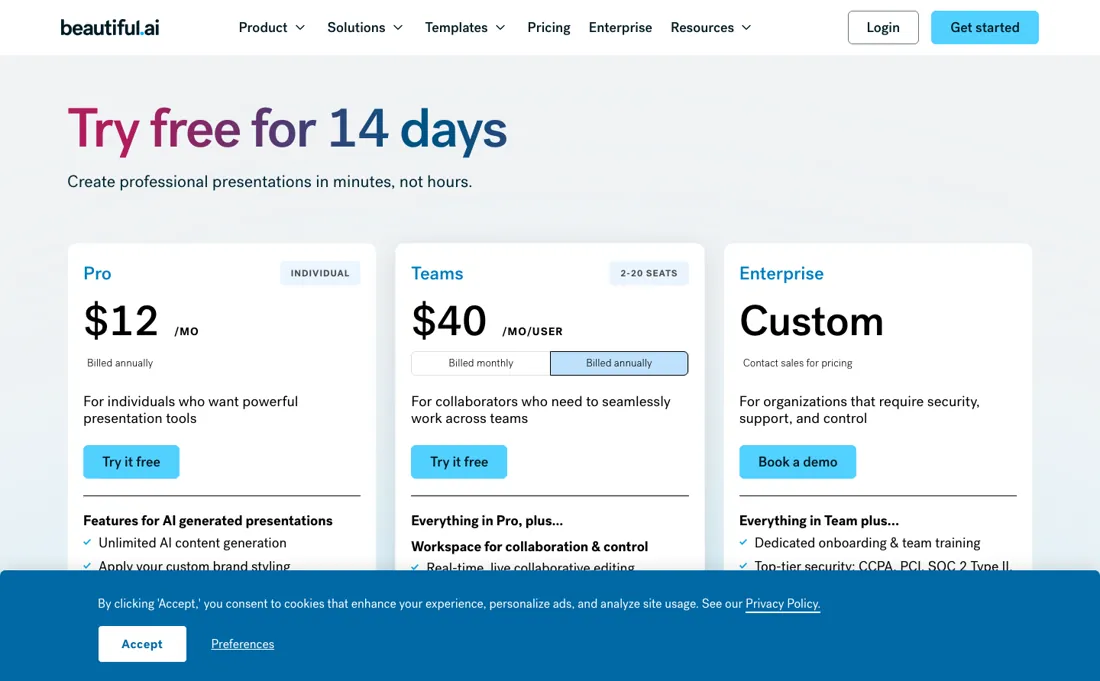
Pro is $14.50/mo billed annually, up from $12 in our July and August 2026 captures ($45 for a one-off month); Team about $40/user/mo annual ($50 monthly) with brand controls and shared libraries; Enterprise custom for 20+ seats. A single one-off presentation can be bought for ~$45; 14-day trial. On 2026-09-29 the Team plan card itself read '$40 /MO (INCLUDES 3 USERS)' and 'Fixed pricing for up to three users', while the same page's summary and FAQ still say $40 per user per month for 2 to 20 seats, so confirm the seat price at checkout. Plans change — always verify the live price on their site.
Category context: Operations & Workflow. Across the 53 tools in this category that we researched with a public US-dollar price, the median entry price is $29 a month (lowest paid plan as listed, per seat where the vendor prices per seat). Beautiful.ai’s entry price of $14.50 a month sits below that median. Compare pricing conditions in the Software Cost Atlas →
What the price did
We capture Beautiful.ai’s own pricing page every month and keep the figures, so this is our record of the page — not a forecast, and not someone else’s summary.
The captures of beautiful.ai/pricing on 7 July and 2 August 2026 returned exactly the same figures — $12, $40, $50 and $45 — and a manual read on 11 August 2026 found the same four again. The page text did change between the two captures (11,169 to 11,247 characters), so the wording moved and the prices did not. Then one of them did: our 1 September 2026 capture reads $14.50 for Pro, a 21% rise, while Team ($40 annual, $50 monthly) and the $45 monthly option held, and the page's own summary sentence was rewritten to carry the new number. Re-read on 29 September 2026: $14.50, $40, $50 and $45 all unchanged, but the Team card now says its $40 includes three users while the FAQ on the same page keeps the per-user wording.
What the pricing page doesn’t say
And note the billing gap — $14.50/mo annual becomes $45 month-to-month, one of the steeper monthly premiums around. If your organisation lives in PowerPoint workflows, test the import/export round-trip before committing.
Watch the video review
The video version of this review, from our YouTube channel.
⚡ Short on time? Watch the 30-second verdict Short.
What Beautiful.ai does
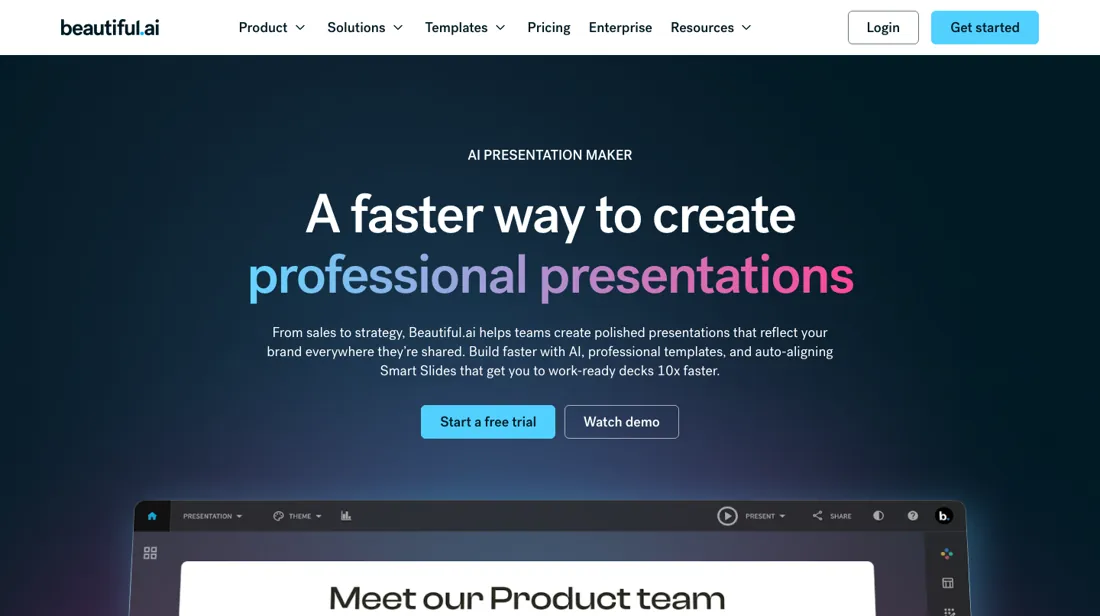
Presentation builder whose templates lay themselves out as you type.
What buyers report about Beautiful.ai
Hands-on: tested 2026-09-28Reported by buyers: G2, Capterra, Trustpilot and Product Hunt, read August 2026
Themes from the buyer-review sites listed at the foot of this page, read in August 2026. We tested Beautiful.ai ourselves on 2026-09-28, but one test is a narrow sample, so here is what other buyers report. We summarise it here because the complaints are usually the part a vendor page leaves out.
- • Smart layouts do the alignment work for you, and reviewers say that is the difference between a deck taking an hour and taking an afternoon.
- • Output looks professional without design skill — the most common phrasing in positive reviews.
- • Those same smart layouts cannot be overridden. If you need an unconventional slide, you will fight the tool.
- • The 14-day trial takes a card and rolls into an annual subscription. This drives most of the negative reviews, alongside difficulty cancelling.
- • PowerPoint export can break text boxes and shift alignment.
- • The jump from Pro to Team is steep — five people on Team is $2,400 a year.
Where the ratings disagree. 4.7 on G2 across 190+ reviews against 2.9 on Trustpilot. Nearly all of that 1.8-point gap is billing: auto-renewal and cancellation, not the product.
Pages read (August 2026): Trustpilot
When the paid plan is worth it
Beautiful.ai's pricing page lists no free tier. Pro is $14.50 /mo, billed annually, for a single seat (it was $12 until August 2026); Team is $40 /MO/User billed annually or $50 billed monthly for 2-20 seats; Enterprise is only "Contact sales for pricing". On 29 September 2026 the Team card itself read "$40 /MO (includes 3 users)" with "fixed pricing for up to three users", which contradicts the per-user wording in the same page's FAQ, so get the seat price in writing before you budget a team.
Paying monthly instead of annually means $45 for the same Pro plan, sold as a one-off for ad hoc projects. The widest jump in the table is Pro to Team, and what that money buys is workspace machinery rather than better output: shared libraries, roles and admin control. The design engine and editable PowerPoint export are already on Pro, so a solo user gets little from Team. Upgrading does not fix the commercial fine print.
The help center states that team seats are non-refundable and cannot be transferred between teams, so each team buys its own; annual subscribers may only request a partial refund within 24 hours of purchase or renewal, and monthly subscriptions are not refundable. Downgrading lands you on Basic, capped at 100 slides, where folders are removed, secured sharing reverts to public, and Beautiful.ai branding returns to playback, sharing and export.
Our monthly capture read this pricing page in August 2026 and again in September 2026. The price history below explains what changed.
What we found running Beautiful.ai ourselves
The first findings are at the top of this page. The rest:
- There is no AI that changes the deck as a whole: moving the ask to €450,000 meant two text edits and three chart values by hand. PowerPoint export defaults to flat images; the editable option keeps the text editable but turns the charts into pictures. Its public player shows the account's email address.
What this test does not show: One run on one day, on the Pro trial rather than a paid plan. We did not judge design quality.
Most of our reviews are researched rather than run — how we review explains which is which, and why we do not pretend otherwise.
How to actually use Beautiful.ai
The vendor route to a first deck is a four-stage flow: click Create Presentation, pick Create With AI, then enter or paste a prompt, optionally attaching documents, PDFs or links. From there you edit the generated text-only outline, set visual preferences such as theme, image source and language, and click Generate Presentation. Slide AI handles per-slide regeneration afterwards.
Distilled from All of this comes from Beautiful.ai's own material — the pricing page and the help-center articles read verbatim through the help center's public content API — and we found no independent walkthrough worth citing. Pricing re-read 29 September 2026 on beautiful.ai/pricing, rendered and in the page source (plan cards on both billing toggles, the Team card's 'includes 3 users' line and the FAQ answer on per-user team pricing); beautiful.ai/llms.txt returns a 404.
Common Beautiful.ai setup mistakes
Where Beautiful.ai setups actually go wrong, and what it costs you when they do. Same sources as the setup notes above.
The friction sits around that flow, not in it.
- The 14-day trial requires a debit or credit card up front and rolls into a paid subscription when it expires, and cancelling requires a desktop or laptop.
- PowerPoint import is a per-slide picking flow inside an existing presentation, with the docs warning not to close or refresh the tab while it runs.
- Export failures are pinned on broken slides and browser cache.
- SSO is Owner-only, needs domain verification and SAML endpoint plus issuer details, and Beautiful.ai warns that existing users get locked out if Strict SSO is enabled before they are provisioned in the IdP.
- The API is early access, returning 403 when access is not enabled.
Beautiful.ai vs Gamma, side by side
Each column shows the vendor’s own published entry price, read on the date shown. Entry prices can cover different services or units, so check what each one buys. We do not average them into a score.
Both names above are affiliate links: we may earn a commission if you sign up, at no extra cost to you. Neither changes what this table says.
The natural comparison is Gamma or PowerPoint + a designer — Gamma is the AI-native rival with a freer canvas — Beautiful.ai's edge is disciplined, on-brand consistency at speed. Weigh it against PowerPoint on the job you actually need done.
Frequently asked questions
Can Beautiful.ai import an existing PowerPoint deck?
Yes, but it is not a bulk conversion. Per the vendor documentation, import is a per-slide picking flow inside an existing presentation, and the docs warn you not to close or refresh the tab while it runs; export failures are pinned on broken slides and browser cache. Editable PowerPoint export is already included on Pro ($14.50 a month billed annually since August 2026; it was $12 when verified on 11 August 2026). If round-tripping decks with colleagues is your actual workflow, test that loop inside the 14-day trial before you pay for a year.
Is the $45 one-off cheaper than subscribing?
For up to three months, yes. Beautiful.ai sells the Pro plan month to month at $45 for ad hoc projects, against $14.50 a month on the annual plan, which is $174 for the year. Three months month-to-month is $135; from the fourth month the annual plan is the cheaper of the two. Both figures were on the vendor pricing page on 2 September 2026 and again on 29 September 2026.
What happens to my decks if I stop paying?
You land on Basic, and the help centre is specific about what that costs you: a cap of 100 slides, folders removed, secured sharing reverting to public, and Beautiful.ai branding returning to playback, sharing and export. Worth knowing before you move a client-facing deck library in — and worth reading alongside the refund terms, which make annual refunds a partial-refund window of 24 hours after purchase or renewal, with monthly subscriptions not refundable.
Is this a hands-on review of Beautiful.ai?
Yes. We tested Beautiful.ai ourselves on 2026-09-28; the section above says what we tested, what we found and what we did not test, and where a figure comes from the vendor's own documentation instead. Most of our reviews are researched rather than run; we say which is which. We name what each tool is good and bad at, and we earn a commission only if you sign up, at no cost to you.
- Buyer reviews on G2, Capterra, Trustpilot and Product Hunt, read August 2026.
- Re-verified 2026-09-02 on the vendor's own pricing page, amounts unchanged on 2026-09-29.
- A dated screenshot of that pricing page, kept on this site as the receipt.
- Our own hands-on session with Beautiful.ai (2026-09-28), written up in full further down this page.
Others in this category
Reviewed operations & workflow tools that share ground with Beautiful.ai — comparable in what they do, not drop-in swaps:
New reviews, price changes we recorded, and the cost conditions we found. No sponsored placements. Unsubscribe anytime.
This is our researched assessment — not a paid placement. The “Visit” links on this page are affiliate links: we may earn a commission if you sign up, at no extra cost to you, and it never changes our take. How we review →