 MRPeasy Review (2026)$49 a Seat, Even for Clock-In Users
Paying ~$50 per user just so a shop-floor worker can clock in and out feels steep when they'll touch a fraction of the features.
Visit MRPeasy → Affiliate link — we may earn a commission if you sign up; it does not change what this page says.
Watch the 2-minute review
The video version of this review, from our YouTube channel.
⚡ Short on time? Watch the 30-second verdict Short.
Pricing (2026)
✓ Pricing re-verified 24 Aug 2026
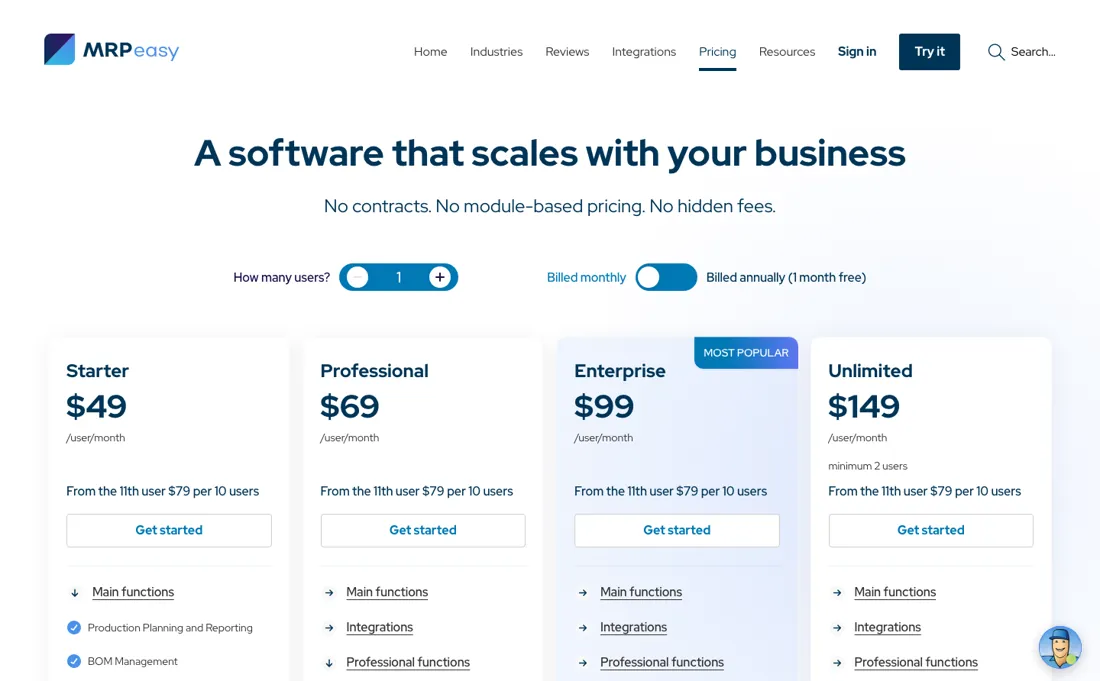
Four tiers, per user per month: Starter $49, Professional $69, Enterprise $99 and Unlimited $149. Only Unlimited carries a two-user minimum. We had that minimum down as applying to every tier; MRPeasy's partnerships team wrote on 24 August 2026 that it applies to Unlimited alone, and their pricing page prints minimum 2 users under that one plan and nowhere else. Those four rates are what you pay month to month.
Pay for a year and one month is free, which the vendor works out as effective rates of Starter $44.92, Professional $63.25, Enterprise $90.75 and Unlimited $136.58; the monthly and annual toggle did not change a single figure on the page when we clicked it in either direction, so those four are the vendor's arithmetic and not our own reading. Mind the currency, because it is not a conversion: the same pricing page served our European browser 39, 59, 79 and 125 euro per user per month on 24 August 2026, with the user bundle at 69 euro, which is about a fifth under the dollar list.
Check what your own checkout quotes before you budget. All plans include unlimited orders and items. The scaling rule is unusual and worth understanding. The first 10 users pay the tier rate, and from the 11th user you add flat $79 bundles of 10 users. So 11 to 20 users is the base price plus $79, 21 to 30 is plus $158, 31 to 40 plus $237, and so on.
Expert support is a separate purchase: one hour a month at $199 billed quarterly ($229 for a single month), two hours at $299 ($349 single) and four hours at $499 ($579 single), with training at $150 an hour. Plans change — always verify the live price on their site.
What the pricing page doesn’t say
Customisation and reporting are limited, and there's no advanced demand forecasting or AI — so larger or highly complex manufacturers will outgrow it.
What MRPeasy does
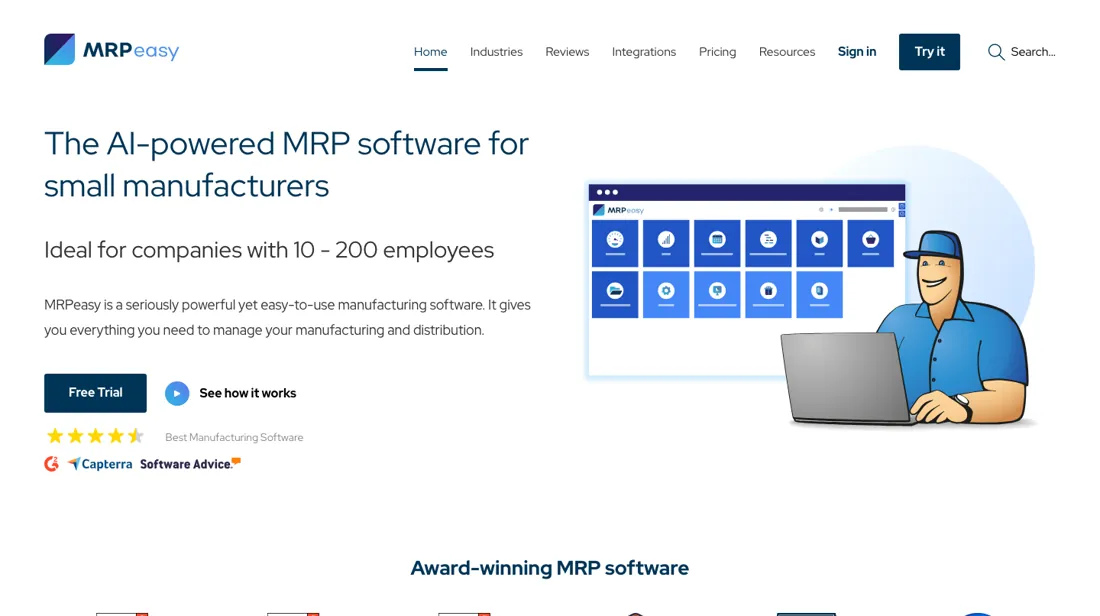
Cloud manufacturing ERP for small manufacturers. Plan production, track inventory and manage orders and procurement so a growing workshop runs without spreadsheets.
What buyers report about MRPeasy
Recurring themes from the buyer-review sites listed at the foot of this page, read in August 2026. We have not run MRPeasy ourselves, so this is other buyers' experience rather than ours. We summarise it here because the complaints are usually the part a vendor page leaves out.
- • Easy to use for a manufacturing system — 4.6 on G2, and reviewers coming from spreadsheets name the interface as the reason it stuck.
- • Inventory, production planning and cost tracking are solid for small and mid-sized manufacturers. From $49/month for one user.
- • Cost climbs quickly with users and advanced features. Price it at your real headcount.
- • Advanced planning and scheduling is where it runs out — complex workflows need workarounds or paid extras.
- • You cannot substitute materials in a subcontractor BOM, which reviewers call needlessly awkward.
- • The iPad layout is not touch-friendly; the shop-floor Stop and Go buttons are too small.
When the paid plan is worth it
There is no free plan here, only a trial, so the real question is which tier you land on. Starter at $49/user/month is genuinely the right answer while you fit inside its ceilings. The terms cap it at 1000 SKUs, 500 BOMs, 50 workstations and 50 customer order lines. Paying more earns its keep when a specific gated function is your actual blocker, rather than when you just want headroom.
Professional at $69 adds serial numbers, quality control and subcontracting. Enterprise at $99 adds barcode printing and scanning, multiple production sites and an approval system. Unlimited at $149, the only tier that demands a minimum of 2 users, is also the only tier where the REST API and webhooks work. Upgrading does not change the cost driver. You pay the tier rate per user for the first 10 users, and only from the 11th does it flatten to $79 per 10 users, so headcount drives the bill more than catalogue size.
Limits count active records only, so archiving after 3 months of inactivity is the cheaper alternative to a tier jump. The terms also define unlimited as no built-in limitation rather than a guarantee.
How to actually use MRPeasy
Signup gives you 15 free days and no credit card is required. The vendor advertises "15 + 15 days"; the second half comes from actions worth five free days each, including watching the first demo video and following the company on LinkedIn. Your account arrives preloaded with demo data, a wooden table maker. Explore it, then clear it under Settings, Database maintenance before you enter anything real, or you will be picking your own parts out of theirs later.
The documented import order is vendors, storage locations, items, purchase terms, bills of materials, routings, customers and price lists. That sequence is a dependency, not a suggestion. All items must exist before a BOM will import, and every BOM line needs a product number, part number and quantity. Rejected rows come back as a skip-file you fix and resubmit. The pitfall the vendor flags itself is the mass import. It tells you to download a database backup first, because a bad import is hard to unpick afterwards.
Distilled from vendor pricing page, terms limits table, account FAQ, setup guides and changelog, read 5 August 2026
The natural comparison is Katana — the other small-manufacturer MRP.
Frequently asked questions
What does MRPeasy cost for my team?
Per user per month: $49 on Starter, $69 Professional, $99 Enterprise and $149 Unlimited. Only Unlimited demands a minimum of two seats, so a one-person shop can buy a single Starter seat. Above ten users it stops being per-user: each additional block of ten costs a flat $79 a month. A 12-person shop on Enterprise is therefore 10 x $99 plus $79, not 12 x $99. Paying annually gives one month free. Read on 24 August 2026.
Does the price rise as I add orders or products?
No, and that is the useful part of this model: every plan includes unlimited orders and items. What you pay for is people and features, not volume, which makes the bill predictable for a growing production run in a way per-transaction pricing is not.
Is the implementation support extra?
Yes. Expert support is bought separately: one hour a month costs $199 on a quarterly commitment or $229 for a single month, two hours $299 ($349 single) and four hours $499 ($579 single), and training is $150 an hour. If you expect to need setup guidance, price that alongside the seats rather than assuming onboarding is included.
What should I weigh before buying Operations & Workflow software?
Usually it sits on top rather than replacing everything. Tools in this class tend to become the layer where work is tracked and handed off, while your existing systems stay the source of truth for their own data. Before you buy, map which tools it would replace outright and which it would merely sync with. If the answer is that it syncs with all of them, you are adding a layer rather than removing one.
Is this a hands-on review of MRPeasy?
This is a researched assessment, not a hands-on test — where we've used a tool ourselves, we say so explicitly. We name what each tool is good and bad at, and we earn a commission only if you sign up, at no cost to you.
- Buyer reviews on G2, Capterra, GetApp and Software Advice, read August 2026.
- Re-verified 2026-08-24 on their own pricing page.
- A dated screenshot of that pricing page, kept on this site as the receipt.
Others in this category
Reviewed operations & workflow tools that share ground with MRPeasy — comparable in what they do, not drop-in swaps:
New reviews, price changes we recorded, and the cost conditions we found. No sponsored placements. Unsubscribe anytime.
This is our researched assessment — not a paid placement. The “Visit” links on this page are affiliate links: we may earn a commission if you sign up, at no extra cost to you, and it never changes our take. How we review →