 Wrike Review (2026)Business Needs Five Seats
Transparency: the “Visit” links on this page are affiliate links — we may earn a commission if you sign up, at no extra cost to you. No vendor can pay for a better review or verdict. How we make money →
Wrike is powerful and scales to complex, cross-team portfolios, but that power brings a learning curve and a per-seat cost that climbs — small teams often find it heavier than they need next to a simpler board tool. Throughout this review we weigh it against Asana.
Visit Wrike → Affiliate link — we may earn a commission if you sign up; it does not change what this page says.
Watch the 2-minute review
The video version of this review, from our YouTube channel.
⚡ Short on time? Watch the 30-second verdict Short.
Pricing (2026)
✓ Pricing re-verified 25 Sep 2026
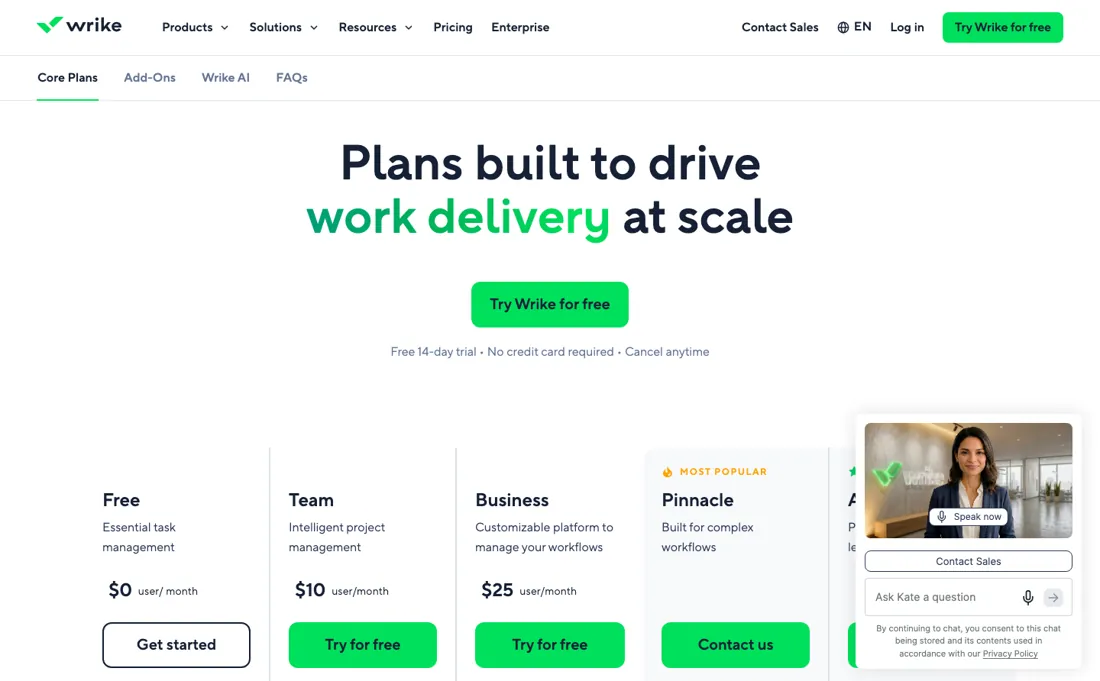
A permanent free plan at $0 per user, with no user cap named on the plan card; Team $10 per user a month for 2 to 15 users; Business $25 per user a month for 5 to 200 users. Pinnacle and Apex publish no amount at all — both carry only a Contact us button and the line "Connect with us for pricing".
Business and every tier above it is sold as an annual subscription only. Seats are bought in blocks: groups of five up to 30 seats, groups of 10 from 30 to 100, groups of 25 above 100. Self-service checkout covers Team and Business up to 15 users with no add-ons; beyond that the purchase goes through a Wrike representative. All prices are listed in US dollars and exclude local taxes. Plans change — always verify the live price on their site.
Category context: Operations & Workflow. Across the 49 tools in this category that we researched with a public US-dollar price, the median entry price is $25 a month (lowest paid plan as listed, per seat where the vendor prices per seat). Wrike’s entry price of $10 a month sits below that median. Compare pricing conditions in the Software Cost Atlas →
Wrike’s pricing page, as we read it
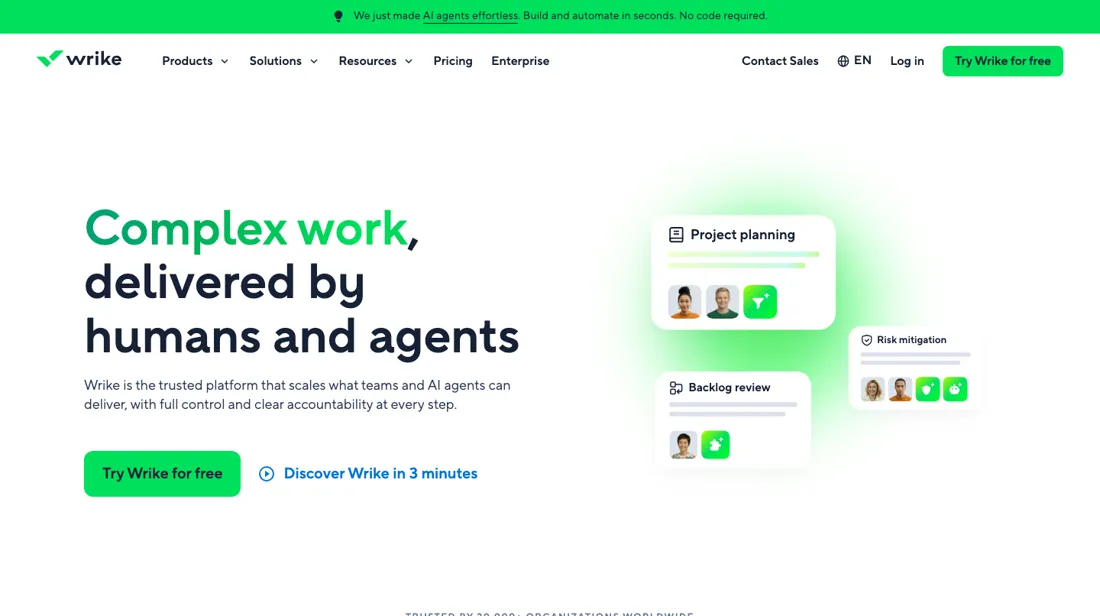
What Wrike does
Work management for mid-to-large teams running cross-functional projects: reporting, workflows, approvals and resource management.
What buyers report about Wrike
Recurring themes from the buyer-review sites listed at the foot of this page, read in August 2026. We have not run Wrike ourselves, so this is other buyers' experience rather than ours. We summarise it here because the complaints are usually the part a vendor page leaves out.
- • Gantt depth, customisation and reporting are what reviewers rate, with 400+ native integrations. 4.2 on G2 across 4,520 reviews, 4.4 on Capterra across 2,963.
- • The free plan takes unlimited users, which is unusual.
- • Cancellation requires 30 days' notice before auto-renewal. Miss it and you have another year. Diarise it the day you sign.
- • A steep learning curve and a dense interface — reviewers agree it is not intuitive, and rollout takes real effort.
- • The features people expect sit on Business at $25 per user or above, and add-ons (Whiteboard, Integrate, Sync, Datahub) push the real cost up quietly.
- • Ratings vary sharply by company size: 3.9 on Trustpilot against 4.7 on Gartner Peer Insights. Small teams rate it worst.
Pages read (August 2026): Trustpilot
Business has a five-seat floor
There is a permanent free plan at $0 a user, with no user cap named on its plan card, then Team at $10 a user a month for 2 to 15 users and Business at $25 for 5 to 200. Pinnacle and Apex sit above them and publish no amount at all — each carries only a Contact us button. Business carries a five-seat minimum (2026). That minimum is the number to catch.
A three-person team that needs something from Business pays for five seats — $125 a month — which works out at $41.67 per actual user, 67% above the advertised $25. The step from Team to Business is not two and a half times the rate for a small team; it is $125 against $30, more than four times the bill. Below five people, that is the real comparison. Above five it settles down: ten people on Business is $250 a month, $3,000 a year, at the advertised rate.
The rounding never disappears entirely, though, because Wrike sells seats in blocks — groups of five up to 30 seats, of 10 from 30 to 100, and of 25 above that. What moving up a tier does not fix is how you have to buy. Business and everything above it is annual-only, so there is no monthly way out once you commit, and self-service checkout stops at Business for 15 users with no add-ons — past that, every purchase goes through a representative.
Nor does climbing higher get you a price: Pinnacle and Apex are quote-only, so the top of the ladder is a sales conversation rather than a number you can budget against. None of that answers the question that actually matters here, which is not about price. Wrike is powerful and scales to complex cross-team portfolios — dependencies, resource management, work across departments that do not share a process. That power carries a real learning curve, and small teams frequently find it heavier than they need beside a simpler board tool.
So spend a fortnight on the free plan asking one question: are you using the depth? If your work fits comfortably in columns and cards, a simpler tool will be adopted faster and abandoned less, and no Wrike tier improves on that. Whichever way that goes, decide it before you cross the five-seat line, because the pricing rewards being sure.
Our monthly capture read this vendor's pricing page in July 2026 and again in August 2026, and the amounts were the same both times. We keep watching — the registry records what moves.
How to actually use Wrike
Run the free plan for a fortnight before you price anything. It is permanent and its plan card names no user cap, which is enough to answer the only question that matters: are you using the depth? If your work fits in columns and cards, a simpler board tool will get adopted faster and Wrike's learning curve buys you nothing. If you do move up, check the seat count against the Business minimum.
Business has a five-seat floor, so a three-person team pays $125 a month — $41.67 per actual user against an advertised $25, and more than four times what Team would cost. Under five people, Team at about $10 a user is usually the honest answer. Pick one real cross-team project for the trial rather than a tidy one. Wrike earns its price on dependencies and work that crosses departments, so the test should be the messy project you currently track in a spreadsheet beside your board tool — that is the gap it either closes or does not.
Distilled from Wrike's own plans and pricing page (www.wrike.com/price/) including its FAQ section, read 5 September 2026 — the four published tiers and their per-user rates, the user bands on each plan card (Team 2 to 15, Business 5 to 200), the absence of any amount on Pinnacle and Apex, the block-purchasing rule (groups of five up to 30 seats, 10 up to 100, 25 above), the annual-only condition on Business and above, and the self-service ceiling of 15 users without add-ons. Re-read 25 September 2026 (www.wrike.com/price/, which now serves the page at /price-vag/): Free $0, Team $10 for 2 to 15 users, Business $25 for 5 to 200 users, Pinnacle and Apex 'Contact us', the note that the amount shown is priced per month and billed on an annual per-user basis, the same seat blocks and annual-only rule for Business and above, and the FAQ on the 14-day trial (no credit card; account blocked afterwards with data kept until you downgrade to Free or talk to a representative) and on full versus limited users. The earlier line that the free plan covers five users was not on the page and has been removed.
Wrike vs monday.com, side by side
Both columns come from the same place: each vendor’s own published pricing, read on the date shown in the sources at the foot of this page. We do not average them into a score.
Both names above are affiliate links: we may earn a commission if you sign up, at no extra cost to you. Neither changes what this table says: both columns come straight from the vendors’ own pricing pages.
The natural comparison is Asana or monday.com — other project-management platforms. Weigh it against Asana on the job you actually need done.
Frequently asked questions
Can I pay for Wrike month to month?
Not on Business or above: the pricing-page FAQ (read 25 September 2026) says Business plans and above are only available as annual subscriptions, and the plan cards carry the note that the amount shown is priced per month and billed on an annual per-user basis. The page prints no separate monthly rate for Team either, so the $10 and $25 figures are best read as annual commitments. The free plan is the only way to use Wrike with no term at all.
What happens when the 14-day trial ends?
The account is blocked until you decide, and nothing is deleted. The FAQ (read 25 September 2026) says your data stays intact while the account is blocked, and that you can then either downgrade to the free version or talk to a Wrike representative about a plan and whether a trial extension is possible. The trial itself needs no credit card. After a trial you can buy Team or Business for up to 15 users with no add-ons yourself, in the Account section; anything bigger goes through a representative.
Do people who only need to look at projects need a paid seat?
Not necessarily. Wrike's FAQ (read 25 September 2026) distinguishes full users from limited users. Regular and external users are full users and each need a paid seat, external users with restricted access. Limited users either take a paid seat at a reduced rate as contributors or are added for free as viewers. So stakeholders who only read status can be viewers; anyone who has to edit work needs a seat, and those seats are still sold in blocks of five up to 30.
What should I weigh before buying Operations & Workflow software?
Usually it sits on top rather than replacing everything. Tools in this class tend to become the layer where work is tracked and handed off, while your existing systems stay the source of truth for their own data. Before you buy, map which tools it would replace outright and which it would merely sync with. If the answer is that it syncs with all of them, you are adding a layer rather than removing one.
Is this a hands-on review of Wrike?
This is a researched assessment, not a hands-on test — where we've used a tool ourselves, we say so explicitly. We name what each tool is good and bad at, and we earn a commission only if you sign up, at no cost to you.
- Buyer reviews on G2, Capterra, Trustpilot, TrustRadius and Gartner Peer Insights, read August 2026.
- Price re-verified 2026-09-25.
- A dated screenshot of that pricing page, kept on this site as the receipt.
Others in this category
Reviewed operations & workflow tools that share ground with Wrike — comparable in what they do, not drop-in swaps:
New reviews, price changes we recorded, and the cost conditions we found. No sponsored placements. Unsubscribe anytime.
This is our researched assessment — not a paid placement. The “Visit” links on this page are affiliate links: we may earn a commission if you sign up, at no extra cost to you, and it never changes our take. How we review →