 SMTP2GO Review (2026)Professional Costs More Per Email
SMTP2GO is the pragmatic middle of email infrastructure: simpler and better-supported than the hyperscale APIs, cheaper than most, with genuinely useful reporting — but sending reputation is still yours to earn. Throughout this review we weigh it against SendGrid.
Visit SMTP2GO → Affiliate link — we may earn a commission if you sign up; it does not change what this page says.
Watch the 2-minute review
The video version of this review, from our YouTube channel.
⚡ Short on time? Watch the 30-second verdict Short.
Pricing (2026)
✓ Pricing re-verified 26 Sep 2026
Free: 1,000 emails a month, 200 a day, 5 days of reporting, ticket support only (toll-free phone and live chat limited to 14 days), extra emails not permitted. Starter: $15/mo or $150/year for 10,000 (overage $1.20 per thousand); $30/mo or $300/year for 50,000 ($1 per thousand). Professional: $75/$750 for 100,000 ($0.85), $170/$1,700 for 250,000 ($0.70), $280/$2,800 for 500,000 ($0.60), $520/$5,200 for 1,000,000 ($0.50), and it adds a dedicated IP address and email-testing tools.
Premier: custom, over 3,000,000 a month. Annual is exactly ten months' money at every step (their 'two months free'). All invoices are billed in US dollars; EUR, GBP, AUD and NZD are shown as approximations. 30-day money-back promise. Plans change — always verify the live price on their site.
What the pricing page doesn’t say
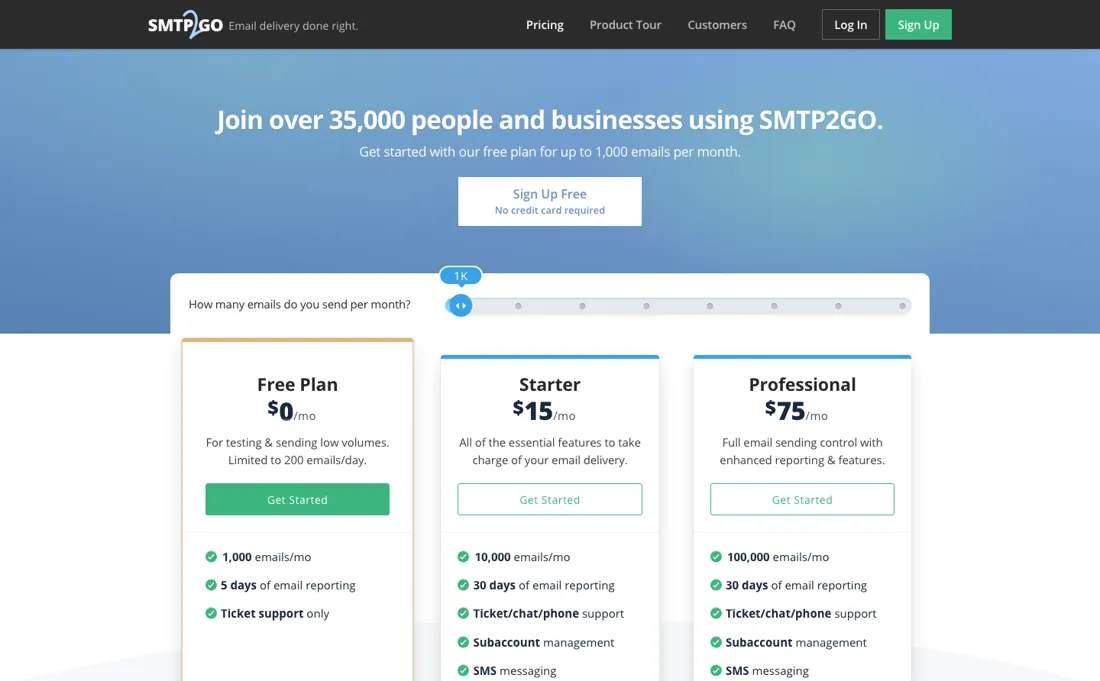
A relay delivers what your domain deserves: without proper SPF/DKIM/DMARC and list hygiene, no provider saves you. Check the overage rate for your tier before you size up: on the 10,000 plan an extra thousand emails costs $1.20 against the $1.50 a thousand you already pay, and the 50,000 plan at $30 works out cheaper per email than Professional at $75.
What SMTP2GO does
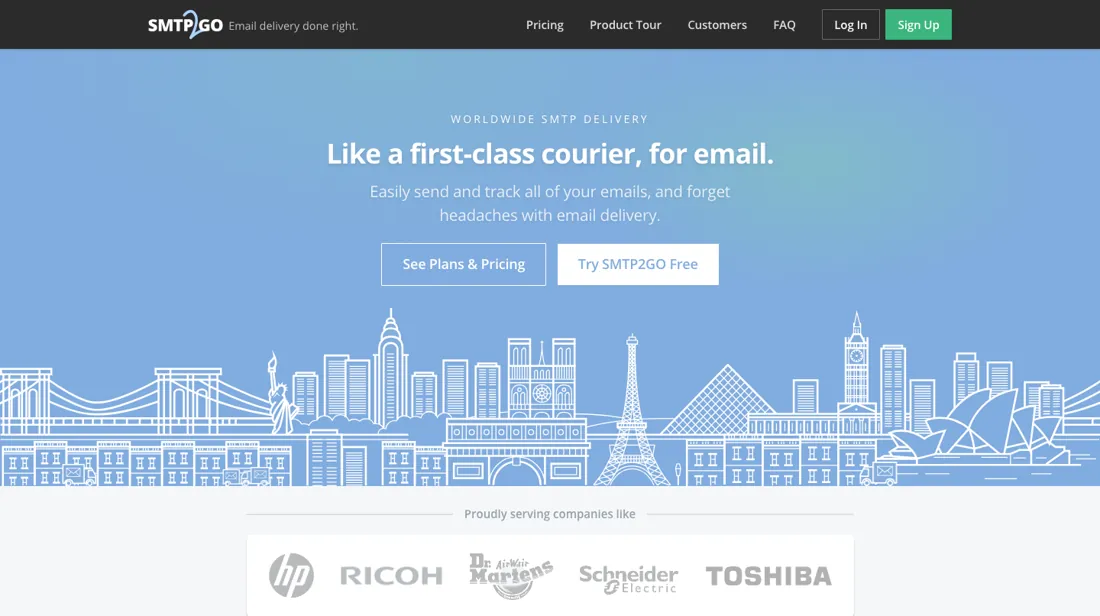
Reliable transactional and bulk email delivery. Send via a simple SMTP relay or API with strong deliverability, real-time analytics and global sending infrastructure.
What buyers report about SMTP2GO
Recurring themes from the buyer-review sites listed at the foot of this page, read in August 2026. We have not run SMTP2GO ourselves, so this is other buyers' experience rather than ours. We summarise it here because the complaints are usually the part a vendor page leaves out.
- • Deliverability is the strong point — 88% of reviewers commenting on it are positive, and independent testing by emailtooltester ranked it second-best of all services measured.
- • 1,000 emails a month free, straightforward setup, and support reviewers call knowledgeable.
- • Account approval is strict and can delay you at exactly the wrong moment. Allow time before a launch.
- • The free plan limits verified domains, which matters more than the send volume for most people.
- • Occasional outages and API slowdowns are reported.
- • It lacks the email testing tools that comparable SMTP providers include, and high volume gets expensive against competitors.
The 50,000 tier beats Professional per email
Seven paid steps, and the price per email does not fall in a straight line down them (re-read on their pricing page on 26 September 2026, with the volume slider walked through every stop). Free is 1,000 emails a month capped at 200 a day, five days of reporting, and no overage permitted — hit the cap and sending stops. Starter is $15 a month for 10,000 or $30 for 50,000.
Professional is $75 for 100,000, $170 for 250,000, $280 for 500,000 and $520 for a million; Premier is quote-only above three million. Annual billing is exactly ten months' money at every step — $150 rather than $180 on the smallest paid plan. Per thousand emails at each plan's own ceiling that reads $1.50, $0.60, $0.75, $0.68, $0.56 and $0.52. The step you would expect to be a discount is the one that is not: moving from Starter's 50,000 to Professional's 100,000 raises the rate per email by a quarter.
What the upgrade buys is the dedicated IP address and the email-testing tools, not cheaper email. The overage line decides the rest. Each tier prices extra thousands at its own rate — $1.20, $1.00, $0.85, $0.70, $0.60, $0.50 — so on the 10,000 plan an extra thousand at $1.20 costs less than the thousands you already bought at $1.50. Run the same sum upward and the $30 plan plus overage stays cheaper than Professional until about 95,000 emails a month.
What none of the tiers buys is reputation. Without SPF, DKIM and DMARC configured properly and honest list hygiene, no relay rescues your delivery, and the plan you pick will not be the reason your mail lands.
Our monthly capture read this vendor's pricing page in July 2026 and again in August 2026, and the amounts were the same both times. We keep watching — the registry records what moves.
How to actually use SMTP2GO
Set up SPF, DKIM and DMARC before you send a single message through it. A relay delivers what your domain has earned, and the most common reason a switch of provider disappoints is that the authentication records came across half-configured. This is the step that decides whether anything else matters. Then use the free tier to test shape rather than volume. A thousand emails a month sounds like room to experiment, but the real constraint is 200 a day and the free plan permits no overage at all — enough to verify that your application connects, your templates render and your bounces are reported, and nothing like enough to test a campaign send.
Size the plan from the overage rates rather than the headline. Every tier prices extra thousands at its own rate, which makes the arithmetic short: the 10,000 plan plus overage costs the same as the 50,000 plan at about 22,500 emails a month, and the 50,000 plan plus overage stays cheaper than Professional until about 95,000. Move to Professional earlier than that only if you need the dedicated IP address — and if you do, warm it up properly.
Distilled from smtp2go.com/pricing read in a browser on 7 September 2026 with the page's own volume slider operated across all nine stops (0, 1,000, 10,000, 50,000, 100,000, 250,000, 500,000, 1,000,000 and 3,000,001+; that stop list is the noUiSlider range configuration on the page itself). The amounts are not in the served HTML: a plain fetch returns cards whose visible text is one step behind — the 250,000 card still reads '100,000 emails/mo' and '$75' — while each card's real figures sit in its own data-rate-monthly and data-rate-annual attributes, and those are what was read. The per-tier overage lines ($1.20, $1, $0.85, $0.70, $0.60 and $0.50 per thousand) and the free plan's limits (1,000 a month, 200 a day, five days of reporting, no extra emails) come from the card bodies. The Monthly/Yearly toggle changes which line is emphasised, not the numbers: both the per-month and the per-year amount sit in the DOM in either state. smtp2go.com/llms.txt, read the same day, is a full site index pointing at the pricing, FAQ, developer-docs and MCP pages, but it carries no amounts beyond the free tier's 1,000 emails a month. Re-read 26 September 2026 in the browser pane with the slider stepped through every stop from the keyboard: $15/$150 for 10,000, $30/$300 for 50,000, $75/$750, $170/$1,700, $280/$2,800 and $520/$5,200 for 100,000 to 1,000,000, overage $1.20, $1, $0.85, $0.70, $0.60 and $0.50 per thousand, Premier above 3,000,000 - all unchanged. The served HTML now carries $75/$750 in the Professional card's attributes at every stop until the slider moves, so a plain fetch misreads the upper Professional steps. The 30-day refund promise, the USD-billing note, the dedicated IP and email-testing tools on Professional only, and the 14-day limit on phone and chat for the free plan are unchanged.
SMTP2GO vs SMTP.com, side by side
Both columns come from the same place: each vendor’s own published pricing, read on the date shown in the sources at the foot of this page. We do not average them into a score.
Both names above are affiliate links: we may earn a commission if you sign up, at no extra cost to you. Neither changes what this table says: both columns come straight from the vendors’ own pricing pages.
The natural comparison is SMTP.com or Postmark — close relay peers — Postmark leans transactional purity; SMTP2GO wins on support reputation and price at SMB volumes. Weigh it against SendGrid on the job you actually need done.
Frequently asked questions
What happens if I send more emails than my plan includes?
On a paid plan you keep sending and pay per extra thousand at your tier's rate: $1.20 on the 10,000 plan, $1 on 50,000, then $0.85, $0.70, $0.60 and $0.50 on the Professional steps from 100,000 to 1,000,000 (read 26 September 2026). On the free plan extra emails are not permitted, and it is also limited to 200 emails a day, so a send past either limit simply does not go out.
Do I need Professional for a dedicated IP address?
Yes. On the pricing page (read 26 September 2026) the dedicated IP address and the email-testing tools appear only on the Professional cards, from $75 a month for 100,000 emails; Starter lists 30 days of reporting, ticket, chat and phone support, subaccounts, SMS messaging and scheduled reporting, but no dedicated IP. Automatic DKIM and SPF, feedback loops and blacklist monitoring are listed for all plans, so authentication itself does not require an upgrade.
Can I get my money back if SMTP2GO doesn't suit me?
The pricing page (read 26 September 2026) promises a full refund if you don't love it within 30 days. Invoices are always in US dollars - the EUR, GBP, AUD and NZD figures on the page are approximations - and yearly billing costs ten months' money, $150 instead of $180 on the smallest paid plan. The free plan runs as long as you like, but its toll-free phone and live chat support stop after 14 days.
What should I weigh before buying IT & Productivity software?
Judge it on evidence rather than adjectives. Look for a published security page, single sign-on and role controls on the plan you would actually buy (they are often gated to higher tiers), a status page with real incident history, and a clear answer on where your data is stored. If the tool will hold anything sensitive, those four answers matter more than any feature comparison.
Is this a hands-on review of SMTP2GO?
This is a researched assessment, not a hands-on test — where we've used a tool ourselves, we say so explicitly. We name what each tool is good and bad at, and we earn a commission only if you sign up, at no cost to you.
- Buyer reviews on G2, Capterra, GetApp and independent deliverability testing, read August 2026.
- Read 2026-09-26 on smtp2go.com/pricing with the volume slider walked through all nine stops; the plan cards carry the amounts in their data-rate-monthly and data-rate-annual attributes.
- A dated screenshot of that pricing page, kept on this site as the receipt.
Others in this category
Reviewed it & productivity tools that share ground with SMTP2GO — comparable in what they do, not drop-in swaps:
New reviews, price changes we recorded, and the cost conditions we found. No sponsored placements. Unsubscribe anytime.
This is our researched assessment — not a paid placement. The “Visit” links on this page are affiliate links: we may earn a commission if you sign up, at no extra cost to you, and it never changes our take. How we review →