 WebCatalog Review (2026)Browser Profiles Are Free
WebCatalog solves a real annoyance: dozens of web apps and multiple accounts per app as tidy desktop windows.
Visit WebCatalog → Affiliate link — we may earn a commission if you sign up; it does not change what this page says.
Watch the 2-minute review
The video version of this review, from our YouTube channel.
⚡ Short on time? Watch the 30-second verdict Short.
Pricing (2026)
✓ Pricing re-verified 25 Sep 2026
Basic is free and no card is required: 2 desktop apps, 2 profiles and 1 space, with cloud sync, to-dos, focus mode and curated wallpapers. Pro is $5 per user per month billed annually or $6 billed monthly, plus local taxes, and lifts the caps to unlimited apps, profiles and spaces, with an ad-free experience, pages, theme colours, an ads and tracker blocker, an app lock, location services and priority support.
Business is $8 per user per month billed annually or $10 monthly and adds shared spaces, shared pages, team management, centralised billing, an activity log and SAML single sign-on. Both paid plans carry a 7-day trial. The page advertises a 20% saving on yearly billing and prices in USD, EUR or JPY. A legacy lifetime licence is not mentioned on the pricing page. Plans change — always verify the live price on their site.
What the pricing page doesn’t say
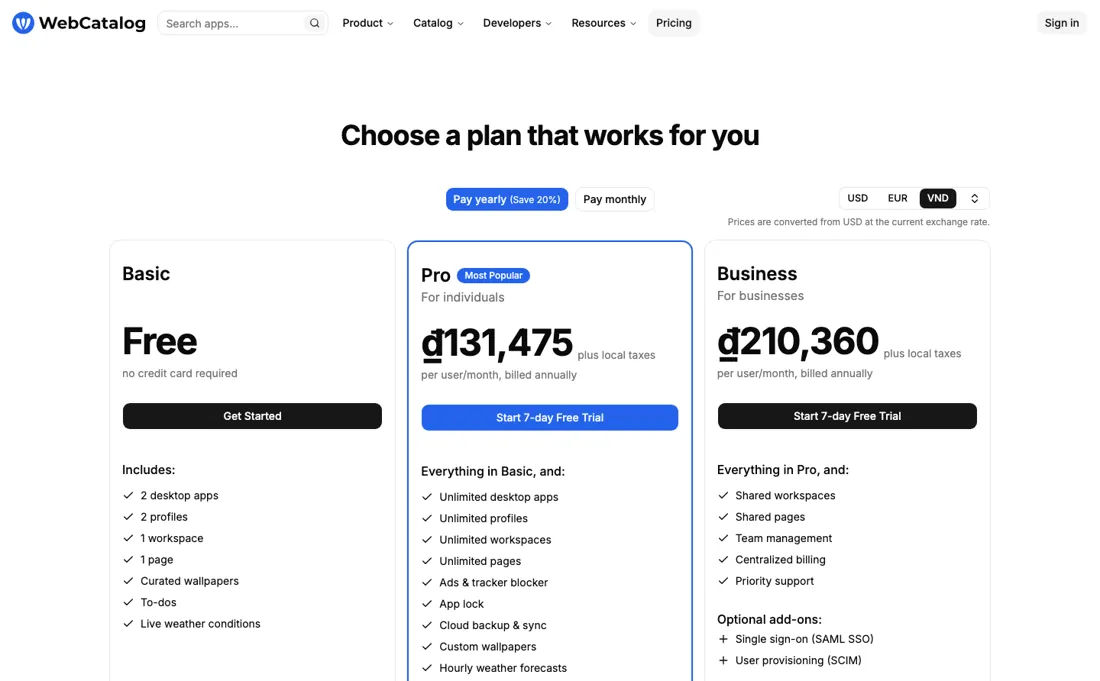
The honest question is whether you need the paid tier at all. The free plan's 2-app limit is tight, but browser profiles and PWAs solve part of the same problem for free. Pro earns its fee when multi-account juggling (several Gmail/Slack/WhatsApp identities) is daily reality.
What WebCatalog does
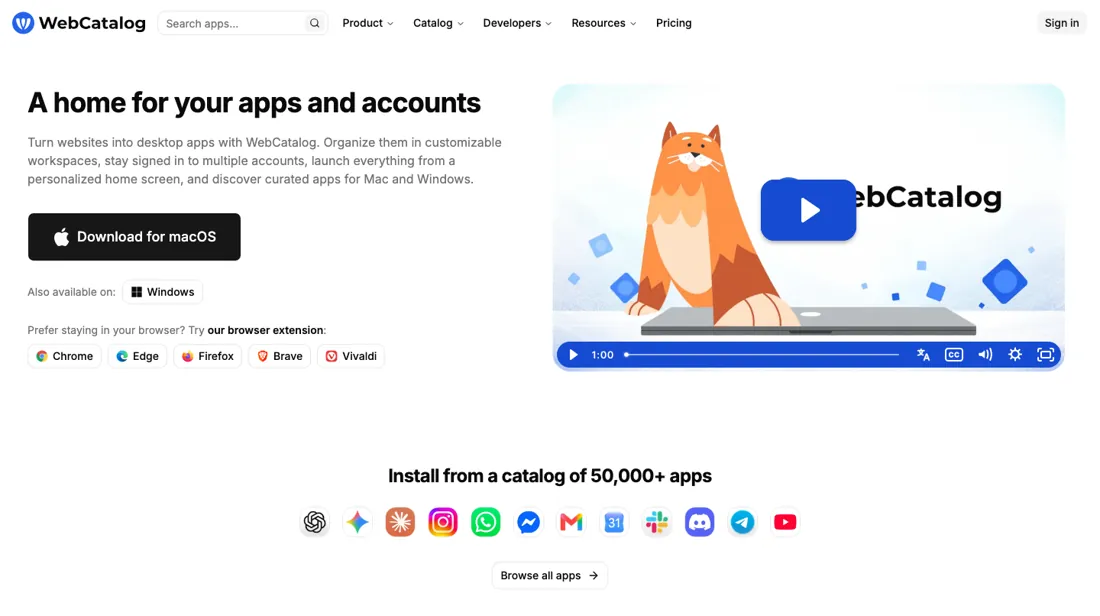
Turn web apps into tidy desktop apps and manage multiple accounts side by side. Less tab chaos, more focus — your whole stack organized in one place.
What buyers report about WebCatalog
Recurring themes from the buyer-review sites listed at the foot of this page, read in August 2026. We have not run WebCatalog ourselves, so this is other buyers' experience rather than ours. We summarise it here because the complaints are usually the part a vendor page leaves out.
- • Pro at $5 per user a month billed annually is by far the cheapest in the workspace-management category, and the one-click catalogue makes setup fast.
- • Turning scattered web apps into separate desktop apps with isolated multi-account profiles genuinely solves the several-logins problem. Basic is free for 2 apps.
- • Each app runs its own Chromium process. On a machine with 8 GB of RAM that is a real bottleneck, and it is the most frequently cited complaint.
- • Support is slow and the community forum is thin next to rivals.
- • Team management needs Business at $8 per user.
Count how often you switch accounts
Free Basic covers 2 desktop apps, 2 profiles and 1 space. Pro is $5 per user a month billed annually, plus local taxes, with unlimited apps, profiles and spaces, an ad-free experience and tracker blocking; cloud sync is on the free plan as well (re-read 25 September 2026). Business is $8 and adds team management. Both paid plans carry a 7-day trial (read September 2026). The honest question is whether you need to pay at all, because part of this problem is already solved for free.
Browser profiles give you separate identities, and progressive web apps give you app-shaped windows for most of the services people install this for. If you use one Gmail account, one Slack and one WhatsApp, those free mechanisms cover you and the two-app free tier will feel tight for no reason. Here is the test that settles it: count how many times in a normal day you sign out of one account to sign into another of the same service.
If the answer is zero, do not buy this. If the answer is five — three Gmail identities, two Slack workspaces, a personal and a work WhatsApp — then Pro at $60 a year is buying back a genuinely irritating few minutes every day, and multi-account juggling is precisely what it is built for. Two things ride along with Pro that people forget to price: an ads and tracker blocker across every app window, and an app lock.
If you were paying for a blocker anyway, that changes the $60-a-year arithmetic. Both are on the plan comparison, not sold separately, and neither is free. Business at $8 to $10 adds team management, which is a genuinely different purchase: it is for standardising which apps a team has and blocking the rest, not for the individual convenience Pro sells. Do not buy it for a team unless someone actually intends to manage that configuration.
How to actually use WebCatalog
Try the free approaches first, for a week. Set up browser profiles for your separate identities and install two or three services as progressive web apps. For a lot of people that is the whole problem solved at no cost, and the two-app free tier here will feel artificially tight by comparison. If it is not enough, count your account switches over a normal day: how many times do you sign out of one identity to reach another on the same service?
That number is what Pro is worth to you. Zero means do not buy; five means $60 a year is buying back several minutes daily. Check the currency before you budget: the pricing page prices in USD, EUR or JPY and adds local taxes on top, so the figure you plan around is not always the figure you first saw. And keep Business in reserve — it adds shared spaces, team management and SAML single sign-on rather than personal convenience, so it only makes sense if someone will actually administer which apps the team has.
Distilled from webcatalog.io/en/pricing read on 9 September 2026 and re-read in a browser on 10 September 2026 — the three plan cards with the annual per-user rates and the 'plus local taxes' line, the full feature-comparison table (desktop apps, profiles, spaces, cloud sync, pages, theme colours, ads and tracker blocker, app lock, location services, shared spaces, team management, SAML SSO) and the currency selector offering USD, EUR and JPY. Searched the same page and help.webcatalog.io for a lifetime or legacy licence: zero matches on either, so the earlier claim that one still exists is unsourced and has been removed. Re-read 25 September 2026 in a browser with both billing toggles: $5 and $8 annually, $6 and $10 monthly in USD, cloud sync listed on Basic, 'Ad-free experience' marked No on Basic and Yes on Pro and Business, and the FAQ on switching or cancelling, use on multiple devices and the 14-day refund for a mistaken purchase.
The natural comparison is Rambox or browser PWAs — Rambox is the direct competitor with similar pricing; PWAs are the free baseline — pay only if profile isolation is your real pain.
Frequently asked questions
How much more is WebCatalog Pro if I pay monthly?
One dollar a month, or $12 a year. Read 25 September 2026 in USD: Pro is $5 per user a month billed annually ($60 a year) or $6 billed monthly ($72), and Business is $8 or $10 ($96 against $120), with local taxes added to each. The page advertises a 20% saving for yearly billing; that is exact on Business and about 17% on Pro. Both paid plans start with a 7-day trial.
Does the free plan show ads?
Basic is not ad-free: the plan comparison (read 25 September 2026) marks 'Ad-free experience' No on Basic and Yes on Pro and Business. The ads and tracker blocker is a separate line in the same table and is also Pro-only. The free tier still includes cloud sync, to-dos, focus mode and curated wallpapers, so it is usable, just capped at 2 desktop apps, 2 profiles and 1 space.
Can I get my money back if I subscribe by mistake?
Within 14 days, but it is not promised. The pricing-page FAQ (read 25 September 2026) says a refund can be requested within 14 days of purchase if you signed up by mistake, and that refunds are not guaranteed and may be declined for repeated or abusive requests. Cancelling is simpler: you can cancel at any time and keep access until the end of the billing cycle, and one subscription covers every device where you sign in with the same account.
What should I weigh before buying IT & Productivity software?
Judge it on evidence rather than adjectives. Look for a published security page, single sign-on and role controls on the plan you would actually buy (they are often gated to higher tiers), a status page with real incident history, and a clear answer on where your data is stored. If the tool will hold anything sensitive, those four answers matter more than any feature comparison.
Is this a hands-on review of WebCatalog?
This is a researched assessment, not a hands-on test — where we've used a tool ourselves, we say so explicitly. We name what each tool is good and bad at, and we earn a commission only if you sign up, at no cost to you.
- Buyer reviews on practitioner reviews and tool comparisons, read August 2026.
- Re-read 25 September 2026 on webcatalog.io/en/pricing in a browser, both billing toggles, USD.
- A dated screenshot of that pricing page, kept on this site as the receipt.
Others in this category
Reviewed it & productivity tools that share ground with WebCatalog — comparable in what they do, not drop-in swaps:
New reviews, price changes we recorded, and the cost conditions we found. No sponsored placements. Unsubscribe anytime.
This is our researched assessment — not a paid placement. The “Visit” links on this page are affiliate links: we may earn a commission if you sign up, at no extra cost to you, and it never changes our take. How we review →