Pecan AI Review (2026)Priced by Prediction Batches, Not Seats
 By Daan Haket · Researched and written with an AI assistant · who does what
The pricing page argues instead of quoting.
data and marketing teams that want churn, LTV or demand predictions running against their own warehouse without hiring data scientists, and can work with an annual commitment quoted on a call.
you need to compare prices before you talk to anyone, you only want to see what already happened rather than what is likely to, or a fortnightly prediction cadence is not enough and the entry tier is therefore out.
Transparency: the “Visit” links on this page are affiliate links — we may earn a commission if you sign up, at no extra cost to you. No vendor can pay for a better review or verdict. How we make money →
Pricing (2026)
✓ Pricing re-verified 29 Sep 2026
| Plan | Price | What you get |
|---|---|---|
| Starter | quoted — talk to sales | getting your first model live: 2 prediction batches a month, 500M rows of storage, in-app support |
| Team | quoted — talk to sales | running predictive across the team: 10 batches a month, 2Bn rows, plus Essential enablement |
| Business | quoted — talk to sales | scaling company-wide: custom batch volume, 5Bn rows, plus Pro enablement |
| Enterprise | quoted | for special deployment, granular explainability and other requirements outside the three published tiers |
No public price at any tier. Pecan publishes three plans — Starter, Team and Business — and each one carries a Talk to sales button where the number would be, with a fourth enterprise route for special deployment and granular explainability. Billing is annual only and Pecan states there is no setup fee. What the page does publish is the meter, and it is not the one most buyers expect: the tier is set by monthly prediction batches and stored rows, not by seats.
Starter gives 2 batches a month and 500M rows, Team 10 batches and 2Bn rows, Business custom batches and 5Bn rows; support runs from in-app only, to in-app plus Essential enablement, to Pro enablement. A batch is one run against a dataset, so two a month is a fortnightly cadence — the number that decides your tier before any conversation about team size. Plans change — always verify the live price on their site.
Category context: Growth & Revenue. Across the 83 tools in this category that we researched with a public US-dollar price, the median entry price is about $30 a month (lowest paid plan as listed, per seat where the vendor prices per seat). Compare pricing conditions in the Software Cost Atlas →
The honest knock
Where the amount would be, it sets out what a data-science team would cost you — $600,000 and up for three or four specialists, and a claim that salaries are 60 to 80% of the lifecycle cost of building this yourself. That may well be true, but it is a comparison to hiring rather than a price, and it means you cannot put Pecan next to anything else until you have been through a sales call.
The second thing to catch is the meter. Starter's two prediction batches a month is a fortnightly cadence; any team that wants a weekly refresh is on Team from the first day, whatever its size, and that is a tier decision made by scheduling rather than by headcount.
Watch the 2-minute review
The video version of this review, from our YouTube channel.
What Pecan AI does
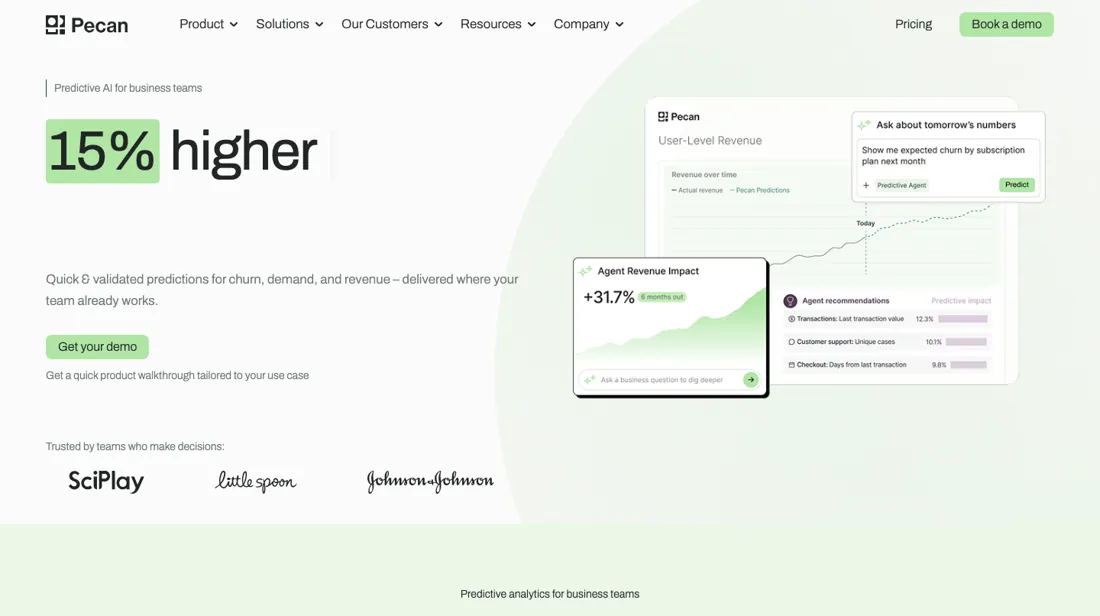
Predictive AI that builds churn, LTV and demand models from your own data and delivers the results into your warehouse or CRM. Priced by prediction batches rather than seats, and quote-only at every tier.
What buyers report about Pecan AI
Hands-on: not tested by usReported by buyers: G2-listing g2, read September 2026
Themes from the buyer-review sites listed at the foot of this page, read in September 2026. We have not run Pecan AI ourselves, so this is other buyers' experience rather than ours. We summarise it here because the complaints are usually the part a vendor page leaves out.
- • Time to a first working model is the claim reviewers actually confirm. J G., a data and automation analyst at a small business, had a first model live and in use by sales reps in under a month; a verified enterprise reviewer in computer software connected Snowflake, defined the predictive question and had something to show stakeholders within weeks, both without a data science function.
- • The support is the single most-repeated theme — G2 counts it in 18 of the 44 reviews. Reviewers describe weekly working sessions, a team that challenges their assumptions rather than nodding along, and, from a health and wellness reviewer, strictness about data leakage in the models themselves.
- • Analysts can drive it. Alderik W., a senior data analyst, describes a step-by-step framework for building, training and shipping a model to production, plus automatic troubleshooting suggestions and a compare tool for multiple runs; Yuqi L., a senior product analyst, uses the AI chatbox inside the model-building UI to explore and iterate on features.
- • For at least one buyer it is auditable rather than opaque: Emma P., a director of marketing operations and analytics, says explicitly that it is not a black box and that she can audit and test the results.
- • It is not self-service, and the reviewers who say so are the ones who tried. The enterprise software reviewer reports that getting the predictive question right takes several iterations and that the data pipeline needs hand-holding from the vendor, making the setup phase slower than expected; an entertainment reviewer describes a learning curve on both sides about their own data structure.
- • The price is the abstraction, and one reviewer says so plainly: J G. writes that a team with the in-house expertise to deploy custom models on a cloud provider can do it more cheaply, and that you are paying a premium for the abstraction and the support.
- • Basic workspace housekeeping is missing. Alderik W. wants a way to group flows and an archive option distinct from delete; a mid-market manufacturing reviewer keeps a running log of ideas outside the tool because project memory does not live in it.
- • Yuqi L. finds the SQL syntax differs enough from Snowflake that a copied query needs adjusting — small, but it lands on exactly the people the platform is sold to.
- • Transparency splits the set. G2's own summary of these 44 reviews says some users find the platform a black box on model transparency, which sits directly against Emma P.'s reading, and the tally counts Learning Difficulty in 9 reviews and Limited Features in 8.
Where the ratings disagree. Thirty-eight of forty-four at five stars and nothing below four tells you almost nothing on its own; the shape underneath it does. The praise clusters on the vendor's people — support in 18 of 44 reviews — and the complaints cluster on the setup phase and on what the tool does not carry by itself. That is the profile of a served engagement rather than a self-service platform, and it is the part to price: ask what the weekly sessions cost after year one and what happens to your models when they stop. The one real contradiction in the set is worth taking to a trial. One buyer says it is not a black box and that she can audit results; G2's own summary of the same 44 reviews says others feel it is. Ask to see the per-prediction explainability on your own data before you sign, not on the demo set.
What sets your tier, and what more money does not fix
Read the tiers as a schedule, not a headcount. What separates Starter, Team and Business is monthly prediction batches and stored rows: two batches and 500M rows, ten batches and 2Bn rows, then custom batch volume and 5Bn rows, with support running from in-app only, to in-app plus Essential enablement, to Pro enablement (read 27 August 2026). A batch is one run against a dataset, so Starter's two a month is a fortnightly refresh.
A team that wants to rescore churn weekly sits on Team from the first day whatever its size, and that scheduling question settles the tier before anything else does. What paying more does not fix: the price stays a conversation. Each of the three tiers, Starter included, ends at Talk to sales, subscriptions run on an annual billing cycle, and the pricing page offers no self-serve route in — though Pecan says it charges no setup fee.
Nor does a higher tier do the modelling for you. What Team and Business add is labelled enablement, which is support alongside your work rather than delivery of it; the predictive notebook, the core training table and the attribute tables are built on your side at every tier.
How to actually use Pecan AI
The first model starts as a chat and turns into SQL. Pecan's walkthrough opens in a predictive chat that asks four questions to shape what you are really asking: the focus of the prediction, the specific activity you want predicted, the time frame, and whether it is a one-time event or a recurring one. You then map a data connection you have already made — warehouse, CRM or database — or upload a CSV straight into the chat.
From your answers Pecan generates a predictive notebook holding the question and the queries that build your training set. You run and review those queries to produce the core set, the foundational table of historical behaviour, then add attribute tables carrying context such as demographics or product detail, then validate the mappings and submit for training. Two things to plan for: somebody has to be comfortable reading SQL, and the walkthrough sets no minimum on how much history a model needs, so ask on the call.
Distilled from Pecan help centre — https://help.pecan.ai/en/articles/8665302-build-your-first-predictive-ml-model — and https://www.pecan.ai/how-it-works/, plus the pricing page https://www.pecan.ai/pricing/, all read 27 August 2026. Pricing re-read 29 September 2026 at pecan.ai/pricing: tier table, feature comparison and FAQ (annual billing cycle, no setup fee, 'several thousand dollars per month' for mid-sized teams).
Pecan AI vs Databox, side by side
Where a vendor publishes a price, its column shows the entry price we read and when; where it does not, the column says so rather than filling in a figure from elsewhere. We do not average them into a score.
Both names above are affiliate links: we may earn a commission if you sign up, at no extra cost to you. Neither changes what this table says.
The natural comparison is Databox — the tool people weigh this against when they are really asking whether they need prediction at all — Databox publishes its prices and shows you what happened across 130+ integrations, Pecan quotes every tier and tries to tell you what happens next; the split is reporting versus forecasting, and only one of the two lets you budget before a sales call.
Frequently asked questions
What does Pecan cost?
Nothing is published. Read on pecan.ai/pricing on 18 September 2026, all three plans — Starter, Team and Business — carry a Talk to sales button where the price would be, and the enterprise note below them sends you to the same place. The only figure anywhere near a price is in their own FAQ, which says predictive analytics for mid-sized teams “often starts at several thousand dollars per month” and positions Pecan as a competitive entry point against that. Two things the FAQ does commit to: billing runs on an annual cycle, and there is no setup fee.
What actually drives the bill?
Two ceilings, both on the page: prediction batches per month and stored rows. Starter gets 2 batches and 500M rows, Team 10 batches and 2Bn rows, Business a custom batch count and 5Bn rows. Their own definition is the part to read twice — a batch is one run over one selected dataset, and every scheduled run counts separately. A daily refresh of a single dataset is therefore roughly 30 batches a month, which makes Starter a monthly-cycle product and Team something you can run about every third day. Daily scoring means the Business tier or paid extra batches. Hit the row ceiling and the page offers two ways out: delete old data, or move up a plan.
Can I start small, or try it, without talking to sales?
Not according to this page. There is no free tier and no self-serve checkout on it; every column ends in Talk to sales or Book a demo, subscriptions run on an annual billing cycle, and even an upgrade goes through their customer success team from your dashboard rather than a billing screen. Budget for a sales conversation and a twelve-month commitment before you ever see a number.
Which plan do I need for single sign-on?
Depends entirely on your identity provider. The comparison table lists Google Workspace and Microsoft SSO on Starter and Team, and any SAML, OIDC or OAuth provider only under Business. So Okta, Ping, JumpCloud or anything else puts SSO on the top tier — which is also the tier with a custom batch count and no published price, so raise it in the first call rather than after the quote.
Is this a hands-on review of Pecan AI?
This is a researched assessment, not a hands-on test — where we've used a tool ourselves, we say so explicitly. We name what each tool is good and bad at, and we earn a commission only if you sign up, at no cost to you.
- Buyer reviews on G2-listing g2.com/products/pecan/reviews (44 reviews, gemiddelde 4.7: 38 vijfsterren, 6 viersterren en geen drie-, twee- of eensterren), met G2's eigen telling van de terugkerende punten: Ease of Use in 25 reviews, Customer Support in 18, Learning Difficulty in 9 en Limited Features in 8. De reviews dragen het label “Source: Organic”, read September 2026.
- Read 2026-08-27 on pecan.ai/pricing, and unchanged on 2026-09-29: the same three quote-only tiers, batch and row meters, SSO split and FAQ.
Others in this category
Reviewed growth & revenue tools that share ground with Pecan AI — comparable in what they do, not drop-in swaps:
New reviews, price changes we recorded, and the cost conditions we found. No sponsored placements. Unsubscribe anytime.
This is our researched assessment — not a paid placement. The “Visit” links on this page are affiliate links: we may earn a commission if you sign up, at no extra cost to you, and it never changes our take. How we review →