 Deputy Review (2026)$30 Monthly Floor Under Six Users
The minimum monthly spend is the number to check before anything else: at $5.50 per user on monthly billing, a team of fewer than about six people still pays the $30 floor, so the headline per-user price is misleading at small scale.
Visit Deputy → Affiliate link — the rest of this page is the honest version, including who should skip it.
Watch the 2-minute review
Same honest take, in video form — from our YouTube channel.
⚡ Short on time? Watch the 30-second verdict Short.
Pricing (2026)
✓ Pricing re-verified 5 Sep 2026
| This tool | $5 | 1st cheapest of 4 |
| Cheapest | $5 | this one |
| Median | $20 | |
| Most expensive | $25 | Turbotic |
Entry price per seat, per month, USD. Our own dated readings of 4 operations & workflow tools — not a market survey, and cheapest is not best.
(2026-07-31, read in a live browser session on deputy.com/pricing with both billing toggles) Three plans, per user per month and excluding tax. On annual billing Lite is $5, Core $6.50 and Pro $9; switch the toggle to monthly and the same three read $5.50, $7.25 and $10. Add-ons are billed monthly on top. HR is $2 per user, Messaging+ $1.95 per user and Analytics+ $1.50 per user, and the last two are included in Pro.
Deputy Payroll enabled by Paycor is $8 per user plus a $49 monthly base fee, available only on annual Core and Pro plans in the US. The page also states a minimum monthly spend of USD $30 / AUD $30 / GBP £20 per invoice on the monthly Lite, Core and Pro plans. Lite and Core start with a free trial; Pro is Contact us rather than self-serve. Plans change — always verify the live price on their site.
What the pricing page doesn’t say
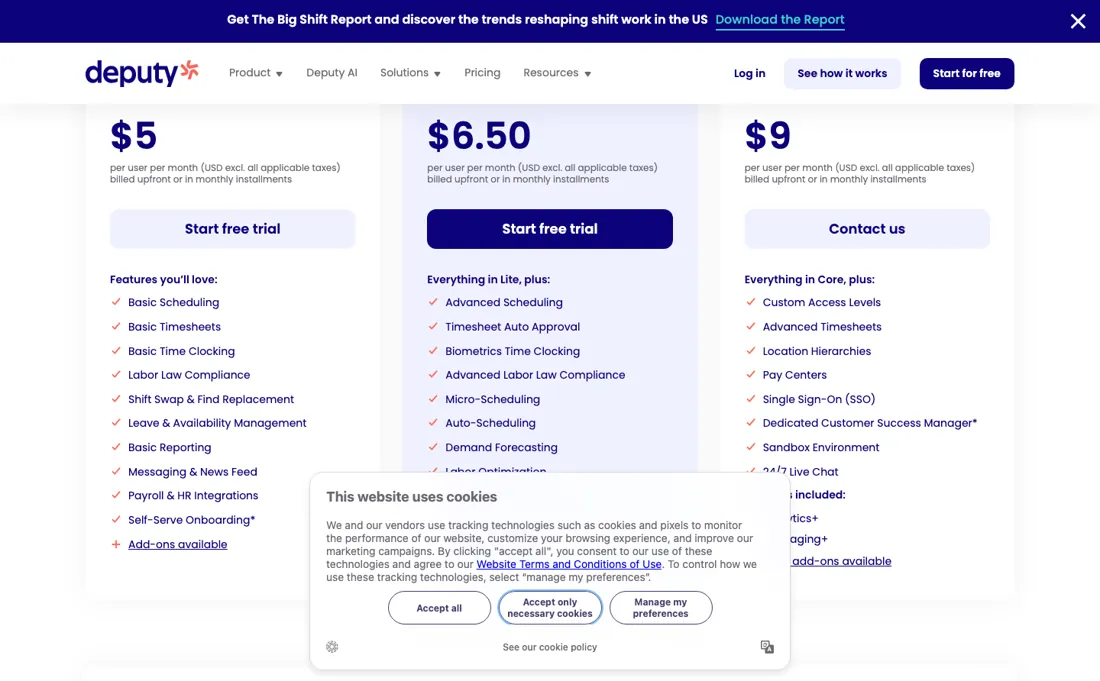
Beyond that, the plan you probably want is not the one you first price — auto-scheduling, demand forecasting and labour budgets sit in Core, and SSO, custom access levels and location hierarchies only in Pro, which has no public self-serve checkout. The add-ons stack per user as well, and the payroll add-on is US-only and annual-only.
What Deputy does
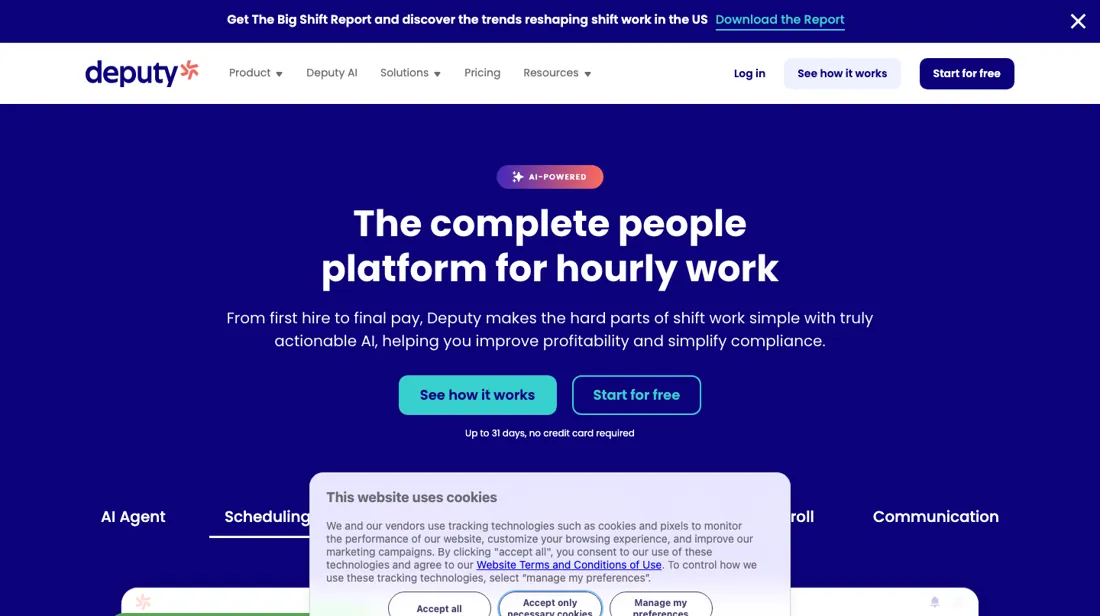
Workforce management for hourly and shift-based teams: rota building, time clocking, timesheet approval and labour-law compliance, with payroll and HR integrations.
What buyers report about Deputy
Recurring themes from the buyer-review sites listed at the foot of this page, read in August 2026. We have not run Deputy ourselves, so this is other buyers' experience rather than ours. We summarise it here because the complaints are usually the part a vendor page leaves out.
- • The mobile app is the part shift workers actually touch, and it is rated well — around 4.6 on G2 across 660+ reviews.
- • Scheduling holds up in fast, high-churn shift environments, which is the job it is bought for.
- • Reporting depth. Reviewers who want to analyse rather than schedule run out of room.
- • Support response times, named in most of the negative reviews.
- • Billing clarity draws criticism from a meaningful minority — confirm what you will pay at your headcount before signing.
- • Behaviour differs between mobile and desktop, and glitches get mentioned.
Where the ratings disagree. 4.6 on G2 against 3.9 on Trustpilot Australia, where award-interpretation problems drive much of the difference. If you are rostering under Australian awards, weigh the Trustpilot side more heavily than the G2 average.
When the paid plan is worth it
Do the add-on arithmetic before you pick Core, because on the published rates the tier above it is cheaper. Annual per user: Lite $5, Core $6.50, Pro $9. Messaging+ costs $1.95 a user and Analytics+ $1.50, and both are included in Pro. So Core with those two is $9.95 a user against $9 for Pro -- ninety-five cents a head more for less. If you want either of those add-ons, price Pro first.
The catch is that Pro is not self-serve: Lite and Core start with a free trial while Pro says Contact us, so the cheaper option requires a conversation. Worth having that conversation with the sum above in hand. Two things that hit small teams harder than the per-user rate suggests. Monthly billing carries a minimum spend of USD $30 (AUD $30, GBP 20) per invoice on Lite, Core and Pro, so a team of three on monthly Lite pays $30 rather than $16.50 -- an effective $10 a head, double the list price.
Annual billing has no such floor and is cheaper per user anyway ($5 against $5.50 on Lite). And Deputy Payroll through Paycor is $8 a user PLUS a $49 monthly base fee, available only on annual Core and Pro in the US -- that base fee alone is more than ten Lite seats.
How to actually use Deputy
Setup follows Deputy's own hierarchy, and getting it wrong is what forces a rebuild later: the Organisation at the top, then Locations, then Areas. A Location needs a real street address rather than a label, because Deputy uses it to show where a shift was started and ended; Areas are the parts of a location staff are scheduled into, so they determine what a roster can look like. Team members go in with a name and an access level, and the email address is documented as optional.
But the same documentation is explicit that without one they cannot create an account with your organisation, which means no clock-in and no shift notifications. Nothing reaches staff until you publish the shifts. Two costs sit outside the roster. Deputy's pricing FAQ states that administrators and supervisors count as billable users like anyone else. It also puts SMS at 160 characters a segment — 1c in the US, 5p in the UK, 5c in Australia, 7c elsewhere — while noting that many messages sent through Deputy run longer than one segment.
Distilled from Deputy help centre articles "Getting started with Deputy", "Organisations, Locations and Areas set up" and "Creating your Locations", plus the FAQ on the Deputy pricing page covering minimum spend, billable users and SMS charges, read 21 August 2026.
Deputy vs Connecteam, side by side
Both columns come from the same place: each vendor’s own published pricing, read on the date shown in the sources at the foot of this page. We do not average them into a score.
Both names above are affiliate links: we may earn a commission if you sign up, at no extra cost to you. Neither changes what this table says: both columns come straight from the vendors’ own pricing pages.
The natural comparison is Connecteam — the all-in-one deskless-team app.
More on Deputy
Everything we publish about Deputy links back here — the review stays the honest hub:
The ex-banker filter — the same yardstick on every review (how we review): My ex-banker filter is simple: does Deputy remove a real cost — time, errors, missed revenue — bigger than what it charges?
Frequently asked questions
What should I weigh before buying Operations & Workflow software?
Usually it sits on top rather than replacing everything. Tools in this class tend to become the layer where work is tracked and handed off, while your existing systems stay the source of truth for their own data. Before you buy, map which tools it would replace outright and which it would merely sync with. If the answer is that it syncs with all of them, you are adding a layer rather than removing one.
Is this a hands-on review of Deputy?
This is a researched assessment, not a hands-on test — where we've used a tool ourselves, we say so explicitly. We name what each tool is genuinely good and bad at, and we earn a commission only if you sign up, at no cost to you.
- Buyer reviews on G2, Capterra and Trustpilot, read August 2026.
- 2026-07-31, read in a live browser session on deputy.com/pricing with both billing toggles.
- A dated screenshot of that pricing page, kept on this site as the receipt.
Others in this category
Reviewed operations & workflow tools that share ground with Deputy — comparable in what they do, not drop-in swaps:
New dossiers, cost-traps we found, and tools that earned a keep — no hype, no sponsored-disguised-as-advice. Unsubscribe anytime.
This is our researched assessment — not a paid placement. The “Visit” links on this page are affiliate links: we may earn a commission if you sign up, at no extra cost to you, and it never changes our take. How we review →