 Alvys Review (2026)
Implementation runs to weeks — the vendor's own pricing FAQ says most operations are live in under two to four weeks — and real-time support is the top tier's: self-serve on Foundations, chat and email on Growth, phone and a dedicated success manager only on Scale.
Visit Alvys → Affiliate link — we may earn a commission if you sign up; it does not change what this page says.
Watch the 2-minute review
The video version of this review, from our YouTube channel.
Pricing (2026)
✓ Pricing re-verified 20 Sep 2026
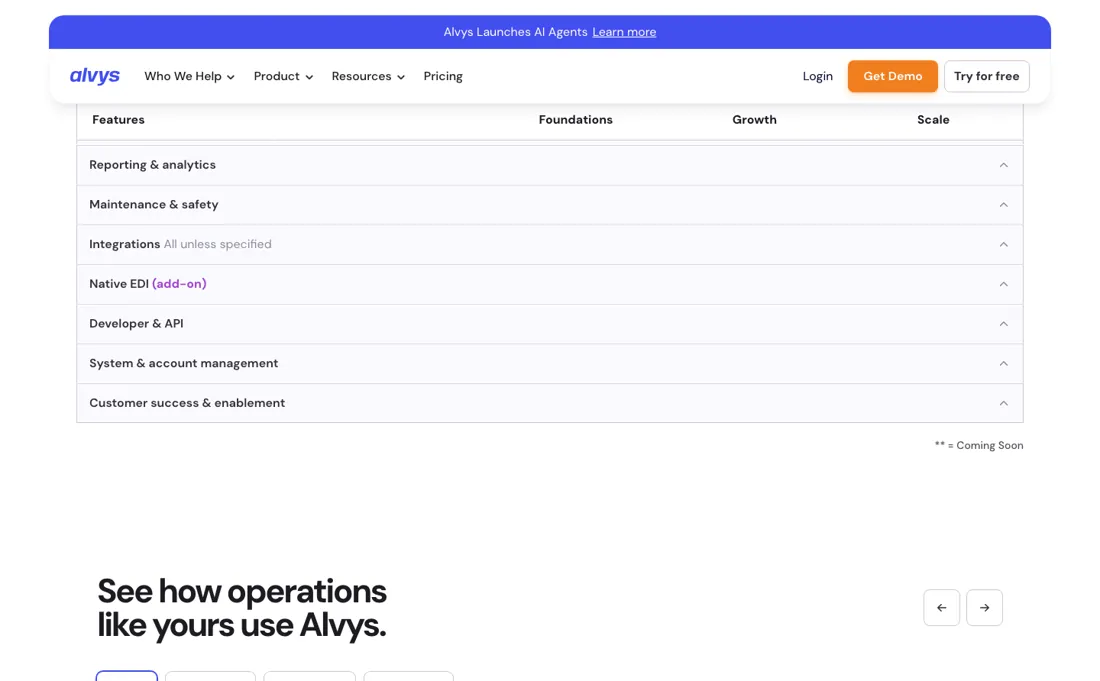
The pricing page is public again, and it has tiers now. On 26 August 2026 alvys.com/pricing answered an ordinary request with HTTP 401 and sat behind a password; read on 20 September 2026 it returns 200 and shows three plans — Foundations, Growth and Scale — none of which carries an amount. All three read "Quoted based on volume of loads", under the page's own summary line: simple per-load pricing, free implementation, cancel anytime.
Foundations now has a 14-day free trial behind a Try for free button; Growth and Scale route to sales. The FAQ states there are no setup fees, no per-user or per-seat charge, no contracts and month-to-month cancellation. Two extras are priced in the open: EDI includes 2 trading partners on Growth and 5 on Scale with per-partner pricing above the cap, and the developer sandbox is a $100/month add-on on Foundations and Growth, included on Scale.
Custom reports, scheduled reports, Insights AI analytics, Sage and Samsara Premium are add-ons on every tier. The last published load-based rates (2026) were Carrier from ~$150/mo and Broker from ~$300/mo; those tier names no longer exist on the page and the figures are history, not a quote. Plans change — always verify the live price on their site.
What the pricing page doesn’t say
Two honest boundaries. And it's built specifically for truck-based FTL operations: if you're a pure-play (non-asset) broker, run LTL with multiple customers per load, or need rail/air/ocean tracking, this isn't your TMS — Alvys itself is refreshingly explicit about that. The fit is narrow and deep, not broad.
What Alvys does
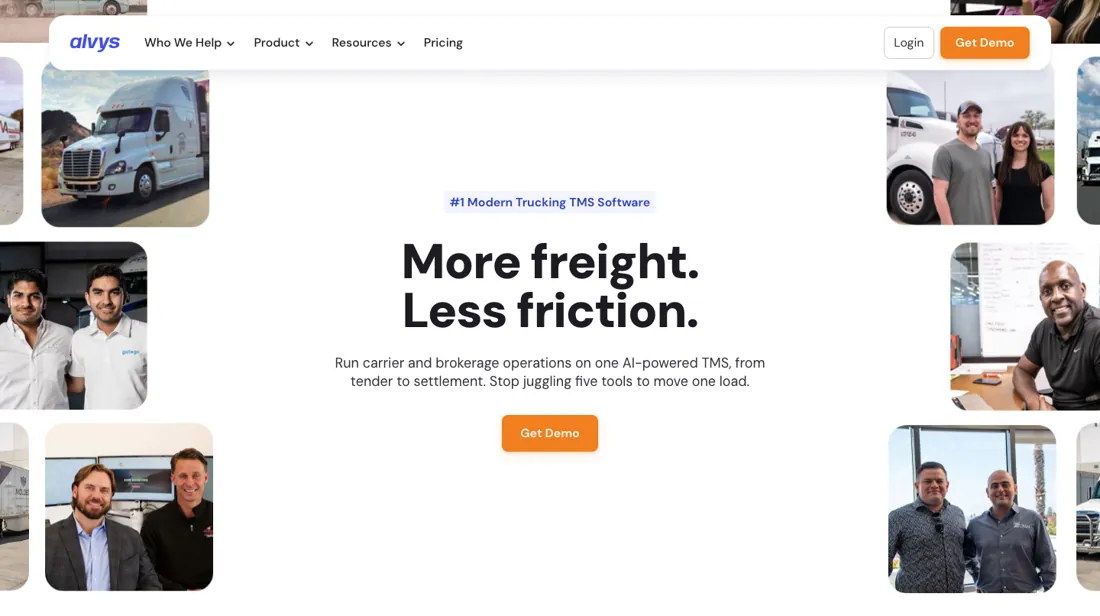
Cloud-native transportation management system (TMS) unifying trucking carriers and freight brokers in one platform — dispatch, billing, DOT/IFTA compliance, real-time load visibility and native EDI (no third-party middleware), so new shippers connect in hours rather than weeks.
What buyers report about Alvys
Recurring themes from the buyer-review sites listed at the foot of this page, read in August 2026. We have not run Alvys ourselves, so this is other buyers' experience rather than ours. We summarise it here because the complaints are usually the part a vendor page leaves out.
- • Easy to learn even for staff new to a TMS, and the automation across quoting, dispatch and invoicing is what reviewers say saves the time.
- • Real-time tracking and a support team reviewers repeatedly call responsive.
- • Reviewers report sales and EDI teams promising things that did not materialise. Get commitments in the contract, not the demo.
- • One reviewer reports IFTA reporting being inaccurate for months with slow fixes, which put quarterly compliance at risk. If IFTA matters to you, test it before you migrate.
- • Occasional bugs that interrupt operations.
- • Reviewers from smaller fleets call it steep, and you cannot check that against a page: alvys.com/pricing sits behind a password, so any figure you find elsewhere is history rather than a quote.
What the price was, and why you cannot see it now
Alvys used to publish rates, stopped, and has now put a price page back up without any numbers on it. Read on 20 September 2026, alvys.com/pricing shows three tiers — Foundations, Growth and Scale — and all three say the same thing: quoted on your volume of loads. That is a change from 26 August, when the page answered an ordinary request with HTTP 401 and sat behind a password.
The last published figures were load-based — Carrier from around $150 a month and Broker from around $300 — with no per-seat fees; those tier names are gone from the page now, so the right use for the numbers is to sanity-check whatever sales offers you rather than to budget from. The pricing SHAPE is the part that still matters, because it is unusual and it suits some operations badly.
The FAQ is explicit that there is no per-user or per-seat charge and you pay per load, so your cost tracks freight volume rather than headcount. For a carrier adding office staff to handle the same lanes, that is genuinely good: dispatchers, billing clerks and compliance people cost nothing extra to put on the system. For an operation whose volume spikes seasonally, it is the reverse — your software bill peaks in exactly the month your working capital is already stretched.
Ask how loads are counted, whether cancelled and rebilled loads count, and what the rate does at your peak month rather than your average. Two boundaries decide whether any of this is worth pricing at all, and Alvys is now explicit about both on the page itself. Implementation runs to weeks rather than days: the pricing FAQ says most operations are live in under two to four weeks, depending on plan and complexity.
And support is tiered rather than uniform — self-serve on Foundations, chat and email on Growth, and chat, email and phone plus a dedicated success manager only on Scale — so real-time support exists, but it is the top tier's. The product is also built for truck-based FTL: a pure-play non-asset broker, an LTL operation billing multiple customers per load, or anyone needing rail, air or ocean tracking is outside the design.
No tier fixes that, because it is a design boundary rather than a feature gap: Scale buys you unlimited subsidiaries and phone support, not LTL billing or ocean tracking. The fit is narrow and deep rather than broad, and a narrow fit is the wrong thing to negotiate a price on if you are standing outside it. There is a door other than the demo now: Foundations carries a 14-day free trial behind a Try for free button, while Growth and Scale route to sales.
Note what the trial tier is, though — self-serve onboarding, self-serve support, one subsidiary, one office — so it tests the product rather than the configuration a multi-entity fleet would buy. Either way, go in with your load count, your truck count and your peak-month volume already written down: with no price list, those three numbers are the only leverage you have.
How to actually use Alvys
Foundations now has a 14-day free trial with a Try for free button; Growth and Scale start with a demo where you pick your business type and a vendor onboarding team runs setup, training and data migration. Budget weeks rather than days: the pricing FAQ, read 20 September 2026, says most operations are live in under two to four weeks depending on plan and complexity, while the vendor's onboarding page still claims a matter of days.
Onboarding itself is tiered — self-serve on Foundations, virtual on Growth, custom on Scale — and carries no setup fee on any tier. First real value is a dispatched load with the driver app live, and the office-side setup must exist first. The help center is explicit that every driver and truck needs an assignment preference under Assets > Assignment Preferences or it never appears in Dispatch Planner v2, and loads tendered as a brokerage subsidiary are excluded from that planner entirely.
Drivers can only log in after an admin creates their profile; check-in requires being within 10 miles of the facility, on Android 8+ or iOS 15+. Settlements are where setups stall: pay periods must exist under Settings > Pay Periods, each driver needs at least one active rate, and only trips in Delivered status appear. And only owner-operator statements sync to QuickBooks — company-driver statements need a QuickBooks Payroll integration that is not supported.
Distilled from vendor sources only: alvys.com/pricing (read 20 September 2026 — the Foundations/Growth/Scale tiers, the 14-day free trial, the per-load pricing FAQ, the EDI partner caps and the $100/month developer sandbox), the Alvys help center (help.alvys.com articles on Dispatch Planner v2, the Driver Companion app and driver settlements) plus alvys.com's own FAQ, onboarding and demo pages — no independent hands-on walkthrough of the product could be found, only affiliate and directory listings, which are not walkthroughs.
The natural comparison is Rose Rocket or McLeod — a modern TMS peer vs the legacy heavyweight — Alvys competes on cloud-native speed and load-based pricing.
Frequently asked questions
Can I try it before I talk to sales?
Yes, and that is new. On 26 August 2026 alvys.com/pricing answered an ordinary request with HTTP 401 — the page sat behind a password. Read again on 20 September 2026 it is public, and the entry tier, Foundations, carries a 14-day free trial behind a Try for free button rather than a demo form. Above it sit Growth and Scale, both Talk to sales. None of the three shows an amount: all say quoted on your volume of loads. The page states there are no setup fees, that onboarding and implementation are included at no extra cost, and that users go month to month with no lock-in. So the demo is no longer the only door — but note which tier the trial is on: self-serve onboarding, self-serve support, one subsidiary and one office. It tests the product, not the configuration a multi-entity fleet would end up buying.
How is it priced, and what pushes the bill up?
Per load, not per person. The pricing FAQ, read 20 September 2026, is explicit that there is no per-user or per-seat charge — add as many dispatchers as you need and you pay per load — so your software bill tracks freight volume rather than headcount. That is good if you are adding office staff to the same lanes and the reverse if your volume spikes seasonally, because the bill peaks in the month your working capital is already stretched. Put three questions to sales before the rate: what counts as a load, whether a cancelled and rebilled load counts twice, and what the invoice looks like in your busiest month rather than an average one. Two named extras sit outside the per-load rate: EDI includes two trading partners on Growth and five on Scale, with per-partner pricing above that cap, and the developer sandbox is a $100-a-month add-on on Foundations and Growth, included on Scale. Custom reports, scheduled reporting and Insights AI analytics are add-ons on every tier.
What support do I get, and how long is setup really?
Both are tiered, and the vendor now states both on the page. Read 20 September 2026: support is self-serve on Foundations, chat and email on Growth, and chat, email and phone plus a dedicated success manager on Scale. Real-time support exists — it is the top tier's. Onboarding follows the same ladder, self-serve then virtual then custom, and carries no setup fee on any tier. On timing the pricing FAQ says most operations are live in under two to four weeks depending on plan and complexity, which is the number to plan against rather than the matter of days the vendor's onboarding page claims. Structural limits move with the tier too: one subsidiary and one office on Foundations, three subsidiaries and unlimited offices on Growth, unlimited on Scale — which is what decides the tier for a multi-entity fleet, more than the feature list does.
What should I weigh before buying Operations & Workflow software?
Usually it sits on top rather than replacing everything. Tools in this class tend to become the layer where work is tracked and handed off, while your existing systems stay the source of truth for their own data. Before you buy, map which tools it would replace outright and which it would merely sync with. If the answer is that it syncs with all of them, you are adding a layer rather than removing one.
Is this a hands-on review of Alvys?
This is a researched assessment, not a hands-on test — where we've used a tool ourselves, we say so explicitly. We name what each tool is good and bad at, and we earn a commission only if you sign up, at no cost to you.
- Buyer reviews on G2, Capterra, GetApp and Software Advice, read August 2026.
- Re-verified 20 Sep 2026.
- A dated screenshot of that pricing page, kept on this site as the receipt.
Others in this category
Reviewed operations & workflow tools that share ground with Alvys — comparable in what they do, not drop-in swaps:
New reviews, price changes we recorded, and the cost conditions we found. No sponsored placements. Unsubscribe anytime.
This is our researched assessment — not a paid placement. The “Visit” links on this page are affiliate links: we may earn a commission if you sign up, at no extra cost to you, and it never changes our take. How we review →