 Plansom Review (2026)Free Plan Has Unlimited Tasks
The thing you cannot check is the price. Throughout this review we weigh it against Asana.
Visit Plansom → Affiliate link — we may earn a commission if you sign up; it does not change what this page says.
Watch the 2-minute review
The video version of this review, from our YouTube channel.
⚡ Short on time? Watch the 30-second verdict Short.
Pricing (2026)
✓ Pricing re-verified 24 Sep 2026
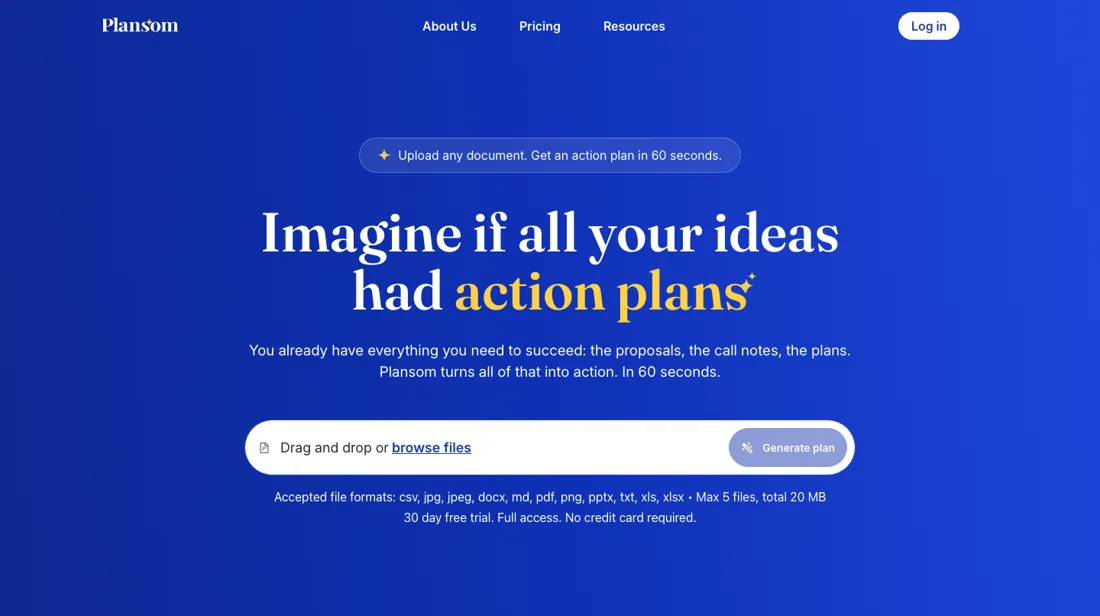
No public price. plansom.com (read in a browser on 5 September 2026) has no pricing page, no pricing link in the navigation and no amount anywhere on the site; the only routes off the homepage are 'Create plan' and the app login. The old /pricing URL returns 404, and still did when re-checked on 24 September 2026; the site's own llms.txt, read the same day, lists the homepage, about, terms, privacy and cookie pages and no pricing page.
Plans and any paid tier are only visible after signing in, so budget on what the app shows you, not on the Pro figure of about $14.99 a month (or $149.99 a year) we recorded earlier and can no longer trace. What the homepage does publish alongside the product: 'Your data is not used to train LLMs', SOC 2 Ready, GDPR compliant. Plans change — always verify the live price on their site.
The honest knock
plansom.com publishes no figure, /pricing returns 404, and there is no pricing link in the navigation — the only routes to a number are the signup or a sales conversation. The integration list is no longer the weak spot it once was: Claude, ChatGPT, Slack, Gmail, Outlook, Notion, HubSpot, Microsoft 365, Google Workspace, Zoom and Fireflies are all named on the homepage, and there is a published Microsoft collaboration behind the Teams work.
But it is still the smaller player next to Asana, ClickUp and Motion, and it has repositioned around AI agents that run tasks for you. Agent work is usually metered, so ask what a unit of it costs before you compare anything.
What Plansom does
AI-assisted planning for tasks, goals and team collaboration, with a free Starter tier that keeps tasks unlimited. A smaller player next to Asana and ClickUp, with fewer integrations and a smaller ecosystem around it.
What buyers report about Plansom
Recurring themes from the buyer-review sites listed at the foot of this page, read in August 2026. We have not run Plansom ourselves, so this is other buyers' experience rather than ours. We summarise it here because the complaints are usually the part a vendor page leaves out.
- • 99% of ratings are five stars, and reviewers describe the product itself as excellent with a genuinely good user experience.
- • A free Starter plan with unlimited tasks and goal-setting, then Pro at $14.99/month or $149.99 a year.
- • Plan management is where it falls down, and reviewers are blunt: subscription prices rose twice in two months, and the company keeps changing what each plan includes — removing features in a way that pushes users to upgrade.
- • That instability is the complaint, not the software. If you need predictable cost, this is the risk to weigh.
- • The free tier has a usage threshold rather than being genuinely unlimited.
Nothing on the site says what it costs
There is no price to check. plansom.com, read in a browser on 5 September 2026, carries no figure anywhere: no pricing page, no pricing link in the navigation, and /pricing returns 404. The only routes off the homepage are 'Create plan' and the app login. Our dossier used to carry a Pro plan at about $14.99 a month and $149.99 a year; neither traces to the site as it now stands, so treat them as history rather than a quote.
That matters more than usual, because the product has moved. What the homepage sells now is an AI work simplifier — set a goal, get a ready-to-share plan, hand tasks to AI agents — wired into Claude, ChatGPT, Slack, Gmail, Outlook, Notion, HubSpot and Microsoft 365. A price recorded against a task manager does not necessarily survive a repositioning into agent-run work, and agent work is usually metered. So the first question on the call is not what a seat costs but what a unit of AI work costs, and whether it is included, capped or billed on top.
Get the published claims in writing at the same time: SOC 2 Ready, GDPR compliant, and that your data is not used to train LLMs.
How to actually use Plansom
Start by asking for the number, because the site does not have one. There is no pricing page on plansom.com, no pricing link in the navigation, and /pricing returns 404 — the only routes to a figure are signing up or asking. When you ask, split the question in two. A per-seat rate is the easy half. The half that decides the bill is the AI work: this is sold as agents that run tasks for you, so ask whether agent runs are included, capped or metered on top, and what a busy month costs once it goes over.
Get the security claims in writing at the same time. The homepage says SOC 2 Ready — which is not the same as SOC 2 certified — plus GDPR compliance and that your data is not used to train LLMs. Ask which of those are audited, and by whom. Then run it on real work before committing to a term. The product is now built around agents rather than task lists, and that is a change only your own material can judge.
Distilled from Plansom's own site, read 5 September 2026: the homepage (plansom.com) in the browser panel with JavaScript left to settle — it is fully client-rendered, so a plain fetch returns nothing but the title — which carries no amount anywhere, no pricing link in its navigation, and only two routes out ('Create plan' and /auth/login); plansom.com/pricing, which returns HTTP 404; and the same homepage for the integration list, the five-step product description, and the published line 'Your data is not used to train LLMs. SOC 2 Ready. GDPR compliant.' The Microsoft collaboration is stated on the homepage and links out to Microsoft's own startups blog post about Plansom using the Foundry SDKs in Microsoft Teams. Re-checked 24 September 2026: https://plansom.com/pricing still returns HTTP 404; https://plansom.com/llms.txt lists no pricing page and describes the product as uploading a document to get a shareable execution plan in 60 seconds; and the Terms and Conditions at https://plansom.com/terms-and-conditions.html (last updated 9 July 2025) supply the billing, refund, cooling-off and data-deletion terms quoted in the buyer questions.
Plansom vs ClickUp, side by side
Both columns come from the same place: each vendor’s own published pricing, read on the date shown in the sources at the foot of this page. We do not average them into a score.
Both names above are affiliate links: we may earn a commission if you sign up, at no extra cost to you. Neither changes what this table says: both columns come straight from the vendors’ own pricing pages.
The natural comparison is Asana, ClickUp or Motion — the established AI-PM tools. Weigh it against Asana on the job you actually need done.
Frequently asked questions
How much does Plansom cost?
Plansom does not publish a price. Re-checked 24 September 2026, plansom.com/pricing still returns a 404 and the site's own llms.txt lists no pricing page. Its terms (last updated 9 July 2025) say plan details and pricing are available on the website and that fees may change, with a change taking effect at the start of your next term and notice beforehand; in practice the figure is only visible after signing up or in a sales conversation. The Pro price of about $14.99 a month we recorded earlier no longer traces to the site, so do not budget on it. Ask for the monthly and annual figure, and what AI agent work costs, in writing.
Can I get my money back if Plansom does not fit?
Usually not. The terms, last updated 9 July 2025 and read 24 September 2026, say all payments are non-refundable, on monthly and annual plans alike. A monthly plan can be cancelled any time and stops at the end of the paid month, with no credit for the part-month. An annual plan is charged for the full year up front, and cancelling only stops the renewal; the terms say unused months are generally not refunded. Consumers in the EU or UK may have a 14-day cooling-off right on the first purchase, which can be lost once paid features are used. On a team monthly plan every active user licence is billed each month, used or not.
What happens to our data when we stop using Plansom?
It is deleted or returned, whichever you choose. Per the terms, read 24 September 2026, on termination or expiry, or on written request, Plansom will delete or return all customer personal data it processes for you and delete its copies, generally within 30 days. Data it must keep by law, or that sits in routine backups, is isolated from further processing until it can be deleted, and a formal certificate of deletion is available on request. The homepage, read 5 September 2026, also states that your data is not used to train LLMs, alongside SOC 2 Ready and GDPR compliance. Export your plans before the subscription ends.
What should I weigh before buying Operations & Workflow software?
Usually it sits on top rather than replacing everything. Tools in this class tend to become the layer where work is tracked and handed off, while your existing systems stay the source of truth for their own data. Before you buy, map which tools it would replace outright and which it would merely sync with. If the answer is that it syncs with all of them, you are adding a layer rather than removing one.
Is this a hands-on review of Plansom?
This is a researched assessment, not a hands-on test — where we've used a tool ourselves, we say so explicitly. We name what each tool is good and bad at, and we earn a commission only if you sign up, at no cost to you.
- Buyer reviews on Capterra, Tekpon and SoftwareWorld, read August 2026.
- Plansom’s own published pricing page.
Others in this category
Reviewed operations & workflow tools that share ground with Plansom — comparable in what they do, not drop-in swaps:
New reviews, price changes we recorded, and the cost conditions we found. No sponsored placements. Unsubscribe anytime.
This is our researched assessment — not a paid placement. The “Visit” links on this page are affiliate links: we may earn a commission if you sign up, at no extra cost to you, and it never changes our take. How we review →