Movavi Review (2026)Desktop Video Editor with AI Subtitles
 By Daan Haket · Researched and written with an AI assistant · who does what
Cancelling needs care: program, Effects and Templates subscriptions must each be cancelled separately, and deleting your Movavi account does not cancel them. The refund policy is conditional and does not cover simply no longer needing the program.
solo creators and small teams who want a desktop video editor with one-click AI subtitles, background removal and noise reduction, without a heavy learning curve.
you need a browser-based or collaborative editor, you want a published unconditional refund promise, or you need to know the exact bundle contents of the Suite plan before buying.
Transparency: the “Visit” links on this page are affiliate links: we may earn a commission if you sign up, at no extra cost to you. No vendor can pay for a better review or verdict. How we make money →
Pricing (2026)
✓ Pricing re-verified 9 Nov 2026
“1-month subscription 18,95 €”Source: movavi.com/video-editor-plus/buynow.html, read 18 Oct 2026
“55,95 €”Source: movavi.com/video-editor-plus/buynow.html, read 18 Oct 2026
“You no longer need the program or Effect Set”Source: movavi.com/refund-policy.html, read 18 Oct 2026
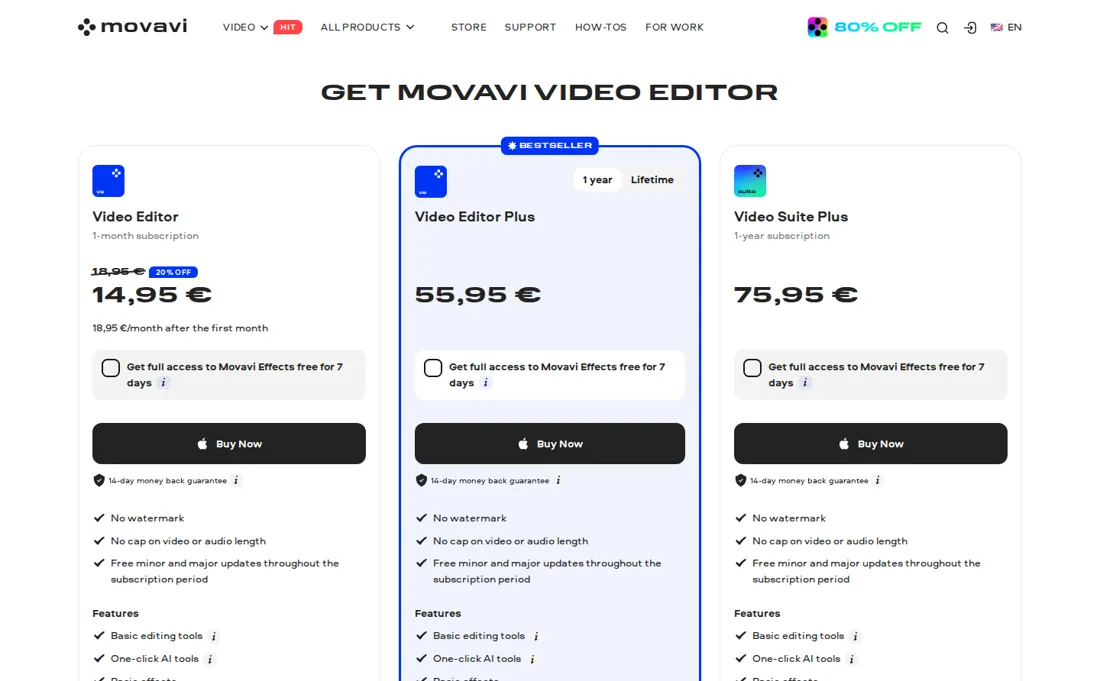
The purchase page lists three paid options, with prices in euros including VAT. Video Editor is a one-month subscription at 18,95 € a month; the page also shows a 20 % first-month offer of 14,95 €, then 18,95 € a month after the first month. Video Editor Plus is 55,95 € for a one-year subscription, and Video Suite Plus is 75,95 € for a one-year subscription.
The page says all three have no watermark, no cap on video or audio length, and free minor and major updates during the subscription period. A free version exists, but the page says its exports carry a watermark, are limited to 60 seconds and cannot be exported in 4K. Movavi Effects and Movavi Templates are separate optional subscriptions, and the page offers seven days of free access to Effects. Plans change, so check the live price on their site before you buy.
Movavi’s pricing page, as we read it
What Movavi does
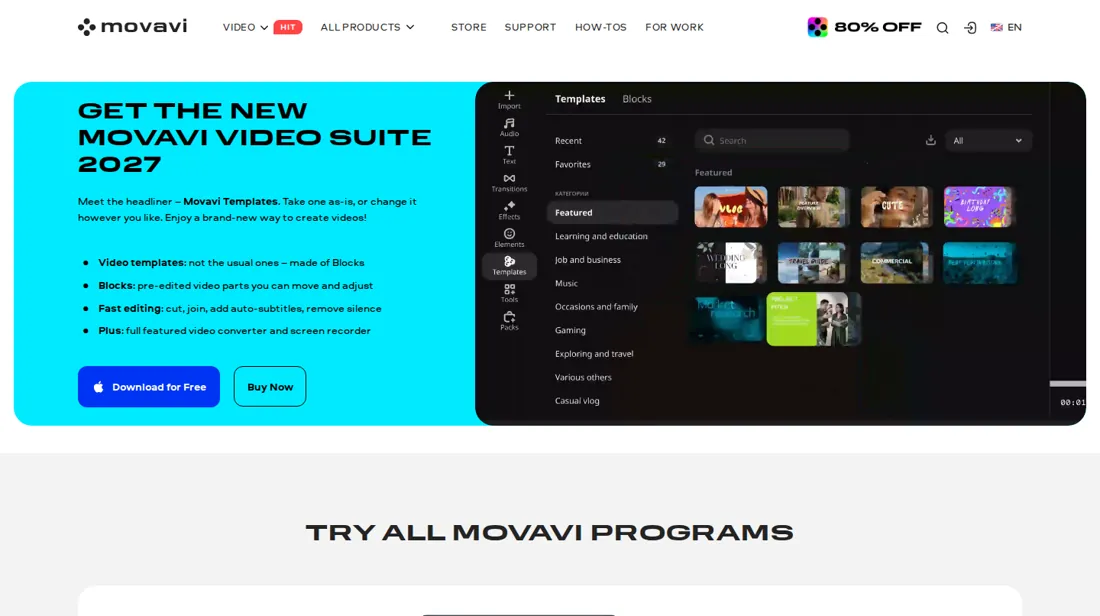
Desktop video editor with one-click AI subtitles, background removal, noise reduction and screen recording, sold as a monthly or yearly subscription.
Yearly Plus costs about three months of the monthly plan
Video Editor Plus at 55,95 € for a year is about three months of the 18,95 € monthly plan, so the yearly plan pays off if you edit for more than three months. The page lists three bundled effects packs with Plus. Video Suite Plus adds to that, but we did not establish which extra programs it includes, so check the product list on the purchase page before choosing it.
How to actually use Movavi
Download Video Editor from movavi.com and open it with the free version to try the tools. Add your clips with Add Files, drag them onto the timeline, and place a second clip above the first if you want an overlay (Tools > Position adjusts its size and place). When you are happy, open the export settings and press Start. The free version puts a watermark on the export and stops at 60 seconds, so buy a plan before you export for real. We did not install the program ourselves.
Distilled from Movavi's own purchase page, trial-limitations page, refund policy, cancellation guide and overlay tutorial, read on 9 November 2026 with research prepared in October 2026. Movavi is an affiliate partner of ours through CJ. We have not used the software ourselves.
The natural comparison is Filmora: Filmora is not in our directory as a reviewed tool, so we have no direct comparison. Compare the first-year price with the free version of each and test the watermark limit on a short clip.
Frequently asked questions
How much does Movavi Video Editor cost?
Per the purchase page read on 9 November 2026: 18,95 € a month, 55,95 € for a year (Video Editor Plus) or 75,95 € for a year (Video Suite Plus), all including VAT. A 20 % first-month offer of 14,95 € was shown on the monthly plan.
Is there a free version?
Yes. The page says exports from the free version carry a watermark, stop at 60 seconds and have no 4K export. The Video Suite has a seven-day trial according to the trial-limitations page.
Can I get a refund?
The purchase page promises a refund within 14 days if you have technical problems that cannot be solved. The refund policy lists conditions and excludes buyers who simply no longer need the program.
How do I cancel?
Cancelling stops future renewals only, and the program, Effects and Templates subscriptions each have to be cancelled separately. Deleting your Movavi account does not cancel a subscription.
What do we not know?
The renewal amounts of the yearly plans, how many devices a licence covers, whether the licence allows commercial use, and what the Effects trial costs once it ends.
Is this a hands-on review of Movavi?
This is a researched assessment, not a hands-on test. Where we've used a tool ourselves, we say so explicitly. We name what each tool is good and bad at, and we earn a commission only if you sign up, at no cost to you.
- Read 2026-11-09 on movavi.com/video-editor-plus/buynow.html.
- A dated screenshot of that pricing page, kept on this site as the receipt.
Others in this category
Reviewed video & audio tools that share ground with Movavi. They are comparable in what they do, not drop-in swaps:
New reviews, price changes we recorded, and the cost conditions we found. No sponsored placements. Unsubscribe anytime.
This is our researched assessment, not a paid placement. The “Visit” links on this page are affiliate links: we may earn a commission if you sign up, at no extra cost to you, and it never changes our take. How we review →