Yaps Review (2026)On-Device Dictation, Pro $144 a Year
 By Daan Haket · Researched and written with an AI assistant · who does what
The desktop trial converts to a paid plan automatically, and the terms exclude refunds solely because you forgot to cancel; uninstalling the app does not cancel the subscription either.
writers, students and professionals who dictate or transcribe every day and want the speech processing on their own computer, across Windows, macOS and Linux.
you want a one-time purchase rather than a subscription, or you need a finished Windows version today.
Transparency: the “Visit” links on this page are affiliate links — we may earn a commission if you sign up, at no extra cost to you. No vendor can pay for a better review or verdict. How we make money →
Pricing (2026)
✓ Pricing re-verified 26 Oct 2026
“50% off $144 annual Yaps Pro for the first year is $72 ($6 a month, billed annually). Then the full geo annual price.”Source: yaps.ai/students, read 16 Oct 2026
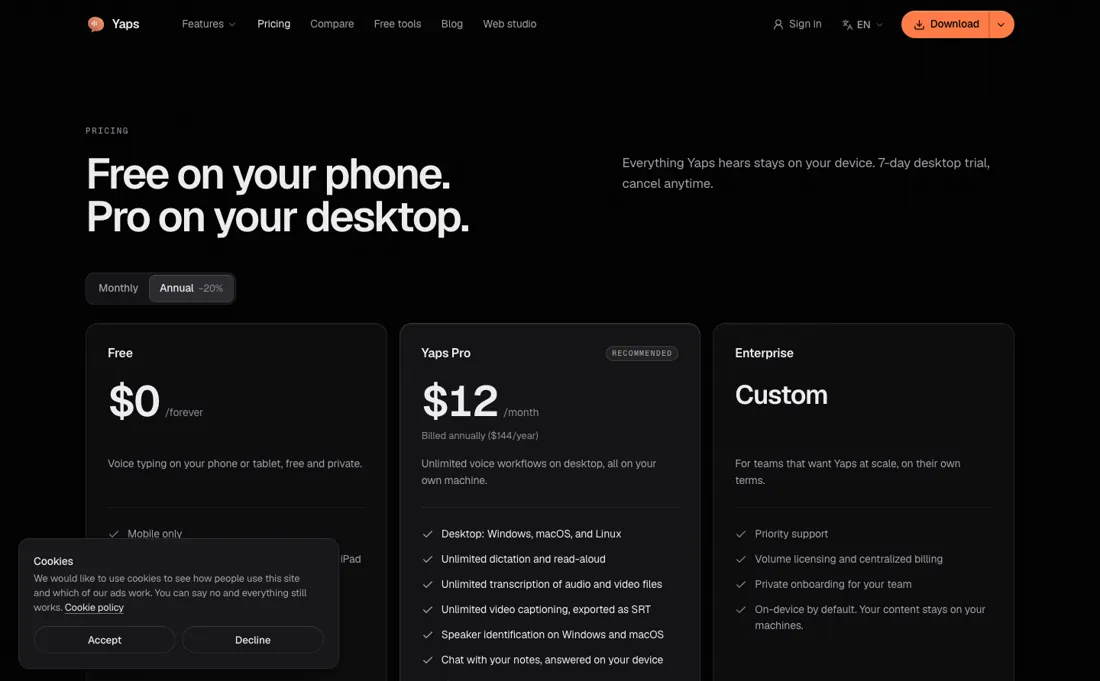
“Pro ($15/month or $12/month billed annually)”Source: yaps.ai/pricing, read 16 Oct 2026
“Yaps Pro: $144/year, billed annually.”Source: yaps.ai/pricing, read 16 Oct 2026
Yaps is free on Android, iPhone and iPad: voice typing in other apps, voice notes with local search and read-aloud with 4 voices, without an account or card. Yaps Pro covers the desktop apps for Windows, macOS and Linux and costs $144 a year (shown as $12 a month) or $15 billed month to month. Pro adds unlimited dictation and read-aloud, unlimited transcription of audio and video files, SRT captions, speaker identification on Windows and macOS, chat with your notes, 18 voices, the Studio editor and vault sync.
Desktop starts with a 7-day free trial that converts to the paid plan unless you cancel. Enterprise is priced on request. Students with a verified .edu address get 50% off the first year of annual Pro ($72), then the full price. Plans change — always verify the live price on their site.
What the pricing page doesn’t say
Windows is still labelled beta. 'On-device' has limits: signing in, billing, sync and model downloads use the internet, and on iPhone and iPad the system speech service can fall back to Apple's remote recognition.
What Yaps does
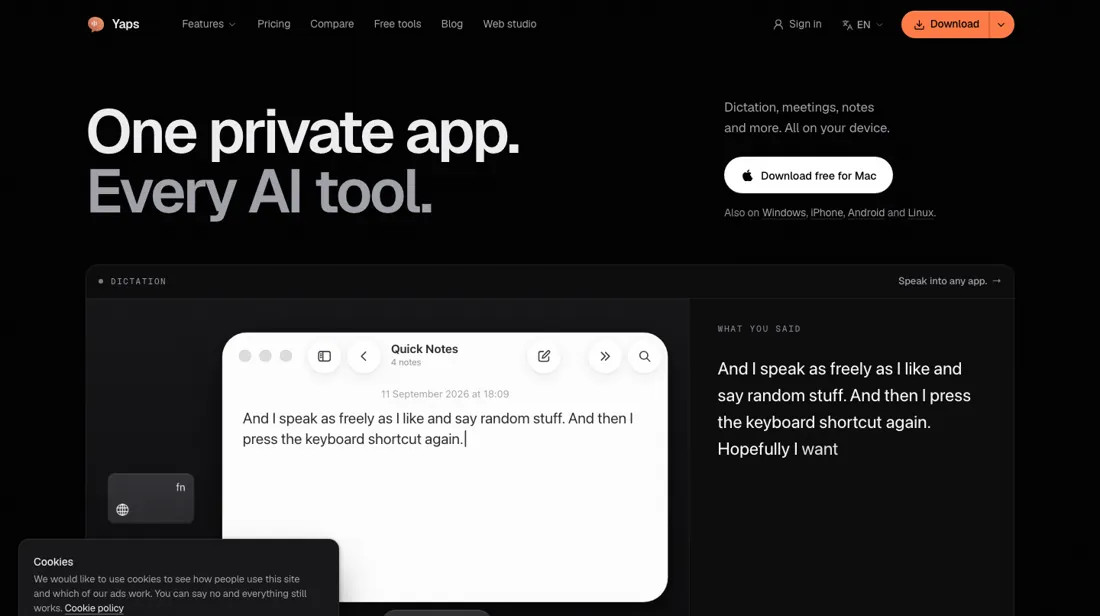
Voice tools that run on your own device: dictation into any app, transcription of audio and video files with SRT captions, read-aloud voices and voice notes. Free on Android, iPhone and iPad; the desktop apps for Windows, macOS and Linux need Yaps Pro.
Annual saves a fifth, but read the trial terms
There is one paid plan, so the choice is billing. Annual at $144 works out at $12 a month against $15 month to month, a saving of 20%. If you only need voice typing on your phone, the free mobile app may be all you need, although Yaps' own mobile guide says Pro adds unlimited dictation and other features on Android and that iPhone and iPad have their own plan and trial in the app.
The desktop trial turns into a paid subscription automatically, and the terms rule out refunds just because you forgot to cancel, so set a reminder before day 7.
How to actually use Yaps
On a Mac, install Yaps, sign in and finish onboarding, then allow microphone access and Accessibility access so it can type into other apps. Under Features, then Dictation, pick and download a speech model (Yaps' guide uses Parakeet as the example). Test it in Notes or an email draft: focus a text field, use the shortcut Yaps shows, speak and stop, and check the result before you try a long passage.
If an app blocks direct insertion, the transcript stays available on the clipboard. Windows support is labelled beta on the download page.
Distilled from Yaps' own pages: the pricing page, read on 26 October 2026 and 16 October 2026; the student page, terms, privacy policy, download page, dictation feature page and its Mac setup and mobile model guides, read on 16 October 2026. Yaps is an affiliate partner of ours through Awin. We have not used the software ourselves.
Yaps vs Liltio, side by side
Each column shows the vendor’s own published entry price, read on the date shown. Entry prices can cover different services or units, so check what each one buys. We do not average them into a score.
Both names above are affiliate links: we may earn a commission if you sign up, at no extra cost to you. Neither changes what this table says.
The natural comparison is Liltio — Liltio is in our dossiers as a local dictation app too: on 23 October 2026 it cost $49 once for a lifetime licence on 2 Apple silicon Macs. Yaps costs $144 a year but runs on Windows, macOS and Linux, has free mobile apps, and adds file transcription, captions and read-aloud voices.
Frequently asked questions
How much does Yaps cost?
Free on Android, iPhone and iPad. Yaps Pro for the desktop is $144 a year (shown as $12 a month), read on 26 October 2026, or $15 billed monthly, read on 16 October 2026.
Does Yaps work offline?
The core processing runs on your device. Signing in, billing, optional note sync, model downloads and updates use the internet, and on iPhone and iPad the system speech service may fall back to Apple's remote recognition.
How do I cancel?
In the Yaps app settings under Account, then Subscription; access runs to the end of the billing period. Uninstalling the app or removing your card does not cancel it.
Is there a student discount?
Yes: 50% off the first year of annual Pro, $72, after verification of a .edu email address. After that year it renews at the full price.
Is this a hands-on review of Yaps?
This is a researched assessment, not a hands-on test — where we've used a tool ourselves, we say so explicitly. We name what each tool is good and bad at, and we earn a commission only if you sign up, at no cost to you.
- Read 2026-10-26 on yaps.ai/pricing with annual billing selected; the monthly price was read on 2026-10-16; dollar amounts, the page does not name the currency.
- A dated screenshot of that pricing page, kept on this site as the receipt.
Others in this category
Reviewed video & audio tools that share ground with Yaps — comparable in what they do, not drop-in swaps:
New reviews, price changes we recorded, and the cost conditions we found. No sponsored placements. Unsubscribe anytime.
This is our researched assessment — not a paid placement. The “Visit” links on this page are affiliate links: we may earn a commission if you sign up, at no extra cost to you, and it never changes our take. How we review →