Insightful Review (2026)
 By Daan Haket · Researched and written with an AI assistant · who does what
People tools are trust-critical: they touch pay, privacy and careers, so reliability and compliance outrank features. So where does Insightful actually fit?
COOs, CFOs and operations leaders who want a work intelligence platform rather than a time clock: workforce analytics plus AI process capture — where the hours go, and how the work actually flows — across in-office and remote teams.
you value a low-surveillance culture, run a tiny team, or need a monthly price you can compare up front — month-to-month billing exists on select plans, but every rate on the pricing page is the annual one.
Transparency: the “Visit” links on this page are affiliate links — we may earn a commission if you sign up, at no extra cost to you. No vendor can pay for a better review or verdict. How we make money →
Pricing (2026)
✓ Pricing re-verified 26 Sep 2026
| Plan | Price | What you get |
|---|---|---|
| Workforce Analytics | $8/seat/mo | — |
| Workflow Optimization | $12/seat/mo | beta open to selected customers |
| both bundled | $16/seat/mo | saves 20% |
| Enterprise | custom | includes audit logs and SSO |
Summarised from the pricing notes below; the notes carry the conditions.
(2026) Per seat; the rates below are the annual ones. Workforce Analytics $8/seat/mo, Workflow Optimization $12/seat/mo (a beta open to selected customers), or both bundled at $16/seat/mo (saves 20%); Enterprise custom, and that is where audit logs and SSO sit. Add-ons: Workspace Security $4/seat/mo, screen recording $4, on-demand screenshots $4, higher-frequency screenshots $3 (up to 120 an hour), data-warehouse integration $0.50 for the whole bundle of custom API access, BigQuery and Snowflake.
The page adds one line under the plan cards: month-to-month billing is available on select plans, without naming a monthly rate. A 7-day free trial gives full access except Automatic Time Mapping, no card. Admin, manager and client users are not billed unless you also track them, and users added mid-cycle are prorated. On-premise deployment requires at least 250 licences. New on the page since the last reading: a '7-Day ROI Promise', a conditional offer whose only remedy is a 30-day service credit. Plans change — always verify the live price on their site.
Category context: HR & People. Across the 13 tools in this category that we researched with a public US-dollar price, the median entry price is $14 a month (lowest paid plan as listed, per seat where the vendor prices per seat). Insightful’s entry price of $8 a month sits below that median. Compare pricing conditions in the Software Cost Atlas →
Correction after re-checking: Two corrections after re-checking on 2026-09-01. The data-warehouse add-on is $0.50 per seat a month for the whole bundle — custom API access, BigQuery and Snowflake — not $0.50 per feature. And the $16 Combo Plan is not self-serve: Workflow Optimization is a beta open to selected customers, so the bundle is a "book a demo" rather than a checkout.
What the pricing page doesn’t say
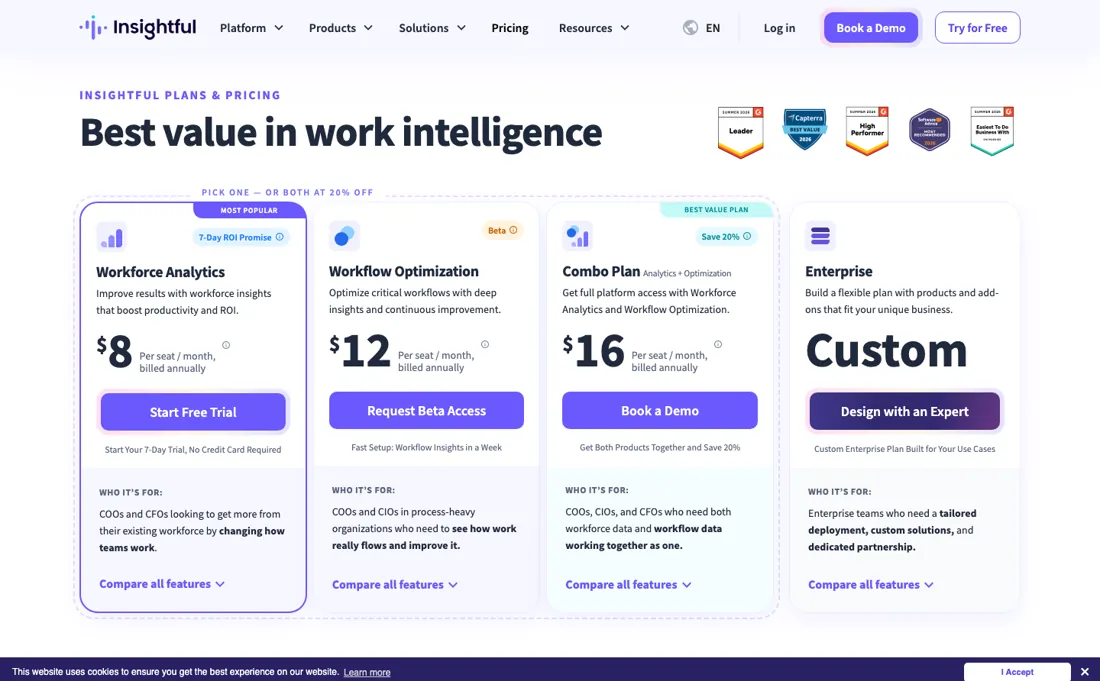
This is employee-monitoring software, so weigh the culture cost, not just the price: the advertised $8-16 rates are per seat AND are the annual ones (month-to-month exists on select plans but is never priced), security features like insider-threat detection are a paid add-on, and monitoring tools can damage trust if rolled out without transparency.
Watch the video review
The video version of this review, from our YouTube channel.
⚡ Short on time? Watch the 30-second verdict Short.
What Insightful does
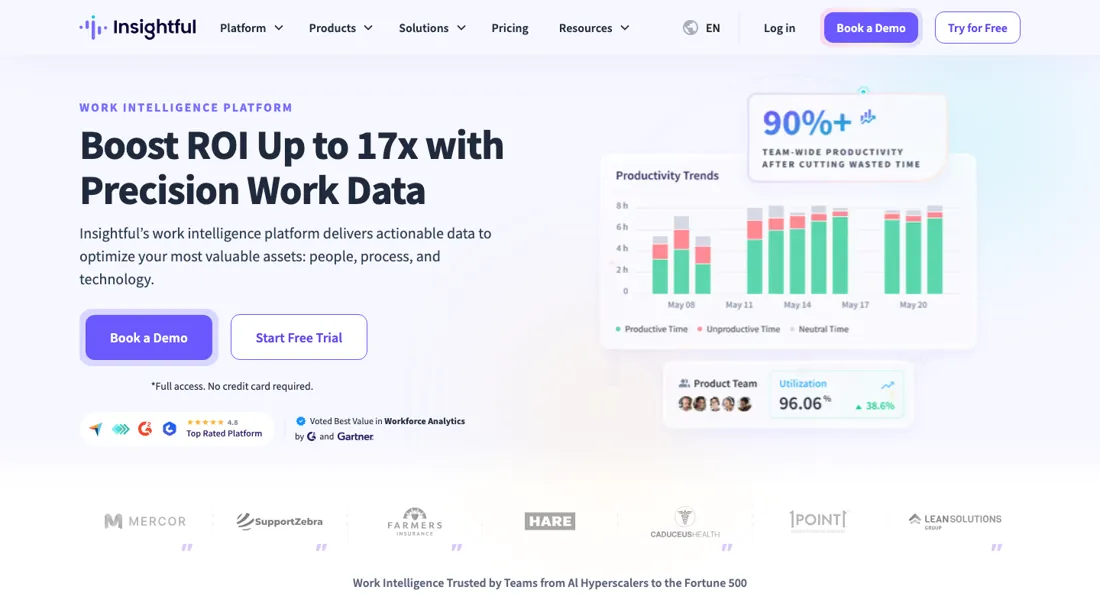
A work intelligence platform: workforce analytics plus AI process capture — time tracking, how work actually flows, and insider-threat detection as a paid add-on, priced per seat.
What buyers report about Insightful
Hands-on: not tested by usReported by buyers: Capterra, GetApp and SoftwareReviews, read August 2026
Themes from the buyer-review sites listed at the foot of this page, read in August 2026. We have not run Insightful ourselves, so this is other buyers' experience rather than ours. We summarise it here because the complaints are usually the part a vendor page leaves out.
- • 4.8 out of 5 across 239 Capterra reviews (read 25 August 2026), with a clear interface that gives managers real-time activity without drowning them.
- • Support is described as patient and willing to build custom solutions.
- • The monitoring can feel excessive to staff if you have not told them what is collected and why. Reviewers are explicit that this is a communication problem, not a software one — and it is yours to solve before you deploy.
- • Teams under 50 struggle to justify the per-user cost, and the capabilities they most often want — screen recording, higher-frequency screenshots and insider-threat detection — are paid add-ons on top of the seat price rather than part of it.
- • Integrations are limited, particularly with Slack and Asana, and customisable notifications are missing.
When the paid plan is worth it
The free trial runs seven days with full feature access and no credit card, but Automatic Time Mapping — the feature that turns raw activity logs into an AI-generated task breakdown — is excluded from it. So you cannot test the thing that separates Workforce Analytics from a basic time tracker before you pay. From there it is per seat, and every rate on the pricing page is the annual one: Workforce Analytics $8, Workflow Optimization $12, both bundled at $16 for a 20% saving (price re-verified 2026-09-01 against the vendor's own pricing page and re-read unchanged on 2026-09-26).
Two caveats on that bundle. Workflow Optimization is a beta open to selected customers, so the $16 plan is a "book a demo" rather than a checkout. And it is built for process-heavy finance, insurance and support teams; for anyone else half the bundle is dead weight. Add-ons stack on top of the seat rate. Insider-threat detection, screen recording and on-demand screenshots are $4 a seat each, higher-frequency screenshots $3, and data-warehouse integration $0.50 for the whole bundle of custom API access, BigQuery and Snowflake.
Audit logs and SSO are not add-ons at all — they are Enterprise. One line under the plan cards says month-to-month billing is available on select plans, but no monthly rate appears anywhere on the page, so the only numbers you can compare are the annual ones. What upgrading does not buy is employee trust. More monitoring capability is the only thing on this ladder, and the culture cost has to be managed separately whichever plan you pick.
How to actually use Insightful
Insightful's own beginner's guide sequences setup as: confirm system and network requirements, register the organization account, set up user roles and permissions, install the desktop Agent on employee devices, then label captured apps and websites as productive, neutral, or unproductive. The guide describes this as your "first few days" with the product. Nothing shows up until the Agent step is done — without it installed, reports stay blank. For distributed teams, installation can be pushed remotely via Group Policy Objects or MDM on Windows and MDM on macOS instead of touching each device by hand; Linux support remains in beta.
User reports on installation itself are mixed: several recent reviewers describe the client install and rollout as straightforward, while at least one reviewer described the agent failing to reinstall after a user was deactivated for months, resolved only by reinstalling the machine's operating system. Idle-time and break-time thresholds are not set-and-forget either — the vendor's own guidance says these get fine-tuned on an ongoing basis as usage patterns become clear, not locked in during initial setup.
Where this section comes from: our research notes (162 words)
insightful.io pricing page — the plan cards, the add-on tiles and the Decision Support FAQ — re-read 2026-09-01; insightful.io/llms.txt summary; help.insightful.io onboarding articles; and G2 review snippets (g2.com/products/insightful/reviews and g2.com/products/insightful/reviews?qs=pros-and-cons) found via web search on 2026-08-07, cross-checked for the reinstall-after-deactivation complaint Re-read 26 September 2026 by plain fetch of www.insightful.io/pricing and www.insightful.io/llms.txt: Workforce Analytics $8, Workflow Optimization $12 (beta, request access), Combo $16 per seat a month billed annually, the $4/$4/$4/$3/$0.50 add-ons, the 7-day trial without Automatic Time Mapping, the billing FAQ (admin, manager and client users not billed unless tracked, prorated additions, on-premise from 250 licences) all unchanged.
New: a '7-Day ROI Promise', whose terms were read the same day at www.insightful.io/roi-promise-terms - eligibility (at least 10 employees, agents on at least 5 active devices, continuous click-level tracking), ROI defined as value equal to the first month's fee and determined by Insightful, 14 days to dispute with evidence, and a 30-day service credit with no cash value as the sole remedy.
The natural comparison is Time Doctor — The set buyers actually weigh this against is ActivTrak, Teramind, Hubstaff and Time Doctor — workforce-analytics tools, not shift-scheduling apps. Time Doctor is the established time-tracking incumbent; Insightful leans into workforce analytics and workflow optimization on a similar per-seat model, so decide on features and how much monitoring your culture can carry. Of that set we have reviewed Hubstaff so far..
Frequently asked questions
What is Insightful's 7-Day ROI Promise?
A conditional trial offer, not a money-back guarantee. The terms (read 26 September 2026) require at least 10 employees, Insightful's agent on at least 5 active devices and continuous click-level tracking during the seven days. Insightful then proposes the value it found, measured against your first month's fee; you have 14 days to dispute it with evidence, or it counts as achieved. If no ROI is found, the only remedy is 30 days of free service on a paid plan, with no cash value.
Can I try Insightful before paying?
Yes, for seven days, with no credit card. The pricing FAQ (read 26 September 2026) gives full access to every feature except Automatic Time Mapping, which it says needs extended use, lets you add as many employees as you want, and lets you cancel within the seven days at no cost. After that the cheapest plan is Workforce Analytics at $8 per seat a month, billed annually; the page names no monthly rate.
Do I pay for managers and admins in Insightful?
Not unless you track them. The billing FAQ (read 26 September 2026) says users with Admin, Manager and Client access are not billed unless they are also tracked, and each tracked employee counts as one user however many devices they use. Employees added mid-cycle are charged pro rata: three months into an annual plan you pay only for the remaining months.
Is this a hands-on review of Insightful?
This is a researched assessment, not a hands-on test — where we've used a tool ourselves, we say so explicitly. We name what each tool is good and bad at, and we earn a commission only if you sign up, at no cost to you.
- Buyer reviews on Capterra, GetApp and SoftwareReviews, read August 2026.
- Price re-verified 2026-09-09 against the vendor's own pricing page, re-read unchanged 2026-09-26.
- A dated screenshot of that pricing page, kept on this site as the receipt.
Others in this category
Reviewed hr & people tools that share ground with Insightful — comparable in what they do, not drop-in swaps:
New reviews, price changes we recorded, and the cost conditions we found. No sponsored placements. Unsubscribe anytime.
This is our researched assessment — not a paid placement. The “Visit” links on this page are affiliate links: we may earn a commission if you sign up, at no extra cost to you, and it never changes our take. How we review →