 Hubstaff Review (2026)You Pay for Seats, Not People
The seat definition is the whole story and they state it plainly, which deserves credit: you pay for every seat you have created, not every person actually being tracked.
Watch the 2-minute review
Same honest take, in video form — from our YouTube channel.
⚡ Short on time? Watch the 30-second verdict Short.
Pricing (2026)
✓ Pricing re-verified 29 Aug 2026
(2026-08-29, read on their own pricing page) Priced per seat, with both billing columns published. Billed annually: Starter $4.99, Grow $7.50, Team $10, Enterprise $25 per seat per month. Billed monthly: Starter $7, Grow $9, Team $12; Enterprise is sold annually only. The annual column is labelled 'Annual (2 months free)'. Starter, Grow and Team each carry a 2 seat minimum, so the smallest bill Hubstaff will issue is $9.98 a month rather than $4.99.
Their FAQ is explicit about what a seat means: 'Hubstaff charges per seat. This means that even if only two out of your three team members are using its tracking features, you will still have to pay for all three members.' Seats added mid-term on an annual plan are prorated — their example is $60 for a seat added in July on a January-to-December plan.
Six add-ons are sold per seat per month: Insights, More screenshots, Tasks and Silent app from $2.50, Locations from $3.33, Data retention from $1.67. VIP Support is $29 a month per organisation for accounts spending $275-$400 a month and $59 above $400. There is a 14-day free trial with no credit card, a 30-day money-back guarantee excluding that trial, and a free Project Viewer role for people who only read reports. Plans change — always verify the live price on their site.
What the pricing page doesn’t say
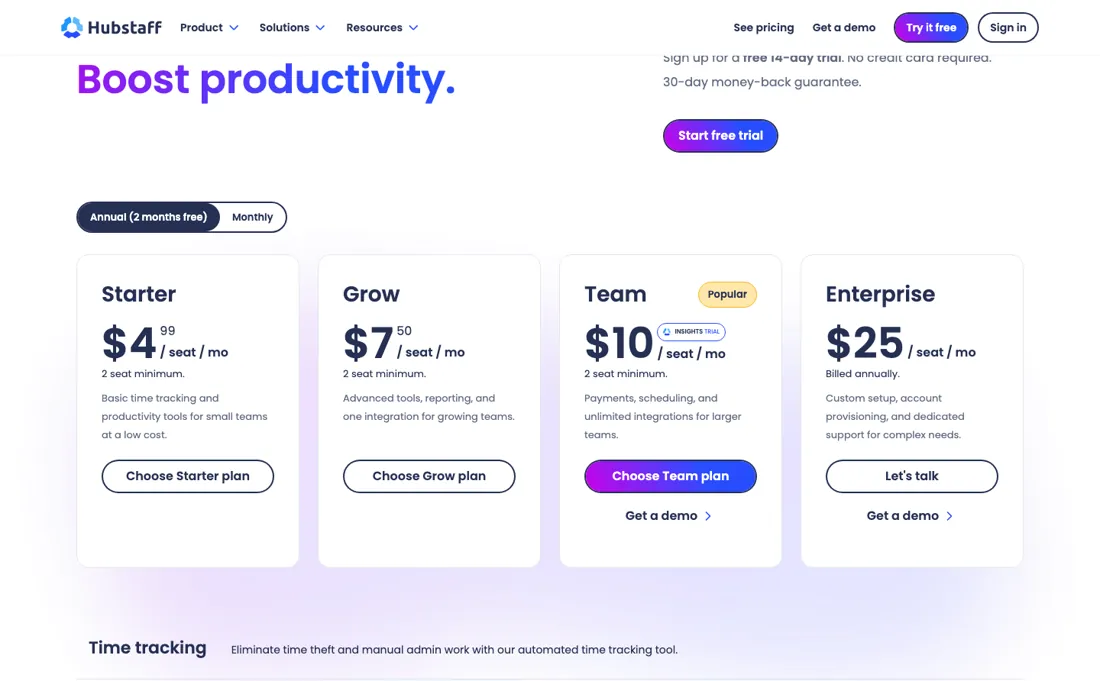
So an account that grew with your headcount and never got tidied up is billing you for people who left. Audit your seat list before renewal, not after. The second thing is that features on the lower tiers are add-ons rather than inclusions — Insights, Tasks, Silent app and extra screenshots at $2.50 a seat a month, Locations at $3.33 — so the plan you priced and the plan that does what you watched in the demo may differ by ten dollars a seat.
And be clear with yourself about why you are buying it: screenshots and activity levels change how a team feels about their work, and that cost does not appear on any pricing page.
What Hubstaff does
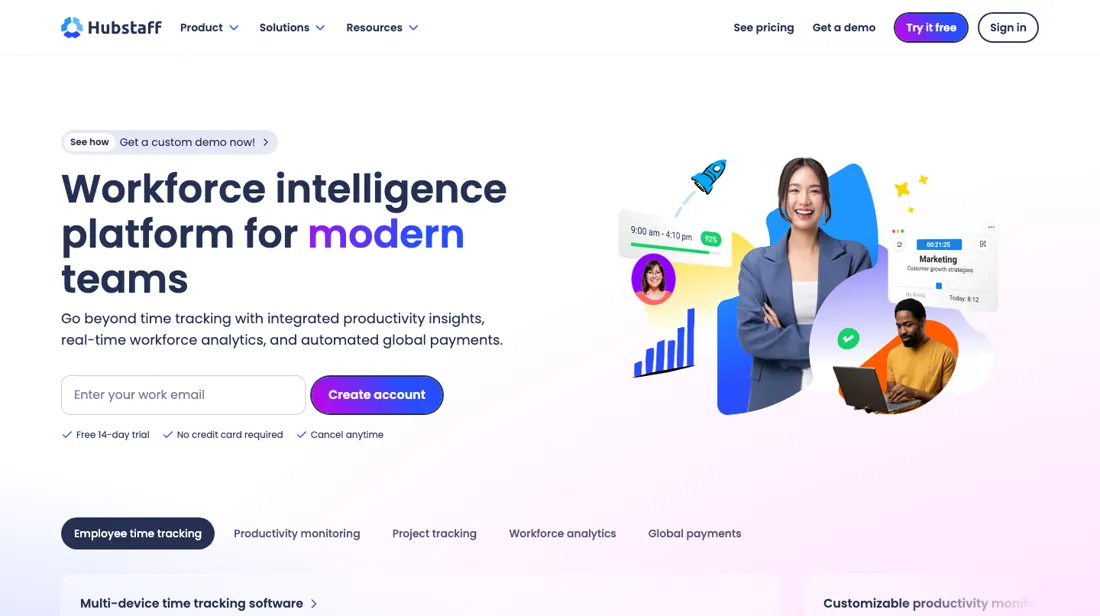
Time tracking with screenshots, activity levels, GPS and payroll integration for distributed teams.
What buyers report about Hubstaff
Recurring themes from the buyer-review sites listed at the foot of this page, read in August 2026. We have not run Hubstaff ourselves, so this is other buyers' experience rather than ours. We summarise it here because the complaints are usually the part a vendor page leaves out.
- • 4.5 on G2 across 1,844 reviews and a G2 Leader for Summer 2026 — time tracking, screenshots and payroll-ready output do what they claim.
- • Entry pricing from $4.99 a seat with a two-user minimum.
- • Surprise annual renewals, add-ons charged without consent and refused refunds are the recurring billing complaints.
- • Screenshot monitoring feels intrusive to staff, and reviewers ask for more privacy controls and a lighter background mode. As with any monitoring tool, how you introduce it matters more than the software.
- • Real pricing runs $4.99 to $25 a seat depending on what you switch on.
Where the ratings disagree. Around 4.5 on G2 and Capterra against 2.6 on Trustpilot. Directory reviews tend to be written near onboarding, when setup felt easy; Trustpilot catches the renewal a year later.
You pay for seats, not for people being tracked
Hubstaff is priced per seat, and their FAQ is unusually direct about what that means: 'even if only two out of your three team members are using its tracking features, you will still have to pay for all three members.' Billed annually, Starter is $4.99 a seat a month, Grow $7.50, Team $10 and Enterprise $25; billed monthly it is $7, $9 and $12, with Enterprise sold annually only. Stating the seat rule plainly deserves credit, but it also shows where the money leaks.
You pay for every seat that exists, not every person being tracked, so an account nobody tidied is billing for people who left. Five stale Team seats is $600 a year for nothing. Audit the seat list before every renewal. Two floors are easy to miss. Starter, Grow and Team carry a two-seat minimum, so the smallest real bill is $9.98, not $4.99. And several features that sell the product are add-ons on the lower tiers: Insights, Tasks, Silent app and extra screenshots from $2.50 a seat, Locations $3.33, extended data retention $1.67.
Team plus three of those is $17.50 a seat, most of the way to Enterprise. The largest cost appears on no pricing page. Screenshots and activity levels change how a team feels about their work. Decide deliberately what you switch on, and tell people first.
How to actually use Hubstaff
Audit the seat list before you do anything else, and put a recurring reminder to do it again a month before every renewal. You are billed per seat that exists rather than per person being tracked — their FAQ says so explicitly — so leavers keep costing $10 a month each until someone removes them, and Starter, Grow and Team bill a two-seat minimum whatever your headcount. Write down which monitoring features you are enabling and why, and share that with the team before you turn them on.
Introducing screenshots without warning is how a time-tracking rollout turns into a trust problem. Confirm in writing which features are included on the tier you are quoting rather than sold as add-ons: Insights, Tasks, Silent app and extra screenshots are $2.50 a seat a month on the lower tiers, Locations $3.33 and extended data retention $1.67, so the demo and the plan can differ by ten dollars a seat. And check the proration rules for the billing period you choose before you add anyone mid-term.
Their own example is $60 for a seat added in July on a January-to-December plan, and monthly and annual plans do not work the same way.
Distilled from Hubstaff's own pricing page (https://hubstaff.com/pricing): the plan cards, which state the 2 seat minimum on Starter, Grow and Team and list the optional add-on rates per seat a month (Insights, More screenshots, Tasks and Silent app from $2.50, Locations $3.33, Data retention $1.67), together with its pricing FAQ, which states that Hubstaff charges per seat rather than per person tracked and gives the proration example of $60 for a seat added in July on a January-to-December plan
The natural comparison is Toggl Track or Clockify — the direct time-tracking peers — both are cheaper and neither takes screenshots by default, so decide first whether you actually need the monitoring.
The ex-banker filter — the same yardstick on every review (how we review): My ex-banker filter is simple: does Hubstaff remove a real cost — time, errors, missed revenue — bigger than what it charges?
Frequently asked questions
What should I weigh before buying HR & People software?
Compliance is country by country, so the honest answer is: only where the vendor says it is, and only for the entity type you actually have. Ask which countries are covered by its own entities versus a local partner, who carries the liability if something is filed wrong, and how changes in local law reach you. Get those answers in the contract rather than the sales deck.
Is this a hands-on review of Hubstaff?
This is a researched assessment, not a hands-on test — where we've used a tool ourselves, we say so explicitly. We name what each tool is genuinely good and bad at, and we have no affiliate relationship with Hubstaff — we earn nothing whether you sign up or not.
- Buyer reviews on G2, Capterra and Trustpilot, read August 2026.
- 2026-08-29, read on their own pricing page.
- A dated screenshot of that pricing page, kept on this site as the receipt.
Others in this category
Reviewed hr & people tools that share ground with Hubstaff — comparable in what they do, not drop-in swaps:
New dossiers, cost-traps we found, and tools that earned a keep — no hype, no sponsored-disguised-as-advice. Unsubscribe anytime.
This is our researched assessment — not a paid placement. How we review →