Buzz.ai Review (2026)
 By Daan Haket · Researched and written with an AI assistant · who does what
Two meters run at once: seats AND credits — the seat price includes a credit allowance (500 a month on Core, 5,000 on AI Employee, read 5 September 2026), and real outbound volume means credit packages on top, so budget past the sticker.
GTM teams that want AI to run outbound end-to-end — prompt-driven prospecting of intent-ready buyers, multichannel sequences and meeting booking without adding SDR headcount.
you send low-volume, hand-crafted outreach (per-seat-plus-credits is overkill), or you're not ready to QA an AI that writes to your market on your behalf.
Transparency: the “Visit” links on this page are affiliate links — we may earn a commission if you sign up, at no extra cost to you. No vendor can pay for a better review or verdict. How we make money →
Pricing (2026)
✓ Pricing re-verified 30 Sep 2026
| Plan | Price | What you get |
|---|---|---|
| Core | $79 per seat a month | 500 credits a month; $0 setup fee |
| AI Employee | $695 per seat a month | 5,000 credits a month; $0 setup fee |
| Enterprise | custom | 25,000 credits a month, five seats included, $2,500 setup fee |
| Core White Label | $1,000 a month | 20 seats included, billed annually, $2,500 setup fee |
| AI Employee White Label | $250 per seat a month | billed annually, five-seat minimum, 25,000 credits a month, $2,500 setup fee |
Summarised from the pricing notes below; the notes carry the conditions.
Teams: Core is $79 per seat a month with 500 credits a month, AI Employee $695 per seat a month with 5,000 credits; both are billed monthly and show a $0 setup fee, footnoted 'waived on prepaid annual'. Enterprise is custom: 25,000 credits a month, five seats included and a $2,500 setup fee. An 'Annual, 25% off' toggle sits above the cards, but the page kept showing the monthly figures when we switched it, so treat the annual price as unpublished until sales confirms it.
A White-label tab adds Core White Label at $1,000 a month with 20 seats included, billed annually, and AI Employee White Label at $250 per seat a month billed annually with a five-seat minimum (advertised as 64% off, 'save $445 a seat'), 25,000 credits a month and a $2,500 setup fee on both. The Core card's button says 'Start for free', but the page names no free plan, no free allowance and no end date (re-read 3 October 2026), so treat it as a way to sign up, not as a free tier.
Full pricing notes (2 more paragraphs)
History: in August 2026 the page said Core $125 (launch offer $75 for three months) and AI Employee $795 with a warning it would move to $1,000; on 2 September we read $79 and $695 and wrote that the credits were no longer stated and that one plan carried the $2,500 fee — on 5 September the credits are stated per plan and the $2,500 fee sits on Enterprise and the white-label plans, not on Core or AI Employee.
On 30 September 2026 the white-label page was still titled around Core White Label at $1,000 a month; the AI Employee white-label rate renders client-side and was not re-read that day, so the $250 figure stands on the 5 September reading.
Plans change — always verify the live price on their site.
Category context: Sales & CRM. Across the 12 tools in this category that we researched with a public US-dollar price, the median entry price is about $45 a month (lowest paid plan as listed, per seat where the vendor prices per seat). Buzz.ai’s entry price of $79 a month sits above that median. Compare pricing conditions in the Software Cost Atlas →
What the pricing page doesn’t say
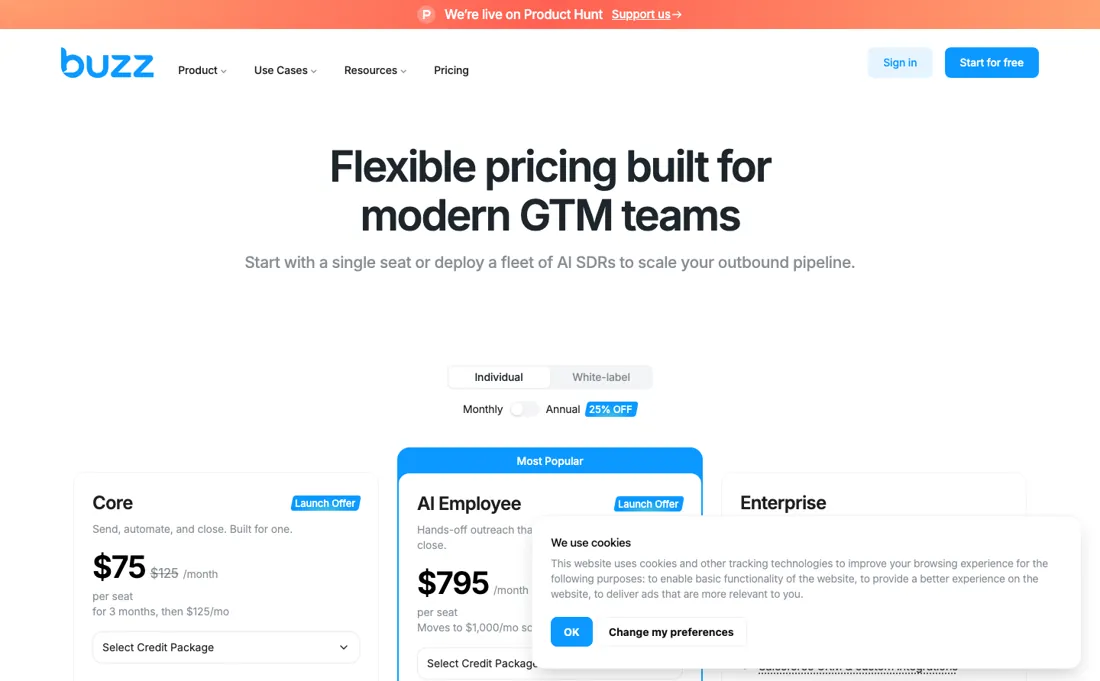
Watch the moving numbers too: the page changed twice this summer — a $75 teaser, then $79 a seat; $795 with a promised rise to $1,000, then $695 — and the $2,500 setup fee now sits on Enterprise and the white-label plans, so decide on the total for the plan you are actually offered, not the sticker. And the honest fundamental for any AI-SDR: it only books meetings as good as your list and offer, so keep a human reviewing what goes out in your name.
Watch the video review
The video version of this review, from our YouTube channel.
⚡ Short on time? Watch the 30-second verdict Short.
What Buzz.ai does
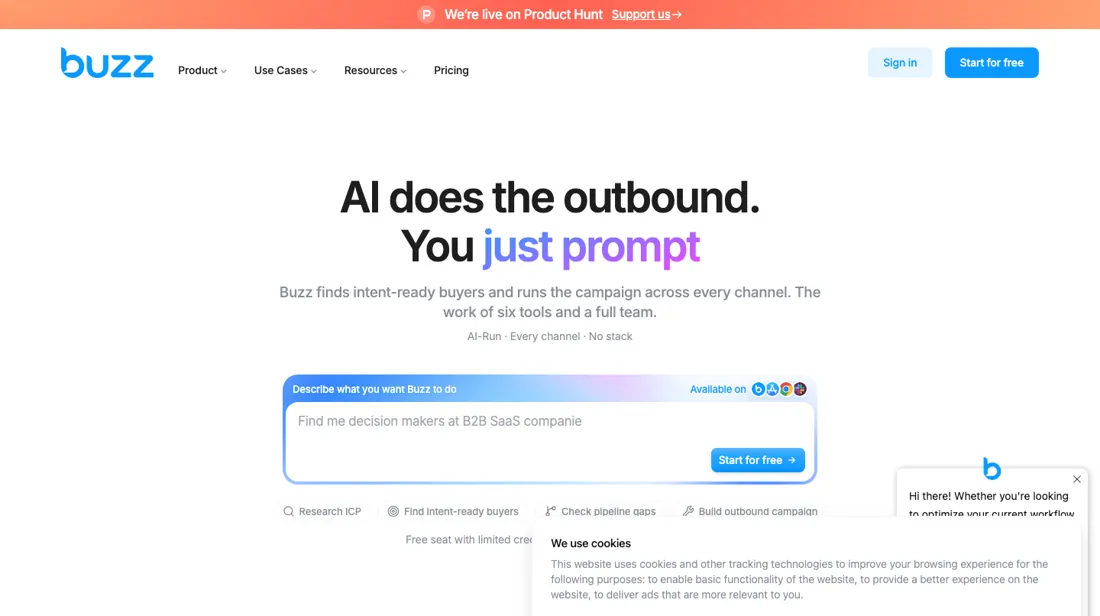
AI-powered outbound platform: prompt it and it finds intent-ready buyers, writes multichannel sequences and books the meetings — per-seat plans with monthly credit allowances and a free start.
What buyers report about Buzz.ai
Hands-on: not tested by usReported by buyers: G2, SourceForge, Software Finder and Slashdot, read August 2026
Themes from the buyer-review sites listed at the foot of this page, read in August 2026. We have not run Buzz.ai ourselves, so this is other buyers' experience rather than ours. We summarise it here because the complaints are usually the part a vendor page leaves out.
- • Reviewers who get through setup report leads arriving quickly and engagement holding up — multi-channel outreach with enrichment in one place.
- • The interface itself is called intuitive.
- • Charges continuing after cancellation, despite written notice, is reported by more than one reviewer. Cancel in writing and check your statement.
- • Support delays of 31+ days are reported. That is not slow support, that is no support.
- • LinkedIn account bans are a named risk, as with every tool in this category.
- • Setup is buggy and the learning curve steep, and data goes stale between updates.
- • $99 per user per month at entry, $299 on Unlimited. Small teams call that a barrier.
When the paid plan is worth it
The limit that bites first is credits, not features. Core includes 500 credits per seat per month and AI Employee 5,000 (read 5 September 2026), and that single pool pays for data enrichment, AI functions and dialer calls alike. At 1 credit per enriched email, a seat that prospects a few hundred fresh contacts a month will drain the balance before it gets much use out of the AI, and "Run out of credits" is one of the documented reasons a campaign step stalls.
If you work lists you already own and run social sequences without enrichment, Core at $79 per seat (September 2026; it was $125 in August) is enough, and the AI Employee tier is wasted money. It buys 5,000 credits plus AI targeting and messaging, which only repays you if you enrich and dial at volume. What upgrading does not fix at any tier: Buzz drives your own social account, so InMails still need a separate Sales Navigator subscription, and the platform's own caps still apply, including a 1,900-character ceiling on an InMail. Cancelling also requires 31 days of written notice regardless of plan.
Our monthly capture read this pricing page in August 2026 and again in September 2026. August's page warned that the $795 AI Employee plan 'moves to $1,000/mo soon' and offered Core at $75 for three months then $125. September's page has neither number: Core is $79 a month, AI Employee is $695, and a $2,500 setup fee appears on one plan. The threatened rise became a cut on the headline and a fee underneath it.
How to actually use Buzz.ai
Start with the free seat, which needs no card, then connect a sending account before anything else. Buzz has you add the account manually: choose a geographic location (optionally your own proxy), set timezone and working hours, then enter the account email and password. Since April 2025 two-step verification is required for Sales Navigator accounts, so keep your phone to hand, because you get prompted for the code inside the workspace.
Sending then ramps: Warming Up raises daily actions from your minimum toward your maximum, and clicking Confirm restarts that ramp. Click "+ Create New Campaign", pick Simple, Smart or Magic, name it, paste the post or event you want to target, then add steps such as Send Connection Request and Send Message and set the delays between them. Where it goes wrong in practice: delays are a floor, not a promise, and the documentation warns that a one-hour delay does not guarantee the step runs in one hour.
Steps also stall quietly on an invalid email, a disconnected email or CRM integration, or an empty credit balance.
Distilled from Buzz help center articles (social account connection, warming up your account, first campaign steps, stuck-and-waiting reasons, prospect enrichment, cancellation) plus the vendor pricing page and homepage Pricing re-read 30 September 2026 on buzz.ai/pricing (Teams cards and the plan comparison table) and buzz.ai/whitelabels; buzz.ai/llms.txt returns a 404.
Buzz.ai vs Reply.io, side by side
Each column shows the vendor’s own published entry price, read on the date shown. Entry prices can cover different services or units, so check what each one buys. We do not average them into a score.
Both names above are affiliate links: we may earn a commission if you sign up, at no extra cost to you. Neither changes what this table says.
The natural comparison is Reply.io or lemlist — Reply.io is mature multichannel sequencing you drive yourself and lemlist leads on deliverability and personalization — Buzz.ai's pitch is the autonomous AI-SDR layer that does the driving for you.
Frequently asked questions
What does Buzz.ai cost?
Core is $79 per seat a month with 500 credits and AI Employee $695 per seat a month with 5,000 credits, both billed monthly with a $0 setup fee footnoted 'waived on prepaid annual'. Enterprise is custom with 25,000 credits, five seats and a $2,500 setup fee; the white-label plans ($1,000 a month for 20 seats, or $250 per seat with a five-seat minimum, both billed annually) carry the same $2,500 fee. Read on 5 September 2026; the Teams figures were unchanged on 30 September 2026. In August the same page said Core $125 (launch offer $75 for three months, 500 credits) and AI Employee $795 (5,000 credits).
Is the $795 tier about to get more expensive?
It went the other way. In August 2026 Buzz.ai's own page said the AI Employee plan 'moves to $1,000/mo soon' and invited you to lock in $795. By 1 September the plan read $695 a month. The $2,500 setup fee we then saw on 'one plan' sits, on the 5 September page, on Enterprise and the white-label plans, not on AI Employee — but the $0 fee on the Teams plans is marked 'waived on prepaid annual', so ask what a monthly contract is charged before you compare first-year totals.
What happens after the three-month launch price?
The launch offer is gone from the page. In August 2026 Core was $75 for three months and then $125; since 1 September the page simply lists Core at $79 a month. If you signed up on the launch offer, check what your fourth month bills at rather than assuming either number.
Is this a hands-on review of Buzz.ai?
This is a researched assessment, not a hands-on test — where we've used a tool ourselves, we say so explicitly. We name what each tool is good and bad at, and we earn a commission only if you sign up, at no cost to you.
- Buyer reviews on G2, SourceForge, Software Finder and Slashdot, read August 2026.
- Price re-verified 2026-09-05; Teams amounts, credits and setup fees unchanged on 2026-09-30.
- A dated screenshot of that pricing page, kept on this site as the receipt.
Others in this category
Reviewed sales & crm tools that share ground with Buzz.ai — comparable in what they do, not drop-in swaps:
New reviews, price changes we recorded, and the cost conditions we found. No sponsored placements. Unsubscribe anytime.
This is our researched assessment — not a paid placement. The “Visit” links on this page are affiliate links: we may earn a commission if you sign up, at no extra cost to you, and it never changes our take. How we review →