Team Pulse Review (2026)
 By Daan Haket · Researched and written with an AI assistant · who does what
The tiers gate on TWO axes at once — member count and project/pipeline count — so you can hit a wall on either.
solo operators and small teams who want projects, tasks, chat AND a lightweight CRM pipeline with AI in one simple tool, and value the real free tier to start.
you need more than a handful of team members (seat caps climb the tiers fast), or you only need project management — dedicated PM tools give far more generous member limits.
Transparency: the “Visit” links on this page are affiliate links — we may earn a commission if you sign up, at no extra cost to you. No vendor can pay for a better review or verdict. How we make money →
Pricing (2026)
✓ Pricing re-verified 22 Sep 2026
Genuinely free tier: $0/mo for 1 member, 2 projects, unlimited collaborators, chat/tasks/files, 3 private notes, 15 AI credits and 1GB storage. The paid tiers now publish both rates. Starter $39/mo monthly or $29/mo annually ($348/yr) — 1 member, 5 projects, NO pipelines; Growth $99 or $79 ($948/yr) — 3 members, 10 projects, 1 pipeline, AI Assist and AI workflow generation; Pro $199 or $159 ($1,908/yr) — 10 members, 20 projects, 2 pipelines; Scale $379 or $299 ($3,588/yr) — 40 projects, 4 pipelines, 1,500 AI credits, and no member count published.
Paying monthly costs 34% more on Starter and 25-27% more on the rest. The terms page offers a 14-day free trial to new registrants, after which the subscription is suspended until it is upgraded to a paid plan. Plans change — always verify the live price on their site.
Category context: Operations & Workflow. Across the 51 tools in this category that we researched with a public US-dollar price, the median entry price is $25 a month (lowest paid plan as listed, per seat where the vendor prices per seat). Team Pulse’s entry price of $29 a month sits above that median. Compare pricing conditions in the Software Cost Atlas →
What the pricing page doesn’t say

The CRM pipeline is a big part of the pitch, but it doesn't exist below the $79 Growth plan (Free and Starter have none), and member limits are tight: Starter is a single seat, Growth just three. The headline rates are the annual ones; month-to-month costs 25 to 34% more ($39 against $29 on Starter, $99 against $79 on Growth).
Watch the video review
The video version of this review, from our YouTube channel.
⚡ Short on time? Watch the 30-second verdict Short.
What Team Pulse does
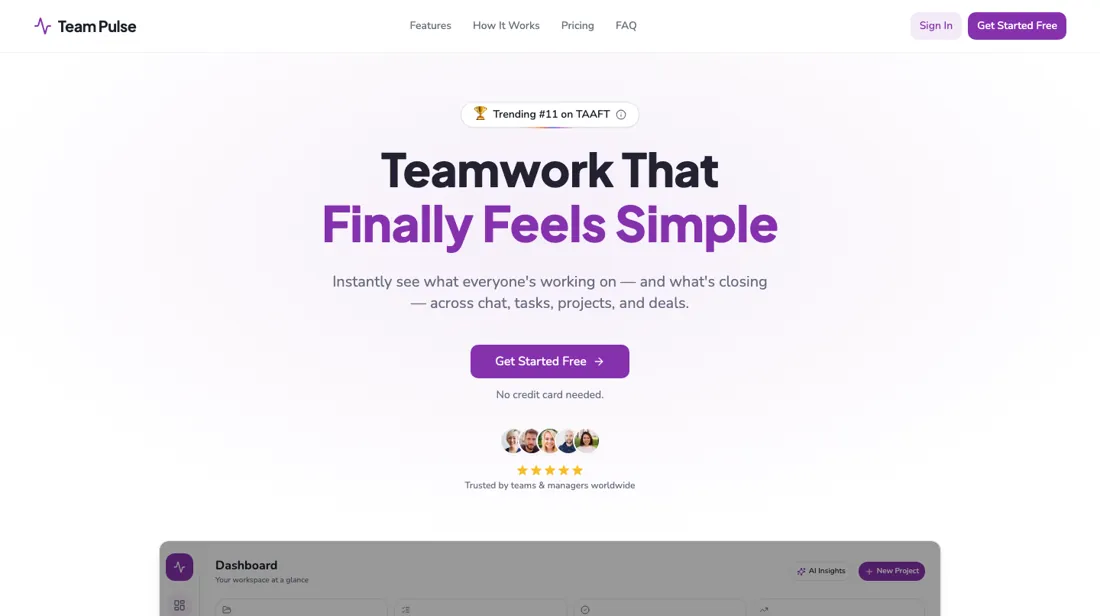
Projects, tasks, chat, files and a light CRM pipeline in one tool. The listed rates assume annual billing.
What buyers report about Team Pulse
Hands-on: not tested by usReported by buyers: Capterra, Software Advice and ITQlick, read August 2026
Themes from the buyer-review sites listed at the foot of this page, read in August 2026. We have not run Team Pulse ourselves, so this is other buyers' experience rather than ours. We summarise it here because the complaints are usually the part a vendor page leaves out.
- • Reminders, task management and seeing who is clocked in work well, and reviewers use the mobile app daily for exactly that.
- • Support is described as exceptional.
- • Several employees find it too complicated and prefer other tools — adoption is the risk, not the feature list.
- • Sequencing needs drag-and-drop; reviewers ask for it directly.
- • The iOS and Android apps behave differently, and reviewers want them identical.
When the paid plan is worth it
The paid tiers raise volume limits at every step, but Starter and Pro also add features Free and Growth respectively lack, not just more room. Free gives 15 AI credits, 1GB storage and 3 private notes a month, with no AI Assist chat. Starter adds AI Assist chat, unlimited private notes and scheduled messages alongside 100 AI credits and 25GB storage. Growth is the first plan with a pipeline — Starter's own feature list states "No pipelines" — and it also adds My To-Dos, AI workflow generation, and project-level AI insights, at 250 AI credits and 100GB storage.
Pro adds advanced AI insights, built-in meetings, and advanced activity tracking on top of Growth's feature set, reaching 750 AI credits and 500GB storage. Support climbs with the money too: self-service on Free and Starter, ticketed on Growth, priority on Pro. Scale pushes AI credits to 1,500 a month and projects to 40 with 4 pipelines, but it no longer publishes a member count at all — the 20-member ceiling we recorded in August is absent from the plan data read on 22 September 2026, and nothing has replaced it.
So each tier above Free buys either more headroom or a specific new capability — chat, workflow generation, meetings, activity tracking — rather than a fundamentally different tool, and the one limit a growing team most needs to know is the one the top tier stopped stating.
How to actually use Team Pulse
Team Pulse documents a three-step setup on its own marketing site: create a first project or pipeline, invite your team, then start adding tasks or deals, with no complex configuration or training sessions required, per the vendor's FAQ. That same FAQ states most teams are up and running in under two minutes. There is no separate docs site, help center, changelog, or status page: the help., docs., status., support., and changelog.
subdomains on goteampulse.io do not resolve. And no public bug reports or user discussion threads turn up for the product, so friction points aren't documented outside the vendor's own tier limits. The clearest one is on the pricing page. Pipelines, the CRM piece of the pitch, aren't listed among Free's or Starter's features: Starter's tier explicitly states "No pipelines," and Growth is the first to list one. So testing that angle before upgrading to Growth hits a dead end.
And Free's 15 AI credits a month is the tightest allotment on the pricing page, with AI Assist chat itself withheld until Starter.
Where this section comes from: our research notes (325 words)
Pricing/plan data and FAQ copy read from goteampulse.io's own live React bundle (https://goteampulse.io/pricing and https://goteampulse.io/, re-fetched and re-read 2026-08-11 for this fix, and again this session with the team-pulse_fix2 prefix) — the static HTML only serves an SEO fallback shell, so the rendered tier data (prices, member/project/pipeline caps, AI credit and storage allotments per plan, per-tier feature lists, and FAQ answers) was verified in the site's loaded JS asset (/assets/index-BWtZcsy_.js, fetched fresh this session via verrijk_fetch.py as team-pulse_fix2_jsbundel.html, 1,796,673 bytes, sha256 9b5a7cba2cc8449755eaa604270ed73270f429b45db7f2eb75f55f38d52b7a06, served from goteampulse.io, brand string "Team Pulse" present 22x).
The same bundle also carries the site's own "Team Pulse vs Asana" feature-comparison table, read to check the premium_worth custom-fields claim. This session I read the full plan-config array ($Ce=[...]) in that bundle directly to ground the pipeline-count claims the gate flagged: Free's feature list has no pipeline line at all (no explicit 0 stated), Starter's list states the literal string "No pipelines", Growth's states "1 pipeline" (and also lists "My To-Dos", a feature absent from Free's and Starter's lists — added to premium_worth, which previously omitted it while implying an exhaustive list of Growth's additions), and Pro's states "2 pipelines".
Subdomain checks for help./docs./status./support./changelog.goteampulse.io (read 2026-08-11, all non-resolving) confirmed no separate docs/help/changelog/status infrastructure. WebSearch for goteampulse.io on Reddit and for a changelog/status/help center returned no relevant results (read 2026-08-11). Re-read 22 September 2026 in the rebuilt bundle (/assets/index-BLPbENBB.js, 1,798,996 bytes, sha256 c25c918750db2e218927a8955cdce254d051c43d9200e43da2f0e38c74fe531f): the plan array now carries a monthlyPrice as well as an annualPrice per tier ($39/$29, $99/$79, $199/$159, $379/$299), the Scale object publishes only 4 pipelines, 40 projects and 1,500 AI credits with no members field (the string "20 members" occurs nowhere in the bundle), Free lists 3 private notes against Starter's unlimited, support runs self-service / self-service / ticketed / priority, and the terms text in the same bundle states a 14-day free trial and describes transmitting user content to third-party AI providers (OpenAI, Google) that do not train on it.
Team Pulse vs ClickUp, side by side
Each column shows the vendor’s own published entry price, read on the date shown. Entry prices can cover different services or units, so check what each one buys. We do not average them into a score.
Both names above are affiliate links: we may earn a commission if you sign up, at no extra cost to you. Neither changes what this table says.
The natural comparison is ClickUp — ClickUp is the established all-in-one work platform with generous free seats; Team Pulse bundles a CRM pipeline plus AI in a simpler package — cleaner to start, but the member and project caps are tighter as you grow.
Frequently asked questions
The prices look like monthly rates — what do I pay if I don't commit to a year?
Between 25 and 34 percent more, and the page now says so itself. Until recently the plan cards published only the annual-billing figure; the plan data read on 22 September 2026 carries both a monthly and an annual price for every tier. Starter is $39 a month month-to-month against $29 on annual billing ($348 a year) — a 34% premium, the steepest on the ladder. Growth is $99 against $79 ($948 a year), Pro $199 against $159 ($1,908) and Scale $379 against $299 ($3,588), each about 25 to 27% more. In cash the Growth gap is $240 a year and the Pro gap $480. That matters more here than at most vendors because the tiers are tight on seats — Starter is one member, Growth three — so a team that grows mid-year may want the freedom to move up rather than a locked annual term on a plan it outgrows. Read the other way: if you already know Growth fits, the annual commitment pays for three months of Starter.
Can I try the paid features before paying?
Yes, for 14 days, though you have to go to the terms to learn that. The pricing cards for Starter, Growth, Pro and Scale all read Start Free Trial (the free tier reads Start Free), and the site's own terms text, read 22 September 2026, states that Team Pulse offers a 14-day free trial to new users who register, that the account will not be charged, and that the subscription is suspended at the end of the trial until it is upgraded to a paid version. Suspended is the word worth noticing: the terms do not say the account drops back to the free tier, so do not assume your trial workspace keeps running on Free when the fortnight ends. The trial matters most for one specific question. Pipelines — the CRM half of the pitch — do not exist on Free or Starter, whose feature list says "No pipelines" in those words, so a trial is the only way to see the pipeline before committing to Growth at $79 a month annually or $99 monthly.
The AI features are the reason to upgrade. Where does the data behind them go?
To OpenAI and Google, by the vendor's own account. The terms text in Team Pulse's own bundle, read 22 September 2026, states that to deliver the AI features it transmits data you provide — project names, task descriptions, prompts, team context and other user-generated content — to third-party AI model providers, naming OpenAI and Google as examples, and that those providers process it only to generate responses and do not use it to train their models. It adds that only the minimum data needed is shared and that billing information, passwords and account credentials are not sent. Two caveats sit in the same terms. The AI features depend on those third parties and may be modified, suspended or discontinued at any time without notice, with no liability — which is a real risk when AI credits are the main thing the upper tiers sell. And authorised Team Pulse staff may access your account, including logging in as a user to troubleshoot. Neither is unusual for a small SaaS; both are worth knowing before client work goes in.
Is this a hands-on review of Team Pulse?
This is a researched assessment, not a hands-on test — where we've used a tool ourselves, we say so explicitly. We name what each tool is good and bad at, and we earn a commission only if you sign up, at no cost to you.
- Buyer reviews on Capterra, Software Advice and ITQlick, read August 2026.
- Re-verified 2026-09-22 in the site's own plan-config array.
- A dated screenshot of that pricing page, kept on this site as the receipt.
Others in this category
Reviewed operations & workflow tools that share ground with Team Pulse — comparable in what they do, not drop-in swaps:
New reviews, price changes we recorded, and the cost conditions we found. No sponsored placements. Unsubscribe anytime.
This is our researched assessment — not a paid placement. The “Visit” links on this page are affiliate links: we may earn a commission if you sign up, at no extra cost to you, and it never changes our take. How we review →