SEO Space Review (2026)
 By Daan Haket · Researched and written with an AI assistant · who does what
Squarespace has been quietly absorbing the job this tool was invented for.
Squarespace freelancers and studios billing for several client sites. Pricing by number of websites rather than per seat, multi-site dashboards and white-label PDF reports are things the big per-seat SEO suites never bothered to build for Squarespace. And the extension tells you where the setting actually lives in the editor. Above the three published tiers sits a quote-only Reseller plan for unlimited client sites, which is where a studio outgrowing Expert's ten websites has to go.
you run a single Squarespace 7.1 site and have no clients. Squarespace's own free SEO panel, AI-generated descriptions and AI Visibility now cover much of what you would be paying for. And the free plan here will tell you whether the paid layer adds anything for your site before you spend.
Transparency: the “Visit” links on this page are affiliate links — we may earn a commission if you sign up, at no extra cost to you. No vendor can pay for a better review or verdict. How we make money →
Pricing (2026)
✓ Pricing re-verified 4 Oct 2026
| Plan | Price | What you get |
|---|---|---|
| Starter | $18.99 a month | 1 website, 100 audited pages, 50 AI credits/mo, 25 keywords, monthly reports |
| Pro | $49.99 a month | 3 websites, 500 audited pages, 200 AI credits/mo, 100 keywords, weekly reports |
| Expert | $129.99 a month | 10 websites, unlimited audited pages, 500 AI credits/mo, 500 keywords, daily reports (coming soon) |
| Free plan | no published price | Scans up to 50 live pages via Chrome extension, no card needed |
| Reseller | no published price | Unlimited client sites, quote-only |
Summarised from the pricing notes below; the notes carry the conditions.
Three named tiers plus a free plan. Billed monthly, which is the toggle's default, Starter is $18.99, Pro $49.99 and Expert $129.99 a month. Billed annually they are $151.92, $399.92 and $1,039.92 a year — each exactly eight times the monthly rate, so a year costs twelve months for the price of eight and the effective rates are $12.66, $33.33 and $86.66 a month.
The tiers buy capacity rather than capability: 1, 3 and 10 websites; 100, 500 and unlimited audited pages; 50, 200 and 500 AI credits a month; 25, 100 and 500 tracked keywords; monthly, weekly and (marked coming soon) daily scheduled reports. Extra seats cost $10 a month on Pro and $15 on Expert. A Reseller tier for unlimited client sites is quote-only.
The free plan scans up to 50 live pages through the Chrome extension with no card, and every paid tier carries a 7-day trial. New since August: Orbit, a five-agent AI layer, is sold as a separate add-on at $119 a month or $952 a year on top of a subscription. This reading replaces the one of 2026-08-17, when the same product was sold through a websites slider that published a single figure ($33.33 a month for a 5-website Pro); the ladder has been renamed and re-cut since, Pro now covers 3 websites, and the MOST POPULAR badge has moved from Pro to Starter. Plans change — always verify the live price on their site.
Category context: Marketing. Across the 24 tools in this category that we researched with a public US-dollar price, the median entry price is $29 a month (lowest paid plan as listed, per seat where the vendor prices per seat). SEO Space’s entry price of $18.99 a month sits below that median. Compare pricing conditions in the Software Cost Atlas →
What the price did
We capture SEO Space’s own pricing page every month and keep the figures, so this is our record of the page — not a forecast, and not someone else’s summary.
Three dated readings. On 17 August 2026 the product was sold through a websites slider that published a single figure, $33.33 a month for a 5-website Pro. By 16 September the ladder had been renamed and re-cut into Starter $18.99, Pro $49.99 and Expert $129.99 a month, or $151.92, $399.92 and $1,039.92 billed annually, with Pro covering 3 websites, and Orbit had appeared as a separate add-on at $119 a month or $952 a year. On 4 October 2026 every one of those figures was unchanged.
What the pricing page doesn’t say

The platform's own SEO panel, checklist, sitemaps and structured data are free, and its AI-suggested titles, descriptions and alt text are available on Fluid Engine 7.1. On 7 July 2026 it announced AI Visibility, brand tracking across AI search, included on 7.1 plans with no extra subscription. It is metered against plan-varying AI credits rather than unlimited. If you own a single Squarespace site, a large share of what you would pay for here is now a friendlier wrapper around something the platform already does.
The tool earns its keep on volume and client work, not on one site. Note too what the disclaimer under their own plan cards says out loud — “All plans include every feature. No artificial restrictions.” — so moving up the ladder buys site slots, not a better tool. One thing arrived after that promise, though: Orbit, a five-agent AI layer added since August, sits on its own card as a second subscription at $119 a month or $952 a year (read 16 September and 4 October 2026), so the feature that is currently being marketed hardest is the one no plan includes.
Watch the video review
The video version of this review, from our YouTube channel.
⚡ Short on time? Watch the 30-second verdict Short.
What SEO Space does
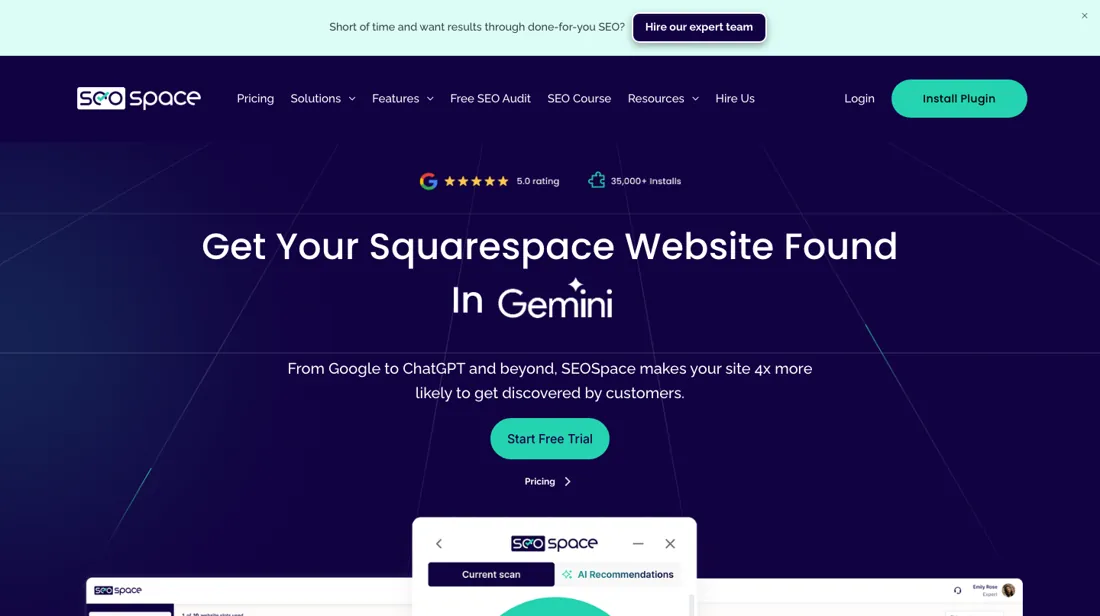
SEO tool built exclusively for Squarespace, delivered as a Chrome extension paired with a web dashboard. The extension runs inside the Squarespace editor and on live pages, scoring each page and saying in plain language what to change and where the setting lives; the dashboard adds site-wide audits, keyword rank tracking, backlink and competitor data, local SEO tools and scheduled white-label PDF client reports. Pricing is keyed to the number of websites rather than seats, which is why it suits freelancers and studios managing client sites.
What buyers report about SEO Space
Hands-on: not tested by usReported by buyers: G2 and Squarespace-designer reviews, read August 2026
Themes from the buyer-review sites listed at the foot of this page, read in August 2026. We have not run SEO Space ourselves, so this is other buyers' experience rather than ours. We summarise it here because the complaints are usually the part a vendor page leaves out.
- • It is built specifically for Squarespace rather than adapted to it, which is why designers use it — the site audit is the feature people name.
- • Designers use the free audit as a lead magnet with their own clients, which is a use case the product supports deliberately.
- • The step from the DIY plan to the designer plan is a real jump — roughly $14 to $39 a month — and keyword scanning sits on the paid side.
- • The trial is 7 days.
- • Reviews are thin and overwhelmingly positive, largely from the Squarespace designer community. Treat that as a small, friendly sample rather than a broad verdict.
When the paid plan is worth it
A single Squarespace site that just needs a one-off technical check-up is fine on the free option: the SEOSpace homepage offers a scan of up to 50 pages with no card required, alongside a 7-day trial of the paid plan. The concrete push toward paying is anything ongoing: tracking rankings week over week, auditing more than one site, or covering a site larger than a 50-page snapshot. The paid ladder is three tiers: Starter at $18.99 a month covers one site, Pro at $49.99 covers three, and Expert at $129.99 covers ten, each about a third cheaper paid annually.
What upgrading does not solve: the tool only works on Squarespace, so it is no help for any other platform, and it does not generate backlinks or off-page authority. Its ranking recommendations are also billed as "personalized" only once a separate Google Search Console account is connected, a step SEOSpace does not perform for you, so a paid subscription on its own can still leave you with generic guidance.
How to actually use SEO Space
The first real step is creating a SEOSpace account, installing the Chrome extension, and opening a Squarespace site either through its live URL or inside the Squarespace editor. From there the extension icon in the bottom corner opens a scan of the current page, or a URL can be added from the dashboard directly. A Squarespace site and a Chrome browser are the baseline requirements. Ranking guidance is described as "personalized" only after a Google Search Console account is separately connected, and that linkup is a distinct step users can skip, leaving recommendations generic.
The free scan caps out at 50 pages, so a larger site will not get a full picture until scanning continues under a paid plan. The FAQ also notes that scanning draft or password-protected pages sits behind the paid plan rather than the free scan. That trips up anyone auditing a site before it goes live.
Distilled from SEOSpace homepage and pricing block, https://seospace.co/ (vendor, read 2026-08-06 and re-verified 2026-08-17); SEOSpace FAQ on the same site (vendor, read 2026-08-06). Vendor-published pages, not independent reviews. seospace.co re-read 4 October 2026 (served HTML and the page's own prices script): Starter, Pro and Expert $18.99, $49.99 and $129.99 monthly or $151.92, $399.92 and $1,039.92 annually; Orbit $119.00 or $952.00; additional users $10 and $15 a month; Reseller custom; free plan 50 pages with no credit card; seospace.co/llms.txt returns 404.
The natural comparison is Ahrefs or Semrush — SEO Space wins on translation, not data: it knows where each setting lives in the Squarespace editor, while Ahrefs and Semrush have vastly deeper indexes and cost several times more. Pick by whether your bottleneck is knowing what to fix or knowing where to fix it.
Frequently asked questions
What does SEO Space cost?
Starter costs $18.99 a month, Pro $49.99 and Expert $129.99 (read 16 September and again on 4 October 2026 on seospace.co, plan cards and pricing script). Paying for a year is where the arithmetic matters: $151.92, $399.92 and $1,039.92 each equal eight monthly payments rather than twelve, so an annual commitment lands at $12.66, $33.33 and $86.66 a month. Before paying anything, the free plan scans up to 50 live pages through the Chrome extension without a card, and each paid tier opens with a 7-day trial. Two costs sit outside the ladder: extra seats at $10 a month on Pro and $15 on Expert, and a quote-only Reseller tier for unlimited client sites.
Does a more expensive plan give me a better tool?
Almost entirely no, and the vendor puts that in writing: the disclaimer under the plan cards reads “All plans include every feature. No artificial restrictions.” What the ladder buys is capacity — 1, 3 or 10 websites; 100, 500 or unlimited audited pages; 50, 200 or 500 AI credits a month; 25, 100 or 500 tracked keywords; monthly, weekly or (marked coming soon) daily reports. Backlink analysis, AI visibility, local SEO tools, white-label PDF reports and the embeddable audit tool are all listed on the $18.99 Starter card too. The one place the claim bends is service rather than software: a dedicated account manager, priority support and custom branding appear only on Expert. So choose on site count and scan volume, not on a feature you are afraid of missing.
What is Orbit, and is it part of my plan?
No — it is a second subscription. Orbit is SEOSpace's AI-agent layer: five agents covering keyword assist, blog generation, local SEO, review automation and content strategy, priced on its own card at $119 a month or $952 a year under a button that reads Add To Subscription (read 16 September and again on 4 October 2026). Put next to the plans, that is the figure worth pausing on: $952 a year is more than twice Pro's own annual price of $399.92 and more than six times Starter's $151.92. It was not on the page when we read it in August. If what appeals about this tool is the work being done for you rather than the audit telling you what to do, budget Orbit as a separate line rather than as an upgrade.
Will SEO Space integrate with my existing stack?
Only if you are on Squarespace — that is the whole point of it. SEO Space is a Chrome extension that runs inside the Squarespace editor, so there is nothing to connect to WordPress, Shopify, Webflow or Wix. If your site is on any of those, this is the wrong tool and no integration or workaround changes that. If you are on Squarespace, the flip side is real: because it only targets one platform, it works inside the editor you already use instead of asking you to copy findings between tools.
Is this a hands-on review of SEO Space?
This is a researched assessment, not a hands-on test — where we've used a tool ourselves, we say so explicitly. We name what each tool is good and bad at, and we earn a commission only if you sign up, at no cost to you.
- Buyer reviews on G2 and Squarespace-designer reviews, read August 2026.
- Prices read 2026-09-16 and re-read unchanged on 2026-10-04 on seospace.co, where the plan cards and the page's own pricing script both carry the figures.
- A dated screenshot of that pricing page, kept on this site as the receipt.
Others in this category
Reviewed marketing tools that share ground with SEO Space — comparable in what they do, not drop-in swaps:
New reviews, price changes we recorded, and the cost conditions we found. No sponsored placements. Unsubscribe anytime.
This is our researched assessment — not a paid placement. The “Visit” links on this page are affiliate links: we may earn a commission if you sign up, at no extra cost to you, and it never changes our take. How we review →