Oneflow Review (2026)
 By Daan Haket · Researched and written with an AI assistant · who does what
The entry is €250 a month on annual billing — €3,000 a year committed before you've sent your first contract — and the rest of the ladder lives in a sales conversation. If you only need documents signed, dedicated e-sign tools start at roughly a tenth of that.
sales and legal teams with real contract volume who want the full lifecycle — creating, negotiating, e-signing and archiving interactive contracts — in one platform with CRM integrations.
you just need signatures (a per-seat e-sign tool costs a fraction), or you cannot commit to annual billing at €250 a month.
Transparency: the “Visit” links on this page are affiliate links — we may earn a commission if you sign up, at no extra cost to you. No vendor can pay for a better review or verdict. How we make money →
Pricing (2026)
✓ Pricing re-verified 5 Oct 2026
| Plan | Price | What you get |
|---|---|---|
| Business | €50 per user per month, billed annually (from €250 per month) | Includes 5 seats, minimum 5 users, starts at €250/month |
| Enterprise | no published price | Starts at ten users, requires sales call |
Summarised from the pricing notes below; the notes carry the conditions.
Business is €50 per user per month, billed annually, for teams starting at five users, so €250 a month is the floor. Oneflow now states that floor itself rather than leaving it to be multiplied out: the page says the entry-level plan includes 5 seats and starts at €250 per month, billed annually. That is the whole public price list. Enterprise starts at ten users and goes through a sales call, and the trial runs 14 days without a card.
A free contract-template library is available without an account. Annual is not a discount option, it is the only option, and the page now says so in its own FAQ under “Why can you only pay on an annual basis?” — the answer cites long-term value, secure deployments and dedicated onboarding. Several features sit behind a ($) marker even on the plan that lists them, meaning a paid add-on rather than an unavailable feature: eID signature on Business, redirect-after-sign on Enterprise and, read 5 October 2026, the two Beta AI features, AI Review & Insights and AI Insights Premium, on both plans.
On 18 September the Enterprise card still listed AI review and AI insights without that marker. Plans change — always verify the live price on their site.
Category context: Sales & CRM. Across the 12 tools in this category that we researched with a public US-dollar price, the median entry price is about $45 a month (lowest paid plan as listed, per seat where the vendor prices per seat). Compare pricing conditions in the Software Cost Atlas →
What the price did
We capture Oneflow’s own pricing page every month and keep the figures, so this is our record of the page — not a forecast, and not someone else’s summary.
Two dated readings of the full page, no movement on price. On 18 September and 5 October 2026 oneflow.com/pricing/ read Business at €50 per user per month billed annually from five users, a stated floor of €250 a month, Enterprise on quote from ten users, and annual billing as the only option. What moved was the AI line: in September the Enterprise card listed AI review and AI insights without an add-on marker, and on 5 October both Beta AI features carried the paid add-on marker on Business and Enterprise alike.
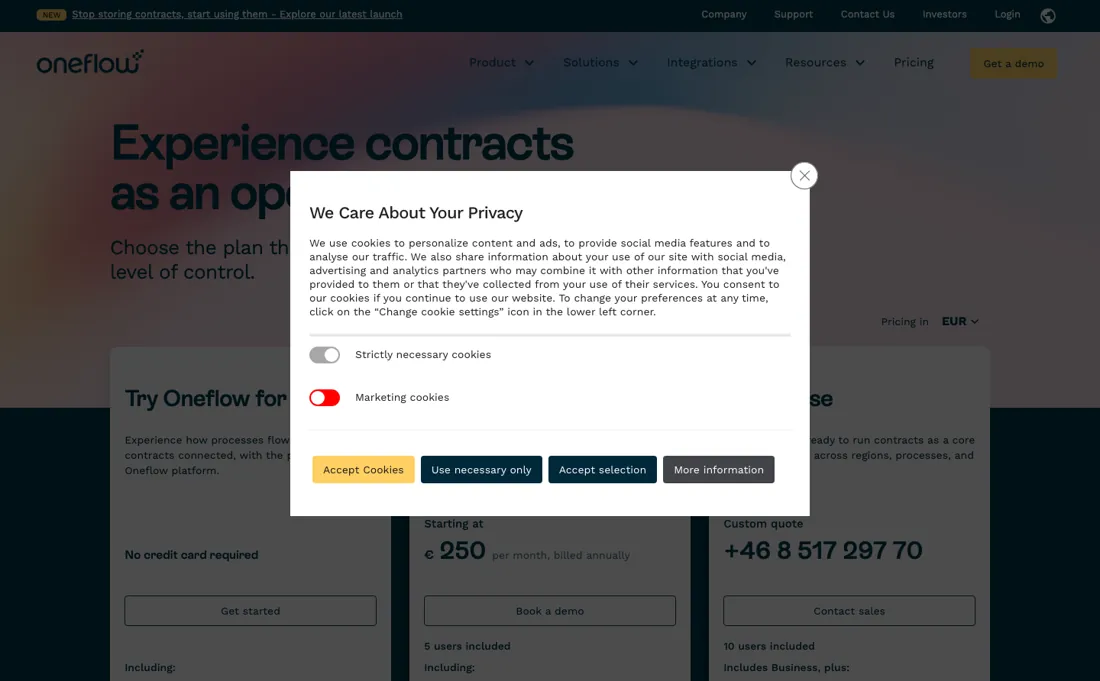
Oneflow’s pricing page, as we read it
Watch the video review
The video version of this review, from our YouTube channel.
⚡ Short on time? Watch the 30-second verdict Short.
What Oneflow does
Digital contract platform for the full lifecycle — create, negotiate, e-sign and archive interactive contracts, with AI-assisted contract features and CRM/HR/ATS integrations (HubSpot, Salesforce), sold per user on annual billing.
What buyers report about Oneflow
Hands-on: not tested by usReported by buyers: GetApp, Software Advice and B2B Reviews, read August 2026
Themes from the buyer-review sites listed at the foot of this page, read in August 2026. We have not run Oneflow ourselves, so this is other buyers' experience rather than ours. We summarise it here because the complaints are usually the part a vendor page leaves out.
- • User-based tiered pricing instead of pay-per-envelope. For anyone who has been surprised by an envelope bill, that predictability is the reason to look. $17 to $40 per user per month.
- • Quick to learn, and reviewers say the real-time collaboration on a contract in progress is what they would miss.
- • Notifications and signature placement both draw complaints, as does user management.
- • Little help with migrating existing contracts — plan that work yourself.
- • Billing questions are reported as slow to resolve.
- • Customisation runs out if your workflow is unusual.
When the paid plan is worth it
Oneflow's paid tier starts at €50/user/month billed annually with a 5-user minimum, so the entry cost floor is €250/month; there is no permanent free plan, only a 14-day trial with full platform access and no credit card required. Teams that only need core contract creation, e-signature, and lifecycle tracking — without AI-assisted contract review or single sign-on — can run through the trial and then stay on this Business plan without hitting real limits.
The push toward Enterprise (custom-quoted, 10-user minimum) is narrower than it looks. Account audit logging is already on Business, and single sign-on, SCIM, custom roles, user groups, shared templates and section rules all carry the paid add-on marker there rather than being withheld, buyable without changing plan. Read 5 October 2026, only one row is blank for Business: white labelling, itself a paid add-on on Enterprise. The Beta AI review features, listed on Enterprise without an add-on marker in September, are now a paid add-on on both plans, and two newer rows, a content library and personal API tokens, come included on Enterprise and as add-ons on Business.
What upgrading does not solve is that add-on column. eID signature, SMS signature, custom email domain, batch sending, limited users, organisational units and now AI contract review are paid extras on Enterprise as on Business. So heavy eID users keep paying extra regardless of plan, and a custom quote does not fold those meters in.
How to actually use Oneflow
Getting real value starts with creating a trial account, then generating an API token from the Marketplace inside the app; that token goes in the x-oneflow-api-token header on every request, alongside an x-oneflow-user-email header identifying the acting user. Before sending anything through the API, a template has to already exist inside the target workspace. Contract-creation calls need both a workspace_id and a template_id. The documented failure mode is a 404 stating the template must be in the target workspace — which is what teams hit when templates were built in one workspace and the API call points at a different workspace_id.
For no-code setups, third-party integrations such as Salesforce, Zapier, and Power Automate ask for that same API token plus the account email during configuration. In practice the blocker is workspace/template alignment, not account signup.
Where this section comes from: our research notes (118 words)
oneflow.com/pricing/ and developer.oneflow.com/docs/create-a-basic-contract, read 6 Aug 2026; pricing page and the full Business-versus-Enterprise comparison table re-read 2 September 2026, where a ($) marker in a plan column means a paid add-on on that plan and not an unavailable feature. Pricing page re-read 5 October 2026 (served HTML, plan cards and comparison table): €50/user/month annual from 5 users, "Our entry-level plan includes 5 seats and starts at €250 per month, billed annually", Enterprise custom from 10 users, 14-day trial without card, annual-only and freemium FAQ unchanged; AI Review & Insights (Beta) and AI Insights Premium (Beta) ($) on both plans, content library and personal access tokens ($) on Business and included on Enterprise, white labeling ($) on Enterprise only.
Oneflow vs Signeasy, side by side
Each column shows the vendor’s own published entry price, read on the date shown. Entry prices can cover different services or units, so check what each one buys. We do not average them into a score.
Both names above are affiliate links: we may earn a commission if you sign up, at no extra cost to you. Neither changes what this table says.
The natural comparison is Signeasy — Signeasy is the lightweight per-seat e-signing route from about $10 a month; Oneflow is the full contract-lifecycle platform at €250/month annual — pick by whether you manage contracts or just sign them.
Frequently asked questions
What is the real entry price?
€250 a month, billed annually — €3,000 committed before you send a contract. The rate is €50 per user per month and the Business plan starts at five users, and on 18 September and again on 5 October 2026 oneflow.com/pricing/ states the floor directly: the entry-level plan includes 5 seats and starts at €250 per month, billed annually. Enterprise begins at ten users and is quote-only. If you read the €50 and stopped there, the real number is five times what you were budgeting.
Can I pay monthly, or start smaller than five seats?
Neither, and Oneflow is unusually direct about the first one. Its pricing FAQ carries the question “Why can you only pay on an annual basis?” and answers it with long-term value, secure deployments and dedicated onboarding rather than offering an alternative (read 18 September and 5 October 2026). The seat floor is stated the same way: Business starts at five users, Enterprise at ten. A 14-day trial with no credit card is the only way to use the platform without the annual commitment.
Is there a free plan?
The page contradicts itself here, and it is worth getting the answer in writing before you plan around it. The plan cards on oneflow.com/pricing/ show exactly three things on 18 September and 5 October 2026 — a 14-day trial, Business and Enterprise — and no free tier. The FAQ on the same page asks “Does Oneflow offer a freemium plan?” and answers “Yes, Oneflow offers a freemium plan”, then talks only about starting with a trial. What is unambiguously free is the contract-template library, which needs no account.
Is this a hands-on review of Oneflow?
This is a researched assessment, not a hands-on test — where we've used a tool ourselves, we say so explicitly. We name what each tool is good and bad at, and we earn a commission only if you sign up, at no cost to you.
- Buyer reviews on GetApp, Software Advice and B2B Reviews, read August 2026.
- Price re-verified 2026-09-18 and again on 2026-10-05 against oneflow.com/pricing/; read from a Dutch connection, and the page sells in EUR, GBP, NOK, SEK and USD — these are the EUR figures.
- A dated screenshot of that pricing page, kept on this site as the receipt.
Others in this category
Reviewed sales & crm tools that share ground with Oneflow — comparable in what they do, not drop-in swaps:
New reviews, price changes we recorded, and the cost conditions we found. No sponsored placements. Unsubscribe anytime.
This is our researched assessment — not a paid placement. The “Visit” links on this page are affiliate links: we may earn a commission if you sign up, at no extra cost to you, and it never changes our take. How we review →