Design.com Review (2026)AI Logo Maker, One Logo per Subscription
 By Daan Haket · Researched and written with an AI assistant · who does what
There is no price list: the FAQ gives 'typical' monthly figures, prints the same US$34 for Value and Premium, and the real price only appears after you hand over an email address.
founders and small businesses that want one logo plus matching business cards, social graphics and a simple website from the same template library, and are fine paying monthly.
you need several logos or want to explore many directions, since each logo is its own subscription; you want to know the exact price before giving an email address; or you need several team members on one account.
Transparency: the “Visit” links on this page are affiliate links — we may earn a commission if you sign up, at no extra cost to you. No vendor can pay for a better review or verdict. How we make money →
Pricing (2026)
✓ Pricing re-verified 26 Oct 2026
“Value (Logo Pack + Website): Typically US$34/month”Source: design.com/faqs/purchasing, read 15 Oct 2026
“Starter (Logo Pack): Typically US$25/month”Source: design.com/faqs/purchasing, read 15 Oct 2026
“Purchases of digital assets are non-refundable”Source: design.com/faqs/refund, read 15 Oct 2026
Design.com sells logo packages as a monthly or annual subscription, and every package includes one logo. The purchasing FAQ gives typical prices only: Starter (Logo Pack) typically US$25 a month, Value (Logo Pack + Website) typically US$34 a month, and Premium (Logo Pack + Website + More, adding the Link in Bio creator and digital business card maker) also printed as typically US$34 a month, the same figure as Value.
The FAQ says annual plans give better rates without stating them, and that support can provide a discount code. The real price appears only at checkout, after you enter an email address to download a logo, so we could not read it. A free account gives access to free tools, but designs made with the AI tools cannot be downloaded without paying.
Printing, domain names and professional design support cost extra. Payment is by card or PayPal in nine currencies (USD, AUD, GBP, EUR, INR, PHP, BRL, MXN, ZAR); other currencies are charged in US dollars. Plans change — always verify the live price on their site.
What the pricing page doesn’t say
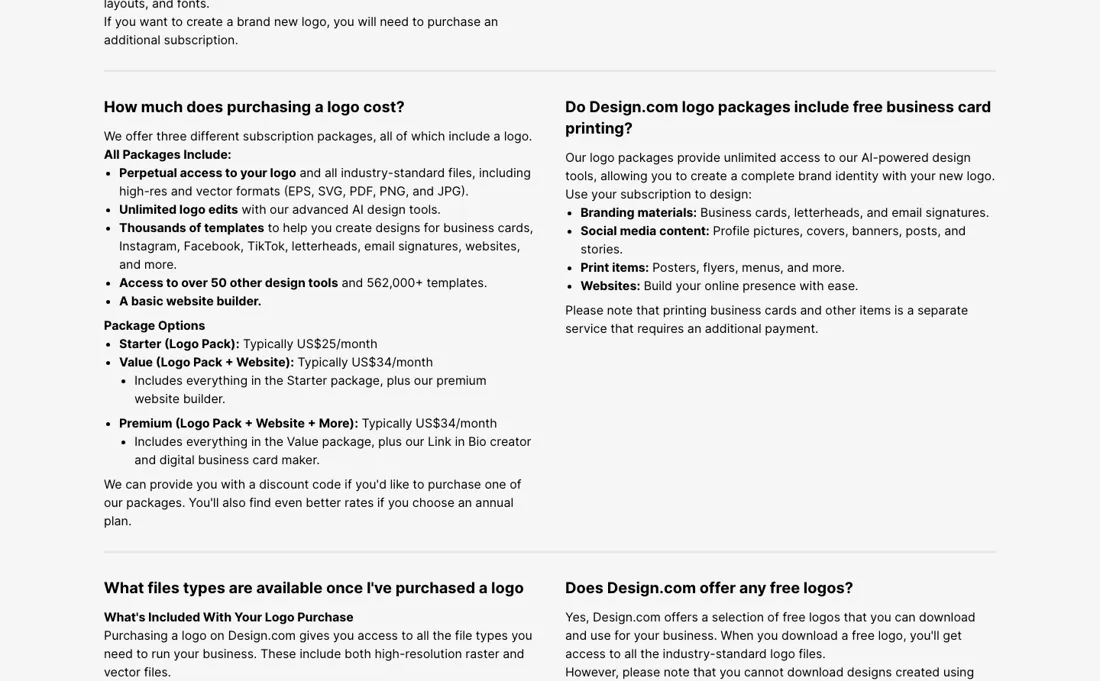
Each subscription covers one logo, and a second logo means a second subscription. The refund rules are tight: the FAQ calls digital purchases non-refundable and allows a refund of a renewal only within 7 days, and the terms add that it only applies if you did not use the service in that period (30 days for an annual or longer plan). Designs made with the AI tools cannot be downloaded on a free account, and there is one user per account.
What Design.com does
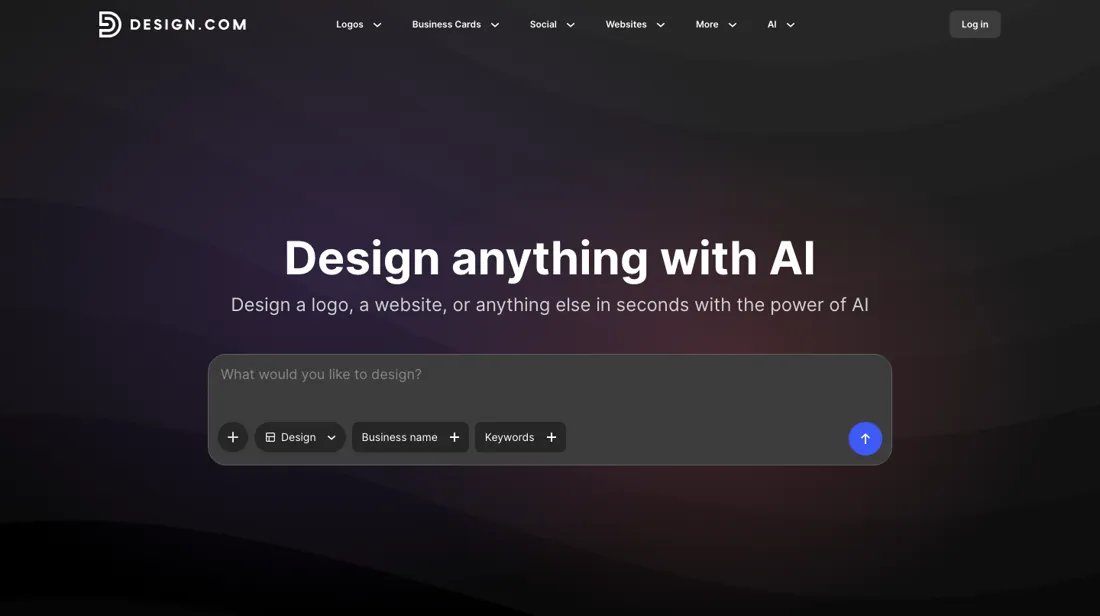
AI logo maker that also builds matching business cards, social graphics, a link-in-bio page and a simple website from one template library. Sold as a subscription that covers one logo.
You pay for one logo, the tools come with it
Every package includes perpetual access to one logo and its files (EPS, SVG, PDF, PNG and JPG), unlimited edits of that logo, a basic website builder and the template library for business cards, social posts, letterheads and email signatures. Value adds the premium website builder; Premium adds the Link in Bio creator and the digital business card maker. The catch is the unit. A subscription covers one logo: you can make as many colour, font and layout variations of it as you like, but a brand new logo needs another subscription, and the FAQ says there is no plan that downloads multiple logo designs.
The FAQ itself describes a way to treat it as a one-off purchase: subscribe monthly and cancel before the first month ends. You keep the licence and the files you downloaded; the terms say your designs may no longer be accessible on the site once the subscription has expired, so download every version you need first.
Questions we are still checking
Facts about Design.com that would change a buying decision, and where we stand on each. An unanswered question does not mean the feature is missing; it means we have not confirmed it yet.
- What do the Design.com packages cost at checkout, monthly and annually? Still checking
Applies to: the FAQ gives only 'typically' monthly figures and prints US$34 for both Value and Premium.
Why it matters: a buyer cannot compare Design.com with other logo makers without the real price.
Checked: Design.com purchasing FAQ (2026-10-26) - Which refund rule applies: the 7-day renewal window in the FAQ or the 30-day annual window with the non-use condition in the terms? Still checking
Applies to: the refund FAQ and the Service Terms and Conditions describe the windows differently.
Why it matters: an annual buyer needs to know whether the first charge can be undone.
Checked: Design.com Service Terms (2026-10-26)
Have a public source that answers one of these? How we review explains how we check and correct.
How to actually use Design.com
Search the logo maker with your business name and pick a template; the editor lets you change text, layout, background, the icon and shapes without an account. Pressing Download asks for an email address, and only then do you see what the package costs, so do your editing first and compare the checkout price with the FAQ's typical figures. If all you want is the logo, take the monthly Starter package, download every file format and every variation you will need, then cancel under My Account > Account Settings > Manage Subscription > Cancel Subscription before the renewal.
Plans renew automatically. There is one user per account: Design.com does not support seats, and the FAQ says that to share access you would have to share your login.
Sources for this review
- Design.com purchasing FAQ · read 26 Oct 2026: package names, typical monthly prices, one logo per subscription, monthly-then-cancel route, annual rates and discount code mentioned
- Design.com subscription FAQ · read 26 Oct 2026: what the subscription includes, no multi-logo plan, printing, domains and designer support excluded
- Design.com refund FAQ · read 26 Oct 2026: digital assets non-refundable, 7-day renewal refund, domains non-refundable
- Design.com account and billing FAQ · read 26 Oct 2026: free account, one user per account, card or PayPal, nine currencies, automatic renewal
- Design.com Service Terms and Conditions · read 26 Oct 2026: subscription periods, refund clause (7 days monthly, 30 days annual, non-use), access to designs after expiry
Full research notes and reading history (129 words)
Design.com's own help centre, read in a browser on 26 October 2026 from a Netherlands connection: the purchasing FAQ (design.com/faqs/purchasing, package names and typical prices), the subscription FAQ (one logo per subscription, printing, domains and designer support excluded), the refund FAQ, the account and billing FAQ (free account, one user per account, payment methods and currencies, automatic renewal), the cancellation FAQ, and the Service Terms and Conditions (refund clause 5).
design.com/pricing returned a 404. In the logo maker, the Download button asks for an email address before any package or price is shown; we did not sign up, so we have no checkout price. Codex read the same FAQ pages on 15 October 2026. Design.com is an affiliate partner of ours through Awin. We have not used Design.com ourselves.
Design.com vs Zoviz, side by side
Each column shows the vendor’s own published entry price, read on the date shown. Entry prices can cover different services or units, so check what each one buys. We do not average them into a score.
Both names above are affiliate links: we may earn a commission if you sign up, at no extra cost to you. Neither changes what this table says.
The natural comparison is Zoviz — Zoviz is in our dossiers too and also bundles a logo with a brand kit, social posts and a simple website. Zoviz publishes its plans on a pricing page (read 6 October 2026) and charges when you download, with a refund within 30 days only if nothing was downloaded; Design.com publishes only typical FAQ prices and ties each subscription to a single logo..
Frequently asked questions
How much does Design.com cost?
The purchasing FAQ (read 26 October 2026) gives typical prices only: Starter (Logo Pack) typically US$25 a month, Value (Logo Pack + Website) typically US$34 a month, and Premium (Logo Pack + Website + More) also printed as typically US$34 a month. Annual plans are said to be cheaper, without an amount. There is no public price table; the exact price is shown at checkout after you enter an email address.
Can I pay once for a logo?
No. The FAQ says packages are monthly or annual subscriptions, and suggests a 'one-time-like payment': subscribe monthly and cancel before the first month ends. You keep the licence to your logo and the files you downloaded.
Can I make more than one logo with a subscription?
No. A subscription gives access to one logo. You can create unlimited variations of it (colours, fonts, layouts), but a new logo needs an additional subscription, which the FAQ says is offered at a discounted price.
Can I get a refund?
Only narrowly. The refund FAQ says digital assets are non-refundable because the files are available immediately, and that a renewal charge is refunded in full only if you ask within 7 days. The Service Terms add that a subscription refund is allowed within 7 days of a monthly charge or 30 days of an annual or longer charge, and only where you have not used the service in that period. Domains are non-refundable; print orders can be refunded before production.
Is there a free plan?
You can create a free account and use the free tools, but the FAQ says designs made with the AI-powered design tools cannot be downloaded with a free account.
Can my team share one account?
No. The account FAQ says Design.com does not support multiple users or seats; each account is for one user.
Is this a hands-on review of Design.com?
This is a researched assessment, not a hands-on test — where we've used a tool ourselves, we say so explicitly. We name what each tool is good and bad at, and we earn a commission only if you sign up, at no cost to you.
- Read 2026-10-26 in a browser on design.com/faqs/purchasing; design.com/pricing returns a 404 and there is no public price table.
- A dated screenshot of that pricing page, kept on this site as the receipt.
Others in this category
Reviewed design & content tools that share ground with Design.com — comparable in what they do, not drop-in swaps:
New reviews, price changes we recorded, and the cost conditions we found. No sponsored placements. Unsubscribe anytime.
This is our researched assessment — not a paid placement. The “Visit” links on this page are affiliate links: we may earn a commission if you sign up, at no extra cost to you, and it never changes our take. How we review →