ClickUp Review (2026)Free Forever, Then $7 a Seat
 By Daan Haket · Researched and written with an AI assistant · who does what
The everything-app breadth is also the downside — it's feature-dense with a real learning curve, and teams can drown in options. Powerful and cheap per seat, but only if you'll actually configure and adopt it. Throughout this review we weigh it against monday.com.
teams that want one highly customizable app for tasks, docs, goals and reporting and will invest in setting it up.
you want something simple your team adopts in a day — ClickUp's depth becomes overwhelm for a light use case.
Transparency: the “Visit” links on this page are affiliate links — we may earn a commission if you sign up, at no extra cost to you. No vendor can pay for a better review or verdict. How we make money →
Pricing (2026)
✓ Pricing re-verified 30 Sep 2026
| Plan | Price | What you get |
|---|---|---|
| Free Forever | $0 | unlimited tasks but 60 MB of storage |
| Unlimited | $7 per user/mo billed yearly | $10 billed monthly |
| Business | $12 per user/mo billed yearly | $19 billed monthly |
| Enterprise | quoted | AI is priced on top of any plan: Brain AI $9, Everything AI $28 per user/mo |
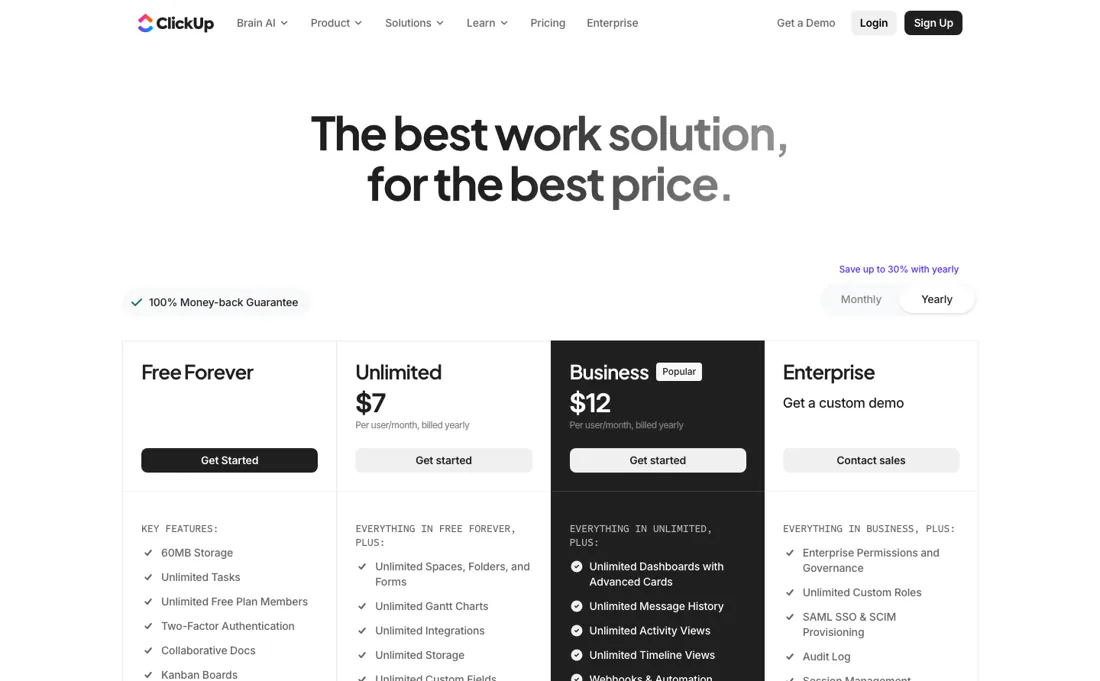
A Free Forever plan with unlimited tasks but 60MB of storage; Unlimited $7 and Business $12 per user/month billed yearly, which are $10 and $19 billed monthly; Enterprise is quote-only. AI is priced on top of the plan: Brain AI $9 and Everything AI $28 per user/month. On 2026-09-30 the AI section also listed what the AI plans include: Brain AI adds 1,500 AI Super Credits per user a month and Everything AI 5,000, shared across the Workspace, with extra credits at $10 per 10,000. Plans change — always verify the live price on their site.
Category context: Operations & Workflow. Across the 53 tools in this category that we researched with a public US-dollar price, the median entry price is $29 a month (lowest paid plan as listed, per seat where the vendor prices per seat). ClickUp’s entry price of $7 a month sits below that median. Compare pricing conditions in the Software Cost Atlas →
What the price did
We capture ClickUp’s own pricing page every month and keep the figures, so this is our record of the page — not a forecast, and not someone else’s summary.
Our monthly captures of clickup.com/pricing on 7 July and 2 August 2026 are byte-identical — the same page-text hash both months, carrying the same figures: $7 Unlimited, $12 Business, $9 Brain AI and $28 Everything AI. Reading the page again by hand on 13 August 2026 returned those same four amounts, plus $10 and $19 as the month-to-month rates for Unlimited and Business. Nothing has moved in that window. Re-read on 30 September 2026: $7 and $10, $12 and $19, $9 and $28 all unchanged, and the automation limits per tier (100, 1,000, 5,000 and 250,000 executions a month) exactly as in August.
ClickUp’s pricing page, as we read it
Watch the video review
The video version of this review, from our YouTube channel.
⚡ Short on time? Watch the 30-second verdict Short.
What ClickUp does
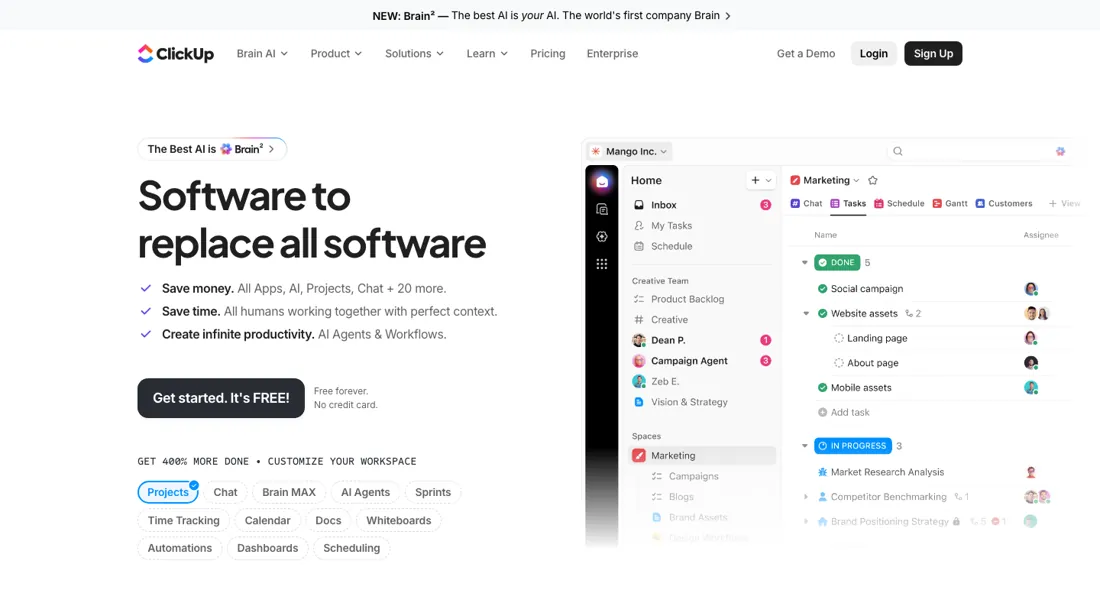
The 'everything app' for project and work management. Centralize your tasks, docs, sprints, and team communication in one hub.
What buyers report about ClickUp
Hands-on: not tested by usReported by buyers: G2 and Capterra, read August 2026 (Capterra read 13 August 2026)
Themes from the buyer-review sites listed at the foot of this page, read in August 2026 (Capterra read 13 August 2026). We have not run ClickUp ourselves, so this is other buyers' experience rather than ours. We summarise it here because the complaints are usually the part a vendor page leaves out.
- • It genuinely does replace several tools, which is why it rates around 4.7 across more than 10,000 G2 reviews.
- • Once teams are through the setup, usability scores are high — 88% on G2.
- • Developers on Capterra (4.6 across 4,616 reviews) single out the API rather than the boards: a plain API token with no OAuth dance, endpoints grouped the way the UI is, predictable payloads and clearly documented rate limits — one reviewer had task creation, updates and status changes working within an hour.
- • The learning curve is the second most-cited complaint on G2, and "took three weeks to onboard the team" is a common phrasing. Budget for that.
- • Slowness. "Slow loading" is tagged in over 1,100 G2 reviews, and reviewers still report lag in large workspaces after the 3.0 speed work.
- • Feature overload — "too many features I don't use" recurs, and it makes the tool harder to teach.
- • Docs and the mobile app trail the desktop experience.
- • Capterra reviewers name the mobile app specifically as weaker than the desktop app, and one adds that getting the full feature set there means moving up a plan for what is largely the same thing.
- • The lag complaints there are specific: stalls when tasks and subtasks are added in quick succession, and slow-loading dashboards in large workspaces with many subtasks.
- • Automations are called shallow for anything complex — several Capterra reviewers say non-trivial triggers need workarounds instead of working natively.
When the paid plan is worth it
The Free Forever tier is not a trial — it carries unlimited tasks — but ClickUp caps it at 60MB of storage. That is the ceiling that arrives first: the moment work involves attachments rather than checklists, the free plan runs out. Unlimited at $7 per user/month billed yearly restores storage, integrations and custom fields. Business at $12 per user/month billed yearly is the tier that matters once routing is supposed to run without a human, since ClickUp documents 5K automations per month there against 250K on Enterprise.
The rough rule: pay for Unlimited when files and integrations enter the workflow, pay for Business when automations and dashboards carry real load, and stay free if a small group only tracks tasks. AI is priced separately on top — Brain AI at $9 per user/month, Everything AI at $28 — so an AI-first evaluation costs more than the plan table suggests. What upgrading does not fix at these tiers: API throughput.
Free, Unlimited and Business all sit at 100 requests per minute per token; only Business Plus (1,000) and Enterprise (10,000) lift it, so integration-heavy setups stay throttled long after per-seat cost has stopped being the question.
Our monthly capture read this vendor's pricing page in July 2026 and again in August 2026, and the amounts were the same both times. We keep watching — the registry records what moves.
How to actually use ClickUp
ClickUp does little until the Hierarchy exists. The vendor's onboarding guide puts Workspace structure first — Spaces, then Folders, then Lists, then tasks — and explicitly asks teams to agree what each level represents before anyone creates one. Roles come next: Guests, Members, Admins, Owner and custom roles are decided during setup, and permission mistakes surface afterwards as people seeing the wrong Spaces. Then import. ClickUp publishes importers for Asana, Monday.com, Jira, Confluence, Trello, Todoist, Basecamp, Wrike, Notion and CSV or Excel, and lets the result land in a brand new Space or be mapped onto an existing Folder.
For CSV the import page promises only that any number of columns can be imported in any order and mapped into Lists; it documents no validation step, so mapping is checked by eye. The practical stall is not the account itself but the structural decision plus the cleanup once a migration has turned boards and Jira issue types into Lists that do not match how the team actually works.
Distilled from ClickUp's own team onboarding guide (https://clickup.com/team-onboarding) for Hierarchy-first setup and the role model, and ClickUp's import page (https://clickup.com/import) for the supported migration sources and the new-Space / existing-Folder mapping choice. Plan-gated API throughput from ClickUp's developer docs (https://developer.clickup.com/docs/rate-limits). Help Center articles on the Hierarchy and Workspace setup were unreachable (403). Pricing re-read 30 September 2026 on clickup.com/pricing (plan cards on both billing tabs, the comparison table's automation row and the AI plans with their credit allowances).
The natural comparison is Asana or Trello — simpler project tools. Weigh it against monday.com on the job you actually need done.
Frequently asked questions
What runs out first on the free plan?
Storage. Read on 13 August 2026 and again on 30 September 2026: Free Forever carries unlimited tasks but 60MB of storage, 5 active automation rules and 100 automation executions a month. Tasks and checklists will not exhaust that; attachments will, and quickly — which is why the free plan tends to end the week a team starts putting files in it rather than the week they run out of tasks.
Which tier do I actually need for automations?
The step that matters is Business. The pricing page lists 100 automation executions a month on Free, 1,000 on Unlimited ($7 per user/month billed yearly), 5,000 on Business ($12) and 250,000 on Enterprise. If you are buying ClickUp because of a routing workflow that should run without a human, size against the execution count at the tier you would buy, not against the seat price.
Does paying more lift the API rate limit?
Not at the tiers most buyers compare. ClickUp's developer documentation puts Free Forever, Unlimited and Business all at 100 requests per minute per token; only Business Plus lifts it to 1,000 and Enterprise to 10,000. An integration-heavy setup therefore stays throttled long after per-seat cost has stopped being the question.
Is this a hands-on review of ClickUp?
This is a researched assessment, not a hands-on test — where we've used a tool ourselves, we say so explicitly. We name what each tool is good and bad at, and we earn a commission only if you sign up, at no cost to you.
- Buyer reviews on G2 and Capterra, read August 2026 (Capterra read 13 August 2026).
- Re-verified 2026-08-13, read on their own pricing page with both billing tabs open; every amount unchanged on 2026-09-30.
- A dated screenshot of that pricing page, kept on this site as the receipt.
Others in this category
Reviewed operations & workflow tools that share ground with ClickUp — comparable in what they do, not drop-in swaps:
New reviews, price changes we recorded, and the cost conditions we found. No sponsored placements. Unsubscribe anytime.
This is our researched assessment — not a paid placement. The “Visit” links on this page are affiliate links: we may earn a commission if you sign up, at no extra cost to you, and it never changes our take. How we review →