BrowserAct Review (2026)The Free Tier Shrank to 200 Credits
 By Daan Haket · Tested hands-on · written with an AI assistant · who does what
The free tier is the catch: its card reads 200 signup credits where it read 1,500 on 2 September, about 66 workflow steps at 3 credits a step, while the vendor's own llms.txt still advertises 2,000.
teams that need a reusable web scraper or browser bot without writing selectors, want the browsers, proxies and CAPTCHA handling managed for them, and can commit to yearly billing -- at $13 a month Basic is a cheap way to run a few scheduled bots.
you will bill month to month (20 to 25 percent more than yearly), you plan to run proxy-heavy jobs on the Local CLI (one gigabyte of dynamic proxy traffic is 5,000 credits, half of Basic's monthly pool) or to rely on the cloud proxy staying free, which the page says is for a limited time only, or you need a published overage rate before you commit, because the credit-pack price is not on the page.
Transparency: the “Visit” links on this page are affiliate links — we may earn a commission if you sign up, at no extra cost to you. No vendor can pay for a better review or verdict. How we make money →
Historical test data: these are measurements from 4 September 2026, at that day's free allowance and meters, not today's Free plan or the standard cost of every Bot. We ran the reproducible test BrowserAct's own partner team proposed, on a free account with the 1,500 sign-up credits the card offered at the time. The prompt, verbatim: open books.toscrape.com, collect the first 20 books in listing order, open each detail page and return full title, displayed price, availability and source URL, leave unavailable fields blank, infer nothing. Before touching BrowserAct we fetched the same 20 pages with plain HTTP and saved the four fields as ground truth, so every value below was checked against the source, not against BrowserAct's own claims. Then we built the Bot from the prompt, ran it twice from the published version, and read the credit meter after each step.
- Accuracy: 80 of 80 fields correct, three times over. The build's own verification output, run 1 and run 2 each returned 20 rows with title, price, availability and URL identical to our ground truth, including the parenthetical stock counts ('In stock (22 available)') and the currency symbol, which the Bot kept as displayed rather than converting.
- The build costs more than the runs. Building the Bot took 4 minutes 59 seconds and 278 credits; the agent inspected the listing and a detail page, wrote a small package (a SKILL.md, a run.py and two DOM helpers), compiled it, and ran it end to end before declaring it ready. On that day's free tier that was about a fifth of the sign-up credits spent before the first real run. The pricing page now estimates 300 to 500 credits for a simple Agent build, and today's free card lists 2 free Agent Builds alongside its 200 credits.
- Runs are cheap but not deterministic in cost. Run 1 used 21 credits in 1 minute 56 seconds; run 2, the same Bot on the same 20 pages, used 27 credits in 3 minutes 12 seconds. Identical output, 29% more credits and 65% more wall time. At Basic's 10,000 credits for $13 a month on yearly billing, a run of this size is roughly three cents, so the variance is small in money and worth knowing about in budgeting.
Pricing (2026)
✓ Pricing re-verified 14 Oct 2026
| Plan | Price | What you get |
|---|---|---|
| Free Trial | $0 | 200 credits on signup, 2 free Agent Builds, 2 simultaneous tasks, 5 free local browsers, community support (the vendor's llms.txt says 2,000 signup credits; the pricing card says 200) |
| Basic | $16/mo monthly or $13/mo yearly ($156) | 10,000 credits/mo, 10 simultaneous tasks, unlimited MCP servers, up to 5 static proxies, 10 local browsers, 7-day trial with 1,000 credits |
| Essential | $70/mo monthly or $56/mo yearly ($672) | 50,000 credits/mo, 20 tasks, unlimited MCP servers, up to 25 static proxies, 50 local browsers, 7-day trial with 1,500 credits |
| Advanced | $120/mo monthly or $96/mo yearly ($1,152) | 100,000 credits/mo, 40 tasks, unlimited MCP servers, up to 50 static proxies, 100 local browsers, 7-day trial with 2,000 credits |
A credit-metered subscription with a free tier. Yearly billing: Basic $13/month ($156), Essential $56/month ($672) and Advanced $96/month ($1,152). Monthly billing: Basic $16 a month, Essential $70, Advanced $120; the yearly toggle carries a -20% badge. These amounts are unchanged since 2026-09-13. CHANGED SINCE 2026-10-03: the monthly tab no longer shows the crossed-out list prices of $20, $100 and $200 next to them; on 2026-09-02 the public page charged those list prices on the monthly tab.
The Free Trial card reads 200 Free Credits on signup, 2 Free Agent Builds, 2 simultaneous tasks and 5 free local browsers (1,500 on 2026-09-02); the vendor's own llms.txt still says 2,000 free credits, and both llms.txt and BrowserAct in writing name the pricing page as the source of truth, so we quote the card. Paid allowances: 10,000, 50,000 and 100,000 credits a month with 10, 20 and 40 simultaneous tasks, unlimited MCP servers, up to 5, 25 and 50 static proxies, 10, 50 and 100 free local browsers, a 7-day free trial per paid tier (1,000, 1,500 and 2,000 credits) and access to extra credit packs.
Full pricing notes (2 more paragraphs)
CHANGED SINCE 2026-09-20: a Workflow Bot step now costs 3 credits instead of 5. The page splits usage in two. Cloud SaaS: Workflow Bots at 3 credits per executed step, Agent Bots estimated at 300-500 credits to build and 10-20 a run (5% of the build) for a simple task, 800-1,500 to build and 20-30 a run (2% of the build) for a complex one; the 24/7 cloud browser and the built-in dynamic proxy are free for a limited time, and a static proxy is optional.
Local CLI: $0 runtime fee; credits apply only to optional add-ons, a local fingerprint browser at 100 credits, dynamic proxy at 5,000 credits per GB, static proxies priced by location and tier without a figure.
Plans change — always verify the live price on their site.
What the pricing page doesn’t say
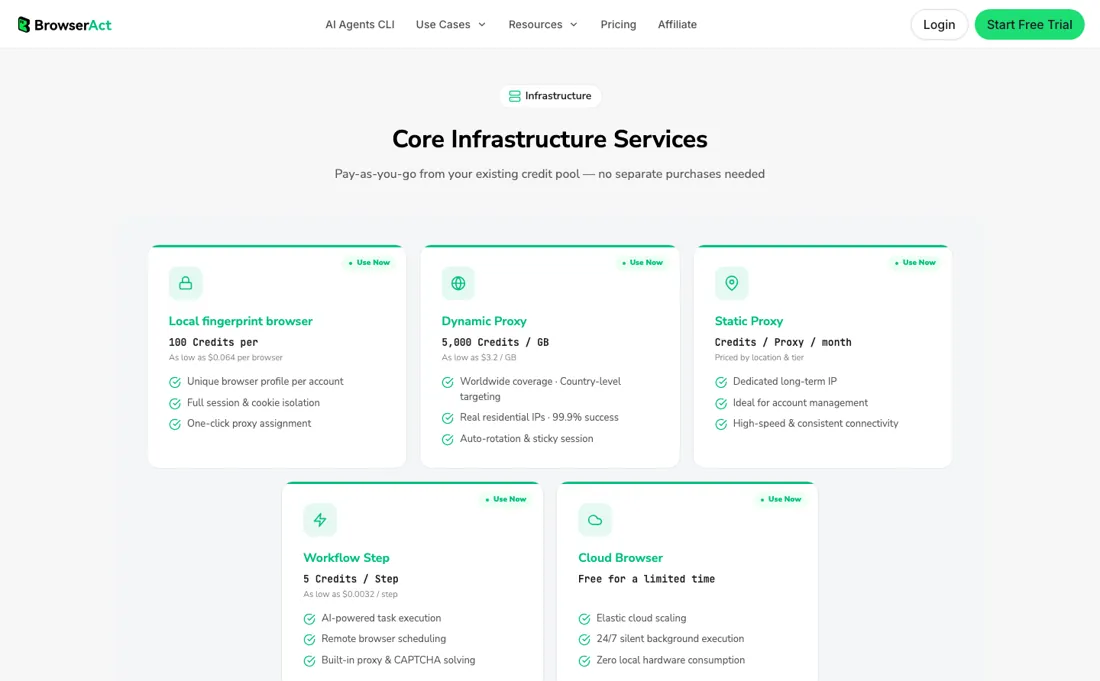
And the 'as low as' step rate does not come from these tiers: llms.txt puts a step at about $0.0019, but at Advanced a credit works out to about $0.00096, so a 3-credit step is roughly $0.0029 -- the lower number must belong to a credit pack whose price the page does not show. In our hands-on run of 4 September (historical test data, priced at the meters of that day) the meter was honest at account level (1,500 to 1,174 credits over one build and two runs, reconciling exactly with the history list), but the same Bot cost 21 credits on one run and 27 on the next for identical output, and the task panel briefly reported 0 credits for a run the list priced at 21.
Watch the video review
The video version of this review, from our YouTube channel.
What BrowserAct does
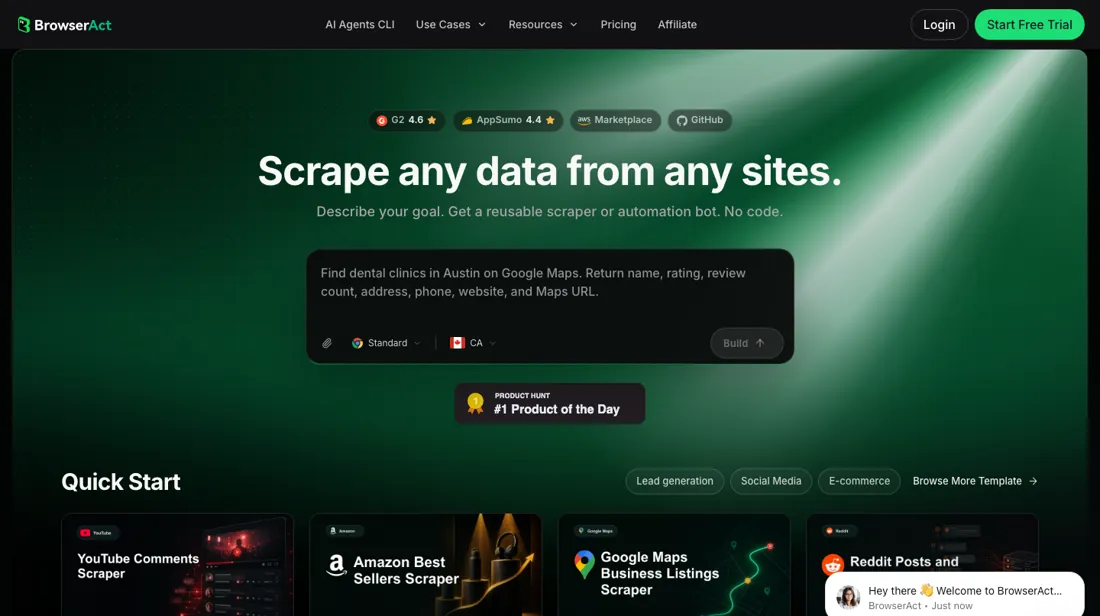
No-code web scraper and browser-automation bots from one prompt, with managed browsers, residential proxies and CAPTCHA solving in one credit pool. Monthly billing costs 20 to 25 percent more than yearly.
What buyers report about BrowserAct
Hands-on: tested 2026-09-04Reported by buyers: G2, read September 2026
Themes from the buyer-review sites listed at the foot of this page, read in September 2026. We tested BrowserAct ourselves on 2026-09-04, but one test is a narrow sample, so here is what other buyers report. We summarise it here because the complaints are usually the part a vendor page leaves out.
- • Extraction in plain language is the thing reviewers name first: several describe pointing it at messy, unstructured pages that defeated their own scripts, with one news-site operator reporting more than half his prompt debugging time gone.
- • Setup without code. Reviewers who had previously cobbled together Python scrapers or fought with Apify describe getting a working integration out of the interface alone, and say it has kept running unattended since.
- • Session handling on logged-in sites: parallel sessions that do not cross-contaminate, sessions that survive past an hour, CAPTCHAs solved automatically, and output that arrives already structured.
- • Documentation is the most consistent complaint. G2's own summary of the review set names it, and reviewers ask for more tutorials and guidance for newcomers.
- • Setting up a scrape behind a login is described as cumbersome by one reviewer: enter credentials, confirm the login, wait for the refresh, with no native workflow for what is a common scenario.
- • Price comes up, though the reviewer who raises it concludes the feature set justifies it rather than that it is too expensive.
Where the ratings disagree. The reviews disagree with each other about logged-in sites, and the split is worth reading before you buy on that promise. One reviewer calls unbroken login the single most powerful feature and reports sessions holding for over an hour; another calls setting up the same thing cumbersome and wants a native workflow for it. Both are September-2026-era reviews of the same product, so the likeliest reading is that it works well once configured and that the configuring is the rough part.
When the paid plan is worth it
On the monthly tab Basic bills $16, Essential $70 and Advanced $120. The yearly tab drops those to $13, $56 and $96 ($156, $672 and $1,152 up front), so the monthly-versus-yearly spread is 20 to 25 percent. Until early October the monthly tab also showed crossed-out list prices of $20, $100 and $200; on 14 October those were gone. Essential is where the plan stops being a toy: 50,000 credits is about 16,666 cloud workflow steps a month at 3 credits a step, against about 3,333 on Basic, and 25 static proxies instead of 5.
At $56 yearly that is about $0.0011 a credit against $0.0013 on Basic, so the middle tier is also the cheaper credit; Advanced at $96 buys 100,000 credits and 40 simultaneous tasks at about $0.00096. What upgrading does not solve is the metering of add-ons. In the cloud the browser and the dynamic proxy are free for now, but only for a limited time; on the Local CLI a gigabyte of dynamic proxy traffic costs 5,000 credits at every tier, so a proxy-heavy local job eats half of Essential's monthly allowance while the step count stays trivial.
Static proxy pricing is not published at any tier, the page states no rate for credits that run out mid-task beyond saying packs exist, and no tier lifts the cap on what a credit buys.
What we found running BrowserAct ourselves
The first findings are at the top of this page. The rest:
- The meter is honest at the account level and confusing at the task level. Balance went 1,500 to 1,222 after the build, 1,201 after run 1 and 1,174 after run 2, which reconciles exactly with the per-task figures in the history list. But the task detail panel showed 'Credits used: 0' for a run that the history list, seconds later, priced at 21. Trust the list and the balance, not the panel.
- The agent made one silent design decision. The prompt said 'the first 20 books', and the Bot was built with no parameters and 'first 20' hard-coded; it says so in its own summary and offers to change it on request. Fine for this test, but a Bot you intend to reuse should be built with the count as an input, and you have to ask for that.
- Historical: on 4 September the app and the website showed different prices. On first login the app opened a '7-days free trial' panel listing Basic at $16, Essential at $70 and Advanced at $120 a month, with $20, $100 and $200 struck through, while the public pricing page, read the day before, still charged $20, $100 and $200 monthly. That gap closed by 13 September: the public page now shows the same $16, $70 and $120.
- What this test does not show. books.toscrape.com is a static sandbox with no login, no JavaScript rendering and no anti-bot measures, so none of the managed-browser, proxy or CAPTCHA infrastructure in BrowserAct's pitch was exercised. It proves the no-code loop from plain prompt to reusable Bot; it says nothing about hostile sites, where proxy use starts to matter -- free in the cloud for a limited time, 5,000 credits per gigabyte of dynamic proxy traffic on the Local CLI.
Most of our reviews are researched rather than run — how we review explains which is which, and why we do not pretend otherwise.
How to actually use BrowserAct
Spend the signup credits on measurement, not output, and know how few there are: the free card reads 200 credits with 2 free Agent Builds and 2 simultaneous tasks, where in early September it read 1,500. BrowserAct's own llms.txt still says 2,000 -- the vendor told us the pricing page is the one to believe, so check the number in your account first. At 200 credits the meters decide what you can try.
A cloud workflow step is 3 credits, so the free pool is about 66 steps; the cloud browser and the built-in dynamic proxy are free for a limited time. If you run locally through the CLI there is no runtime fee, but a fingerprint browser is 100 credits and a gigabyte of dynamic proxy traffic 5,000, which is out of reach on the free tier. Start from the Agent Built route instead of the visual workflow builder -- you describe the site, records, fields and conditions in plain language and BrowserAct explores and tests the live website before it builds the bot.
Decide the output early, whether CSV, JSON, the API, a webhook or Make, n8n and Zapier, because it shapes how the output fields are defined. The docs and a Discord sit behind the same signup if the build stalls.
Where this section comes from: our research notes (111 words)
browseract.com/pricing (both billing tabs) and browseract.com/llms.txt, the homepage template gallery and the Getting Started page of docs.browseract.com, first read 2 September 2026, re-read 13 September 2026 (monthly prices and the free-tier allowance changed, llms.txt contradicting the page on that allowance) 3 October 2026 (workflow step down from 5 to 3 credits, Cloud SaaS and Local CLI metered separately), after pricing corrections BrowserAct sent us by email, and 14 October 2026 (same amounts; the crossed-out monthly list prices removed); plus a hands-on run of 4 September 2026 on a free account: one Bot built from the vendor-proposed prompt against books.toscrape.com, run twice, every field checked against a plain-HTTP ground truth fetched separately.
BrowserAct vs Browse.ai, side by side
Each column shows the vendor’s own published entry price, read on the date shown. Entry prices can cover different services or units, so check what each one buys. We do not average them into a score.
Both names above are affiliate links: we may earn a commission if you sign up, at no extra cost to you. Neither changes what this table says.
The natural comparison is Browse.ai — Both turn a website into a scheduled, reusable data robot without code. Browse.ai is the older name and prices per robot run on a credit ladder that starts at $19 a month on annual billing, $48 monthly; BrowserAct starts lower at $13 yearly and bundles managed browsers, proxies and CAPTCHA solving into the same credit pool. If your bottleneck is blocked pages, BrowserAct's infrastructure is the difference; if it is simply extracting a table on a schedule, either does the job and Browse.ai has the longer track record..
Frequently asked questions
How many free credits do I actually get on signup?
Two of BrowserAct's own documents still disagree. On 3 October 2026 the pricing card reads 200 Free Credits on Signup plus 2 Free Agent Builds, 2 simultaneous tasks and 5 free local browsers. browseract.com/llms.txt, the file the vendor publishes for machines to read, still says the Free Trial carries 2,000 free credits — a tenfold difference on the same day. That same llms.txt names the pricing page as the source of truth for current amounts, and BrowserAct confirmed that to us in writing, so believe the card. Then do the arithmetic it implies: at 3 credits a workflow step, 200 credits is about 66 steps, and on the Local CLI a single fingerprint browser costs 100 of them. On 2 September the card read 1,500.
How much more does paying monthly cost than paying yearly?
About 20 to 25 percent. On 14 October 2026 the monthly tab charges $16, $70 and $120, and the yearly tab $13, $56 and $96 a month ($156, $672 and $1,152 a year), the same amounts as on 13 September. Until at least 3 October the monthly tab also showed $20, $100 and $200 crossed out, which made the gap look like a doubling; on 14 October those crossed-out list prices were gone and the yearly toggle simply carries a -20% badge.
What does a run actually cost?
It depends on where the Bot runs. In the Cloud SaaS a Workflow Bot costs 3 credits per executed step (it was 5 until late September), and the managed cloud browser and the built-in dynamic proxy are both free for a limited time. An Agent Bot is priced by the page as a build of 300 to 500 credits for a simple task or 800 to 1,500 for a complex one, then 10 to 30 credits a run. On the Local CLI, running on your own machine, the runtime fee is $0; credits are spent only on the optional add-ons: 100 credits per local fingerprint browser, 5,000 credits per GB of dynamic proxy traffic, and static proxies priced by location and tier with no figure shown. One caution on the 'as low as' rates: llms.txt puts a step at about $0.0019, but the cheapest credit on any published tier, Advanced billed yearly at $96 for 100,000 credits, is $0.00096, which makes a 3-credit step about $0.0029. Read on browseract.com/pricing and browseract.com/llms.txt, 3 October 2026; the per-credit arithmetic is ours.
Is this a hands-on review of BrowserAct?
Yes. We tested BrowserAct ourselves on 2026-09-04; the section above says what we tested, what we found and what we did not test, and where a figure comes from the vendor's own documentation instead. Most of our reviews are researched rather than run; we say which is which. We name what each tool is good and bad at, and we earn a commission only if you sign up, at no cost to you.
- Buyer reviews on G2 (13 reviews), read September 2026.
- Prices re-verified 2026-10-14 on browseract.com/pricing in a live browser, both billing tabs open, and cross-read against browseract.com/llms.txt the same day; the plan amounts and credit meters were first read in this form on 2026-10-03.
- A dated screenshot of that pricing page, kept on this site as the receipt.
- Our own hands-on session with BrowserAct (2026-09-04), written up in full further down this page.
Others in this category
Reviewed developer tools that share ground with BrowserAct — comparable in what they do, not drop-in swaps:
Also in developer tools, for browsing rather than as an alternative:
New reviews, price changes we recorded, and the cost conditions we found. No sponsored placements. Unsubscribe anytime.
This is our researched assessment — not a paid placement. The “Visit” links on this page are affiliate links: we may earn a commission if you sign up, at no extra cost to you, and it never changes our take. How we review →