 Runpod Review (2026)Serverless Wins Below 51% Busy
The honest math is utilization.
Visit Runpod → Affiliate link — the rest of this page is the honest version, including who should skip it.
Watch the 2-minute review
Same honest take, in video form — from our YouTube channel.
⚡ Short on time? Watch the 30-second verdict Short.
Pricing (2026)
✓ Pricing re-verified 5 Sep 2026
- Pods — Secure Cloud — $0.27–$7.89 per hourdedicated GPU instances from RTX A5000 to B300, billed per second, in vetted data centres
- Pods — Community Cloud — $0.16–$6.94 per hourthe same GPU models on community hosts; roughly 10–55% cheaper per card
- Serverless — $0.58–$9.98 per hourper-second billing, sub-200ms cold starts, autoscaling workers from 16GB to B300
- Clusters — $1.79/hr per A100 SXM, $4.31/hr per H200 SXMmulti-node jobs up to 64 GPUs; H100 SXM, L40S and B200 are quote-only
- Reserved clusters — quote — talk to an engineer1, 3, 6, 12 and 12+ month commitments with SLA-backed uptime
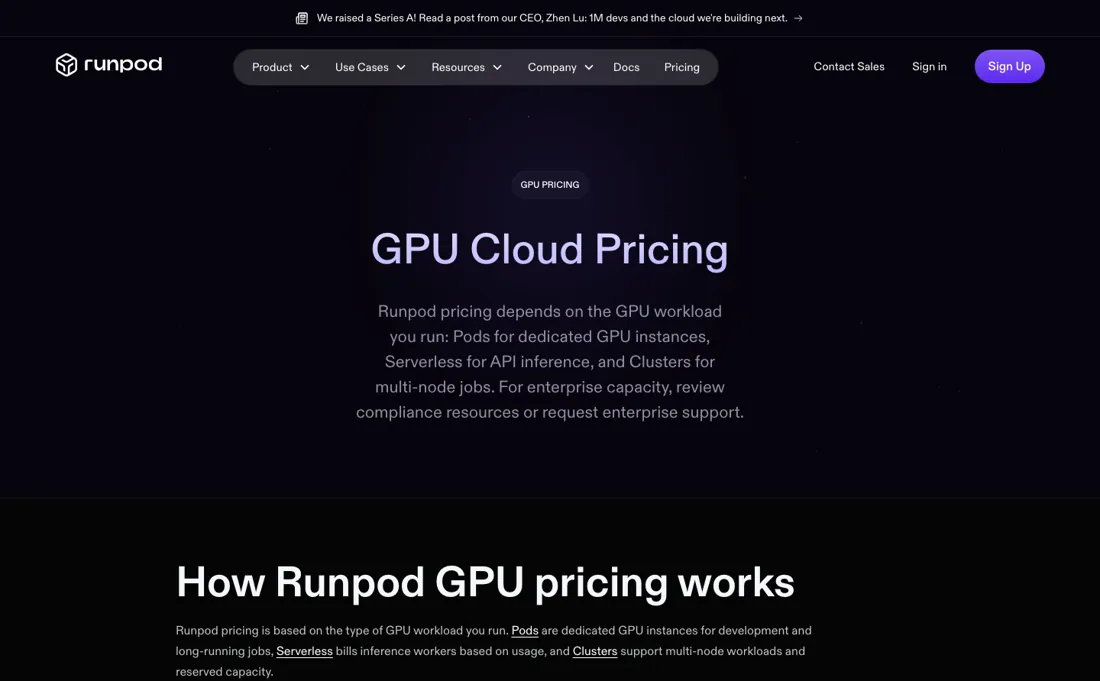
Pay-per-use GPU cloud (re-verified 2026-08-26 against runpod.io/pricing). Secure Cloud on-demand pods run from $0.27/hr (RTX A5000) and $0.49/hr (L4) up to $2.89/hr for an H100 PCIe, $3.29/hr H100 SXM, $4.59/hr H200, $6.79/hr B200 and $7.89/hr B300. Four of those moved up since July — L4 from $0.39, H100 SXM from $2.99, H200 from $4.39 and B300 from $7.39 — while the A5000 and the H100 PCIe did not move at all.
The page's own structured data publishes the Community Cloud column beside every card, and that is where the real discount sits: RTX 4090 $0.34 against $0.74 on Secure, RTX 3090 $0.22 against $0.50, RTX A6000 $0.33 against $0.53, H100 PCIe $1.99 against $2.89. Serverless bills per second at a premium over pods in exchange for sub-200ms cold starts and autoscaling: $0.58/hr for the 16GB tier, $2.72/hr for an A100, $4.79/hr for an 80GB H100 (was $4.55) and $9.98/hr at the top for a B300.
Multi-node Clusters now publish two rates — $1.79/hr per A100 SXM and $4.31/hr per H200 SXM — while H100 SXM, L40S and B200 clusters plus all reserved capacity stay quote-only. Storage is billed on top and is easy to miss: container disk $0.10/GB/month, volume disk $0.10 while running and $0.20 while idle, network storage $0.07/GB under 1TB and $0.05 over it, $0.14 for the high-performance tier. Plans change — always verify the live price on their site.
What the pricing page doesn’t say
On the same card serverless runs roughly 1.6-2x the pod rate per compute-hour: $4.79 against $2.89 for an H100, $2.72 against $1.39 for an A100 PCIe. That is brilliant for spiky inference and wasteful for steady training, so pick the mode per workload, not per habit. And like all GPU clouds, the meter never sleeps: an idle pod you forgot is the cloud version of the subscription graveyard. Set spend alerts before the first experiment, not after the first invoice.
What Runpod does
Serverless GPU compute platform. Rent high-end NVIDIA GPUs by the hour to train and deploy your own machine learning models.
What buyers report about Runpod
Recurring themes from the buyer-review sites listed at the foot of this page, read in August 2026. We have not run Runpod ourselves, so this is other buyers' experience rather than ours. We summarise it here because the complaints are usually the part a vendor page leaves out.
- • 60-80% below AWS, GCP and Azure — RTX 4090 from $0.34/hr on Community Cloud, A100 80GB from $0.89. Billed by the second with no monthly subscription.
- • Affordability against the hyperscalers is the top reason reviewers name for choosing it for experiments and small workloads.
- • Reliability is the weakest point and the most common complaint. Runpod tracked 227+ outages over nine months, and reviewers report pods failing to start, crashing mid-job, or showing as available when they are not — while billing continues.
- • Cold starts of 15-30 seconds after idle, which rules it out for anything latency-sensitive.
- • Storage costs double when idle: $0.10/GB/month active, $0.20 stopped. A 200 GB volume is $20 while you work and $40 after you stop. Delete volumes you are not using.
- • Secure Cloud costs roughly double Community Cloud for the same card.
The crossover is 51-60% utilisation
Runpod's two modes are not tiers, they are different bets on how busy your GPU will be — and there is a number where the bet flips, which nobody publishes. A pod bills for wall-clock time whether or not it computes. Serverless bills only while it runs, at a premium. Divide one by the other and you get the utilisation at which they cost the same: an H100 at $2.89 against $4.79 crosses at 60%, an A100 PCIe at $1.39 against $2.72 at 51%.
Below about half to two-thirds busy, serverless is cheaper despite the higher headline; above it, a pod is. Spiky inference sits well under that line, steady training well over it. Every rate here was re-verified on 5 September 2026 against runpod.io/pricing. Two smaller things. The H100 SXM is $3.29 against the PCIe's $2.89 — 13.8% more for a materially better interconnect, close enough to free that the PCIe rarely wins.
And a multi-node A100 SXM cluster is $1.79 an hour per GPU against $1.59 for the same card in a single pod: a 12.6% premium for the networking, not the silicon. What none of that protects you from is the meter, which never sleeps. One forgotten H100 pod is $2,081 a month; even a forgotten A5000 is $194.
How to actually use Runpod
Set a spend alert before you start a single pod. That is the urgent step: an idle H100 you forgot bills $2,081 over a month, and nothing about picking the right card protects you from it. Then pick the mode from your duty cycle rather than the headline rate. Estimate what fraction of the hour the GPU actually computes. Under roughly half to two-thirds — which is most inference — serverless is cheaper despite billing at a premium, because it stops charging between requests.
Over it, which is most training and batch work, take a pod. Benchmark on the cheap cards first. An A5000 at $0.27 an hour or an L4 at $0.49 will tell you whether your container builds and your weights load, and none of that needs an H100. When you move up, take the H100 SXM over the PCIe: $3.29 against $2.89 is 13.8% for a better interconnect. And compare a cluster against the same card rather than a cheaper one — $1.79 per A100 SXM is 12.6% over the single-pod A100 SXM at $1.59, worth paying only if your job genuinely spans nodes.
If you are integrating rather than clicking, write against REST API v2 from the start: v1 stops serving traffic on 15 November 2026 and returns 410 Gone.
Distilled from Runpod's own pricing page (runpod.io/pricing), read 5 September 2026. The per-GPU on-demand rates came out of the page's own schema.org Product/Offer graph, which publishes the Secure Cloud and Community Cloud rate for every card side by side, so both columns are the vendor's own figures rather than a reading of whichever column happened to be visible. The serverless table, the clusters table and the storage table were read from the same page's markup: serverless from $0.58/hr on the 16GB tier up to $9.98/hr for a B300, clusters at $1.79/hr per A100 SXM and $4.31/hr per H200 SXM, container disk $0.10/GB/month, volume disk $0.10 running and $0.20 idle, network storage $0.07/GB under 1TB, $0.05 over it and $0.14 for the high-performance tier. The API v2 sunset dates come from Runpod's own published deprecation notice.
The natural comparison is Lambda or Vast.ai — close GPU-cloud rivals — compare per-GPU-hour on the exact card you need and whether serverless cold-start speed matters for your workload.
More on Runpod
Everything we publish about Runpod links back here — the review stays the honest hub:
The ex-banker filter — the same yardstick on every review (how we review): My ex-banker filter is simple: does Runpod remove a real cost — time, errors, missed revenue — bigger than what it charges?
Frequently asked questions
What should I weigh before buying IT & Productivity software?
Judge it on evidence rather than adjectives. Look for a published security page, single sign-on and role controls on the plan you would actually buy (they are often gated to higher tiers), a status page with real incident history, and a clear answer on where your data is stored. If the tool will hold anything sensitive, those four answers matter more than any feature comparison.
Is this a hands-on review of Runpod?
This is a researched assessment, not a hands-on test — where we've used a tool ourselves, we say so explicitly. We name what each tool is genuinely good and bad at, and we earn a commission only if you sign up, at no cost to you.
- Buyer reviews on G2 and GPU-cloud comparisons, read August 2026.
- Runpod’s own published pricing page.
- A dated screenshot of that pricing page, kept on this site as the receipt.
Others in this category
The it & productivity tools closest to Runpod that we have also reviewed. They overlap rather than match:
New dossiers, cost-traps we found, and tools that earned a keep — no hype, no sponsored-disguised-as-advice. Unsubscribe anytime.
This is our researched assessment — not a paid placement. The “Visit” links on this page are affiliate links: we may earn a commission if you sign up, at no extra cost to you, and it never changes our take. How we review →