 Parallel AI Review (2026)50 Free Credits, Then $99/mo
The free tier is genuinely free -- 50 credits, no card -- and it is the only way to answer the question the pricing page leaves open.
Visit Parallel AI → Affiliate link — the rest of this page is the honest version, including who should skip it.
Pricing (2026)
✓ Pricing re-verified 11 Sep 2026
The meter is credits, and there are two separate pools. Plan credits come with the subscription: Pay As You Go is $0 with 50 credits and no card, Entrepreneur $99 a month for 2,000 credits and 2 companies, Business $297 for 9,000 credits and 10 companies, and Enterprise is quote-only with SSO, on-premise deployment and dedicated support. Data credits are a different pool, bought once and never expiring, and they are the only part of the product priced per action: 1 data credit per lead or contact returned, 2 per matched enrichment lookup through the API or an agent, and a lookup that finds nothing is free.
They run $25 for 500 down to $175 for 5,000, so between 5.0 and 3.5 cents a lead. The two pools expire differently, and the page says so in two places that sit far apart: plan credits 'reset on the 1st of each month', while purchased credit packs and data credits never expire. What the page never says is how many PLATFORM credits an action costs.
Content generation, an agent conversation and an outreach step are all simply 'credits' with no published rate, so the 2,000 on Entrepreneur is a quantity without a unit until you have run your own work through it. Per credit the tiers differ by a third: 5.0 cents on Entrepreneur against 3.3 on Business, which is three times the price for four and a half times the credits.
Running out has a tier-shaped answer -- the FAQ offers extra credit packages on the Business plan and the Pay-As-You-Go card offers top-ups, but Entrepreneur sits between them with no stated top-up route, so the $99 tier's answer to an empty meter appears to be the $297 one. Seats do not add capacity: every seat in a company shares one monthly pool, and extra seats are $15 a month ($12 annual).
The add-ons are where the bill can outgrow the plan -- an extra company is $20 a month ($16 annual), an extra white-label instance $50, and anonymous website pixel identification runs $75, $250 or $500 a month for 500, 2,000 or 5,000 resolutions. On the free tier the limits are real: a 200k context window against 1M on every paid plan, 30 days of chat history instead of unlimited, no App Builder, and model access listed as 'Limited' with response times 'limited on bandwidth and availability'. Plans change — always verify the live price on their site.
What the pricing page doesn’t say
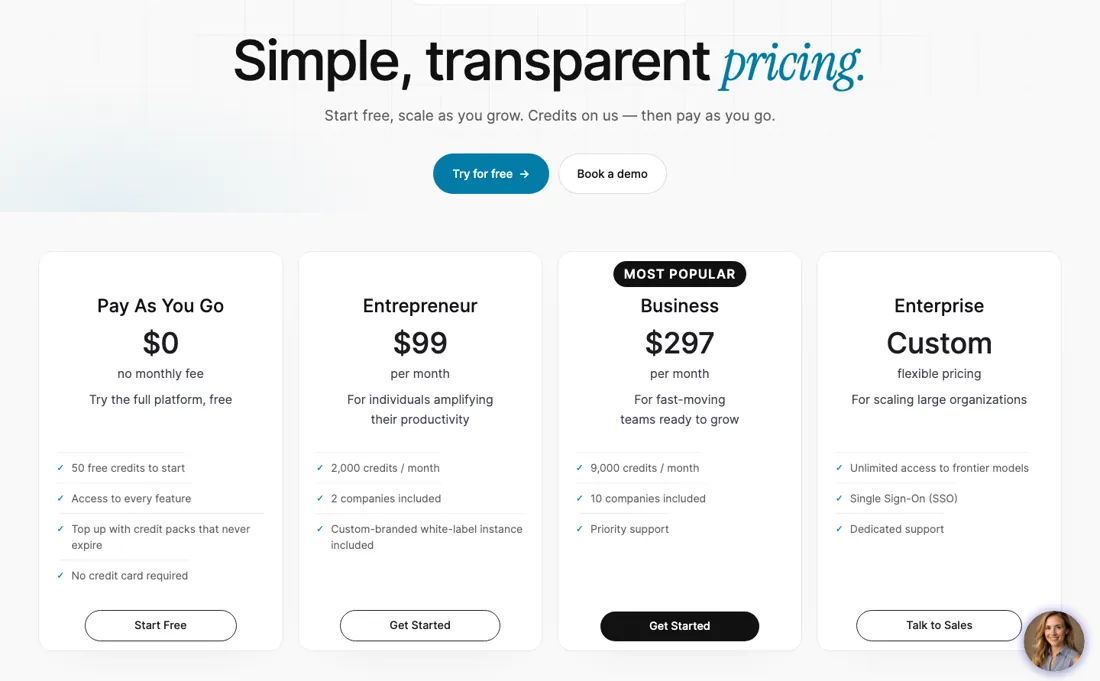
Data credits are priced per unit, but platform credits are not: nowhere does the page say what a content run, an agent conversation or an outreach step costs, and those are the actions the plan is sold on. So spend those 50 credits on the workflow you would actually buy this for and read Usage & Billing, which tracks consumption by feature, model and timestamp. Until you have that number, 2,000 credits a month is a quantity without a unit.
What Parallel AI does
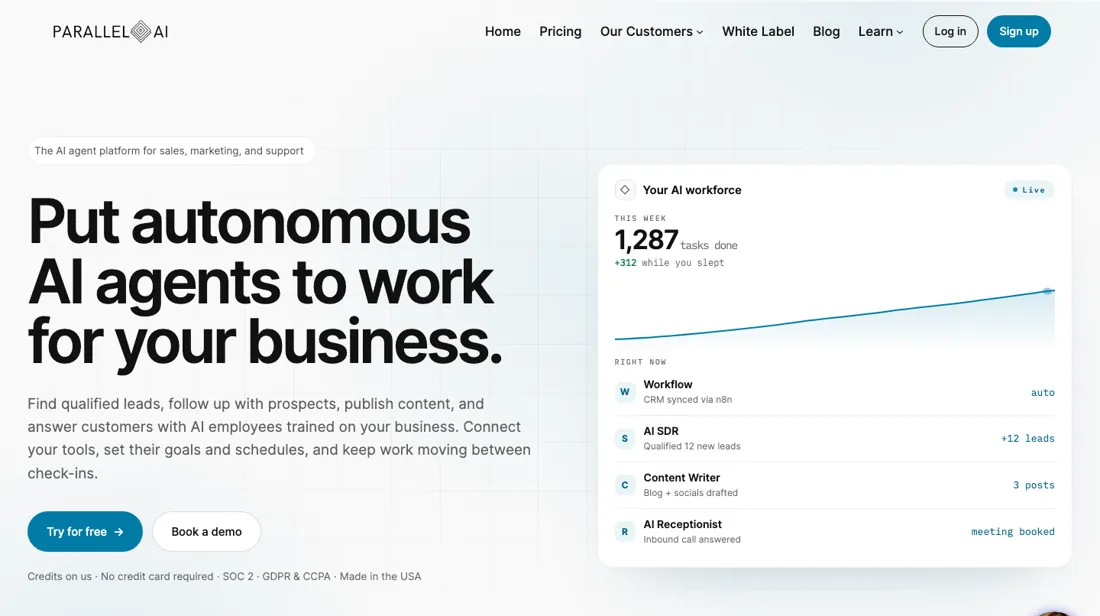
AI agent platform for sales, marketing and support: build AI employees on every major model, run Smart Lists for lead generation and enrichment, and schedule content and support agents from one place. Free tier at 50 credits, no card; paid from $99 a month for 2,000.
Two pools, two expiry rules
The plan is not the meter, and there are two meters. Plan credits arrive monthly and reset on the 1st, so a quiet month is burned rather than banked; purchased credit packs and data credits never expire, which means the cheapest way to hold capacity is to buy it rather than to subscribe to it. Upgrading buys about a third off per credit -- 5.0 cents on Entrepreneur against 3.3 on Business -- plus 10 companies instead of 2, shareable AI employees and priority support.
What it does not buy is a published rate for what an action costs, and that is the number your budget actually turns on. Two things move the real bill more than the tier does. Every seat in a company draws on the same pool, so adding people at $15 a month adds work without adding capacity. And the anonymous website pixel add-on runs from $75 to $500 a month, which at the top end costs more than the Business plan it sits on.
How to actually use Parallel AI
Start on Pay As You Go, which needs no card, and spend the 50 free credits on the workflow you would actually buy this for rather than on a tour. Then open Usage & Billing, which tracks by feature, model and timestamp, and write down what one real run cost. That figure times your monthly volume is your bill; no plan card can give it to you. Two things to settle while you are in there.
Whether your work leans on the lead engine, because those data credits are a separate pool you buy once and never lose. And how many companies you need -- $99 includes two and each extra is $20 a month. If you expect to run out on Entrepreneur, price the $297 tier now rather than later, because the published route out of an empty meter runs through Business.
Distilled from parallellabs.app/pricing read on 11 September 2026 -- the four plan cards, the full feature comparison table, the add-on block and all six FAQ answers. The FAQ answers are not in the served HTML; they load on click, so they were opened one by one in a browser. The page stamps itself 'Last updated: 2026-08-18'.
Parallel AI vs Lindy.ai, side by side
Both columns come from the same place: each vendor’s own published pricing, read on the date shown in the sources at the foot of this page. We do not average them into a score.
Both names above are affiliate links: we may earn a commission if you sign up, at no extra cost to you. Neither changes what this table says: both columns come straight from the vendors’ own pricing pages.
The natural comparison is Lindy.ai or Clay — the closest comparisons -- Lindy for autonomous agents, Clay for the enrichment and outbound half; both publish what an action costs, which is exactly the number Parallel AI leaves open.
More on Parallel AI
Everything we publish about Parallel AI links back here — the review stays the honest hub:
The ex-banker filter — the same yardstick on every review (how we review): My ex-banker filter is simple: does Parallel AI remove a real cost — time, errors, missed revenue — bigger than what it charges?
Frequently asked questions
What should I weigh before buying Growth & Revenue software?
It depends on whether you have the bottleneck it solves. Small teams get the most out of this category when one clear problem is already costing real hours or revenue; buying ahead of that just adds cost and another login. Price it against the hours or lost deals it removes, not against its feature list, and start on the smallest plan that covers the job.
Is this a hands-on review of Parallel AI?
This is a researched assessment, not a hands-on test — where we've used a tool ourselves, we say so explicitly. We name what each tool is genuinely good and bad at, and we earn a commission only if you sign up, at no cost to you.
- Read on 11 September 2026 on parallellabs.app/pricing, which stamps itself 'Last updated: 2026-08-18'.
- A dated screenshot of that pricing page, kept on this site as the receipt.
Others in this category
The growth & revenue tools closest to Parallel AI that we have also reviewed. They overlap rather than match:
New dossiers, cost-traps we found, and tools that earned a keep — no hype, no sponsored-disguised-as-advice. Unsubscribe anytime.
This is our researched assessment — not a paid placement. The “Visit” links on this page are affiliate links: we may earn a commission if you sign up, at no extra cost to you, and it never changes our take. How we review →