Filevine Review (2026)No Public Price, Quote Only
 By Daan Haket · Researched and written with an AI assistant · who does what
Nothing is priced, so everything is negotiable — which cuts both ways.
law firms past the point where a general project tool works, with enough matters that case-specific workflows and intake tracking pay back a negotiated annual contract.
you are a small practice wanting a published price to compare — this category will not give you one, and simpler practice-management tools do publish theirs.
Transparency: we earn nothing from Filevine; the links to it are plain links. How we make money →
Pricing (2026)
✓ Pricing re-verified 6 Oct 2026
(2026-08-29 to 2026-10-06, read on their own pricing page) No prices are shown. Their own wording: all packages are custom built for your team's needs. The page describes five products — LOIS (AI features), Matters, Intake, Depositions and Signatures — and routes everything to a sales team for a custom quote. No per-user cost, no minimum seats, no contract length and no implementation fee is published, which is unchanged since 1 August 2026.
What the page does name now is a free way in: LOIS Explore, described as a free tier of LOIS for AI-powered legal research and drafting, with a trial that takes no credit card. Plans change — always verify the live price on their site.
Recent change (May 2026): For Lead Docket licences bought after 8 May 2026, each user licence includes up to 1,000 Mass Email sends a month; sends above that allowance are bought separately. (source, read 26 Oct 2026)
The honest knock
In legal software the number that usually surprises people is not the per-seat rate but implementation: data migration from your existing case system, template configuration and training, quoted separately and often as a one-off in the thousands. That figure is absent here along with everything else. Ask for it as its own line, ask what the contract length is, and ask what happens to your matter data if you leave.
A custom quote is fine; a custom quote you cannot compare against a rate card is what you are trying to avoid.
Watch the video review
The video version of this review, from our YouTube channel.
What Filevine does
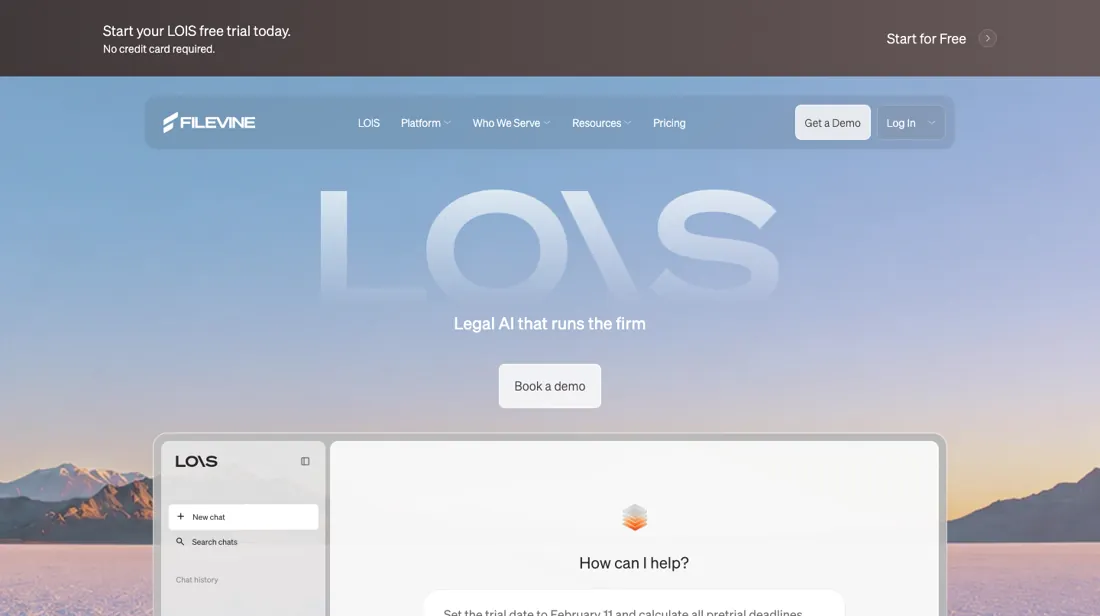
Case management for law firms: matters, intake, depositions, e-signature and AI document work.
What buyers report about Filevine
Hands-on: not tested by usReported by buyers: Capterra, GetApp, Software Advice and Research, read August 2026
Themes from the buyer-review sites listed at the foot of this page, read in August 2026. We have not run Filevine ourselves, so this is other buyers' experience rather than ours. We summarise it here because the complaints are usually the part a vendor page leaves out.
- • Customisation is the strength — firms tailor workflows, templates and fields to how they actually work rather than adapting to the software.
- • Cases, documents and tasks genuinely live in one place once it is configured.
- • Support is slow, and reviewers name it alongside a learning curve that stalls onboarding for weeks. Budget the implementation time honestly.
- • Nothing is published; costs reportedly start around $65 per user per month and vary with team size and features.
- • One reviewer describes increasingly expensive pricing that underdelivers on core function while aggressively upselling basics, and names a recent 15% increase.
- • Setup and customisation often need technical help.
When the paid plan is worth it
The pricing page publishes no rates: Filevine states that all packages are custom built for a team's needs and points buyers to its sales team for a custom quote. Filevine's help center states that case management features such as task assignment, deadline scheduling and operational analytics are not included in the LOIS free trial and require a separate subscription. Vinesign is where a tier boundary is visible. Read on vinesign.com/pricing on 4 October 2026, there is no free plan: the free option is a 7-day trial capped at 30 documents a month with one signer per document.
The Solo plan keeps 30 documents a month but allows 20 signers per document, and Bulk Document Sends appears only in the Business column, which is sold through sales. Depositions is separate again: since January 1, 2026 an active subscription is required to schedule proceedings or upload files. Firms choose a set number of hours for the year and pay a flat fee each month based on that number, instead of paying after each proceeding.
Filevine documents that hosted proceedings include in-app scheduling, participant reminders and page:line and narrative summaries at no extra cost. But it notes some services may still require additional fees after the proceeding: certified transcripts, cancellations/reschedules, certificates of non-appearance or third-party vendor costs.
Questions we are still checking
Facts about Filevine that would change a buying decision, and where we stand on each. An unanswered question does not mean the feature is missing; it means we have not confirmed it yet.
- Does a guest user take a paid licence? Still checking
Applies to: project-level and Org-level guests.
Why it matters: firms share case files with clients and co-counsel; if guests are licensed, every shared matter adds to the seat count for the rest of the term.
Checked: Filevine Help Center: Account Manager: Users (2026-10-06); Filevine Help Center: Filevine for Guests (2026-10-06)
Have a public source that answers one of these? How we review explains how we check and correct.
How to actually use Filevine
The LOIS Console trial signup takes a business email. Filevine documents that account setup can take up to one business day, and that the welcome mails come from reminders@filevine.com and freetrial@filevine.com and should be allowlisted. An address already attached to an existing Filevine Org is not eligible for this trial; existing customers are pointed to their Filevine representative instead. The trial's specialties are document analysis (up to 50 documents per chat, each file up to 5 GB), drafting and legal research.
A good-law check on a highlighted opinion passage is documented as taking about 20 minutes, sometimes up to 1-2 hours. Vinesign has its own route: the help center directs you to vinesign.com, again with a business email, and excludes Bulk Send during the trial. The platform route starts with an invite email, then Setup for profile, calendar sync and notifications; org admins get a separate Setup Guide for teams, members and roles.
Filevine's implementation checklist lists Customs Editor, Doc Generation, Taskflow and Deadline Chains as advanced tools Support has to enable.
Where this section comes from: our research notes (184 words)
Filevine pricing page, https://www.filevine.com/pricing/ (vendor, read 2026-08-09). Filevine Help Center - LOIS Free Trial, https://support.filevine.com/hc/en-us/articles/31034144159259-LOIS-Free-Trial (vendor documentation, read 2026-08-09). Filevine Help Center - Vinesign Free Trial, https://support.filevine.com/hc/en-us/articles/16431770225819-Vinesign-Free-Trial (vendor documentation, read 2026-08-09). Filevine Help Center - Depositions: Subscription-Based Pricing, https://support.filevine.com/hc/en-us/articles/43659905901851-Depositions-Subscription-Based-Pricing (vendor documentation, read 2026-08-09). Filevine Help Center - Filevine Implementation Checklist, https://support.filevine.com/hc/en-us/articles/360014422611-Filevine-Implementation-Checklist (vendor documentation, read 2026-08-09). Filevine Help Center - Getting Started with Filevine, https://support.filevine.com/hc/en-us/articles/52213913604507-Getting-Started-with-Filevine (vendor documentation, read 2026-08-09). Vinesign pricing block, https://www.vinesign.com/ (vendor, read 2026-08-09).
Re-read 4 October 2026: filevine.com/pricing (served HTML, no prices, same FAQ answer and LOIS Explore note); vinesign.com/pricing (served HTML: a 7-day free trial at 30 documents a month and 1 signer per document, Solo at 30 documents and 20 signers, Business with unlimited sends and Bulk Document Sends through sales, no amounts printed); the LOIS Free Trial and Depositions help-centre articles in a live render, unchanged. Re-read 6 October 2026: filevine.com/pricing (served HTML, still no prices, LOIS free trial without credit card); Filevine Help Center articles read through the help centre's own article API: Account Manager: Users https://support.filevine.com/hc/en-us/articles/31727352565531-Account-Manager-Users; Filevine for Guests https://support.filevine.com/hc/en-us/articles/360036074512-Filevine-for-Guests; Project Permissions https://support.filevine.com/hc/en-us/articles/360004146652-Project-Permissions; Data Export Options https://support.filevine.com/hc/en-us/articles/46857222439323-Data-Export-Options.
The natural comparison is Clio or MyCase — the standing comparison in legal case management — both publish per-user prices, which makes them the honest benchmark for whatever Filevine quotes.
Frequently asked questions
How much does Filevine cost?
Nothing is published, and that was still true on 16 September and again on 4 October 2026. Filevine's own answer on filevine.com/pricing to the question 'How does Filevine pricing work?' is that each organization is unique and its team will tailor a plan; the page carries no per-user rate, no seat minimum, no contract length and no implementation fee. It is not a page with the prices hidden behind a toggle — it is a catalogue that ends in 'Contact our sales team for a custom quote'. The only thing you can start without talking to sales is LOIS Explore, a free tier that takes no credit card.
What actually drives the quote?
Which packages you take, and how many extensions you bolt on. The page sells four selectable packages — Matters, Intake, Depositions and Signatures — as separate choices rather than tiers of one product, so a firm buying case management alone and a firm buying all four are quoted on different footings. Underneath Matters sits a second list the page calls Matters Package Extensions: Periscope for business analytics, Timely for court-deadline generation, the Client Portal, DataBridge for real-time data access, and integrations. Those are additions to the package, not parts of it, which is where a quote quietly grows. Implementation is a third line: Filevine routes onboarding through Certified Implementation Partners, so ask who does the work and who bills for it.
Can I test it before I speak to sales?
Partly, and the limit is stated on the pricing page itself: LOIS Explore is free with no credit card and gives document upload with questions against your own files, AI drafting cited to source, legal research and the opinion reader, but Filevine notes on that same page that Explore does not provide access to Filevine Case Management. So the free tier tests the AI and not the system most buyers are actually shopping for — matters, deadlines, documents and billing all sit on the paid side. Filevine's help centre, read for this review on 9 August 2026, adds that the trial wants a business email, that setup can take up to one business day, and that an address already attached to an existing Filevine org is not eligible.
If I add a user mid-contract, what do I pay?
Their licence for the rest of the term. Filevine's Account Manager documentation (read 6 October 2026) warns that any user added at the account level is billed as a licensed user for the remainder of your current term, so an invite sent for a short project is not a short cost. Being on that user list means someone can log in, not that they have permissions in an Org. Guests are a separate route: they are invited at project or Org level and see only the activity items and documents shared with them. Whether a guest takes a paid licence is not stated in the help centre (not confirmed), so ask for that answer in the quote.
What can I take with me if I leave?
Filevine's help centre (Data Export Options, read 6 October 2026) names two tools. Data Connector delivers scheduled CSV exports built in Report Builder to your own AWS S3 or Azure Blob storage, up to five snapshots a day, and covers only the data your reports include; Filevine says it will be decommissioned in the long term. DataBridge gives near-real-time SQL access to cases, clients, notes, calendars, billing, audit, documents, tags and users through Snowflake Shares, needs a Snowflake account or reader account, and is aimed at enterprise customers with data-engineering capability. The pricing page lists DataBridge as a Matters package extension, so a complete copy of your data may be an add-on in the quote. A one-click full export or a documented exit procedure is not described: not confirmed.
Is this a hands-on review of Filevine?
This is a researched assessment, not a hands-on test — where we've used a tool ourselves, we say so explicitly. We name what each tool is good and bad at, and we have no affiliate relationship with Filevine — we earn nothing whether you sign up or not.
- Buyer reviews on Capterra, GetApp, Software Advice and Research.com, read August 2026.
- 2026-08-29 to 2026-10-06, read on their own pricing page.
Others in this category
Reviewed business operations tools that share ground with Filevine — comparable in what they do, not drop-in swaps:
Also in business operations, for browsing rather than as an alternative:
New reviews, price changes we recorded, and the cost conditions we found. No sponsored placements. Unsubscribe anytime.
This is our researched assessment — not a paid placement. How we review →