Softr Review (2026)App-User Limits Decide the Bill
 By Daan Haket · Tested hands-on · written with an AI assistant · who does what
Builder seats are billed on top of the plan, and pricing counts builders and app users separately, so a public-facing app with a lot of end users gets expensive fast.
teams building internal tools, client portals or member apps on Softr's own built-in database, Airtable or Google Sheets without code.
you're building a public consumer app with unpredictable, high user counts — the per-user model works against you there.
Transparency: the “Visit” links on this page are affiliate links — we may earn a commission if you sign up, at no extra cost to you. No vendor can pay for a better review or verdict. How we make money →
Tested by our team on 21 October 2026 during the 7-day trial that starts with a new account: Daan created the account and our AI assistant ran the test in Daan's browser. We copied the Knowledge Base template, added two articles of our own, checked them in the preview on desktop and mobile, and changed one figure to see how fast the app followed.
How we tested
- Inspected the app account plan
- Created an app from the Knowledge Base template
- Entered our own knowledge-base articles
- Compared desktop and mobile app previews
- Changed the warranty value from 37 to 41 and checked the preview
- The trial runs on Business for 7 days and drops back to Free on its own: the plan panel in the app marked Free 'Automatic when trial ends'. The same panel listed Basic at $25, Pro at $119 and Business at $395 a month, with 'two months off' for yearly billing, and 5, 10, 50 and 100 AI credits a month from Free to Business.
- 'Use template' gave us a working Knowledge Base app within about ten seconds, with Interface, Data, Users, Workflows and Agents tabs. Its data sat in Softr's own built-in database (10 sample users, 40 sample articles), so no Google account was needed despite the Google Sheets name of the template.
- Two new records in the Content table, linked to the 'Customer FAQ' collection, appeared on the Customer FAQs page and in its search, with our text exactly as entered. They did not appear in the home page's 'Latest articles' list, and their 'Created at' field stayed empty where the sample articles had a date.
Pricing (2026)
✓ Pricing re-verified 1 Oct 2026
A free plan with unlimited apps, up to 3 builders, 5 app users, 5,000 database records, 500 workflow actions and 5 AI credits a month. Paid on yearly billing: Basic $19/month, Pro $99/month and Business $329/month, with Enterprise on custom limits; the pricing page opens on the Yearly tab and advertises two months off, so month-to-month costs more: the plan panel inside the app, read on 21 October 2026, showed Basic $25, Pro $119 and Business $395 a month, with 'two months off' for yearly billing.
A new account starts on a 7-day trial of Business that drops back to Free on its own. App-user allowances are published per tier: Team 5 + Client 5 on Basic, Team 10 + Client 50 on Pro, Team 30 + Client 100 on Business, where Team users share a business email domain with one of your builders and everyone else counts as a Client user.
Full pricing notes (2 more paragraphs)
Extra app users beyond the allowance start at $1/month on Pro and $2/month on Business. Extra builder seats are $5/month on Basic, $10 on Pro and $20 on Business, and builders can be added as app users free. Records run 50K / 500K / 1M and workflow actions 2.5K / 10K / 25K a month. Non-profits and education get a stated 50% discount.
Refunds: in full within 14 days of a first monthly payment, 30 days of a first yearly one. AI credits run 10, 50 and 100 a month on Basic, Pro and Business (5 on Free), and add-on credits can be bought on every plan, Free included.
Plans change — always verify the live price on their site.
Category context: IT & Productivity. Across the 39 tools in this category that we researched with a public US-dollar price, the median entry price is $15 a month (lowest paid plan as listed, per seat where the vendor prices per seat). Softr’s entry price of $19 a month sits above that median. Compare pricing conditions in the Software Cost Atlas →
What the price did
We capture Softr’s own pricing page every month and keep the figures, so this is our record of the page — not a forecast, and not someone else’s summary.
Softr's ladder is unchanged across four readings: the July and August 2026 captures both record $0, $19, $99 and $329 alongside the same $5, $10, $20, $50, $100, $200 and $500 add-on steps, the page returned the same on 17 August 2026, and again on 7 September 2026. Re-read on 1 October 2026: the same $19, $99 and $329 cards on the Yearly tab, the same builder add-ons ($5, $10, $20 a month), app-user allowances (5 + 5, 10 + 50, 30 + 100) and overage starting rates ($1 on Pro, $2 on Business).
The honest knock
Watch the overage rate as well as the plan: extra app users are $1 a month on Pro but $2 on Business, so the dearer plan meters growth at double the rate. It fits internal tools and client portals with a known audience, not an open signup. In our test on 21 October 2026 a new account started on a 7-day Business trial that drops back to Free on its own, and two articles we added did not appear in the template's 'Latest articles' list, although they did appear in their collection and in search.
Watch the video review
The video version of this review, from our YouTube channel.
⚡ Short on time? Watch the 30-second verdict Short.
What Softr does
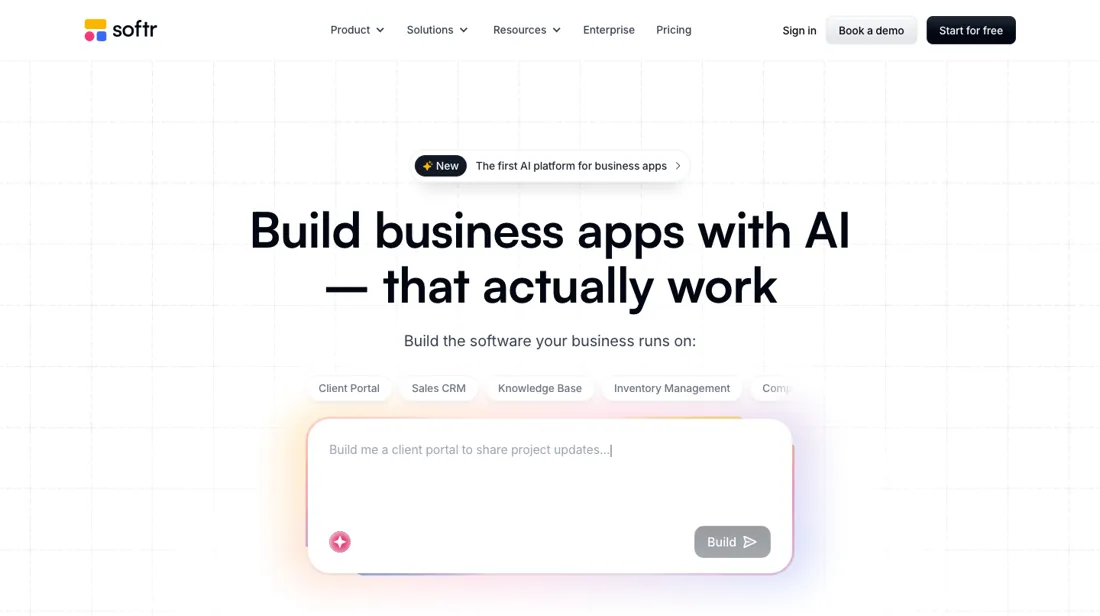
Build custom AI business apps, client portals and internal tools without code. Connect Airtable, Google Sheets or your data and launch in an afternoon.
What buyers report about Softr
Hands-on: tested 2026-10-21Reported by buyers: G2, Capterra and Trustpilot, read August 2026
Themes from the buyer-review sites listed at the foot of this page, read in August 2026. We tested Softr ourselves on 2026-10-21, but one test is a narrow sample, so here is what other buyers report. We summarise it here because the complaints are usually the part a vendor page leaves out.
- • The fastest route from an Airtable base to a working app with no code — 4.7 to 4.8 on G2, and reviewers consistently call it the simplest in the category.
- • Over a million builders on the platform.
- • Customisation runs out sooner than in the competition, and design flexibility is where reviewers feel it.
- • SQL connections, custom code and API calls are gated to higher tiers — custom code and API connectors start on Pro at $99/month, with Business at $329 a month on yearly billing. Builder seats beyond the plan are billed on top at $5/month on Basic, $10 on Pro and $20 on Business (re-verified 2026-08-06).
- • Performance degrades on larger datasets, and support replies can be slow.
- • Trustpilot is noticeably more mixed than G2 — mostly on cost at scale.
Pages read (August 2026): Trustpilot
The dearer plan charges double per extra user
The free plan is unusually usable: unlimited apps, up to 3 builders, 5 app users, 5,000 database records, 500 workflow actions and 5 AI credits a month. Paid tiers on yearly billing are Basic $19 a month, Pro $99 and Business $329, with Enterprise on custom limits. Extra builder seats are priced per tier at $5, $10 and $20 a month (re-verified 2026-09-07). Note what the page does with billing periods: it opens on the Yearly tab - the markup carries that selection, not just the styling - and advertises two months off, so every figure you see is already the discounted one and paying monthly costs more: the plan panel inside the app showed $25, $119 and $395 a month on 21 October 2026, about a third more than $19 on Basic and about a fifth more on Pro and Business, our arithmetic.
The number that decides your bill is the app-user allowance, and it is published on the comparison table rather than being something you have to ask for. Softr counts two populations. Builders make the app; app users log into it. App users then split again: Team users share a business email domain with one of your builders, and everyone else - including every Gmail address - is a Client user.
The allowances run Team 5 plus Client 5 on Basic, Team 10 plus Client 50 on Pro, and Team 30 plus Client 100 on Business. Builders can be added as app users at no charge. Beyond the allowance, extra app users start at $1 a month on Pro and $2 a month on Business. That is worth reading twice: the plan costing three and a half times more charges double per additional user.
If you expect to run well past your allowance, the cheaper plan is also the cheaper meter, and the reason to buy Business becomes its other limits - 1M records against Pro's 500K, 25K workflow actions against 10K - rather than its user economics. The ladder itself is steep: $19 to $99 is more than five times, $99 to $329 more than three. Builder seats quadruple across it too, though as a share of the plan they get cheaper, from 26% of Basic to 6% of Business.
That distinction settles what this tool is for. With a known, counted audience - an internal tool, a client portal, a members' area - the meter is predictable. With an open signup it is your growth curve. Start on the free plan; at 5,000 records and three builders it is enough to build something real. And if you are a non-profit or in education, claim the stated 50% discount, which takes Business from $329 to $164.50.
Our monthly capture read this pricing page in August 2026 and again in September 2026. The price history below explains what changed.
What we found running Softr ourselves
The first findings are at the top of this page. The rest:
- The preview opens on its own preview subdomain as a sample user ('Preview as'), with desktop, tablet and mobile views and a QR code to try it on a phone, and it carries a 'Made with softr' badge.
- After we changed the warranty in one record from 37 to 41 days, the preview showed 41 days after a reload; the other record was unchanged.
Mail in the first 14 days
Measurement running until 2026-11-03T23:00:00Z (last observed 2026-10-25T11:09:34.691999Z).
8 emails in the 14-day window so far; first email after signup: unknown (exact signup time not recorded); 0 with an explicit offer.
Retained inbox and junk only; removed or archived mail is outside this observation. Ambiguous supplier attribution is excluded. Day numbers use elapsed 24-hour periods since the recorded signup date at midnight Europe/Amsterdam; the signup hour is unknown. Offer flags quote literal subject/body text. Replies in our own correspondence (support tickets, our comment requests) are excluded; one-time codes, our own address, our account name and our name are replaced in brackets.
| Day | Time (UTC) | Sender | Literal subject | Folder | Offer evidence |
|---|---|---|---|---|---|
| Day 0 | 2026-10-21 06:21:21 UTC | Softr team / softr.io | Please confirm your email address | inbox | |
| Day 0 | 2026-10-21 06:36:28 UTC | Softr team / softr.io | Welcome to Softr, [our name] 👋 (+7 days free Business Plan) | inbox | |
| Day 0 | 2026-10-21 07:36:33 UTC | Softr team / softr.io | Your app is built. Now make it yours. | inbox | |
| Day 1 | 2026-10-22 07:36:36 UTC | Softr team / softr.io | One step away from a real app: connect your data | inbox | |
| Day 2 | 2026-10-23 07:36:43 UTC | Softr team / softr.io | Real-world inspiration for your project | inbox | |
| Day 3 | 2026-10-24 00:37:40 UTC | Softr team / softr.io | Updates to Softr's Sub-processors | inbox | |
| Day 3 | 2026-10-24 07:36:42 UTC | Softr team / softr.io | Your Business Plan Trial ends in 4 days. Here's how to extend it | inbox | |
| Day 4 | 2026-10-25 07:36:43 UTC | Softr team / softr.io | Built-in automation. No Zapier, no n8n, no extra subscriptions. | inbox |
What this test does not show:
- Publishing, a custom domain and real user sign-up (we only used the preview)
- Permissions per role (we only viewed the app as an Employee)
- The AI building chat, Workflows and Agents
- Why 'Latest articles' left out the new records (we did not look into its filter or sort order)
- What the app does, and which limits apply, once the trial has dropped back to Free
Most of our reviews are researched rather than run — how we review explains which is which, and why we do not pretend otherwise.
How to actually use Softr
Count your two user populations before you build, because Softr meters them separately and the split is not obvious. A builder is someone who makes the app, an app user is someone who logs into it. App users then divide into Team users, who share a business email domain with one of your builders, and Client users, which is everyone else - every Gmail address included. Check the overage rate against the plan before you climb.
Additional app users start at $1 a month on Pro but $2 on Business, so if you expect to run past your allowance, moving up costs you twice as much per user. Buy Business for its record and workflow-action limits, not for its user economics. Then build the real thing. A new account starts on a 7-day trial of Business and drops back to Free on its own ('Automatic when trial ends', the app's plan panel said on 21 October 2026), so check after a week which limits you are on.
Unlimited apps, three builders and 5,000 records is enough for a working internal tool or client portal, and the five-app-user cap is the only thing that stops you. Two last things. The page opens on the Yearly tab, so $19, $99 and $329 already assume annual billing; the plan panel inside the app showed $25, $119 and $395 a month on 21 October 2026. And non-profits and education should claim the stated 50% discount rather than assuming it is applied automatically.
Where this section comes from: our research notes (209 words)
softr.io/pricing, read on 7 September 2026. The page is server-rendered, so the plan cards and the full comparison table were read from the HTML itself; the per-tier app-user allowances, the additional-user rates, the record and workflow-action limits and the builder-seat prices all come from that table. The billing toggle was settled in the markup rather than by eye: the Yearly option carries aria-selected='true' and the class is-active, confirming the page opens on annual billing and that the visible $19, $99 and $329 are the discounted figures.
Only the yearly figures are present in the DOM, so the monthly equivalents are derived from the page's own 'two months off' claim rather than read off it, and are described as approximate for that reason. The refund terms and the 50% non-profit and education discount come from the FAQ on the same page. softr.io/llms.txt was read and carries no pricing; softr.io/pricing.md returns 404. Re-read 1 October 2026 on softr.io/pricing (server-rendered plan cards, comparison table and FAQ, including the refund and non-profit answers); softr.io/pricing.md returns 404 and softr.io/llms.txt carries no amounts.
Our team also tested Softr on 21 October 2026 during the trial that starts with a new account, including the plan panel inside the app; the findings are further down this page.
Softr vs Glide, side by side
Each column shows the vendor’s own published entry price, read on the date shown. Entry prices can cover different services or units, so check what each one buys. We do not average them into a score.
Both names above are affiliate links: we may earn a commission if you sign up, at no extra cost to you. Neither changes what this table says.
The natural comparison is Glide or Bubble — other no-code app builders.
Frequently asked questions
What does Softr cost?
Free for a small app (3 builders, 5 app users, 5,000 records), then $19, $99 and $329 a month on yearly billing for Basic, Pro and Business. Monthly billing costs more - the page advertises two months off for paying yearly. Read on 7 September 2026. Inside the app on 21 October 2026 the plan panel showed $25, $119 and $395 a month, and a new account started on a 7-day Business trial that falls back to Free on its own.
What counts as a billable user?
Two different things, which is the most common budgeting mistake here. Builders log into Softr Studio to build, and cost $5, $10 or $20 a month each beyond the one, two or three included. App users are the end users who log into what you built, and they split again: Team users share a business email domain with one of your builders, everyone else (Gmail included) is a Client user. The allowances are Team 5 + Client 5 on Basic, Team 10 + Client 50 on Pro and Team 30 + Client 100 on Business. Builders can be added as app users free.
Which plan is cheapest if my app grows?
Not necessarily the bigger one. Extra app users beyond the allowance start at $1 a month on Pro but $2 a month on Business, so the dearer plan meters growth at double the rate. Buy Business for its record limit (1M against Pro's 500K) and workflow actions (25K against 10K) rather than for its user economics. Non-profits and education can claim a stated 50% discount, which takes Business from $329 to $164.50.
Is this a hands-on review of Softr?
Yes. We tested Softr ourselves on 2026-10-21; the section above says what we tested, what we found and what we did not test, and where a figure comes from the vendor's own documentation instead. Most of our reviews are researched rather than run; we say which is which. We name what each tool is good and bad at, and we earn a commission only if you sign up, at no cost to you.
- Buyer reviews on G2, Capterra and Trustpilot, read August 2026.
- Re-verified 2026-09-07 and again 2026-10-01.
- Our own hands-on session with Softr (2026-10-21), written up in full further down this page.
Others in this category
Reviewed it & productivity tools that share ground with Softr — comparable in what they do, not drop-in swaps:
New reviews, price changes we recorded, and the cost conditions we found. No sponsored placements. Unsubscribe anytime.
This is our researched assessment — not a paid placement. The “Visit” links on this page are affiliate links: we may earn a commission if you sign up, at no extra cost to you, and it never changes our take. How we review →