 QuickSigner Review (2026)
A few users report occasional email-deliverability hiccups — otherwise it does exactly what it says (recipients even sign without an account) for a fraction of enterprise pricing. Throughout this review we weigh it against DocuSign.
Visit QuickSigner → Affiliate link — we may earn a commission if you sign up; it does not change what this page says.
Watch the 2-minute review
The video version of this review, from our YouTube channel.
⚡ Short on time? Watch the 30-second verdict Short.
Pricing (2026)
✓ Pricing re-verified 27 Sep 2026
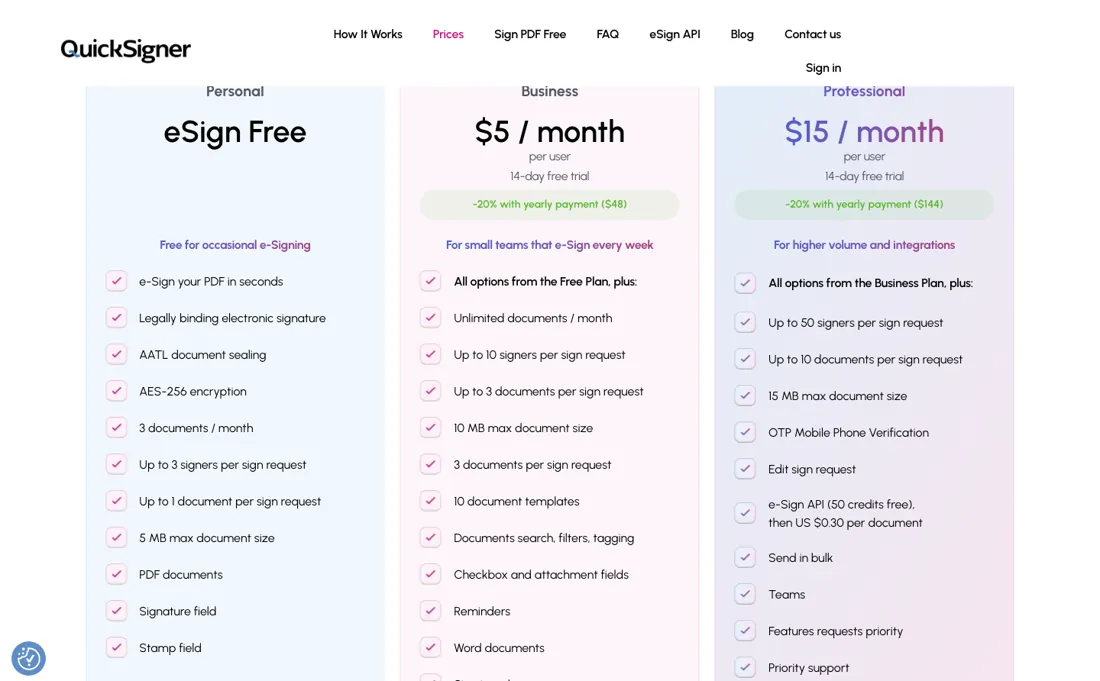
Personal is free: 5 documents a month, 3 signers and 1 document per request, 5 MB maximum, PDF only, with signature and stamp fields and AATL sealing. Business is $5 per user a month ($48 a year) and is where documents become unlimited — 10 signers and 3 documents per request, 10 MB, Word files, 10 saved templates, reminders and signing order.
Professional is $15 per user a month ($144 a year): 50 signers and 10 documents per request, 15 MB, OTP phone verification, bulk send, teams and the eSign API. Annual billing saves 20% and paid plans carry a 14-day trial. The API has a free developer account with unlimited test requests; production costs from $0.30 per signed document and requires Professional, whose card includes 50 free API credits before that rate; completed test documents are watermarked.
ISO/IEC 27001:2022-certified and AATL, legally binding in the US, UK and EU. Plans change — always verify the live price on their site.
What the price did
We capture QuickSigner’s own pricing page every month and keep the figures, so this is our record of the page — not a forecast, and not someone else’s summary.
QuickSigner's price card has not moved. Our July and August 2026 readings carry the same $5 a month with a 20% yearly discount at $48, the same $15 tier at $144 a year, and the same $0.30 per signed document for API production use. Those figures were on the machine-readable pricing page again on 17 August 2026. Read again on 27 September 2026: unchanged.
QuickSigner’s pricing page, as we read it
What QuickSigner does
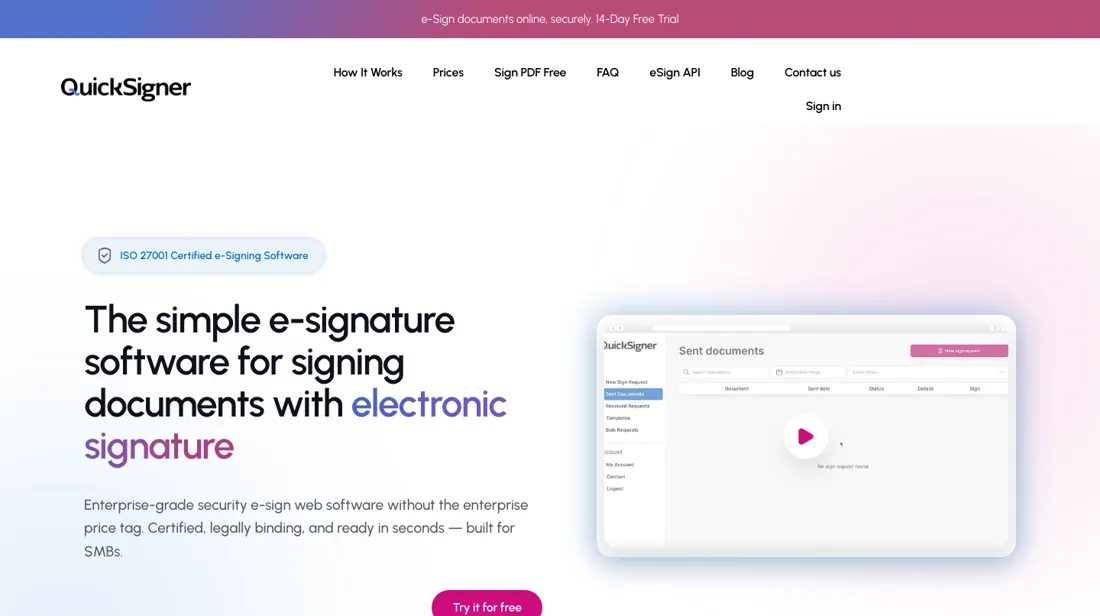
Legally-binding e-signatures with unlimited documents and no per-envelope caps: send a secure link and recipients sign from any device without creating an account. ISO/IEC 27001-certified, AATL signatures, valid across the US, UK and EU — a fair-priced DocuSign alternative.
What buyers report about QuickSigner
Recurring themes from the buyer-review sites listed at the foot of this page, read in August 2026. We have not run QuickSigner ourselves, so this is other buyers' experience rather than ours. We summarise it here because the complaints are usually the part a vendor page leaves out.
- • Usage-based from about $0.30 a signed document, with no per-seat lock-in and no envelope caps — which is the specific thing people leave DocuSign over. Around 4.3 overall.
- • Small teams report replacing DocuSign outright, and the developers ship what reviewers ask for.
- • ISO 27001 certified, with a 60-day money-back guarantee.
- • Email deliverability problems are reported — for a product whose whole job is getting a document in front of someone, verify that on your own domain first.
- • Some requested features take a long time to arrive.
- • The review base is small and skews to AppSumo buyers, so treat the score as early-adopter sentiment.
When the paid plan is worth it
Occasional signers fit comfortably on the free Personal plan: the pricing table lists 5 documents per month (llms.txt says 3, unreconciled), up to 3 signers per request, one document per request, and a 5 MB file cap. The concrete push toward paying comes from hitting any of those caps — running out of the monthly document quota, needing more than 3 signers on a single send, or needing to batch more than one document at once.
Business, at $5 per user/month ($48/year), removes the document quota, raises the signer limit to 10, and allows 10 saved templates. QuickSigner's pricing table and llms.txt both list Word support as a Business addition, but the FAQ on the site's own PDF-signing page describes the free flow as already accepting both PDF and Word, so which claim governs the free plan is unresolved. What upgrading to Business does not solve: the per-request document cap only moves from 1 to 3, and there is still no API access.
Both require Professional ($15/user/month, $144/year) — and even there, each signed document sent through the API costs an additional $0.30, so embedding signatures into another system carries a running per-document cost that no tier eliminates.
How to actually use QuickSigner
Getting a first document signed starts with a free account — no credit card required — then uploading a document, adding signer emails, and placing signature, date, or text fields before sending a secure link; recipients sign from any device without an account. Which file formats the free plan accepts is unclear: the pricing table and llms.txt list the free tier as PDF-only, with Word added at Business, while the FAQ on QuickSigner's own PDF-signing page describes the same free flow as accepting both PDF and Word.
The monthly document cap is unsettled too: the pricing table says 5 and llms.txt says 3. Either way the free plan allows one document per send, up to 3 signers, and a 5 MB file size limit, so anyone testing a multi-document or multi-signer workflow hits a wall quickly. For API integration, a developer sandbox is free, but only with watermarked test documents; moving to production requires the Professional plan ($15/user/month) plus $0.30 per signed document, so teams building an integration cannot test the real, unwatermarked flow before committing to the paid tier.
Distilled from quicksigner.com pricing table (#prices) and quicksigner.com/llms.txt, both re-fetched live 6 Aug 2026; re-read 27 September 2026 by plain fetch of www.quicksigner.com (#prices: Business $5 a user a month or $48 a year, Professional $15 or $144, 14-day trials, 'e-Sign API (50 credits free), then US $0.30 per document' on Professional) and quicksigner.com/llms.txt (same plans; test documents on the free developer account are watermarked).
The natural comparison is DocuSign — the pricey per-seat, per-envelope incumbent. Weigh it against DocuSign on the job you actually need done.
Frequently asked questions
What does QuickSigner cost?
Personal is free for 5 documents a month. Business is $5 per user a month, or $48 a year, and that is where documents become unlimited. Professional is $15 per user a month, or $144 a year, and adds bulk send, teams, OTP verification and the API. Annual billing saves 20%. Read on 17 August 2026 and again, unchanged, on 27 September 2026.
Is the free plan really free, or capped?
Capped, and the cap is documents rather than time: five a month, one document and three signers per request, PDF only. Crucially it still includes AATL sealing, so what you sign on the free tier is as legally solid as on the paid ones — you simply cannot sign much.
What does the API cost?
The developer account is free with unlimited test requests; production signing costs from $0.30 per signed document and requires the Professional plan. For a product that otherwise sells unlimited documents per seat, that per-document rate is the line to model if you are embedding signing in your own software.
What should I weigh before buying IT & Productivity software?
Judge it on evidence rather than adjectives. Look for a published security page, single sign-on and role controls on the plan you would actually buy (they are often gated to higher tiers), a status page with real incident history, and a clear answer on where your data is stored. If the tool will hold anything sensitive, those four answers matter more than any feature comparison.
Is this a hands-on review of QuickSigner?
This is a researched assessment, not a hands-on test — where we've used a tool ourselves, we say so explicitly. We name what each tool is good and bad at, and we earn a commission only if you sign up, at no cost to you.
- Buyer reviews on AppSumo, GetApp, Software Advice and SoftwareWorld, read August 2026.
- Re-verified 2026-08-17 and re-read unchanged 2026-09-27 against QuickSigner's own machine-readable pricing page and pricing table.
- A dated screenshot of that pricing page, kept on this site as the receipt.
Others in this category
Reviewed it & productivity tools that share ground with QuickSigner — comparable in what they do, not drop-in swaps:
New reviews, price changes we recorded, and the cost conditions we found. No sponsored placements. Unsubscribe anytime.
This is our researched assessment — not a paid placement. The “Visit” links on this page are affiliate links: we may earn a commission if you sign up, at no extra cost to you, and it never changes our take. How we review →