 Auware Review (2026)
Auware is deliberately narrow — Shopify-only and built around segmented paid traffic.
Visit Auware → Affiliate link — we may earn a commission if you sign up; it does not change what this page says.
Watch the 2-minute review
The video version of this review, from our YouTube channel.
Pricing (2026)
✓ Pricing re-verified 17 Aug 2026
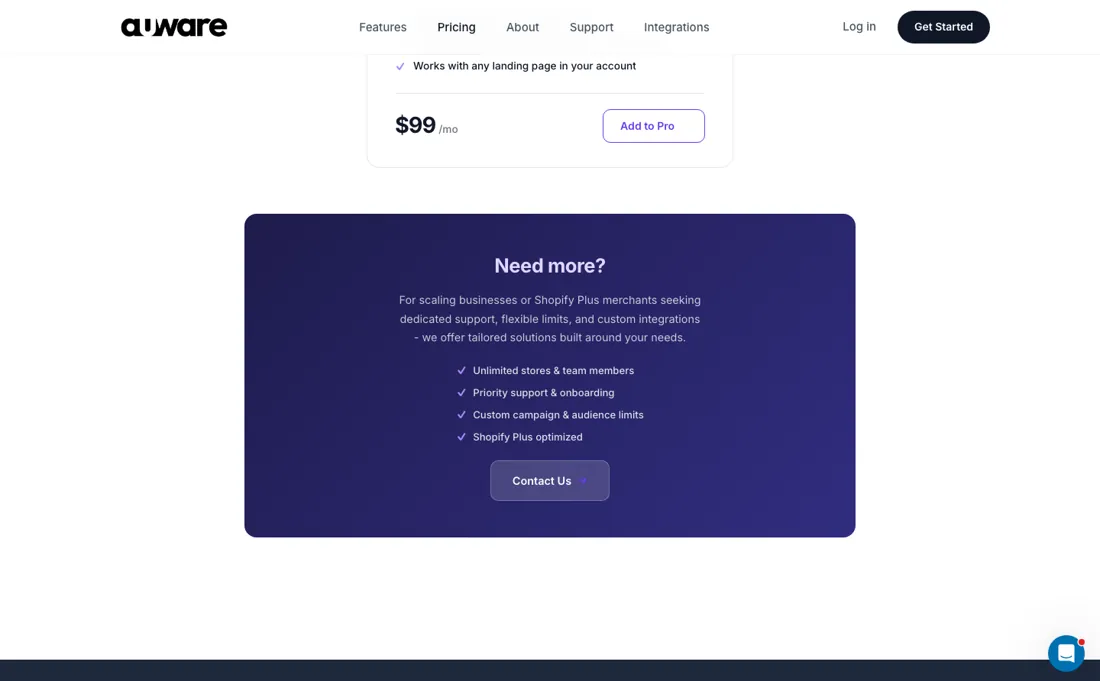
Auware publishes a price after all: $99 a month on auware.com, alongside a 1-click Shopify install with a 30-day free trial that needs no card. Our earlier note said the paid rate was only visible inside the Shopify app — that is no longer the case, and the $99 figure has been on the site since at least early July. Their own pitch compares that with page builders charging up to $499 a month, and the plan is positioned as the full feature set from day one rather than a gated entry tier.
Billing still runs through Shopify, so confirm the current rate in the app before committing. Plans change — always verify the live price on their site.
Correction after re-checking: It is $199/month per Shopify store, and the pricing is published openly on auware.com/pricing and on the Shopify App Store listing, not hidden inside the app. Each myshopify.com domain needs its own subscription. The trial is 30 days with no credit card at install, the Influencer Pages add-on costs a further $99/month, and larger setups are quote-only. (re-verified 26 Jul 2026)
What the price did
We capture Auware’s own pricing page every month and keep the figures, so this is our record of the page — not a forecast, and not someone else’s summary.
Short but clean: our July and August 2026 captures of auware.com are byte-for-byte identical and both carry the same single figure, $99, and it was still there when we re-read the site on 17 August 2026. Three readings, one price, no movement.
What the pricing page doesn’t say
If you send everyone to one page or don't run audience-segmented ads, the core 'a page per persona' value doesn't really kick in. It's also newer and less battle-tested than general builders like PageFly.
What Auware does
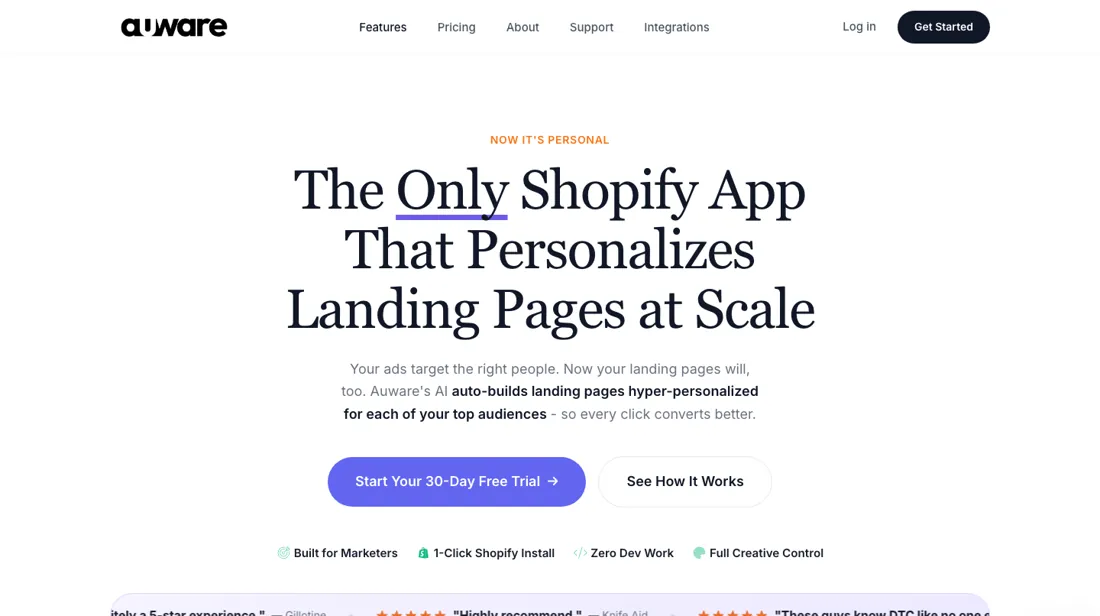
AI-built, audience-specific Shopify pages: automatically generates a personalized page per buyer persona — not just landing pages but advertorials, listicles, comparison and product (PDP) pages — with targeted headlines, social proof and FAQs, plus per-segment analytics. Built to lift ad conversion for DTC brands. No code.
What buyers report about Auware
Recurring themes from the buyer-review sites listed at the foot of this page, read in August 2026. We have not run Auware ourselves, so this is other buyers' experience rather than ours. We summarise it here because the complaints are usually the part a vendor page leaves out.
- • Audience-specific landing pages generated per campaign in minutes, without code, theme changes or a developer — 1-click install with products, reviews and brand styling imported automatically.
- • Merchants single out the team as extremely responsive, with several reporting help that went beyond the app into their wider store.
- • It does not interfere with themes, checkout or existing apps.
- • The review base is small and new. There is no established complaint pattern yet — which also means no independent track record to lean on.
- • Pricing is per store and stacks with the Influencer Pages add-on, so a multi-store setup costs more than the headline. There is no free plan; a 30-day trial only.
Pages read (August 2026): Shopify App Store
When the paid plan is worth it
There is effectively one buyable plan. Auware's pricing page and Shopify App Store listing both show a single Pro tier at $199/month per store, with a 30-day free trial, 10 active campaigns and 6 personalized audience pages per product; anything above that is a "Contact Us" enterprise conversation. Billing is per myshopify.com domain: a second store is a second subscription. The help centre still describes a different ladder: Starter at $9.99/mo (2 campaigns), Pro at $199, Agency at $799, annual Pro at $1,584, and a 14-day trial.
The purchase path does not confirm any of it, so do not budget around the cheap tier until you see it inside the app. Paying more does not fix the documented limits: influencer pages are a separate $99/mo add-on, and the support centre says reporting "is not customizable" and that Auware "only supports English". It also rules itself out as an A/B testing platform "by design", even though the pricing page advertises built-in baseline testing.
HTML export is contradictory: the pricing page lists it as included, the support centre answers "Not yet". Without several distinct ad sets to feed, the fixed monthly cost buys pages that never get traffic.
Our monthly capture read this vendor's pricing page in July 2026 and again in August 2026, and the amounts were the same both times. We keep watching — the registry records what moves.
How to actually use Auware
You install from the Shopify App Store and a role-based onboarding checklist takes over: store connection, brand detection and product import largely complete themselves. Then you confirm your profile and account security and connect a review provider (Judge.me, Okendo, Vitals, Reviews.io or BazaarVoice). From there you pick a product, approve the AI-suggested audiences, choose a page format, edit in the WYSIWYG editor and publish. Pages land as normal storefront URLs on your Shopify domain, so there is no DNS step, no theme work and no ad-account connection; you export the URLs as an XLSX file and paste them into your ad sets.
The vendor puts store connection to a live campaign at under 30 minutes — their claim, not our timing. The real friction is assets: Auware generates no images, and the documented slow step is uploading images and assigning them to the right page elements. Also worth knowing: test orders only attribute if the session starts on the Auware URL, and every later edit must be made in Auware and republished, never in Shopify.
Distilled from Vendor material only. Built from auware.com/pricing, the auware.com homepage FAQ, and the Auware support centre — the "Getting Started" collection (the "How do I get started" and onboarding-checklist articles), the "Using Auware" collection (time-to-publish and its slowest step, "OK, so you make a bunch of landing pages. How do I actually use them?" for the XLSX URL export, post-publish editing, dashboard attribution, plus the four articles that state the limits outright: "Is Auware an A/B testing platform?", "Am I able to customize reporting?", "Do you support multiple languages?" and "Can I download the HTML and use it wherever I want?"), the "Analytics & Reports" article on campaign reports and exports, and the "Sales Questions" pricing article — plus the Shopify App Store listing at apps.shopify.com/auware. No independent walkthrough exists: the only demo video is Auware's own, the launch write-up on thepdmi.com is an announcement piece, pickyourapp is an app directory, and the PageFly blog is a competitor with its own affiliate interest. Nothing here is a third party who actually ran the product.
The natural comparison is PageFly, GemPages or Shogun — the general page builders that make one page for everyone.
Frequently asked questions
What does Auware cost?
$99 a month, published on their own site and unchanged across our July and August 2026 captures and our read on 17 August 2026. There is a 30-day free trial with no card, and the install is a one-click Shopify app, so the trial is the cheapest way to find out whether the generated pages convert for your catalogue.
Is everything included at that price?
That is how Auware positions it — the full feature set from day one rather than an entry tier with the useful parts locked above it, and their own comparison is against page builders charging up to $499 a month. Since billing runs through Shopify, check the rate shown in the app at install: the app store is where the charge actually appears.
What is it actually for?
Generating audience-specific landing pages for a Shopify store: you define segments and it builds pages aimed at each. That makes it worth testing against one segment first rather than rolling it across the catalogue — the value depends entirely on whether your traffic splits into audiences that want different pages.
What should I weigh before buying Growth & Revenue software?
It depends on whether you have the bottleneck it solves. Small teams get the most out of this category when one clear problem is already costing real hours or revenue; buying ahead of that just adds cost and another login. Price it against the hours or lost deals it removes, not against its feature list, and start on the smallest plan that covers the job.
Is this a hands-on review of Auware?
This is a researched assessment, not a hands-on test — where we've used a tool ourselves, we say so explicitly. We name what each tool is good and bad at, and we earn a commission only if you sign up, at no cost to you.
- Buyer reviews on the Shopify App Store, read August 2026.
- Re-verified 2026-08-17.
- A dated screenshot of that pricing page, kept on this site as the receipt.
Others in this category
Reviewed growth & revenue tools that share ground with Auware — comparable in what they do, not drop-in swaps:
New reviews, price changes we recorded, and the cost conditions we found. No sponsored placements. Unsubscribe anytime.
This is our researched assessment — not a paid placement. The “Visit” links on this page are affiliate links: we may earn a commission if you sign up, at no extra cost to you, and it never changes our take. How we review →