Clonable Review (2026)Free for One Clone, Then €49/mo
 By Daan Haket · Tested hands-on · written with an AI assistant · who does what
Clonable is a continuous subscription, not a one-time translation: you pay every month to keep the translated clone synced with your site.
businesses that want a fast, continuously-updated translated version of an existing website without rebuilding it as a multilingual site.
you need human-quality translation for legal, medical or brand-critical copy, or you only need a one-off translation rather than an ongoing synced clone.
Transparency: the “Visit” links on this page are affiliate links — we may earn a commission if you sign up, at no extra cost to you. No vendor can pay for a better review or verdict. How we make money →
A fresh WordPress 7.1.2 test site, the Clonable plugin from the WordPress directory and a new free Clonable account. We cloned the site into German, wrote and then changed a page of our own, corrected a translation by hand and connected the plugin, checking each result on the live pages and in WordPress.
- From typing the site address to a working German preview took under five minutes, about two of them waiting for the build. No DNS change or plugin is needed for the preview.
- We changed a price on the English page from 49 to 59 euros; the German page showed the new price on our first reload, within fifteen seconds.
- WordPress still listed the same three English pages afterwards. Clonable added no translated copies to the database; the only addition was its plugin. The other side of that: all clone traffic runs through Clonable's servers, which its own setup guide tells you to whitelist.
Pricing (2026)
✓ Pricing re-verified 21 Sep 2026
| Plan | Price | What you get |
|---|---|---|
| Free | €0 | 1 clone and up to 20 translated pages |
| Business | €49 | 3 clones and 400 pages |
| Pro | €79 | 5 clones and 1,200 pages |
| Expert | €249 | 10 clones and 5,000 pages |
| Premium | €999 | 20 clones and 50,000 pages |
| Ecommerce Small | €99 | 1 clone and 1,000 translated pages |
| Medium | €299 | 5,000 pages |
| Large | €499 | 15,000 pages |
Summarised from the pricing notes below; the notes carry the conditions.
Two ladders behind a Website / Online Store tab, each with a Per month / Annually switch that opens on Annually. Website plans, annual setting: Free €0 for 1 clone and up to 20 translated pages (an upgrade to 50 pages is €25 a month), Business €49 for 3 clones and 400 pages, Pro €79 for 5 clones and 1,200 pages, Expert €249 for 10 clones and 5,000 pages, Premium €999 for 20 clones and 50,000 pages.
Click Per month and the same five read €0, €59, €95, €299 and €1,199. Online Store plans, annual setting: Ecommerce Small €99 for 1 clone and 1,000 translated pages, Medium €299 for 5,000 pages, Large €499 for 15,000 pages, each with an XML product feed billed separately at €30, €50 and €75 a month per feed, and a non-translation clone from €49, €149 or €249.
An additional clone with its pages is €25 a month on Business and Pro and €50 on Expert and Premium. Optional setup assistance is €250 on the website plans (€1,000 on Premium) and €250 on Ecommerce Small against €950 on Medium and Large. The comparison table below the cards used to contradict the Expert card on the clone count; Clonable corrected it after we reported the mismatch, and on 21 September 2026 its 'Max. number of clones' row reads 1, 3, 5, 10, 20 across Free, Business, Pro, Expert and Premium, matching the cards, as do the installation-assistance and additional-clone rows. Plans change — always verify the live price on their site.
Correction after re-checking: (2026) Pricing is published on the pricing page behind an annual/monthly toggle that defaults to annual. The free tier is EUR 0 per month for 1 clone and up to 20 translated pages. Website plans run from EUR 49 per month invoiced annually for Business (3 clones, 400 pages), through Pro at EUR 79 (5 clones, 1,200 pages), to Premium at EUR 999 (20 clones, 50,000 pages). Billed monthly those three are EUR 59, EUR 95 and EUR 1,199. E-commerce plans run EUR 99 to EUR 499 per month invoiced annually (EUR 120 to EUR 599 monthly), and a 14-day free trial applies. Optional extras are billed separately: installation assistance (EUR 250 on Business, Pro and Expert; EUR 250 to EUR 950 on the e-commerce plans) and XML feeds (EUR 30 to EUR 75 per feed per month). The package cards and the comparison table on the same page used to disagree on the Expert clone count, the Premium installation fee and the extra clone/pages add-on; Clonable corrected the table after we reported it, and on 21 September 2026 both read 10 clones on Expert, EUR 1,000 installation assistance on Premium, and EUR 25 (Business, Pro) or EUR 50 (Expert, Premium) for an additional clone with its pages. (re-verified 2026-09-21)
The honest knock
It's also machine translation under the hood, so quality varies by language pair; have a native speaker spot-check high-stakes pages. Worth knowing before you compare tiers: the pricing page opens on its annual setting, so the figure you see first is not what a monthly subscription costs.
Watch the 2-minute review
The video version of this review, from our YouTube channel.
⚡ Short on time? Watch the 30-second verdict Short.
What Clonable does
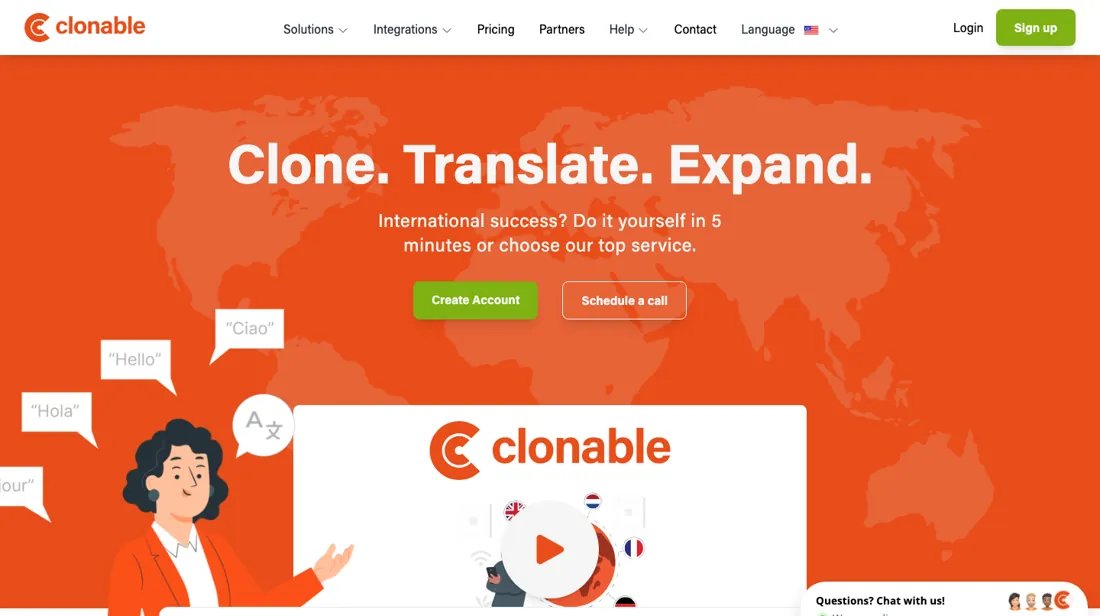
Creates a continuously-translated clone of your existing website — fast multilingual versions that stay synced as your site changes, without rebuilding it.
What buyers report about Clonable
Hands-on: tested 2026-10-01Reported by buyers: Trustpilot and user accounts, read August 2026
Themes from the buyer-review sites listed at the foot of this page, read in August 2026. We tested Clonable ourselves on 2026-10-01, but one test is a narrow sample, so here is what other buyers report. We summarise it here because the complaints are usually the part a vendor page leaves out.
- • Updates to your original site translate and sync automatically — reviewers name that as the thing that saves the ongoing work, not the initial setup.
- • Reviewers report standing up German, French, English and Danish clones in a single day, without hiring anyone or using an agency.
- • Translation quality is described as clearly better than Google Translate, cheap enough that a human can review the pages that matter.
- • The independent review base is thin and heavily weighted toward positive experiences. There is not much critical evidence either way — trial it on your own site.
- • It is a translated clone of your site, not a native multilingual build. Weigh what that means for your SEO setup before committing.
Pages read (August 2026): Trustpilot
When the paid plan is worth it
The free tier caps at 1 clone and 20 translated pages (an upgrade to 50 pages costs EUR 25 a month). Business is EUR 49 per month invoiced annually (EUR 59 billed monthly) for 3 clones and up to 400 translated pages; Pro is EUR 79 or EUR 95 for 5 clones and 1,200 pages. The pricing page FAQ states the page total applies to all clones combined, so extra languages draw on the same allowance.
Higher tiers buy tooling as well as volume: the feature table lists AI proofreading as 1-2 texts on Free and 50-100 texts on Business, switches on site search from Pro, and backups from Expert. No subscription covers installation assistance (EUR 250 optional on Business, Pro and Expert), the feeds themselves (EUR 30 to EUR 75 per feed per month depending on package), or a non-translating clone (EUR 49 to EUR 249 on the e-commerce plans).
What we found running Clonable ourselves
The first findings are at the top of this page. The rest:
- Connecting the plugin with an API key put hreflang tags for x-default, en-us and de-de in the head of both the original and the clone straight away. The URL slug stayed English; URL translation is a separate feature.
- Correcting a single translation in the Clone editor works on the free plan. Translation Replacements and the Glossary, the tools for fixing a term everywhere at once, ask for an upgrade.
- The plan picker inside the app showed one clone on every plan and 25 free pages, while the public pricing page the same day listed 3 to 20 clones per plan and 20 free pages.
What this test does not show: Going live on our own domain or a subfolder, WooCommerce and multi-currency, more than one short page, languages other than German, and WPML itself side by side. Choosing German in the floating language switcher did not navigate in our automated browser session, so we could not confirm that click-through.
Most of our reviews are researched rather than run — how we review explains which is which, and why we do not pretend otherwise.
How to actually use Clonable
Create an account, then a clone: enter your domain without https:// or www, let Clonable detect the platform (the docs allow up to 10 seconds), and pick subfolder, subdomain or separate domain. In about a minute the clone is ready to preview; the vendor FAQ says it is ready to use within 10 minutes. What follows is DNS. Subdomain and separate-domain clones need A and AAAA records, with and without www, and the DNS article warns records are generally active an hour after setting but can take up to 24 hours depending on your ISP.
Subfolder clones need no DNS change, but the docs say one can currently only be created with the Clonable WordPress plugin (WordPress 6.0 or higher, PHP 8.1 or higher); other platforms are told to ask for a custom solution. Documented snags: Error 421 when a subfolder is not correctly registered in Clonable, an SSL name mismatch after deleting a clone in the dashboard but not the plugin, and a language switcher off by default.
Sources for this review
- Clonable pricing page · read 21 Sep 2026: the plan ladder on both the annual and monthly settings, and the EUR 25 a month upgrade to 50 pages
- Clonable FAQ · read 31 Jul 2026: that the page allowance applies to all clones combined
- Clonable knowledge base (getting started, DNS, WordPress, clone settings, substitution rules) · read 31 Jul 2026: the setup steps in this section
- Clonable plugin on WordPress.org · read 31 Jul 2026: the plugin details, changelog and public user reviews
- Our hands-on WordPress test · read 1 Oct 2026: the clone, sync and plugin findings in the hands-on section
Full research notes and reading history (102 words)
Clonable pricing page https://www.clonable.net/pricing — read 2026-07-31 (raw HTML fetched with curl; the annual/monthly prices and the full comparison table sit behind an Alpine.js toggle that defaults to annual). Clonable FAQ https://www.clonable.net/faq/ — read 2026-07-31. Getting started, other platforms https://kb.clonable.net/en/introduction/getting-started/generic/ — read 2026-07-31. Getting started, WordPress https://kb.clonable.net/en/introduction/getting-started/wordpress/ — read 2026-07-31. DNS settings https://kb.clonable.net/en/introduction/setup/configure-dns/ — read 2026-07-31. WordPress platform troubleshooting https://kb.clonable.net/en/introduction/setup/platforms/wordpress/ — read 2026-07-31. Docs FAQ https://kb.clonable.net/en/misc/FAQ/ — read 2026-07-31. Clone settings https://kb.clonable.net/en/customize/settings/clone-settings/ — read 2026-07-31 (checked for an indexing setting; the page documents none).
Substitution rules https://kb.clonable.net/en/customize/substitution-rules/ — read 2026-07-31. WordPress.org plugin listing, changelog and public user reviews https://wordpress.org/plugins/clonable/ — read 2026-07-31.
The natural comparison is Weglot — Weglot is the established website-translation layer with published pricing; Clonable positions as a full continuously-synced clone — both are subscription localization, and both need a human spot-check on quality.
Frequently asked questions
Is €49 a month really what Business costs?
Only if you pay for a year up front. The pricing page carries a Per month / Annually switch and it opens on Annually, so the first figure you see is already the discounted one. Read on 19 September 2026, the website ladder is €49 for Business, €79 for Pro, €249 for Expert and €999 for Premium on the annual setting, against €59, €95, €299 and €1,199 when you click Per month. Free is €0 either way. That is roughly a sixth off for committing to a year, and it is the same trap in both directions: a screenshot of the default page understates a monthly subscription, while the monthly column is what you actually pay if you want to leave after three months.
Do extra languages eat into my page allowance?
Yes, and that is the number that decides your tier. Each plan states a ceiling of translated pages — 20 on Free, 400 on Business, 1,200 on Pro, 5,000 on Expert and 50,000 on Premium — and their own price calculator on the same page asks for your page count and your number of languages before it returns a plan, so the two multiply. A 300-page site in two languages is already 600 translated pages and therefore Pro, not Business, even though the site itself fits Business twice over. Count pages first with their page counter, multiply by the languages you actually intend to launch, and only then read the ladder.
Website or Online Store — which ladder applies to me?
They are separate ladders with separate entry prices, and a webshop is the expensive one. The Website tab starts free and includes several clones per plan: three on Business, five on Pro. The Online Store tab starts at €99 a month annually for Ecommerce Small and includes exactly one clone, then €299 for Medium and €499 for Large, with 1,000, 5,000 and 15,000 translated pages respectively. Product feeds are billed on top at €30, €50 and €75 a month per XML feed. Setup assistance is €250 on Small but €950 on Medium and Large. If you sell products, price the feed and the setup in from the start — the headline €99 is not the whole shop.
What does adding a clone or a language cost once I am on a plan?
The cards publish it, which is more than most tools in this category do. An additional clone with its pages is €25 a month on Business and Pro, and €50 a month on Expert and Premium; on Free the only step is an upgrade from 20 to 50 pages for €25 a month. Optional setup assistance is €250 on Business, Pro and Expert, and €1,000 on Premium. On the webshop ladder each extra XML feed is €30 to €75 a month depending on tier, and a non-translation clone starts at €49, €149 or €249. So the cheap way up is usually one more clone on your current plan rather than the next tier — until the page ceiling, not the clone count, is what you are hitting.
How many clones does Expert include?
Ten, and the page now says so in both places. Until 19 September 2026 the Expert card read '10 clones included' while the comparison grid lower down the same page listed 'Max. number of clones' as 1, 3, 5, 5, 20 across Free, Business, Pro, Expert and Premium — giving Expert five. We asked Clonable which figure was authoritative; they corrected the grid, and read again on 21 September 2026 it shows 1, 3, 5, 10, 20. At €249 a month against Pro's €79 the clone count is most of what the step up buys, so it was worth settling. Extra clones are sold at €50 a month each on Expert.
Is this a hands-on review of Clonable?
Yes. We tested Clonable ourselves on 2026-10-01; the section above says what we tested, what we found and what we did not test, and where a figure comes from the vendor's own documentation instead. Most of our reviews are researched rather than run; we say which is which. We name what each tool is good and bad at, and we earn a commission only if you sign up, at no cost to you.
- Buyer reviews on Trustpilot and user accounts, read August 2026.
- Prices re-verified 2026-09-21 on clonable.net/pricing; the page blocks plain fetches and was read in a browser.
- Our own hands-on session with Clonable (2026-10-01), written up in full further down this page.
Others in this category
Reviewed design & content tools that share ground with Clonable — comparable in what they do, not drop-in swaps:
Also in design & content, for browsing rather than as an alternative:
New reviews, price changes we recorded, and the cost conditions we found. No sponsored placements. Unsubscribe anytime.
This is our researched assessment — not a paid placement. The “Visit” links on this page are affiliate links: we may earn a commission if you sign up, at no extra cost to you, and it never changes our take. How we review →