UptimeRobot Review (2026)Skip Paid If 5-Min Checks Suffice
 By Daan Haket · Researched and written with an AI assistant · who does what
The famous free tier is real — but the paid ladder has quiet extras: extra login seats cost $15-19 per month EACH beyond the included ones, and SMS or voice-call alerts are pay-per-credit on every plan. The Solo tier includes no team seats at all.
solo builders and small teams monitoring sites, ports and APIs at 60-second resolution with status pages — and honestly, the free 50-monitor tier covers most hobby stacks.
you need many teammates in the dashboard (seats are a paid add-on) or heavy SMS alerting — credits stack on top of the subscription.
Transparency: the “Visit” links on this page are affiliate links — we may earn a commission if you sign up, at no extra cost to you. No vendor can pay for a better review or verdict. How we make money →
Pricing (2026)
✓ Pricing re-verified 29 Sep 2026
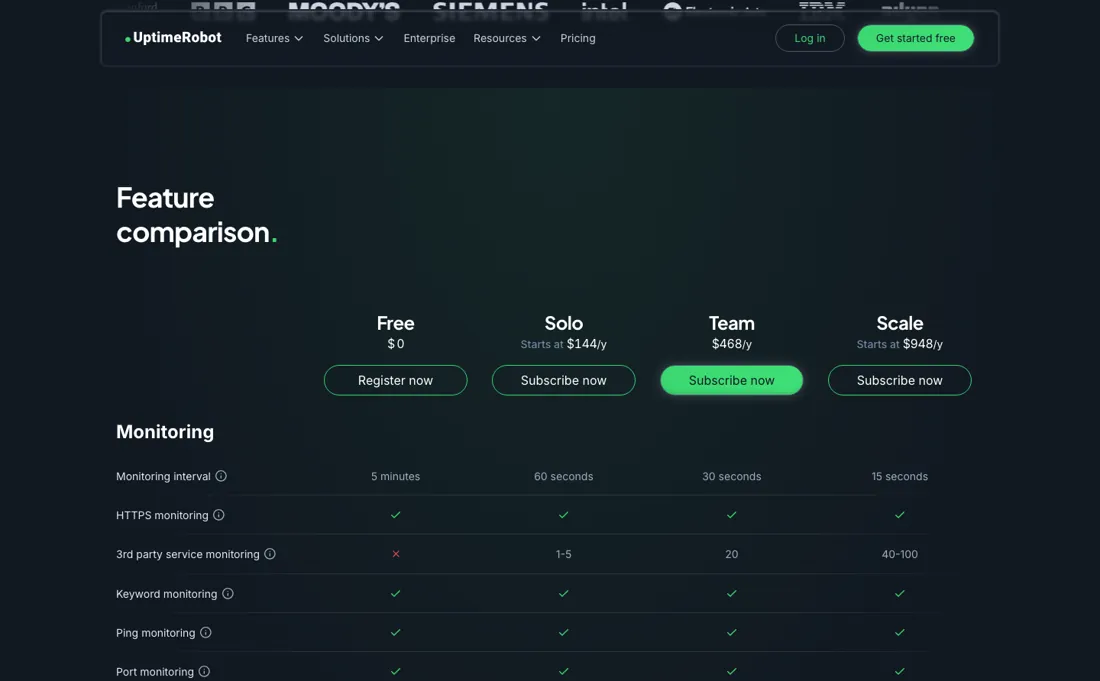
Free is $0. Solo starts at $144 a year, Team is $468 and Scale starts at $948 — the page quotes yearly, not monthly, which makes it look cheaper per line than it is against monthly-priced rivals. Login seats are the upsell: none on Solo, three on Team, five on Scale, and more at $15 or $19 each a month. Data retention runs three months on Free, twelve on Solo and twenty-four above that.
They publish a machine-readable version of this page for AI agents, which is rare enough to be worth noting. New since August: paid plans add monitoring of the third-party services you depend on — 1-5 on Solo, 20 on Team and 40-100 on Scale by monitor tier — which the pricing page lists as launching in September 2026. Plans change — always verify the live price on their site.
Correction after re-checking: An earlier version of this page put Solo at €13 a month, or €11 billed annually. That figure is the lowest monitor tier on the Solo card rather than the price of Solo as a whole — the pricing page sells Solo behind a monitor-tier selector, and Scale works the same way — and the euro amounts were readings from our own location, which is geo-dependent here. The figures above replace them: they are the yearly rates the pricing page served over a US connection on 26 August 2026.
UptimeRobot’s pricing page, as we read it
Watch the 2-minute review
The video version of this review, from our YouTube channel.
⚡ Short on time? Watch the 30-second verdict Short.
What UptimeRobot does
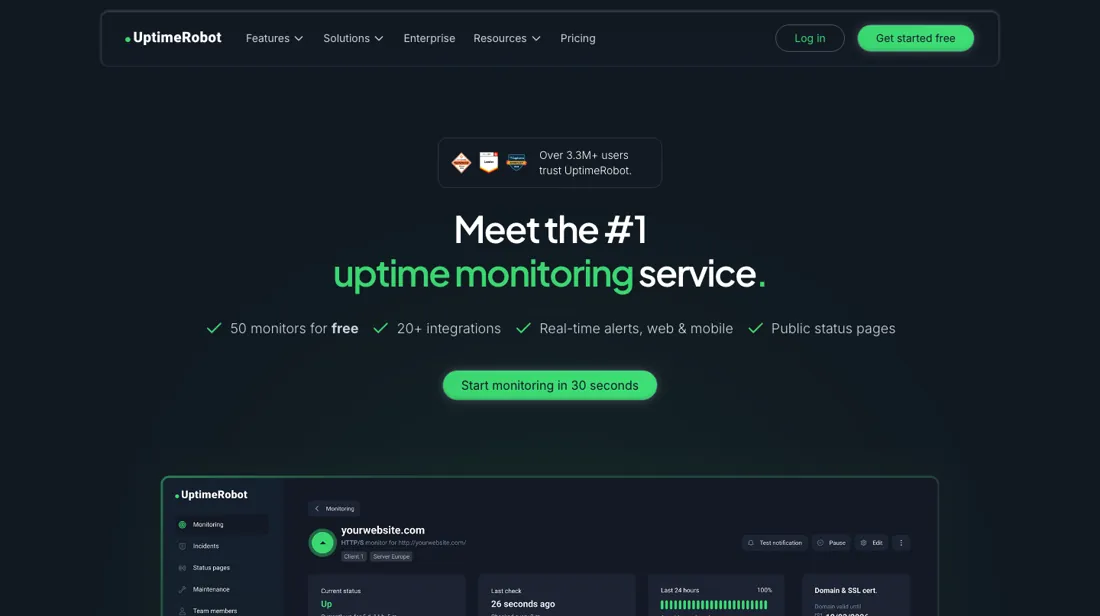
Uptime monitoring with a generous free tier — website, port, keyword and API checks down to 60-second intervals, status pages, integrations and mobile apps.
What buyers report about UptimeRobot
Hands-on: not tested by usReported by buyers: G2, Capterra, Gartner Peer Insights and sysadmin forums, read August 2026
Themes from the buyer-review sites listed at the foot of this page, read in August 2026. We have not run UptimeRobot ourselves, so this is other buyers' experience rather than ours. We summarise it here because the complaints are usually the part a vendor page leaves out.
- • Fast to set up and simple to run without any monitoring expertise, with low paid entry pricing.
- • Pricing has been stable for over 18 months, which in this category is worth something.
- • Recent Trustpilot reviewers, from a university library team to someone watching remote sites across several cities, mostly praise how fast setup is and how quickly alerts arrive (June-September 2026).
- • False positives and the alert fatigue that follows are the loudest complaint on r/sysadmin and r/selfhosted. In December 2024 their own monitoring engine was reported down for three days.
- • History retention is short on the lower tiers, and there is no advanced analytics.
- • The few Trustpilot complaints are about plan details: one user assumed the entry plan included 30-second checks until support explained it did not (July 2026), another could not get SMS or call alerts to arrive on any of their numbers (August 2026).
Where the ratings disagree. Forum complaints centre on false positives and alert fatigue; the Trustpilot reviews of June-September 2026 are almost all praise, and UptimeRobot quotes Trustpilot on its own pricing page. A claim repeated in our August reading, that the free plan is non-commercial only, is wrong: the help centre and the terms, re-read 29 September 2026, allow any use including commercial.
Pages read (August 2026): Trustpilot
When the paid plan is worth it
UptimeRobot's free tier is unusually complete, which changes the upgrade question. The vendor's help centre states the free plan gives 50 monitors, 5-minute checks, status pages and the core monitor types, and explicitly permits business, commercial and revenue-generating use, so cost alone rarely forces a move. Paid tiers earn their keep when detection speed or reporting depth matters. The pricing page lists a 60-second interval on Solo, 30 seconds on Team and 15 seconds on Scale.
History runs longer too: 3 months of retention on free against 12 months on Solo, and 24 months on Team and Scale. That makes the upgrade case strongest for sites where a few minutes of undetected downtime costs money, and weakest for hobby projects and internal tools where a five-minute gap is tolerable. Anyone comparing plans should price them on the vendor's own page rather than from a summary, since the plan cards carry monitor-tier choices that move the headline figure.
Upgrading also does not change what the product is. It runs external checks, so it reports that an endpoint failed rather than why it failed, and a shorter interval surfaces more transient blips, not fewer.
How to actually use UptimeRobot
The documented path to a first working check is short. After logging in, click "+ Add New Monitor" and choose a type; the help centre lists HTTP(s), Keyword, Ping, Port, Heartbeat, DNS, API and UDP. For a standard website check, enter the URL you wish to monitor, which auto-populates the Friendly Name field, though that can be adjusted. Review the alert contact settings and decide which ones should receive notifications, set the monitoring interval, choose the region to monitor from, and click "Create monitor".
The stall points sit around that alert step rather than the monitor itself. A monitor created without reviewing its contacts watches quietly and tells nobody, and on the free plan the 5-minute interval means a brief outage can pass entirely between consecutive checks. Keyword monitors need the keyword specified alongside the URL, so the check is only as reliable as the text chosen. Heartbeat monitors behave differently again: the vendor notes the unique URL is generated only after the monitor is created, so the cron job or job runner has to be edited afterwards.
Distilled from Vendor pricing page (https://uptimerobot.com/pricing) and UptimeRobot Help Center articles on free-plan scope (https://help.uptimerobot.com/en/articles/11604710-who-should-use-uptimerobot-s-free-plan) and first-monitor setup (https://help.uptimerobot.com/en/articles/11358364-how-to-create-your-first-monitor-on-uptimerobot-quick-setup-guide), read 4 August 2026. Re-read 29 September 2026: uptimerobot.com/pricing and uptimerobot.com/pricing.md (euro plan amounts, monitor tiers, seats, SMS credit packs in dollars), the free-plan help article (any use, including commercial) and uptimerobot.com/terms (same wording).
The natural comparison is Pingdom — Pingdom is the enterprise-polish incumbent at a higher entry price; UptimeRobot's free tier and cheap solo plans win for small stacks — watch the seat and SMS add-ons as the team grows.
Frequently asked questions
What does UptimeRobot cost?
Read from their own machine-readable pricing page on 17 August 2026 and again, unchanged, on 29 September 2026, in euros: Free €0 for 50 monitors at 5-minute checks; Solo from €9 a month billed annually; Team from €35; Scale from €65 for 200 monitors and from €149 for 500. Note the currency — the same numerals circulate as dollars elsewhere, including in our own earlier write-up.
Is the free plan actually usable?
Unusually so: 50 monitors at 5-minute checks with no credit card, and platform API access is included even on Free. What you give up is the check interval and the incident detail — five minutes rather than sixty seconds, and no root-cause commentary on incidents. For a personal project or a handful of sites that is a real plan, not a demo.
What decides which paid tier I need?
Two numbers, and neither is a feature list: how many monitors you run and how often you want them checked. Solo covers 10 or 50 monitors at 60 seconds, Team 100 at 30 seconds with 24-month retention, Scale 200 or 500 at 15 seconds. If your alerting requirement is 'within a minute', that is what you are buying.
Is this a hands-on review of UptimeRobot?
This is a researched assessment, not a hands-on test — where we've used a tool ourselves, we say so explicitly. We name what each tool is good and bad at, and we earn a commission only if you sign up, at no cost to you.
- Buyer reviews on G2, Capterra, Gartner Peer Insights and sysadmin forums (August 2026); Trustpilot (English-language reviews, read September 2026), read August 2026.
- Read 2026-08-26 on uptimerobot.com/pricing over a US connection; re-read 2026-09-29 from a Dutch connection, where the page and its machine-readable pricing.md serve euro amounts identical to our 17 August euro reading, so the dollar figures here could not be re-read from Europe.
- A dated screenshot of that pricing page, kept on this site as the receipt.
Others in this category
Reviewed developer tools that share ground with UptimeRobot — comparable in what they do, not drop-in swaps:
Also in developer tools, for browsing rather than as an alternative:
New reviews, price changes we recorded, and the cost conditions we found. No sponsored placements. Unsubscribe anytime.
This is our researched assessment — not a paid placement. The “Visit” links on this page are affiliate links: we may earn a commission if you sign up, at no extra cost to you, and it never changes our take. How we review →